
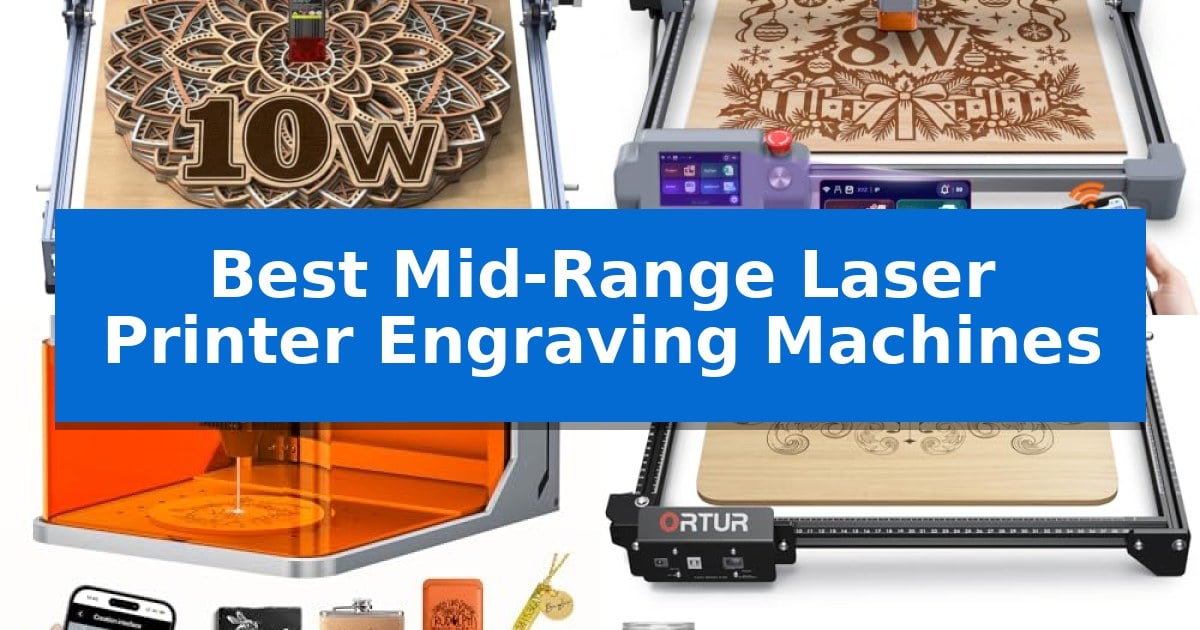
Finding the right equipment for detailed creative work requires balancing technical capability with practical usability. Whether you are looking to personalize wood, leather, or acrylic, the Best Mid-Range Laser Printer Engraving Machines offer a sweet spot between professional-grade power and accessible operation for home studios.
Selecting the right tool depends on your specific material needs and the level of detail your designs require. We have analyzed the current market to help you understand how different laser modules, working areas, and software integrations impact your workflow.
You may also want to compare Best Mid-Range Laser Printer, Best Mid-Range Laptops to Buy, and Best Mid-Range Laptops for Students.
Best Mid-Range Laser Printer Engraving Machines
Quick Comparison
| Product | Best For | Key Strength | Score |
|---|---|---|---|
| Creality Falcon 10W Laser Engraver | Best Overall | High-precision 0.06mm compressed laser spot for detailed work. | 4.9 |
| AlgoLaser MK3 8W Laser Engraver | Beginner-Friendly Touchscreen Interface | 3.5-inch smart touchscreen for PC-free operation | 4.3 |
| Carverall A1 Pro 12W Laser Engraver | Integrated Camera for Precise Alignment | Integrated HD camera for exact design-to-material alignment. | 4.7 |
| Ortur Laser Master 2 S2 Engraver | Modular Design for Easy Upgrades | 10000mW optical power for effective cutting and engraving. | 4.9 |
| Creality Falcon 5W Laser Engraver | High Precision for Intricate Details | Ultra-fine 0.06mm laser spot for high-precision detail. | 4.7 |
How We Chose
- Optical power output and its direct impact on cutting depth and engraving speed.
- Working area dimensions relative to common project sizes like signs, keychains, and custom gifts.
- Software compatibility and the availability of offline operation modes for flexible project management.
- Safety features including integrated filters, tilt detection, and emergency stop mechanisms.
- Ease of assembly and modularity for users who may want to upgrade components over time.
1 Creality Falcon 10W Laser Engraver — Balanced Power for Creative Projects
Achieving precise detail in creative projects often requires a machine that balances power with structural stability. The Creality Falcon 10W Laser Engraver utilizes a 0.06mm compressed laser spot to deliver high-precision results, ensuring clean lines and intricate patterns across a variety of materials.
Engineered for versatility, this desktop unit provides a 15.7" × 16.3" working area, offering sufficient space for larger designs or multiple small-batch items. The machine is built with an aluminum alloy frame and steel shaft wheel guide rails, supported by a belt tension adjustment system to maintain consistent performance during both engraving and cutting tasks.
The Creality Falcon 10W Laser Engraver is capable of cutting through 5mm basswood or 3mm black acrylic in a single pass, with engraving speeds reaching up to 10,000mm/min. This performance makes it a practical choice for users working with leather, paper, fabric, and coated metals.
Safety and workflow flexibility are integrated into the design. The laser module features an anti-UV acrylic filter that blocks 97% of UV rays, and the package includes protective goggles. For added convenience, the machine supports SD card offline operation and maintains compatibility with standard software like LightBurn and LaserGRBL.
Best for: Makers and hobbyists looking for a versatile desktop laser engraver capable of both detailed engraving and single-pass cutting on wood and acrylic.
Skip if: Users who require a fully enclosed laser system or those needing a larger working area than 15.7" x 16.3" for industrial-scale production.
PROS
- High-precision 0.06mm compressed laser spot for detailed work.
- Spacious 15.7" x 16.3" working area accommodates larger projects.
- Integrated anti-UV filter enhances operational safety.
- Supports offline engraving via SD card for flexible project management.
CONS
- Open-frame design requires careful placement and safety precautions compared to fully enclosed units.
2 AlgoLaser MK3 8W Laser Engraver — Beginner-Friendly Touchscreen Interface
Achieving precise detail in DIY projects requires a machine that balances power with accessibility. The AlgoLaser MK3 8W Laser Engraver simplifies the transition into laser crafting by integrating a 3.5-inch smart touchscreen and the proprietary AlgoOS, allowing users to manage designs and initiate engraving tasks without needing a constant PC connection.
Performance is driven by an 8W diode laser capable of reaching speeds up to 15000mm/min. This hardware enables efficient marking and light cutting on materials like wood, leather, and glass. The expansive 400 x 400mm workspace accommodates larger batch projects or oversized designs, reducing the need for frequent material repositioning during production.
Workflow flexibility is supported through multiple connectivity options, including WiFi, USB, and TF card compatibility. For users who prefer advanced design control, the machine maintains compatibility with industry-standard software like LightBurn and LaserGRBL on both Windows and macOS platforms.
Safety is prioritized through a Class 1 laser safety structure, which includes an emergency stop button, motion and tilt detection, and dual-lock authorization. These features are designed to prevent accidental activation and provide a more controlled environment for home workshops or small creative studios.
Best for: Beginners and hobbyists who prioritize an intuitive, PC-free interface and a large workspace for personalized DIY projects.
Skip if: Professional users requiring higher laser power for deep cutting or those who do not need a built-in touchscreen interface.
PROS
- 3.5-inch smart touchscreen for PC-free operation
- Large 400 x 400mm engraving area
- Class 1 laser safety features including motion detection
- Wide compatibility with LightBurn and LaserGRBL
CONS
- 8W laser power is optimized for light cutting and engraving rather than heavy-duty industrial fabrication
3 Carverall A1 Pro 12W Laser Engraver — Integrated Camera for Precise Alignment
Achieving precise alignment for small-scale projects is often the primary hurdle in desktop fabrication, a challenge addressed by the Carverall A1 Pro 12W Laser Engraver through its integrated HD camera. This feature allows users to snap a photo of their material and drag designs directly onto the preview, ensuring pinpoint positioning with 0.01mm precision for detailed 4K results.
Designed for versatility and safety, the machine features a fully enclosed Class 1 design that includes tilt protection and an automatic shut-off mechanism if the unit is moved more than 15 degrees. It incorporates a built-in air assist system to maintain clean cuts and an exhaust fan to manage fumes, making it suitable for home studio environments where space and air quality are considerations.
The Carverall A1 Pro 12W Laser Engraver offers a 3.94×3.94-inch work area, specifically optimized for small-batch items like dog tags, keychains, and jewelry blanks. It supports a wide range of materials, including wood, leather, acrylic, and coated metals, with the ability to cut through 12mm plywood or 8mm acrylic. For those working with cylindrical objects, the unit is roller-ready, allowing for custom tumbler and bottle projects.
Software integration is handled through the free CutLabX platform, which supports AI-generated designs and mobile app control. The system is also compatible with standard industry software like LightBurn and LaserGRBL. With a pre-installed TF card for offline batch processing and smart memory that stores the last file for one-button repeats, the machine is built for efficient, repetitive workflows.
Best for: Small-batch makers and home crafters who require high-precision alignment for compact items like keychains, jewelry, and custom tags.
Skip if: Users who need to engrave or cut large-format materials will find the 3.94-inch square work area too restrictive for their projects.
PROS
- Integrated HD camera for exact design-to-material alignment.
- Class 1 enclosed safety design with tilt protection.
- Built-in air assist and exhaust fan for cleaner cuts.
- Offline batch processing via pre-installed TF card.
CONS
- Limited 3.94×3.94-inch work area restricts the size of projects.
- Optional roller required for cylindrical items like tumblers.
4 Ortur Laser Master 2 S2 Engraver — Modular Design for Easy Upgrades
Achieving precise material customization requires a machine that balances power with structural stability. The ORTUR Laser Master 2 S2 LU2-10A Laser Engraver centers its design around a 10000mW laser module that features a highly focused 0.05mm x 0.1mm compressed point, enabling it to handle both detailed marking and cutting tasks through materials like 20mm wood or 30mm acrylic.
Built with an industrial-grade full metal structure, this engraver prioritizes mechanical reliability. Its modular design allows for straightforward assembly in approximately 10-15 minutes, while also simplifying future part replacements or updates. The inclusion of a built-in air-assist interface further optimizes the machine for cutting applications by improving airflow at the point of contact.
Safety is integrated through a multi-layered system, including a G-sensor on the motherboard that halts the laser if the unit is tilted or displaced. Additionally, the system includes automated safeguards that deactivate the laser if the USB connection is lost or if the machine remains idle for an extended period. For user protection, the device features a protective cover designed to filter 98% of UV light and includes dedicated safety goggles.
The ORTUR Laser Master 2 S2 LU2-10A maintains high performance through a dual fan cooling system integrated into the laser module, which helps manage heat dissipation during operation. Despite its power, the module remains lightweight at 235g, supporting efficient movement across the 390*410mm engraving area. It maintains broad software compatibility, supporting tools like LightBurn and LaserGRBL across Windows and Mac platforms.
Best for: Users seeking a modular, high-power laser engraver capable of both detailed marking and significant material cutting.
Skip if: Users who require a pre-assembled, plug-and-play solution or those who lack the space for a 390x410mm work area.
PROS
- 10000mW optical power for effective cutting and engraving.
- Modular design facilitates easy assembly and maintenance.
- Integrated G-sensor and automated safety shut-offs for enhanced operation security.
- Dual fan cooling system ensures consistent thermal management.
CONS
- Requires manual assembly which may not suit all users.
- Large footprint necessitates a dedicated workspace.
5 Creality Falcon 5W Laser Engraver — High Precision for Intricate Details
Achieving precise detail in custom fabrication requires a tool capable of high-resolution output. The Creality Falcon 5W Laser Engraver addresses this by utilizing an ultra-fine 0.06*0.06mm compression spot, which allows for engraving and cutting accuracy within 0.004 inches. This level of precision makes it a suitable choice for users who need to reproduce intricate designs on a variety of surfaces.
Efficiency is supported by an advanced 32-bit chip that enables engraving speeds reaching up to 10,000 mm/min. This performance capability allows for the management of high-volume tasks without sacrificing the machine's fine-detail accuracy. The system is designed to handle over 200 different materials, including wood, leather, and acrylic, providing broad utility for diverse creative projects.
The machine features a 400x415mm working area, offering sufficient space for larger projects. For those looking to expand functionality, the unit supports upgrades such as a rotary roller for cylindrical objects and raisers for taller items. These modular options allow the workspace to adapt as project requirements evolve.
Safety and operational control are integrated into the design through an eye-protective cover that filters 97% of UV rays. Additionally, the device includes an active stop function that automatically halts operation if movement is detected during the engraving process, helping to mitigate potential risks during use.
Best for: Users who require high-precision engraving and cutting across a wide variety of materials in a medium-sized workspace.
Skip if: Users who require a high-power laser for cutting thick materials, as this 5W model is optimized for precision engraving rather than heavy-duty industrial cutting.
PROS
- Ultra-fine 0.06mm laser spot for high-precision detail.
- Fast engraving speeds up to 10,000 mm/min.
- Integrated safety features including an eye-protective cover and active stop sensor.
- Versatile material compatibility with over 200 supported types.
CONS
- Requires additional purchases for rotary rollers and raisers to expand capabilities.
- 5W power output limits the thickness of materials that can be cut in a single pass.
Best Mid-Range Laser Printer Engraving Machines Buying Guide
Understanding Optical Power
The optical power of a laser module is the primary indicator of what a machine can actually accomplish. While many machines are marketed with high electrical power, the actual laser output determines how quickly you can cut through materials like basswood or acrylic and how deeply you can etch into harder surfaces.
For most mid-range projects, a laser with 8W to 12W of optical power provides a versatile balance. This power level allows for clean, single-pass cuts on thinner materials while maintaining the precision needed for intricate surface engraving.
Working Area and Material Constraints
The working area defines the maximum size of the object you can engrave in a single session. If your goal is to create large signs or batch-process multiple items, a larger workspace is essential to reduce the need for repositioning materials.
Consider the physical dimensions of the frame as well. A larger workspace requires more desk space, so ensure your workshop can accommodate the footprint of the machine along with necessary ventilation and safety clearances.
Software and Connectivity
Most modern laser engravers rely on software like LightBurn or LaserGRBL to translate your digital designs into physical movements. Ensure that the machine you choose is compatible with the software you are comfortable using or willing to learn.
Connectivity options such as USB, Wi-Fi, or SD card support are critical for workflow efficiency. The ability to run projects offline via an SD card can be a significant advantage, as it frees up your computer and prevents interruptions if your connection drops during a long job.
Safety and Protection
Laser engraving involves high-intensity light and potential fumes, making safety features non-negotiable. Look for machines with integrated anti-UV filters that protect your eyes from the laser beam, as well as tilt detection that automatically stops the machine if it is moved or bumped.
Proper ventilation is also vital. While many machines include basic exhaust fans, you may need to set up additional air extraction or work in a well-ventilated area to manage the smoke and debris generated during the cutting process.
Modularity and Upgradability
A modular design allows you to replace or upgrade specific parts, such as the laser module or the frame, as your needs evolve. This can extend the lifespan of your machine and allow you to adapt to new materials or project requirements without purchasing an entirely new unit.
Check if the manufacturer offers accessories like rotary rollers for cylindrical objects or risers for thicker materials. These additions can drastically expand the range of projects you can undertake.
Frequently Asked Questions
Can these laser engravers cut through metal?
Most diode laser engravers in this class are designed for wood, leather, paper, and acrylic. While some can mark coated metals, they are generally not powerful enough to cut through solid metal sheets.
Do I need to assemble these machines?
Most mid-range laser engravers arrive as a kit that requires some assembly. Some models are pre-assembled to a high degree, allowing for setup in as little as 10 to 15 minutes.
Is an air assist necessary?
An air assist is highly recommended for cutting tasks. It helps clear smoke and debris from the cutting path, resulting in cleaner edges and preventing charring on the surface of your material.
What software is best for beginners?
LaserGRBL is often recommended for beginners due to its simplicity, while LightBurn is a more feature-rich, industry-standard software that supports a wider range of advanced tools and settings.
How do I protect my eyes while using the laser?
Always use the included protective goggles and ensure the machine's integrated UV filter is properly positioned. Never look directly at the laser beam while it is in operation.
Conclusion: Our Top Pick
Choosing the right equipment depends on your specific creative goals, but the Creality Falcon 10W Laser Engraver stands out as a versatile and reliable option for those seeking a balance of power and precision. Its 10W optical output and stable frame design make it well-suited for a variety of materials, providing a solid foundation for both beginners and experienced makers.
While other models offer unique features like integrated cameras or touchscreen interfaces, the overall performance and build quality of the Creality Falcon 10W Laser Engraver make it our top recommendation for most mid-range applications. Remember to prioritize your specific workspace needs and safety requirements when finalizing your purchase.