
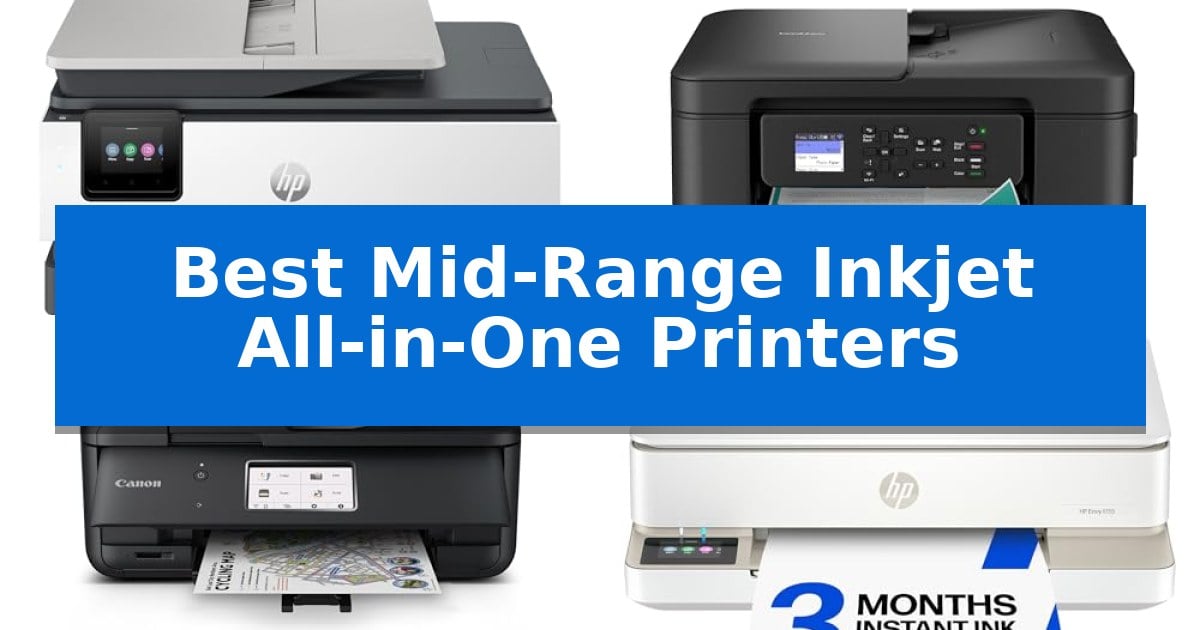
Finding the right machine for your workspace involves balancing print speed, connectivity, and long-term ink costs. Whether you are managing a busy home office or handling school projects, the Best Mid-Range Inkjet All-in-One Printers provide the versatility needed to scan, copy, and print without occupying excessive desk space.
Our selection focuses on models that offer a practical mix of automatic document feeders, duplex printing, and reliable wireless integration. By examining key specifications and design constraints, we help you identify which device aligns with your specific document volume and connectivity requirements.
You may also want to compare Best Mid-Range In-Ear Monitors, Best Mid-Range In-Ear Headphones, and Best Mid-Range In-Ear Bluetooth Headphones.
Best Mid-Range Inkjet All-in-One Printers
Quick Comparison
| Product | Best For | Key Strength | Score |
|---|---|---|---|
| HP OfficeJet Pro 8125 Inkjet Printer | Best Overall | Auto document feeder and duplex printing for efficient document handling. | 4.9 |
| Brother Work Smart 1360 Inkjet Printer | Compact Design with Full Features | Automatic duplex printing saves paper and reduces manual handling. | 4.8 |
| Canon PIXMA TR8620a Inkjet Printer | Versatile Home Office All-in-One | Smart reordering via Alexa integration avoids ink shortages. | 4.7 |
| HP Envy 6155 Inkjet Printer | Intuitive Touchscreen for Easy Use | Intuitive 2.4-inch color touchscreen for simplified navigation. | 4.4 |
| Canon MegaTank G3270 Inkjet Printer | High-Volume Refillable Tank System | Refillable tank system significantly reduces long-term ink costs. | 4.8 |
How We Chose
- Print speed and document handling capabilities
- Wireless connectivity and mobile app integration
- Ease of navigation via onboard touchscreens
- Ink efficiency and supply management systems
- Physical footprint and build design
1 HP OfficeJet Pro 8125 Inkjet Printer — Best for Home Office Productivity
The HP OfficeJet Pro 8125 Wireless All-in-One Color Inkjet Printer is built for home offices requiring a versatile machine that handles printing, scanning, copying, and faxing. It features an auto document feeder and auto 2-sided printing, which help streamline document management for professional reports and presentations.
Equipped with a 2.7-inch touchscreen, the device offers a phone-like interface for navigation. It utilizes dual-band Wi-Fi for reliable connectivity and includes the HP app to facilitate printing, scanning, and faxing directly from a smartphone. The printer also incorporates HP Wolf Essential Security to help protect network data from potential cyber threats.
For those managing high-volume tasks, the printer supports speeds up to 20 ppm in black and 10 ppm in color. It includes a 225-sheet input tray and leverages HP AI to optimize print formatting for web pages and emails, ensuring layouts are clean and reducing wasted paper.
The unit is constructed with more than 45% recycled plastic content and includes a 3-month trial of Instant Ink, a service that delivers cartridges before they run out. Note that this printer is designed to function exclusively with original HP chips and circuitry, and it will block the use of non-HP cartridges.
Best for: Home office users who need a reliable, multi-functional printer with automated features like duplexing and document feeding.
Skip if: Users who prefer the flexibility of using third-party or non-branded ink cartridges, as this model restricts operation to original HP chips.
PROS
- Auto document feeder and duplex printing for efficient document handling.
- Dual-band Wi-Fi connectivity for stable wireless performance.
- HP Wolf Essential Security features to protect network data.
- 2.7-inch touchscreen provides an intuitive user interface.
CONS
- Strict cartridge compatibility requires original HP chips or circuitry.
- Firmware updates may enforce ongoing restrictions on non-HP supplies.
2 Brother Work Smart 1360 Inkjet Printer — Compact Design with Full Features
Managing a home office requires a balance of space and utility, and the Brother Work Smart 1360 Inkjet Printer addresses this by packing automatic duplex (2-sided) printing and a 20-sheet Automatic Document Feeder (ADF) into a compact 7.2-inch high frame. This all-in-one device is engineered to handle everyday tasks like schoolwork and professional reports while maintaining a small footprint on your desk.
Efficiency is central to its design, featuring print speeds of up to 16 pages per minute (ppm) in black and 9 ppm in color. Users can navigate functions through a 1.8-inch color display, which also facilitates direct printing from and scanning to popular cloud services like Google Drive, Dropbox, and OneDrive. This integration simplifies document management without requiring a constant connection to a PC.
Connectivity is flexible, offering both wireless networking and a traditional USB interface. For those who prefer managing tasks from a mobile device, the Brother Mobile Connect app provides an intuitive interface for scanning, copying, and device management. The app also includes a Page Gauge feature, which helps monitor ink levels to prevent unexpected interruptions during high-volume print jobs.
The printer is built for versatility, supporting various paper types through its 150-sheet paper tray. By combining essential office features like the ADF and duplexing with a space-saving design, it serves as a practical solution for users who need a reliable, multi-functional machine that does not dominate their workspace.
Best for: Home office users who need a compact, feature-rich printer capable of handling multi-page documents via an automatic document feeder.
Skip if: Users who require high-volume professional photo printing or heavy-duty laser-class output speeds will find this inkjet model insufficient for their needs.
PROS
- Automatic duplex printing saves paper and reduces manual handling.
- 20-sheet Automatic Document Feeder streamlines scanning and copying of multi-page documents.
- Cloud app connectivity allows for direct printing and scanning without a computer.
- Compact design fits easily into smaller home office spaces.
CONS
- 150-sheet paper tray capacity may require frequent refilling for high-volume users.
- 1.8-inch display is relatively small for complex menu navigation.
3 Canon PIXMA TR8620a Inkjet Printer — Versatile Home Office All-in-One
Managing a home office requires a reliable workflow, and the Canon PIXMA TR8620a Inkjet Printer simplifies this by integrating directly with smart home ecosystems. This wireless 4-in-1 device handles printing, copying, scanning, and faxing, making it a versatile hub for document and photo management.
The printer features a 200-sheet capacity, split between a 100-sheet cassette and a 100-sheet rear feed, which allows for flexible media handling. With auto 2-sided printing, it helps reduce paper consumption during high-volume tasks. It is designed for moderate use with a 1,000-page duty cycle, ensuring it remains a steady companion for daily administrative needs.
Connectivity is a primary focus, featuring AirPrint and Android compatibility for mobile printing. Users can also utilize voice commands through Alexa to manage print tasks or receive low-ink notifications. For those who prefer direct media access, the inclusion of a Micro SD slot provides a convenient way to print files without needing a computer.
Compact enough for most desks at 17.3 inches wide and 7.5 inches high, this unit balances functionality with a space-conscious footprint. It carries an ENERGY STAR and EPEAT Silver rating, reflecting its focus on power efficiency. The device is backed by a 1-year warranty to support its operational longevity in a home office environment.
Best for: Home office users who prioritize smart-home integration and versatile multi-functionality in a compact footprint.
Skip if: High-volume business environments requiring faster print speeds or a higher monthly duty cycle than 1,000 pages.
PROS
- Smart reordering via Alexa integration avoids ink shortages.
- Versatile 4-in-1 functionality covers all standard office needs.
- Dual paper feeding options for flexible media management.
- Auto 2-sided printing supports efficient document workflows.
CONS
- Moderate print speed of 15/10 ipm may be slow for large batches.
- Limited duty cycle restricts use to home or light office tasks.
4 HP Envy 6155 Inkjet Printer — Intuitive Touchscreen for Easy Use
Managing home documentation and creative projects requires a reliable device that balances output quality with ease of use. The HP Envy 6155 Wireless All-in-One Color Inkjet Printer simplifies these tasks through its 2.4-inch color touchscreen, which provides an intuitive interface for navigating print, scan, and copy functions without needing a computer.
This printer is designed for versatility, featuring auto 2-sided printing to reduce paper consumption and a 100-sheet input tray suitable for everyday homework or photo projects. It utilizes HP's P3 technology to achieve true-to-screen color accuracy, ensuring that printed photos and documents closely match the vibrancy viewed on digital displays.
Connectivity is a primary focus, supported by dual-band Wi-Fi that automatically manages connection stability. Users can also leverage the HP app to perform tasks directly from a smartphone. For those managing web content, the printer includes HP AI-powered formatting, which optimizes the layout of web pages and emails to prevent wasted pages or awkward margins.
The device incorporates a sustainable design constructed with at least 60% recycled plastic. It is important to note that the HP Envy 6155 is engineered to function exclusively with original HP chips or circuitry; it will restrict the use of third-party cartridges, with periodic firmware updates ensuring these compatibility measures remain active.
Best for: Home users who prioritize an intuitive touchscreen interface and automated formatting for printing web content and high-quality photos.
Skip if: Users who require high-volume, high-speed office printing or those who prefer the flexibility of using third-party ink cartridges.
PROS
- Intuitive 2.4-inch color touchscreen for simplified navigation.
- HP AI-powered formatting to optimize web page and email layouts.
- True-to-screen P3 technology for vibrant, accurate color reproduction.
- Dual-band Wi-Fi for reliable wireless connectivity.
CONS
- Restricted to original HP chips, blocking the use of third-party ink cartridges.
- Modest print speeds of 10 ppm black and 7 ppm color.
5 Canon MegaTank G3270 Inkjet Printer — High-Volume Refillable Tank System
Managing high-volume printing needs often leads to significant recurring costs, but the Canon MegaTank G3270 Inkjet Printer addresses this by utilizing a refillable tank system rather than traditional cartridges. This design choice allows for substantial ink capacity, enabling users to print up to 6,000 black and white or 7,700 color pages from a single set of included inks.
The printer is built for versatility, offering wireless print, copy, and scan capabilities that integrate into home or office environments. Its compact desktop design ensures it fits into smaller workspaces, while the 1.35-inch square LCD display provides a straightforward interface for managing basic device functions.
By moving away from standard ink cartridges, this model is positioned to help users save on long-term supply expenses. The system is engineered to provide up to two years of ink out of the box, which is a practical consideration for those who frequently print documents or color materials and want to minimize the frequency of maintenance tasks.
While the device excels at high-volume output, it is limited to single-sided printing. This trade-off is important for users who require automatic duplexing for professional reports or double-sided documents, as they would need to manually flip pages with this specific unit.
Best for: Home and office users who prioritize high-volume, low-cost printing and require a compact, wireless all-in-one solution.
Skip if: Users who require automatic double-sided (duplex) printing for professional documentation or high-speed document handling.
PROS
- Refillable tank system significantly reduces long-term ink costs.
- High-capacity ink set provides up to 6,000 black and 7,700 color pages.
- Wireless connectivity enables convenient printing, copying, and scanning.
- Compact footprint suitable for limited desktop space.
CONS
- Single-sided printing only requires manual intervention for double-sided documents.
Best Mid-Range Inkjet All-in-One Printers Buying Guide
Understanding Print Speed and Volume
When selecting a printer, consider your typical monthly output. Mid-range models often balance speed with quality, typically offering between 10 and 20 pages per minute. If you frequently print large reports, prioritize devices with higher black-and-white print speeds.
Look for an Automatic Document Feeder (ADF) if you regularly scan or copy multi-page documents. This feature significantly reduces manual labor, allowing you to stack pages and let the printer handle the rest.
Connectivity and Mobile Integration
Modern printers should integrate seamlessly with your existing devices. Look for dual-band Wi-Fi support, which provides a more stable connection and helps resolve common network drops. Reliable wireless connectivity ensures you can print from laptops, tablets, or smartphones without needing a direct USB cable.
Check for dedicated mobile apps that allow for remote scanning and cloud printing. These tools often simplify the process of sending documents directly to services like Google Drive or Dropbox, streamlining your digital workflow.
Ink Management and Long-Term Costs
Ink costs are a significant factor in the total cost of ownership. Some printers utilize subscription-based ink delivery services, which can be convenient for consistent users, while others use high-capacity refillable tank systems designed for high-volume printing.
Evaluate whether your usage pattern favors a subscription model that tracks your levels automatically or a tank-based system that requires manual refilling but offers a lower cost per page over time.
Design and Physical Footprint
Home office space is often limited, making the physical dimensions of your printer a critical consideration. Measure your desk or shelf space before purchasing to ensure the unit fits comfortably with enough clearance for paper trays and lid access.
Consider the user interface as well. A color touchscreen can make navigating complex tasks like scanning to email or adjusting print settings much more intuitive than traditional button-based interfaces.
Security and Sustainability
Protecting your network is essential, especially in a home office environment. Some printers include built-in security features designed to help keep your network protected from potential cyber threats, adding a layer of safety to your document management.
If environmental impact is a priority, look for devices constructed with recycled plastic content. These design choices contribute to more sustainable manufacturing practices without compromising the printer's core performance.
Frequently Asked Questions
What is the benefit of an Automatic Document Feeder (ADF)?
An ADF allows you to load multiple pages into the printer for scanning or copying at once, rather than placing each page on the glass manually.
Do I need a subscription for printer ink?
Subscription services are optional and designed to deliver ink before you run out, but many printers also allow you to purchase cartridges individually as needed.
How does dual-band Wi-Fi improve printer performance?
Dual-band Wi-Fi provides a more reliable connection by utilizing different frequency bands, which helps the printer maintain a stable link to your network and reduces connection drops.
Can I print from my smartphone?
Yes, most modern inkjet printers support mobile printing through dedicated apps, allowing you to print, scan, and copy directly from your phone.
Are refillable tank printers better than cartridge printers?
Refillable tank printers are typically better for high-volume users because they offer a lower cost per page, whereas cartridge printers are often more compact and suitable for lower-volume home use.
Conclusion: Our Top Pick
For most home office needs, the HP OfficeJet Pro 8125 Inkjet Printer stands out as the most reliable choice. It combines fast print speeds, a user-friendly 2.7-inch touchscreen, and robust security features to handle professional-quality documents with ease.
While other models offer specific advantages like high-volume tank systems or more compact footprints, this unit provides the best overall balance of productivity and ease of use for a standard home office setup.