
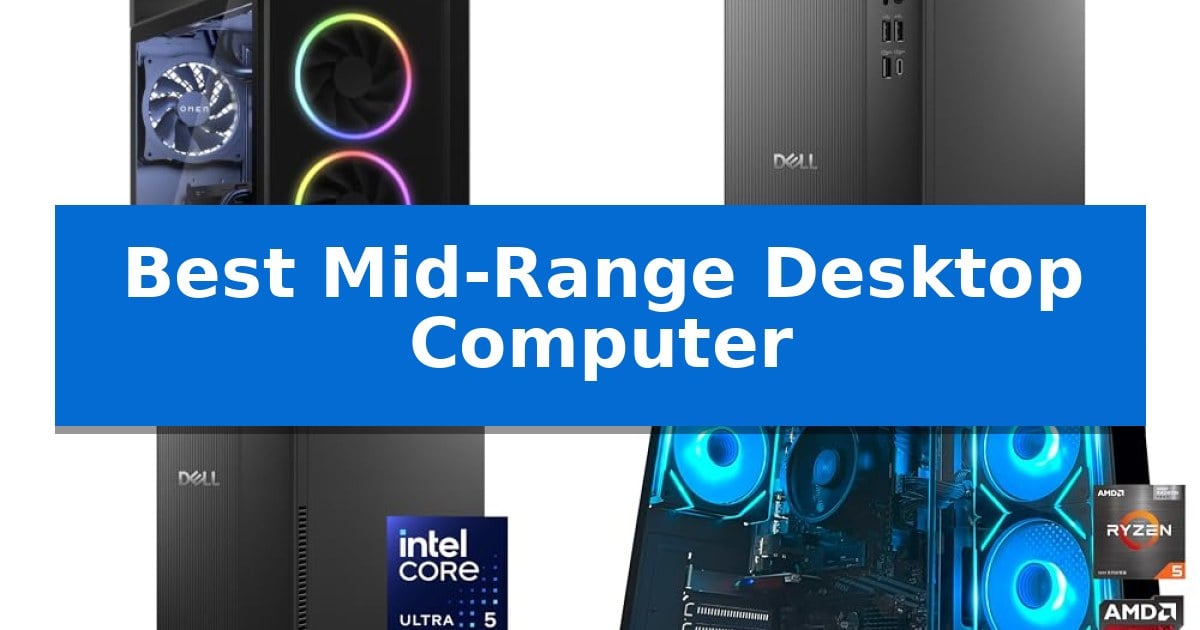
Finding the right machine for your desk often feels like a balancing act between raw processing power and practical space management. Whether you are handling intensive multitasking, creative projects, or daily office productivity, the Best Mid-Range Desktop Computer serves as the reliable engine for your digital life.
Our analysis focuses on systems that provide a stable foundation for your specific needs, emphasizing hardware configurations and build quality. By evaluating current desktop options, we aim to simplify your search for a machine that fits your workspace and performance requirements without unnecessary complexity.
You may also want to compare Best Mid-Range Curved Monitor, Best Mid-Range CPUs: AMD Ryzen 5 1600X, and Best Mid-Range CPU, GPU, and Motherboard Combos for Gaming.
Best Mid-Range Desktop Computer
Quick Comparison
| Product | Best For | Key Strength | Score |
|---|---|---|---|
| HP OMEN 45L Gaming Desktop | Best Overall | Liquid cooling system ensures consistent performance during intense marathons. | 4.9 |
| Dell Tower Desktop | AI-Ready Productivity Powerhouse | Tool-less entry for convenient and stress-free internal upgrades. | 4.8 |
| Dell Slim Desktop | Space-Saving Modern Design | Compact, space-saving design ideal for limited desk footprints. | 4.7 |
| YAWYORE Gaming PC Desktop | Balanced Multithreaded Performance | AMD Ryzen 5 5600GT processor offers capable multi-threaded performance. | 4.6 |
| WIWB Gaming PC Desktop | Versatile Entry-Level Esports | 8-core Ryzen 7 processor provides strong multitasking capabilities for productivity and schoolwork. | 4.3 |
How We Chose
- Processor and memory capacity for handling modern multitasking workloads.
- Storage speed and volume to ensure quick system responsiveness and file access.
- Connectivity options including port variety and wireless networking standards.
- Chassis design and physical footprint for different workspace environments.
- Upgradeability and ease of access to internal components for long-term utility.
1 HP OMEN 45L Gaming Desktop — High-Performance Liquid Cooled Gaming
The HP OMEN 45L Gaming Desktop centers its performance around a 12th Generation Intel Core i7-12700KF processor, which provides 12 cores and 20 threads to handle demanding tasks like AAA gaming, live streaming, and 3D rendering. This system is engineered for users who require a balance of high-speed processing and reliable thermal management, utilizing an integrated liquid cooling system to maintain stability during extended workloads.
Graphics processing is managed by an NVIDIA GeForce GTX 1660 SUPER, a discrete card optimized for 1080p gaming across popular titles. The desktop includes 32GB of DDR4 RAM, ensuring sufficient memory for multitasking between games and creative applications. Storage is handled by a 1TB PCIe Gen4 NVMe SSD, which offers faster read speeds than previous generations, significantly reducing load times for operating systems and large game files.
The chassis features a tempered black glass front panel and a water-based paint finish, housing an 800W 80 Plus Gold certified power supply that provides efficiency and headroom for future hardware upgrades. Connectivity is extensive, offering a variety of USB 3.2 Gen 1 and Gen 2 ports, Type-C ports, and dedicated audio outputs. Users can manage system aesthetics through the OMEN Light Studio software, which controls integrated RGB lighting effects.
Designed for versatility, the system includes a wireless USB WiFi adapter and RJ-45 Gigabit Ethernet for flexible networking. The inclusion of Windows 11 Home with DirectX 12 Ultimate and Auto HDR support ensures the machine is ready for modern gaming environments out of the box. The internal layout is protected by a chassis side cover lock, securing the internal components while maintaining a clean, professional aesthetic.
Best for: Users seeking a pre-built, liquid-cooled desktop capable of handling 1080p gaming and intensive multitasking workloads.
Skip if: Users who require high-end 4K gaming performance or those who prefer a compact, small-form-factor PC for limited desk space.
PROS
- Liquid cooling system ensures consistent performance during intense marathons.
- 32GB of RAM provides ample overhead for multitasking and creative workflows.
- 1TB PCIe Gen4 NVMe SSD enables rapid boot and load times.
- 800W 80 Plus Gold PSU offers high efficiency and capacity for future upgrades.
CONS
- GeForce GTX 1660 SUPER is limited to 1080p gaming performance.
- Large chassis size may not fit in compact office or gaming setups.
2 Dell Tower Desktop — AI-Ready Productivity Powerhouse
Modern computing demands a balance between raw processing power and streamlined maintenance, a need addressed by the Dell Tower Desktop. This system centers on the Intel Core Ultra 7-265 processor, which integrates built-in AI capabilities designed to accelerate complex tasks and creative workflows.
The hardware layout prioritizes both utility and longevity. With a tool-less entry design and a removable side panel, users can access internal components for upgrades without specialized equipment. Security is integrated at the hardware level through a dedicated TPM chip, complemented by a physical lock slot and padlock loop for securing the chassis in shared environments.
Connectivity options are robust, supporting multi-display configurations for intensive multitasking. The system can drive up to four FHD monitors via DisplayPort with daisy-chaining, or alternatively, two 4K displays using a combination of HDMI 2.1 and DisplayPort. It arrives with 32GB of RAM and a 1TB PCIe NVMe SSD, providing a solid foundation for demanding applications.
The physical design emphasizes a modern aesthetic, utilizing recycled materials to align with sustainable manufacturing goals. Each unit includes a wired keyboard and mouse, ensuring the system is ready for immediate deployment. Dell also includes a 1-year onsite service warranty, providing professional support at your location if remote diagnosis cannot resolve a hardware issue.
Best for: Users requiring an AI-ready, easily upgradeable desktop for professional productivity and multi-monitor workflows.
Skip if: Gamers or creative professionals who require high-end dedicated discrete graphics cards for intensive 3D rendering or gaming performance.
PROS
- Tool-less entry for convenient and stress-free internal upgrades.
- AI-integrated Intel Core Ultra processor to accelerate productivity tasks.
- Multi-monitor support for up to four FHD displays or two 4K displays.
- Hardware-level security via integrated TPM chip and physical lock slots.
CONS
- Integrated Intel UHD Graphics limits performance for heavy gaming or professional 3D workloads.
- Wired peripherals may not suit users who prefer a cable-free desk setup.
3 Dell Slim Desktop — Space-Saving Modern Design
The Dell Slim Desktop offers a streamlined solution for users who need a compact, modern workstation without sacrificing connectivity or internal accessibility. Measuring just 3.74 inches in width, this desktop is specifically engineered to fit into small workspaces while maintaining a professional aesthetic through its recycled material construction.
Performance is driven by the integration of Intel Core Ultra processors, which feature built-in AI capabilities designed to assist with productivity and creative tasks. The system comes equipped with 16GB of DDR5 memory and a 512GB SSD, providing a balanced foundation for multitasking and efficient data access.
For users requiring an expansive visual setup, the device supports up to four FHD monitors via DisplayPort 1.4a with daisy-chaining, or a dual 4K display configuration using HDMI 2.1 and DisplayPort. This versatility makes it a practical choice for multi-monitor workflows.
Maintenance and security are prioritized through a tool-less entry design, allowing for quick access to internal components for future upgrades. Data protection is handled by a hardware TPM security chip, and the chassis includes a built-in lock slot or padlock loop for physical security when the system is unattended.
The package includes a one-year onsite service warranty, ensuring support at your location if remote diagnosis cannot resolve hardware issues. Additionally, the inclusion of Dell Migrate software provides a guided method for transferring personal files and records to the new system.
Best for: Professionals and home users who require a space-saving, multi-monitor capable workstation with integrated AI-ready processing power.
Skip if: Users who require high-end dedicated graphics for intensive gaming or professional 3D rendering, as this system utilizes Intel UHD Graphics.
PROS
- Compact, space-saving design ideal for limited desk footprints.
- Tool-less internal access for convenient and stress-free hardware upgrades.
- Extensive multi-monitor support capable of driving up to four FHD displays.
- Hardware-level security via integrated TPM chip and physical lock slots.
CONS
- Integrated graphics limit performance for demanding graphical applications.
- Slim form factor may restrict the physical size of future internal hardware expansions.
4 YAWYORE Gaming PC Desktop — Balanced Multithreaded Performance
Equipped with an AMD Ryzen 5 5600GT processor, the YAWYORE Gaming PC Desktop provides a balanced foundation for users needing reliable multi-threaded performance. This desktop integrates a 6-core, 12-thread CPU capable of reaching 4.6GHz, ensuring responsive operation for productivity tasks and mainstream gaming.
The system is built around the MSI A520M-A PRO motherboard, which supports essential expandability. For memory and storage, it includes 16GB of DDR4 3200MHz RAM paired with a 1TB M.2 NVMe PCIe SSD, facilitating quick data access and efficient multitasking. Graphics are handled by the integrated AMD Radeon Vega solution, suitable for 1080P gaming at quality frame rates.
Thermal management is addressed through an AMD air cooling system augmented by 5 x 12cm ARGB fans, designed to maintain stable temperatures while keeping noise levels low. Power delivery is managed by a 550W 80PLUS Bronze certified power supply, ensuring energy-efficient operation for the internal components.
Connectivity options include built-in WiFi and Bluetooth, allowing for flexible network integration and peripheral pairing without the need for additional adapters. Housed in a standard tower chassis, this desktop offers a straightforward, functional design for office or home environments.
Best for: Users seeking a balanced, pre-built desktop for office productivity and light 1080P gaming.
Skip if: Users requiring dedicated high-end graphics cards for intensive 4K gaming or professional 3D rendering.
PROS
- AMD Ryzen 5 5600GT processor offers capable multi-threaded performance.
- 1TB M.2 NVMe PCIe SSD provides ample and fast storage.
- 5 x 12cm ARGB fans ensure effective cooling and airflow.
- 80PLUS Bronze certified power supply for efficient energy usage.
CONS
- Integrated graphics limit performance in demanding modern gaming titles.
- Limited upgrade path due to the A520M motherboard chipset constraints.
5 WIWB Gaming PC Desktop — Versatile Entry-Level Esports
Finding a reliable machine for daily tasks and light gaming requires balancing processing power with graphical capability. The WIWB Gaming PC Desktop addresses this by pairing an 8-core processor with a dedicated graphics card, offering a versatile foundation for users who need to switch between productivity and entertainment.
At the heart of this system is the Ryzen 7 4700LE processor, which features 8 cores and 16 threads with boost speeds up to 4.2GHz. This architecture provides the necessary responsiveness for multitasking across office applications, web browsing, and school assignments. For visual tasks, the inclusion of the Radeon RX 6500 XT 4GB graphics card enables smooth frame rates for popular esports titles at 1080p resolution.
The system is equipped with 16GB of 3200MHz DDR4 RAM, ensuring that memory-intensive applications and voice chat software run without significant friction. Storage is handled by a 512GB SSD, which facilitates faster system startups and quicker access to frequently used files compared to traditional mechanical drives. Wireless connectivity is managed via integrated WiFi 6, providing a stable link for streaming and remote work environments.
Built on the A520M-A PRO motherboard, this desktop is designed as a dependable platform for home and office use. Its compact tower design, measuring 17 inches in height, fits easily into most workspace setups while maintaining enough internal space for standard operation. This configuration represents a practical entry point for those seeking a balance of gaming performance and everyday utility.
Best for: Students, home-office users, and first-time PC gamers looking for a versatile system capable of 1080p esports gaming and daily multitasking.
Skip if: Users requiring high-end 4K gaming performance, professional-grade video rendering, or extensive internal storage expansion will find this entry-level configuration limiting.
PROS
- 8-core Ryzen 7 processor provides strong multitasking capabilities for productivity and schoolwork.
- Dedicated Radeon RX 6500 XT graphics enables smooth 1080p gaming in popular esports titles.
- 16GB of 3200MHz RAM ensures responsive performance for modern applications.
- WiFi 6 integration offers modern, high-speed wireless connectivity for streaming and remote tasks.
CONS
- 512GB SSD capacity may require external storage upgrades for users with large game libraries.
- Entry-level graphics card is optimized for 1080p resolution and may struggle with demanding high-fidelity titles.
Best Mid-Range Desktop Computer Buying Guide
Evaluating Processor and Memory
The processor is the heart of your desktop, determining how quickly you can switch between applications and process data. For a mid-range system, look for multi-core processors that provide enough headroom for your daily tasks, such as web browsing, document editing, and light content creation.
Memory, or RAM, is equally critical for performance. Having at least 16GB of RAM is generally recommended for modern operating systems to prevent slowdowns during heavy usage. If your work involves complex spreadsheets or creative software, consider systems that offer 32GB or more to ensure smooth operation.
Storage Solutions and Speed
Modern desktops rely heavily on Solid State Drives (SSDs) for storage. Unlike older mechanical hard drives, SSDs provide significantly faster boot times and quicker application launches. Prioritize systems that use NVMe PCIe technology, as these offer the highest data transfer speeds currently available.
Capacity is another factor to consider. While 512GB is sufficient for basic office tasks, 1TB of storage is often a better choice for users who store large media libraries or numerous professional applications. Check if the desktop allows for additional storage drives if your needs grow over time.
Connectivity and Expansion
A functional desktop must connect seamlessly with your peripherals. Look for a variety of USB ports, including both Type-A for legacy devices and Type-C for modern accessories. High-speed ports are essential for external drives and high-resolution displays.
Beyond physical ports, consider the wireless capabilities of the machine. Wi-Fi 6 or newer standards provide more stable and faster internet connections, which is vital for remote work and streaming. Ensure the desktop also supports Bluetooth for connecting wireless keyboards, mice, and audio devices.
Physical Design and Workspace Fit
The physical size of your desktop should match your available workspace. Tower desktops often provide more room for internal airflow and future hardware upgrades, making them ideal for users who want a long-term, expandable solution.
Slim or compact desktops are designed for smaller environments where desk space is limited. These models often sacrifice some expansion options for a smaller footprint, but they remain highly capable for standard productivity tasks. Choose a design that balances your need for space with your desire for performance.
Security and Support
Data security is a priority for any professional or personal computer. Many modern desktops include hardware-based security features, such as TPM chips, which help protect your sensitive information from unauthorized access.
Consider the level of support provided by the manufacturer. Onsite service options can be a significant benefit, as they provide professional assistance at your location if hardware issues arise. Review the warranty terms to understand what is covered and how long the protection lasts.
Frequently Asked Questions
What is the primary benefit of a liquid-cooled desktop?
Liquid cooling systems are designed to maintain lower temperatures for high-performance components during intense usage, which can contribute to consistent performance and system longevity.
Can I upgrade the components in a tower desktop?
Many tower desktops feature tool-less entry and accessible internal layouts, allowing users to upgrade components like RAM or storage drives as their needs evolve.
Why should I choose a desktop with an AI-ready processor?
Processors with built-in AI capabilities are designed to accelerate specific productivity tasks and creative workflows, potentially making your daily operations more efficient.
How many monitors can I connect to these desktops?
Connectivity varies by model, but many modern desktops support multiple monitor setups through HDMI and DisplayPort outputs, sometimes allowing for up to four displays depending on the configuration.
Is a slim desktop less powerful than a tower?
Slim desktops are often optimized for space efficiency, which may limit the size of internal components or expansion slots compared to larger tower models, though they remain powerful enough for most standard computing tasks.
Conclusion: Our Top Pick
Selecting the right machine depends on your specific balance of performance needs and physical space. For users seeking a robust, high-performance system capable of handling demanding tasks, the HP OMEN 45L Gaming Desktop stands out as a versatile choice due to its liquid-cooled architecture and substantial memory capacity.
While this model is well-suited for heavy workloads, ensure your workspace can accommodate its tower design. If your requirements are more focused on office productivity or space-saving, other options in our list may provide a more tailored fit for your specific environment.