
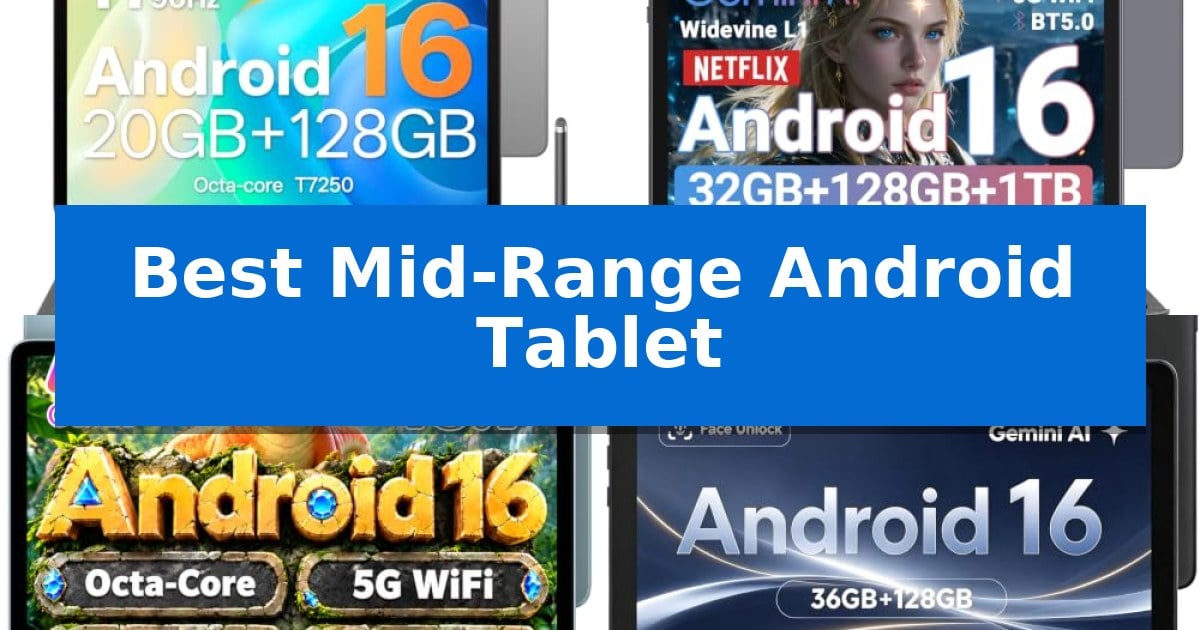
Finding the right balance between performance and price is essential when searching for a reliable mobile device. A Best Mid-Range Android Tablet should handle your daily tasks, from streaming media to managing documents, without the high cost of flagship hardware.
Our guide focuses on identifying devices that offer the most practical features for students, remote workers, and casual users. By evaluating key specifications like processing power, display clarity, and included accessories, we help you choose a tablet that fits your specific workflow.
You may also want to compare Best Mid-Range ANC Headphones, Best Mid-Range ANC Earbuds, and Best Mid-Range AMD Motherboard.
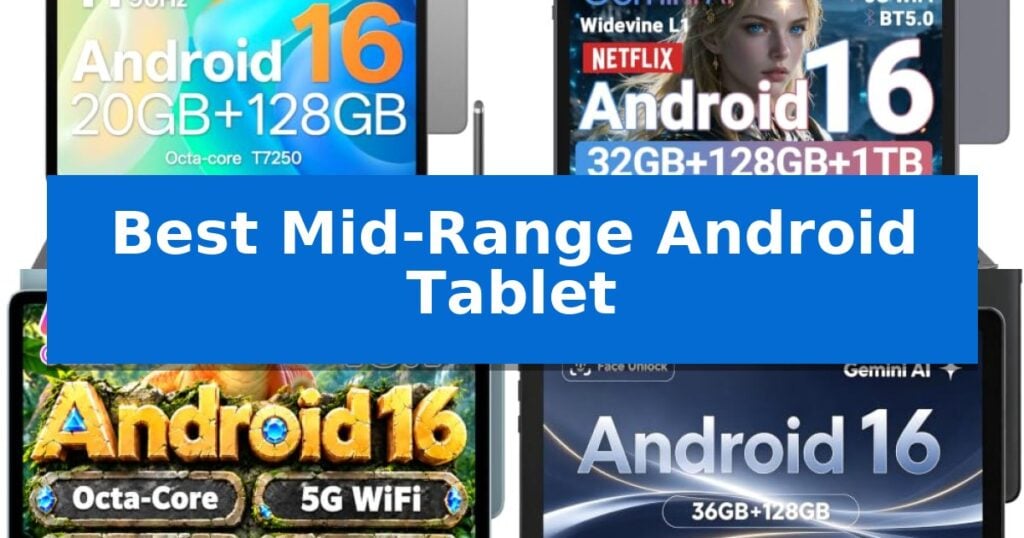
Best Mid-Range Android Tablet
Quick Comparison
| Product | Best For | Key Strength | Score |
|---|---|---|---|
| FIRYMID A1119S Android Tablet | Best Overall | Complete productivity bundle including keyboard, mouse, case, and stylus. | 4.9 |
| COTGOD K70PRO Android Tablet | High-Refresh Fluid Display | 90Hz refresh rate for smoother visual transitions. | 4.9 |
| TECLAST P35 Android Tablet | Reliable Daily Performance | Widevine L1 support for high-definition streaming. | 4.9 |
| Jeazans X109 Android Tablet | Certified HD Streaming | Widevine L1 certification for HD streaming support | 4.8 |
| URAO Android Tablet | Balanced Everyday Utility | Android 16 operating system with enhanced privacy features. | 4.5 |
How We Chose
- Processing power and multitasking capability for everyday apps.
- Display resolution and refresh rate for clear, responsive visuals.
- Battery capacity and longevity for extended daily use.
- Included productivity accessories like keyboards and styluses.
- Software compatibility and support for modern streaming standards.
1 FIRYMID A1119S Android Tablet — Complete Productivity Bundle
Equipped with a comprehensive productivity bundle, the FIRYMID A1119S Android Tablet arrives ready for immediate use with an included Bluetooth keyboard, wireless mouse, protective case, and stylus. This 11-inch device is designed for those who require a mobile workstation for document editing, note-taking, and presentations without needing to source additional peripherals.
At its core, the tablet runs on the latest Android 16 operating system, offering full Google GMS certification and access to the Gemini AI app for assistance with writing, research, and translation. The hardware configuration features an octa-core processor paired with 20GB of RAM—comprised of 4GB physical and 16GB virtual expansion—alongside 128GB of internal storage that can be expanded up to 1TB. This setup is intended to facilitate smooth multitasking across business applications and study tools.
Visual and connectivity needs are addressed through an 11-inch display with Widevine L1 certification, which supports HD streaming from major platforms like Netflix and Disney+. The device utilizes WiFi 5 for network connectivity and includes an 8800mAh battery rated for up to 10 hours of use, providing sufficient capacity for a full day of work or entertainment.
For communication and documentation, the tablet features a dual-camera system consisting of a 13MP rear sensor for scanning documents and an 8MP front-facing camera optimized for video conferencing platforms like Zoom and Google Meet. The inclusion of GPS and Bluetooth 5.0 adds further utility for mobile professionals and students.
Best for: Students and remote workers who need an all-in-one, out-of-the-box productivity kit for document editing and video conferencing.
Skip if: Users who require high-performance gaming hardware or advanced creative software that exceeds the capabilities of an octa-core processor and WiFi 5 connectivity.
PROS
- Complete productivity bundle including keyboard, mouse, case, and stylus.
- Widevine L1 certification for HD streaming on major platforms.
- Expandable storage up to 1TB to accommodate large files.
- Large 8800mAh battery providing up to 10 hours of runtime.
CONS
- WiFi 5 connectivity which is slower than the latest WiFi 6 standards.
- Virtual RAM expansion relies on internal storage rather than dedicated physical memory.
2 COTGOD K70PRO Android Tablet — High-Refresh Fluid Display
The COTGOD K70PRO Android Tablet prioritizes fluid navigation and visual clarity by integrating an 11-inch 1920×1200 FHD IPS touchscreen with a 90Hz refresh rate. This hardware combination, supported by advanced INCELL screen technology, is engineered to reduce glare and provide wide viewing angles for streaming and productivity tasks.
Under the hood, the device is powered by an octa-core processor and 32GB of total RAM, consisting of 8GB physical and 24GB virtual memory. This configuration is intended to support multitasking across multiple applications, while the 128GB of internal storage can be expanded up to 1TB using a Micro SD card for additional media or document capacity.
Running on the GMS-certified Android 16 operating system, the tablet provides access to the Google Play Store and includes updated privacy controls. Connectivity is managed through dual-band 5G/2.4G WiFi and Bluetooth 5.0, ensuring stable wireless pairing for external peripherals or audio devices.
To support extended use, the unit houses an 8000mAh battery, rechargeable via a universal Type-C port. The tablet also includes an 8MP rear camera and a 5MP front-facing camera, which are positioned to facilitate video conferencing and high-resolution image capture.
Best for: Users requiring a high-refresh-rate display and significant virtual memory expansion for multitasking on a budget.
Skip if: Users who require a high-end chipset for intensive professional-grade gaming or heavy 3D rendering workflows.
PROS
- 90Hz refresh rate for smoother visual transitions.
- 32GB total RAM (8GB physical + 24GB virtual) for multitasking.
- 1TB expandable storage via Micro SD card.
- 8000mAh battery for extended usage sessions.
CONS
- Virtual memory reliance may not match the performance of high-capacity physical RAM.
- Standard 5MP/8MP camera sensors are limited compared to dedicated mobile photography devices.
3 TECLAST P35 Android Tablet — Reliable Daily Performance
Finding a reliable, versatile device for daily tasks requires balancing performance with essential features, and the TECLAST P35 Android Tablet addresses this by integrating Widevine L1 DRM support. This capability allows for true HD playback on major streaming platforms, a distinct advantage for those prioritizing entertainment quality in a mid-range device.
The TECLAST P35 Android Tablet is built around an efficient Unisoc T7200 octa-core processor, providing the necessary responsiveness for web browsing, online classes, and light multitasking. Its 10.1-inch HD IPS display offers wide viewing angles and includes low blue-light eye protection, making it suitable for extended reading or streaming sessions.
For memory and storage, the device utilizes 16GB of RAM (3GB physical plus 13GB virtual expansion) to facilitate smooth app switching. Users can manage their media library with the built-in 32GB of storage, which is further expandable up to 2TB via a TF card slot. The inclusion of dual-band WiFi and Bluetooth 5.0 ensures stable connectivity for various environments.
Practical design choices include a 6000mAh battery rated for 10-12 hours of video playback and a 3.5mm headphone jack. The tablet also features a dedicated Kids Mode with parental controls, allowing for separate profiles, while the GPS and BDS dual satellite positioning provides utility for offline navigation during travel.
Best for: Students and families seeking an affordable, versatile tablet for HD streaming, educational tasks, and light daily productivity.
Skip if: Users requiring high-end gaming performance, heavy-duty creative software, or large internal storage for professional-grade media files will find the hardware limitations restrictive.
PROS
- Widevine L1 support for high-definition streaming.
- Expandable storage up to 2TB via TF card.
- Clean Android 16 interface without pre-installed bloatware.
- Dual-band WiFi and GPS functionality included.
CONS
- 32GB base storage is limited for modern app and media requirements.
- 1280×800 resolution is standard for this tier but lacks full HD sharpness.
4 Jeazans X109 Android Tablet — Certified HD Streaming
The Jeazans X109 Android Tablet is built for media consumption, featuring Widevine L1 certification which allows for high-definition streaming across major platforms like Prime Video, HBO, and Disney+. This 10.1-inch device provides a reliable foundation for users who prioritize visual clarity and access to the latest software, as it runs on Android 16.
Under the hood, the tablet is powered by an octa-core processor paired with 36GB of RAM and 128GB of internal storage. This configuration is designed to handle multitasking and media storage requirements efficiently. The inclusion of WiFi 6 and Bluetooth 5.4 ensures modern connectivity standards for faster data transfer and stable wireless performance.
Designed with portability in mind, the tablet measures just 0.28 inches in thickness and weighs approximately 1.19 pounds. It incorporates a 6000mAh battery with fast charging capabilities, aiming to reduce downtime between sessions. The device also includes practical security features such as face unlock and a dual-camera setup for basic photography and video calls.
The Jeazans X109 Android Tablet balances essential hardware with a focus on streaming compatibility. With a 1280×800 IPS HD display, it offers a functional viewing experience for daily tasks, supported by a 2-year warranty that provides long-term assurance for the hardware.
Best for: Users who prioritize HD streaming capabilities and a modern Android operating system in a portable 10.1-inch form factor.
Skip if: Users requiring high-resolution displays beyond 720p or those needing professional-grade processing power for intensive creative applications.
PROS
- Widevine L1 certification for HD streaming support
- Runs the latest Android 16 operating system
- Modern WiFi 6 and Bluetooth 5.4 connectivity
- Includes a 2-year warranty for hardware coverage
CONS
- 1280×800 resolution is limited compared to Full HD alternatives
- 6000mAh battery capacity is moderate for a 10.1-inch screen
5 URAO Android Tablet — Balanced Everyday Utility
Finding a reliable device for daily tasks requires balancing processing power with portability, and the URAO Android Tablet addresses this by integrating an octa-core processor with the Android 16 operating system. This combination ensures smooth navigation between applications while providing a secure environment through optimized privacy permissions.
The tablet features a 10.1-inch 1280×800 IPS HD display that delivers wide viewing angles and responsive touch interaction, making it suitable for streaming content or reviewing documents. For storage needs, it includes 128GB of internal memory and supports expansion up to 1TB via TF card, allowing users to manage large media libraries without performance degradation.
Connectivity is a priority for modern workflows, evidenced by the inclusion of WiFi 6 for stable internet access and Bluetooth 5.4 for efficient peripheral pairing. The device is powered by a 6000mAh battery, designed to support extended periods of web surfing, video playback, or light gaming while remaining lightweight enough for travel.
Communication and documentation are supported by a dual-camera system, featuring a 5MP front camera for video conferencing and an 8MP rear camera for capturing images or scanning documents. With GMS certification, the tablet provides full access to the Google Play ecosystem, ensuring compatibility with a wide range of productivity and entertainment software.
Best for: Users seeking an affordable, portable tablet for streaming, video calls, and light productivity tasks.
Skip if: Power users requiring high-end processing for intensive gaming or professional-grade creative software will find the hardware limitations restrictive.
PROS
- Android 16 operating system with enhanced privacy features.
- Expandable storage up to 1TB for extensive media collections.
- WiFi 6 and Bluetooth 5.4 for modern, stable wireless connectivity.
- GMS certified for full access to Google Play services.
CONS
- 1280×800 resolution may lack the sharpness of higher-end displays.
- 6000mAh battery capacity is suited for light to moderate usage rather than heavy continuous loads.
Best Mid-Range Android Tablet Buying Guide
Performance and Multitasking
The core of any tablet experience is its processor and memory. For a Best Mid-Range Android Tablet, look for octa-core processors that provide enough overhead for smooth app switching and document editing. Increased RAM, especially when supplemented by virtual memory expansion, helps keep multiple applications running without significant lag.
Consider how you plan to use the device. If your primary goal is light productivity, prioritize models that offer ample RAM and efficient multitasking features. These specifications ensure that your device remains responsive even when you are juggling several open tabs or productivity tools.
Display Quality and Streaming
A high-quality display is crucial for both entertainment and work. Look for tablets with at least 1280×800 or 1920×1200 resolution, as these provide the clarity needed for reading text and watching videos. Features like high refresh rates can make scrolling feel more fluid, while wide viewing angles ensure the screen remains readable from different positions.
If you frequently use streaming services, check for Widevine L1 certification. This standard is often required to view content in high definition on platforms like Netflix or Disney+. Without this certification, your streaming quality may be limited to lower resolutions, regardless of the screen's native capability.
Battery Life and Portability
Battery capacity is measured in milliampere-hours (mAh), and for a mid-range tablet, a capacity of 6000mAh to 8800mAh is typically sufficient for a full day of mixed use. Consider the weight and dimensions of the device if you plan to carry it in a bag for commuting or travel.
Efficient power management combined with a large battery allows for longer periods of video playback or web browsing. Always check if the tablet supports modern charging standards, such as Type-C, which offers faster and more convenient recharging compared to older proprietary ports.
Connectivity and Storage
Modern connectivity standards like WiFi 6 and Bluetooth 5.0 or higher ensure stable internet speeds and reliable pairing with wireless accessories. These features are particularly important for video conferencing and maintaining a consistent connection during online classes or remote meetings.
Storage needs vary by user, but having the option to expand your space via a TF or Micro SD card is a significant advantage. This allows you to store large files, offline videos, and photos without needing to delete your existing applications or documents.
Included Accessories
Many mid-range tablets now come as complete bundles, including items like Bluetooth keyboards, mice, cases, and styluses. These accessories can save you money and ensure immediate compatibility, turning your tablet into a functional 2-in-1 device for typing and note-taking.
Evaluate the quality and necessity of these bundles based on your usage. If you primarily need a device for typing reports or emails, a bundle that includes a keyboard and mouse is an excellent value-add that simplifies your setup process.
Frequently Asked Questions
What does Widevine L1 certification mean for me?
Widevine L1 is a security standard required by many streaming services to play content in high definition (HD). If a tablet lacks this, you may be restricted to standard definition (SD) streaming.
Is virtual RAM as effective as physical RAM?
Virtual RAM uses a portion of your storage to act as temporary memory. While it helps with multitasking and keeping more apps open, it is generally slower than physical RAM.
Can I use these tablets for professional work?
These tablets are well-suited for light document editing, emails, and video calls. For heavy-duty professional tasks like video rendering or complex design, a more powerful dedicated laptop may be required.
Do these tablets support external storage?
Many mid-range Android tablets include a TF or Micro SD card slot, allowing you to expand your storage capacity significantly, often up to 1TB or 2TB.
Are these tablets suitable for children?
Yes, many models include features like Kids Mode or parental controls, which allow you to create separate profiles and manage the content accessible to younger users.
Conclusion: Our Top Pick
Choosing the FIRYMID A1119S Android Tablet provides a comprehensive solution for users who need a ready-to-go productivity kit. With its included keyboard, mouse, and stylus, it eliminates the need to source compatible accessories separately, making it an ideal choice for students and remote workers.
While it excels in versatility, ensure that your specific software requirements align with the Android 16 platform. For those prioritizing a balance of out-of-the-box functionality and reliable performance, this bundle remains a standout option in the mid-range market.