
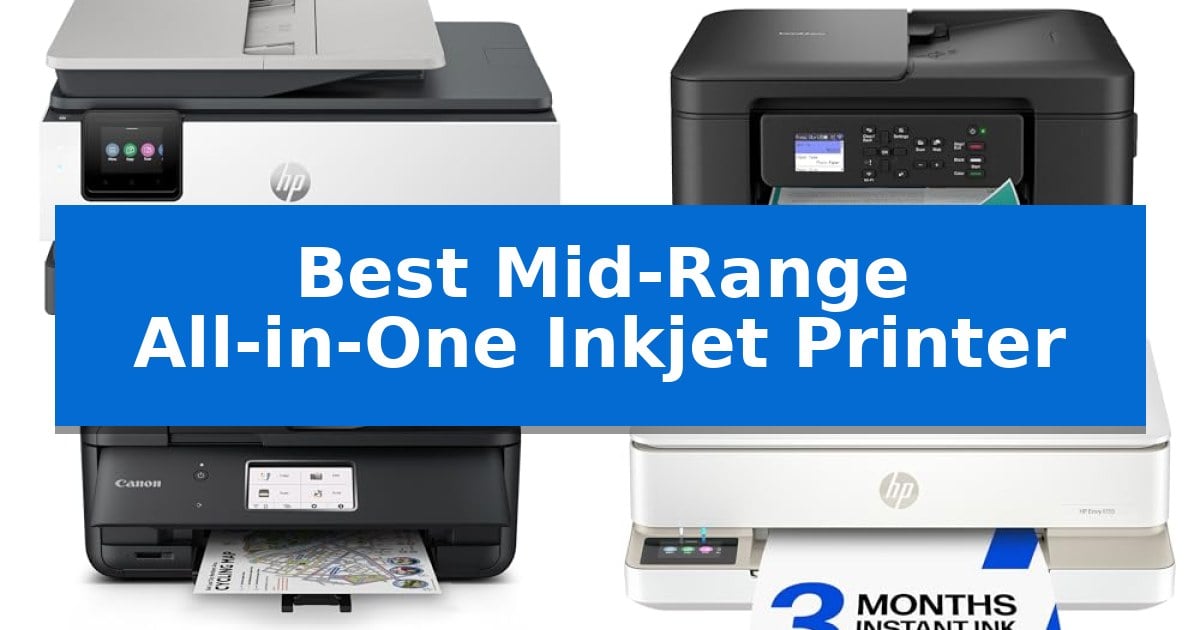
Finding the right balance between cost and performance is essential when setting up a functional home office. A Best Mid-Range All-in-One Inkjet Printer should handle daily document tasks, high-quality scanning, and occasional creative projects without requiring a massive footprint or a complex setup process.
Our guide focuses on models that offer reliable wireless connectivity, intuitive interfaces, and efficient ink management. We have analyzed current market offerings to help you identify which device best aligns with your specific printing volume, space constraints, and document handling requirements.
You may also want to compare Best Mid-Range All-in-One Desktop Computers, Best Mid-Range Active Noise-Cancelling Wired Headphones, and Best Mid-Range Active Bookshelf Speakers.
Best Mid-Range All-in-One Inkjet Printer
Quick Comparison
| Product | Best For | Key Strength | Score |
|---|---|---|---|
| HP OfficeJet Pro 8125 Inkjet Printer | Best Overall | Fast print speeds of up to 20 ppm black and 10 ppm color. | 4.9 |
| Brother Work Smart 1360 Inkjet Printer | Best Cloud-Integrated Workflow | Compact design with full-size features like an ADF and duplex printing. | 4.7 |
| Canon PIXMA TR8620a Inkjet Printer | Voice-Activated Smart Reordering | Voice-activated smart reordering via Alexa simplifies ink supply management. | 4.7 |
| HP Envy 6155 Inkjet Printer | Vibrant Borderless Photo Printing | Intuitive 2.4-inch color touchscreen for easy navigation. | 4.3 |
| Canon PIXMA TS6520 Inkjet Printer | Intuitive OLED Control Interface | Compact and stylish design that fits easily into small home workspaces. | 4.3 |
How We Chose
- Print speed and document handling capabilities
- Wireless connectivity and mobile app integration
- Ease of navigation via physical or touchscreen interfaces
- Versatility in scanning, copying, and duplex printing
- Ink management systems and subscription service options
1 HP OfficeJet Pro 8125 Inkjet Printer — Fastest for Home Office Productivity
The HP OfficeJet Pro 8125 Wireless All-in-One Color Inkjet Printer is engineered to streamline home office workflows by integrating auto 2-sided printing and an auto document feeder into a compact footprint. This device is designed for professionals who require consistent output for business documents, reports, and presentations, offering print speeds of up to 20 ppm in black and 10 ppm in color.
Navigating tasks is simplified through a 2.7-inch color touchscreen that utilizes a phone-like interface for quick access to scan, copy, and fax functions. Connectivity is managed via dual-band Wi-Fi, which is built to automatically detect and resolve network connection issues, ensuring the printer remains accessible for wireless tasks via the HP app.
To enhance document quality, the printer incorporates HP AI technology, which automatically optimizes print formatting for web pages and emails by removing unwanted content to prevent wasted pages. Security is addressed through HP Wolf Essential Security, providing protection against network-based cyber threats.
The unit features a 225-sheet input tray and is constructed with more than 45% recycled plastic content. Users can also utilize the included 3-month trial of Instant Ink, a subscription service that delivers replacement cartridges directly to the user before they run out.
Best for: Home office users who need a reliable, connected all-in-one printer for high-volume document printing and scanning.
Skip if: Users who require non-HP ink cartridges or those who do not wish to use a printer that enforces the use of original HP chips.
PROS
- Fast print speeds of up to 20 ppm black and 10 ppm color.
- Dual-band Wi-Fi for reliable wireless connectivity.
- HP AI formatting to reduce paper waste.
- Auto 2-sided printing and integrated document feeder.
CONS
- Strict cartridge compatibility requiring original HP chips.
- Firmware updates may restrict the use of third-party supplies.
2 Brother Work Smart 1360 Inkjet Printer — Best Cloud-Integrated Workflow
Managing a home office or school workflow requires a device that balances footprint with utility. The Brother Work Smart 1360 Inkjet Printer addresses this by integrating automatic duplex printing and a 20-sheet Automatic Document Feeder (ADF) into a compact frame measuring just 7.2 inches in height. This design choice allows users to handle multi-page documents and two-sided reports without the bulk typically associated with high-capacity office hardware.
Connectivity is a primary focus for this model, offering both wireless networking and USB interfaces. Users can manage printing, scanning, and device maintenance directly from mobile devices via the Brother Mobile Connect app. Additionally, the printer features a 1.8-inch color display that facilitates direct interaction with popular cloud services such as Google Drive, Dropbox, and OneDrive, streamlining the process of scanning and printing documents without needing a computer intermediary.
Performance is tailored for everyday tasks, with print speeds reaching up to 16 pages per minute (ppm) in black and 9 ppm in color. To assist with supply management, the printer includes a Page Gauge feature, which helps monitor ink usage to prevent unexpected interruptions during high-volume tasks. The unit is supported by a 150-sheet paper tray, ensuring that the printer remains ready for standard document and schoolwork demands.
The Brother Work Smart 1360 Inkjet Printer is a practical choice for those who need a versatile, space-saving solution that does not sacrifice essential office features. While it is optimized for home and small office environments, its combination of cloud integration and mobile management makes it a flexible tool for modern digital workflows.
Best for: Home office users and students who require a compact, cloud-connected printer with automatic duplexing and document feeding capabilities.
Skip if: Users who require high-volume professional production speeds or large-format printing capabilities beyond standard document sizes.
PROS
- Compact design with full-size features like an ADF and duplex printing.
- Direct cloud app connectivity for scanning and printing.
- Mobile management via the Brother Mobile Connect app.
- Page Gauge technology for tracking ink levels.
CONS
- Limited print speed compared to dedicated high-volume office laser printers.
3 Canon PIXMA TR8620a Inkjet Printer — Voice-Activated Smart Reordering
Managing home office printing tasks requires a balance of versatility and smart integration, and the Canon PIXMA TR8620a Inkjet Printer addresses this by incorporating voice-activated smart reordering. By connecting the device to Alexa, users can receive notifications when ink levels are low and even automate the replenishment process through smart reorders, ensuring that supplies are available without the need for a subscription.
This wireless 4-in-1 unit functions as a printer, copier, scanner, and fax machine, providing a comprehensive solution for document and photo management. It features a 1,000-page duty cycle and supports auto 2-sided printing, which helps streamline multi-page document handling. The device is designed for convenience with a 200-sheet capacity, split between a 100-sheet cassette and a 100-sheet rear feed, allowing for different paper types to be loaded simultaneously.
Connectivity is a primary focus, with the printer supporting mobile printing via AirPrint and Android compatibility. For direct access to files, the unit includes a Micro SD slot, enabling users to print photos or documents directly from a memory card. The compact design, measuring 17.3 inches in width and 7.5 inches in height, allows it to fit into various home office setups while maintaining a professional appearance.
The Canon PIXMA TR8620a Inkjet Printer is rated for a print speed of 15 ipm for black and 10 ipm for color, making it suitable for standard office workloads. It is ENERGY STAR certified and EPEAT Silver rated, reflecting its focus on energy efficiency. With a 1-year warranty included, this model provides a reliable, feature-rich option for those seeking an all-in-one device that simplifies supply management and daily printing tasks.
Best for: Home office users who prioritize smart supply management and need a versatile 4-in-1 device for printing, scanning, and faxing.
Skip if: Users who require high-volume industrial printing speeds or those who do not utilize voice-assistant ecosystems for supply management.
PROS
- Voice-activated smart reordering via Alexa simplifies ink supply management.
- Wireless 4-in-1 functionality covers printing, copying, scanning, and faxing in one unit.
- Dual paper feeding system with a 200-sheet total capacity.
- Auto 2-sided printing reduces paper usage for multi-page documents.
CONS
- 15/10 ipm print speed may be slower than dedicated high-volume office laser printers.
- 1,000-page duty cycle limits its use to light-to-moderate home office environments.
4 HP Envy 6155 Inkjet Printer — Vibrant Borderless Photo Printing
Managing home documentation and creative projects requires a device that balances versatility with ease of use. The HP Envy 6155 Wireless All-in-One Color Inkjet Printer simplifies these tasks through its 2.4-inch color touchscreen, which provides an intuitive interface for navigating print, scan, and copy functions without needing a connected computer.
Designed for modern households, this printer features dual-band Wi-Fi for reliable connectivity and supports the HP app, allowing users to manage printing and scanning directly from a smartphone. The integration of HP AI helps optimize web pages and emails for printing, automatically removing unwanted content to ensure layouts are clean and efficient.
For those focused on visual output, the printer utilizes P3 technology to produce documents and photos that maintain vibrant, true-to-screen color accuracy. It also supports auto 2-sided printing and includes a 100-sheet input tray, making it well-suited for high-volume homework or everyday color documents.
Sustainability and convenience are integrated into the hardware, with a chassis constructed from at least 60% recycled plastic. Users can also take advantage of a 3-month trial of Instant Ink, a service that delivers ink directly to your door before the supply runs out, helping to manage printing costs effectively.
Best for: Home users who prioritize vibrant photo quality, mobile app integration, and automated ink delivery services.
Skip if: Users requiring high-speed enterprise-level printing or those who prefer using third-party, non-HP branded ink cartridges.
PROS
- Intuitive 2.4-inch color touchscreen for easy navigation.
- HP AI optimization for precise web and email formatting.
- True-to-screen P3 technology for vibrant color reproduction.
- Reliable dual-band Wi-Fi connectivity.
CONS
- Proprietary cartridge requirement restricts use to original HP chips.
- Moderate print speeds may not suit high-volume office environments.
5 Canon PIXMA TS6520 Inkjet Printer — Intuitive OLED Control Interface
Managing home office tasks requires a device that balances footprint with functionality, and the Canon PIXMA TS6520 Inkjet Printer addresses this by integrating a 1.42-inch monochrome OLED display into a compact, stylish chassis. This interface provides immediate visibility into ink levels and printer status, allowing for quick adjustments without navigating complex menus.
Designed for versatility, this all-in-one unit handles printing, scanning, and copying within a single footprint. It utilizes a 2-cartridge hybrid ink system engineered to produce sharp text for documents and vibrant color for photo projects. The printer supports diverse media sizes up to 8.5 x 11 inches, offering both bordered and borderless printing options to suit various creative needs.
Connectivity and efficiency are central to its operation, featuring dual-band Wi-Fi (2.4GHz or 5GHz) for stable wireless integration with smartphones and computers. To assist with document management, the printer includes automatic 2-sided printing, which helps reduce paper consumption during high-volume tasks. Setup is streamlined to ensure users can begin scanning or printing documents shortly after unboxing.
The Canon PIXMA TS6520 Inkjet Printer is built for those who value a space-saving design that does not compromise on essential office capabilities. With a 3-year manufacturer warranty and compatibility with the PIXMA Print Plan, it offers a practical solution for hybrid workers and home users looking to manage their printing costs while maintaining a clean, organized workspace.
Best for: Home users and hybrid workers who need a compact, reliable all-in-one printer for documents and photos with straightforward wireless connectivity.
Skip if: Users who require high-volume professional office features like an automatic document feeder (ADF) or heavy-duty laser printing performance.
PROS
- Compact and stylish design that fits easily into small home workspaces.
- Dual-band Wi-Fi connectivity for reliable wireless printing from multiple devices.
- Automatic 2-sided printing to improve efficiency and reduce paper waste.
- Intuitive 1.42-inch OLED display for easy status monitoring and setting adjustments.
CONS
- 2-cartridge hybrid ink system may be less efficient for those with extremely high-volume color printing needs compared to dedicated tank systems.
Best Mid-Range All-in-One Inkjet Printer Buying Guide
Understanding Print Speed and Duty Cycles
Print speed, measured in pages per minute (ppm), is a critical factor for productivity. Mid-range models typically offer a balance that supports moderate daily use, such as reports and presentations, without the sluggishness of entry-level devices.
Consider your typical monthly volume. A higher duty cycle indicates a more robust internal mechanism, which is beneficial if you frequently print large documents or handle multi-page reports that require the use of an Automatic Document Feeder (ADF).
Connectivity and Mobile Integration
Modern printers should integrate seamlessly into your existing network. Look for dual-band Wi-Fi support, which provides a more stable connection and helps prevent the common frustrations of dropped signals during large print jobs.
Mobile app compatibility is equally important. The ability to scan, copy, or print directly from your smartphone allows for a more flexible workflow, especially when you need to digitize documents on the go or print from cloud-based storage services.
Interface and User Experience
The physical interface dictates how easily you can manage settings and monitor ink levels. A color touchscreen provides a phone-like experience that simplifies tasks like selecting scan destinations or adjusting print quality.
If you prefer a more minimalist aesthetic, some models utilize high-contrast displays or OLED screens. These interfaces are designed to provide essential status updates at a glance without cluttering your workspace with unnecessary buttons.
Ink Management and Cost Efficiency
Inkjet printers often rely on subscription-based ink delivery services to ensure you never run out of supplies. These programs can be cost-effective for consistent users, as they often reduce the per-page cost compared to purchasing individual cartridges.
Always check if a printer supports specific features like AI-capable formatting, which can help optimize layouts for web pages or emails, potentially saving paper and ink by removing unwanted content before you hit print.
Physical Design and Space Requirements
The footprint of your printer is a practical consideration for home offices with limited desk space. Compact designs often integrate the paper tray and output bin to keep the unit tidy while still offering full-size functionality.
Consider the accessibility of the paper path. Models with automatic duplex printing are highly recommended, as they reduce paper waste and save you the effort of manually flipping pages for double-sided documents.
Frequently Asked Questions
What is the benefit of an Automatic Document Feeder (ADF)?
An ADF allows you to scan or copy multiple pages automatically without needing to place each sheet on the scanner glass individually, significantly saving time on multi-page tasks.
Do I need dual-band Wi-Fi for my printer?
Dual-band Wi-Fi supports both 2.4GHz and 5GHz frequencies, offering better stability and less interference from other household devices, which leads to a more reliable wireless printing experience.
Are subscription ink services worth it?
Subscription services are often beneficial if you have a predictable printing volume, as they ensure you have ink on hand and can offer significant savings compared to retail cartridge pricing.
Can I print photos on an all-in-one inkjet printer?
Yes, many mid-range inkjet printers are capable of high-quality photo printing, especially those that support borderless printing and utilize advanced color technology.
What is duplex printing?
Duplex printing is the ability of the printer to automatically print on both sides of a sheet of paper, which helps conserve paper and creates professional-looking documents.
Conclusion: Our Top Pick
For those seeking the most efficient and versatile home office solution, the HP OfficeJet Pro 8125 Inkjet Printer stands out as the primary recommendation. Its combination of fast print speeds, reliable dual-band Wi-Fi, and integrated AI tools makes it well-suited for professional-quality documents and high-volume tasks.
While other models offer unique benefits like voice-activated reordering or compact OLED interfaces, the HP OfficeJet Pro 8125 provides the most comprehensive feature set for productivity. It is an excellent choice for users who prioritize performance and security in their daily document management.