
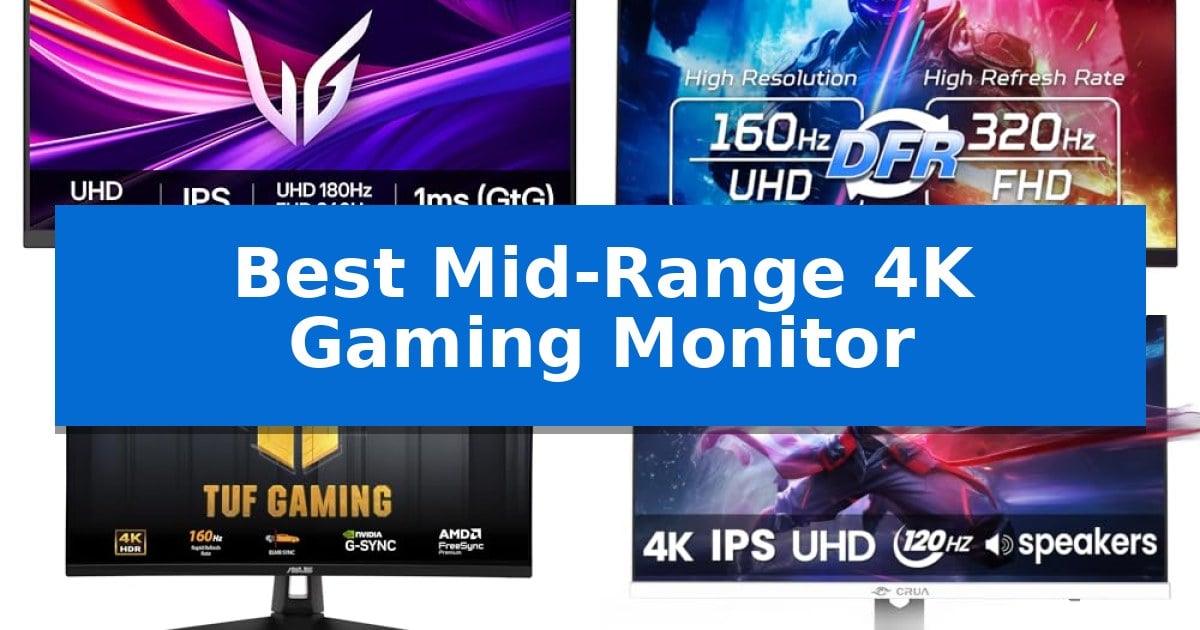
Finding the right balance between high-resolution clarity and smooth motion is the primary challenge when upgrading your desktop setup. A Best Mid-Range 4K Gaming Monitor must deliver more than just a high pixel count; it needs to handle fast-paced action without sacrificing the visual fidelity that makes 4K gaming worthwhile.
Whether you prioritize competitive frame rates or immersive graphical detail, current display technology offers versatile solutions. We have analyzed the latest models to help you navigate features like dual-mode refresh rates, IPS panel responsiveness, and essential connectivity standards to ensure your next monitor aligns with your specific gaming requirements.
You may also want to compare Best Mid-Range 4K Cameras, Best Mid-Range 4K 65-Inch TVs, and Best Mid-Range 3D Printers.
Best Mid-Range 4K Gaming Monitor
Quick Comparison
| Product | Best For | Key Strength | Score |
|---|---|---|---|
| LG UltraGear 27G810A-B Gaming Monitor | Best Overall | Dual Mode flexibility for 4K 180Hz or FHD 360Hz gaming | 4.9 |
| Acer Nitro VG270K V4 Gaming Monitor | Dynamic resolution and refresh | Dynamic Frequency and Resolution (DFR) allows switching between 4K/160Hz and 1080p/320Hz. | 4.3 |
| ASUS TUF Gaming VG27UQ1A Monitor | Fast IPS motion clarity | Fast IPS panel with 1ms response time for reduced motion blur. | 4.4 |
| CRUA 27 Inch 4K Gaming Monitor | Vibrant color coverage | 4K UHD resolution paired with a 120Hz refresh rate for detailed and smooth visuals. | 4.6 |
| Raywego 32 Inch 4K Gaming Monitor | Large screen productivity | 32-inch 4K UHD resolution provides significant workspace for multitasking. | 4.7 |
How We Chose
- Panel responsiveness and motion clarity metrics.
- Support for variable refresh rate technologies like G-SYNC and FreeSync.
- Native resolution and color gamut coverage for visual accuracy.
- Connectivity options including HDMI 2.1 for console and PC compatibility.
- Ergonomic adjustability and physical design constraints.
1 LG UltraGear 27G810A-B Gaming Monitor — Dual refresh rate modes
Switching between high-fidelity visuals and competitive frame rates is the defining capability of the LG UltraGear 27G810A-B Gaming Monitor. This 27-inch display features a unique Dual Mode that allows users to toggle between a native 4K UHD resolution at 180Hz for immersive storytelling and a Full HD resolution at 360Hz for high-speed responsiveness in competitive titles.
The monitor utilizes an IPS panel with 95% DCI-P3 color coverage and VESA DisplayHDR 400 certification, ensuring vibrant color reproduction and enhanced contrast for media consumption. To maintain visual clarity during rapid movement, the display is engineered with a 1ms GtG response time, effectively minimizing ghosting and motion blur in fast-paced scenarios.
Gamers can leverage integrated synchronization technologies, including NVIDIA G-Sync compatibility and AMD FreeSync Premium, to eliminate screen tearing and stuttering. The inclusion of Dynamic Action Sync further reduces input lag, while the Black Stabilizer feature improves visibility in dark environments, helping to identify hidden details or opponents.
Designed for versatility, the LG UltraGear 27G810A-B Gaming Monitor includes a 4-pole headphone jack that supports both stereo audio and microphone input, compatible with DTS Headphone:X for spatial sound. The stand provides comprehensive ergonomic adjustments, including height, tilt, swivel, and pivot controls to suit various desk setups and viewing preferences.
Best for: Competitive and casual gamers who require a single display capable of switching between high-resolution 4K gaming and ultra-high refresh rate 1080p performance.
Skip if: Users who do not require dual-mode functionality or those seeking a larger screen size beyond 27 inches for productivity or immersive cinematic viewing.
PROS
- Dual Mode flexibility for 4K 180Hz or FHD 360Hz gaming
- 1ms GtG response time for reduced motion blur
- VESA DisplayHDR 400 and 95% DCI-P3 color coverage
- NVIDIA G-Sync and AMD FreeSync Premium support
CONS
- 27-inch screen size may be limiting for users preferring larger displays
2 Acer Nitro VG270K V4 Gaming Monitor — Dynamic resolution and refresh
The Acer Nitro VG270K V4 Gaming Monitor provides a versatile display solution for those who require both high-resolution detail and high-speed motion. Its standout feature is the Dynamic Frequency and Resolution (DFR) technology, which allows users to toggle between a 4K resolution at 160Hz for visual fidelity or a 1080p resolution at 320Hz for competitive gaming scenarios.
Built with a 27-inch IPS panel, this monitor supports a wide DCI-P3 90% color gamut and HDR 10, ensuring accurate color reproduction and improved contrast. The display is designed for fluid gameplay, incorporating AMD FreeSync Premium to synchronize frame rates with the graphics card, effectively mitigating screen tearing and stuttering during intense action.
Responsiveness is a core focus, with the monitor offering a GTG response time that can reach as low as 0.5ms. This capability helps minimize ghosting and smearing in fast-paced transitions. The physical design features a near bezel-less ZeroFrame aesthetic, which is particularly useful for multi-monitor setups, complemented by an ergonomic tilt range of -5° to 25°.
Connectivity is handled through two HDMI 2.1 ports and a DisplayPort 1.4, providing the necessary bandwidth for high-refresh 4K gaming. The unit is VESA mountable (100 x 100mm) for flexible installation and includes flickerless technology and a bluelight filter to support extended viewing sessions.
Best for: Gamers who need a single monitor capable of switching between high-resolution 4K visuals and ultra-high refresh rate 1080p performance.
Skip if: Users who require a larger screen size or specialized professional color grading tools beyond the DCI-P3 90% gamut.
PROS
- Dynamic Frequency and Resolution (DFR) allows switching between 4K/160Hz and 1080p/320Hz.
- AMD FreeSync Premium support for smooth, tear-free gaming.
- 0.5ms GTG response time reduces motion blur and ghosting.
- HDMI 2.1 connectivity supports high-bandwidth gaming inputs.
CONS
- Fixed 27-inch size may not suit users looking for larger display real estate.
- Limited to 90% DCI-P3 color gamut, which may not meet the needs of professional color-critical workflows.
3 ASUS TUF Gaming VG27UQ1A Monitor — Fast IPS motion clarity
Achieving high-fidelity visuals in fast-paced titles requires a display that balances resolution with motion clarity. The ASUS TUF Gaming VG27UQ1A addresses this demand by pairing a 27-inch 4K Ultra HD resolution with a 160Hz refresh rate, ensuring that high-density pixel counts do not compromise frame-rate performance.
This monitor utilizes Fast IPS panel technology to achieve a 1ms response time, which is critical for maintaining sharpness during rapid camera movements. To further refine the visual experience, ELMB Sync allows for the simultaneous use of variable-refresh-rate technologies and motion blur reduction, effectively mitigating ghosting and tearing.
For those integrating consoles into their setup, the monitor supports 4K 120Hz output via HDMI 2.1, providing full-bandwidth connectivity without chroma subsampling. The inclusion of NVIDIA G-SYNC Compatible and AMD FreeSync Premium certifications ensures broad synchronization support across different hardware configurations.
Color accuracy is managed through a 95% DCI-P3 professional color gamut and integrated HDR technology, which enhances contrast and vibrancy for supported content. The unit also features the DisplayWidget Center for streamlined software-based adjustments, and it includes a 3-year warranty with advanced replacement service for long-term reliability.
Best for: Gamers who require a high-resolution 4K display that maintains motion clarity and supports high-refresh-rate console connectivity.
Skip if: Users who prioritize ultra-wide aspect ratios or specialized professional color grading workflows beyond the DCI-P3 gamut coverage.
PROS
- Fast IPS panel with 1ms response time for reduced motion blur.
- HDMI 2.1 support enabling 4K 120Hz for modern console gaming.
- ELMB Sync technology for tear-free, sharp visuals.
- 95% DCI-P3 color gamut for accurate and vibrant imagery.
CONS
- 27-inch screen size may feel restrictive for users preferring larger immersive displays.
4 CRUA 27 Inch 4K Gaming Monitor — Vibrant color coverage
High-resolution gaming requires a balance of detail and fluidity, and the CRUA 27 Inch 4K Gaming Monitor addresses this by pairing a sharp 3840×2160 resolution with a 120Hz refresh rate. This combination provides the pixel density needed for crisp visuals alongside the motion clarity necessary for responsive gameplay, making it a versatile choice for both high-fidelity gaming and detailed creative tasks.
The display utilizes an IPS panel, which supports a 178-degree wide viewing angle to ensure consistent color reproduction even when viewed from off-center positions. With 120% sRGB color coverage and a 1000:1 contrast ratio, the monitor is designed to produce vibrant, balanced images that maintain depth in both bright and dark scenes. A peak brightness of 350 nits provides sufficient visibility for standard indoor lighting environments.
Connectivity and physical flexibility are central to its design. The inclusion of HDMI 2.1 and DisplayPort 1.4 allows for compatibility with a variety of gaming PCs and consoles. To minimize screen tearing during fast-motion sequences, the monitor incorporates FreeSync technology. For desk management, the unit includes built-in speakers, a tilt-adjustable stand, and a 75x75mm wall-mount pattern, allowing users to customize their workspace layout.
While the monitor offers a robust set of features for its category, users should note that the 27-inch form factor is optimized for specific desk setups. The integrated speakers provide basic audio functionality, though those requiring high-fidelity sound may prefer dedicated external solutions. The combination of high-refresh 4K performance and flexible mounting options makes this a practical candidate for a mid-range gaming station.
Best for: Gamers and professionals seeking a high-resolution 4K display with a 120Hz refresh rate for a mix of gaming and creative work.
Skip if: Users who require a larger screen size or specialized high-end audio output, as this 27-inch model relies on integrated speakers and standard desk-mount ergonomics.
PROS
- 4K UHD resolution paired with a 120Hz refresh rate for detailed and smooth visuals.
- 120% sRGB color coverage ensures vibrant and accurate color reproduction.
- Versatile connectivity options including HDMI 2.1 and DisplayPort 1.4.
- IPS panel technology provides consistent 178-degree wide viewing angles.
CONS
- Integrated speakers may not meet the needs of users seeking high-fidelity audio.
- Fixed 27-inch screen size may be limiting for users preferring ultra-wide or larger display formats.
5 Raywego 32 Inch 4K Gaming Monitor — Large screen productivity
Achieving a high-resolution workspace often requires balancing screen real estate with color precision. The Raywego 32-Inch 4K Gaming Computer Monitor addresses this by providing a expansive 32-inch display with a 3840×2160 UHD resolution, offering four times the detail of standard 1080p panels. This increased pixel density is designed to provide sharper clarity for both gaming environments and detailed creative tasks.
Beyond its resolution, the monitor utilizes an IPS panel to ensure consistent color reproduction and wide viewing angles, which is a notable improvement over traditional TN or VA technology. It supports 97% sRGB color coverage and displays 1.07 billion colors, making it a functional tool for graphic design and photo editing where color accuracy is prioritized. The 4000:1 contrast ratio further assists in delivering deeper visual depth.
For those spending extended periods at their desk, the monitor includes advanced eye-care technology. This feature is engineered to filter over 90% of harmful blue light in the 415–455nm range without shifting the screen to a yellow tint, aiming to reduce eye strain during long sessions. The design remains practical for multi-device users, featuring both HDMI and DisplayPort connectivity to switch between PCs, consoles like the PS5 or Xbox, and workstations.
The Raywego 32-Inch 4K Gaming Computer Monitor balances its large 32-inch form factor with a frameless design, helping to maintain a clean aesthetic on the desk. While it operates at a 60Hz refresh rate, it includes FreeSync and low input lag features to support gaming performance. With a 2-year warranty included, it serves as a versatile option for users needing a single screen that transitions between professional creative work and entertainment.
Best for: Users who need a large 32-inch 4K display that balances professional color accuracy for creative work with connectivity for gaming consoles.
Skip if: Competitive gamers requiring high refresh rates above 60Hz will find this monitor's 60Hz limit insufficient for their needs.
PROS
- 32-inch 4K UHD resolution provides significant workspace for multitasking.
- IPS panel technology ensures stable color performance and wide viewing angles.
- 97% sRGB color coverage supports accurate graphic design and creative projects.
- Advanced blue light filtering helps reduce eye strain without compromising color quality.
CONS
- 60Hz refresh rate may not meet the requirements of high-speed competitive gaming.
- Large 32-inch footprint requires substantial desk space compared to smaller monitors.
Best Mid-Range 4K Gaming Monitor Buying Guide
Understanding Refresh Rates and Resolution
The primary trade-off in the 4K category is the balance between pixel density and refresh frequency. While 4K provides four times the detail of 1080p, driving those pixels at high speeds requires significant GPU power. Many modern monitors now offer dual-mode functionality, allowing users to toggle between a high-resolution 4K mode for cinematic games and a high-refresh-rate 1080p mode for competitive shooters.
Choosing the right refresh rate depends on your library. If you primarily play fast-paced competitive titles, prioritize a monitor that supports higher refresh rates, even if it means utilizing a lower resolution mode. For story-driven, graphically intensive games, native 4K at 144Hz or 180Hz provides the most immersive experience.
Panel Technology and Color Accuracy
Most mid-range gaming monitors utilize IPS (In-Plane Switching) panels, which are favored for their excellent color reproduction and wide viewing angles. This is crucial for 4K gaming, where the increased detail benefits from accurate color rendering and deep contrast ratios.
Look for monitors that specify high DCI-P3 or sRGB color coverage. These metrics indicate how well the display can reproduce the colors intended by game developers, ensuring that your 4K visuals look vibrant and true-to-life rather than washed out.
The Importance of Variable Refresh Rate (VRR)
Screen tearing occurs when your monitor's refresh rate falls out of sync with your graphics card's frame output. Technologies like NVIDIA G-SYNC and AMD FreeSync Premium are essential features for any serious gaming monitor, as they dynamically adjust the display's refresh rate to match the GPU's output.
This synchronization results in a smoother visual experience, particularly during intense scenes where frame rates might fluctuate. Ensure your chosen monitor is compatible with your specific graphics card or console to take full advantage of these frame-syncing capabilities.
Connectivity and Future-Proofing
The transition to HDMI 2.1 has been a game-changer for console gamers, as it supports higher bandwidth required for 4K at 120Hz. If you plan to connect a PlayStation 5 or Xbox Series X, verify that the monitor includes HDMI 2.1 ports to avoid being capped at lower refresh rates.
DisplayPort 1.4 remains the standard for PC gaming, offering the necessary bandwidth for high-resolution, high-refresh-rate signals. A well-rounded monitor should offer a mix of both to accommodate multiple devices simultaneously.
Ergonomics and Physical Setup
A monitor's stand determines your comfort during long sessions. Look for features like height, tilt, swivel, and pivot adjustments. These allow you to align the screen perfectly with your eye level, reducing neck strain and improving posture.
If you have limited desk space, consider the bezel design. A 'zero-frame' or narrow-bezel aesthetic not only looks modern but also allows for a more seamless multi-monitor setup, maximizing your available screen real estate.
Frequently Asked Questions
Do I need a high-end GPU for a 4K gaming monitor?
Yes, 4K resolution is demanding. To maintain high frame rates at native 4K, you will need a powerful graphics card. However, many monitors now feature dual-mode settings that allow you to drop to 1080p for higher performance in competitive games.
What is the benefit of IPS panels over other types?
IPS panels offer superior color accuracy and wider viewing angles compared to TN or VA panels. This makes them ideal for 4K gaming, where visual fidelity and color depth are key to the experience.
Is HDMI 2.1 necessary for PC gaming?
While DisplayPort 1.4 is often sufficient for PC gaming, HDMI 2.1 is essential if you want to connect current-generation consoles to take advantage of 4K 120Hz output.
How does Black Stabilizer help in games?
Black Stabilizer technology brightens dark areas of the screen without overexposing the rest of the image. This helps you spot enemies hiding in shadows in first-person shooters or dark-themed games.
Can I use a 4K monitor for productivity work?
Absolutely. The high pixel density of 4K monitors provides significant screen real estate, making them excellent for multitasking, photo editing, and detailed document work.
Conclusion: Our Top Pick
For gamers seeking the best balance of performance and visual clarity, the LG UltraGear 27G810A-B Gaming Monitor stands out as the most versatile choice. Its unique dual-mode capability allows you to switch between a stunning 4K 180Hz experience for immersive titles and a lightning-fast 1080p 360Hz mode for competitive play, effectively covering two different use cases in one display.
With its 1ms GtG response time, G-SYNC and FreeSync compatibility, and VESA DisplayHDR 400 certification, it provides the technical foundation required for a high-end gaming setup. While other options offer larger screen sizes or specific color focuses, the LG UltraGear's combination of speed, resolution, and adaptive features makes it the most well-rounded mid-range 4K monitor currently available.