
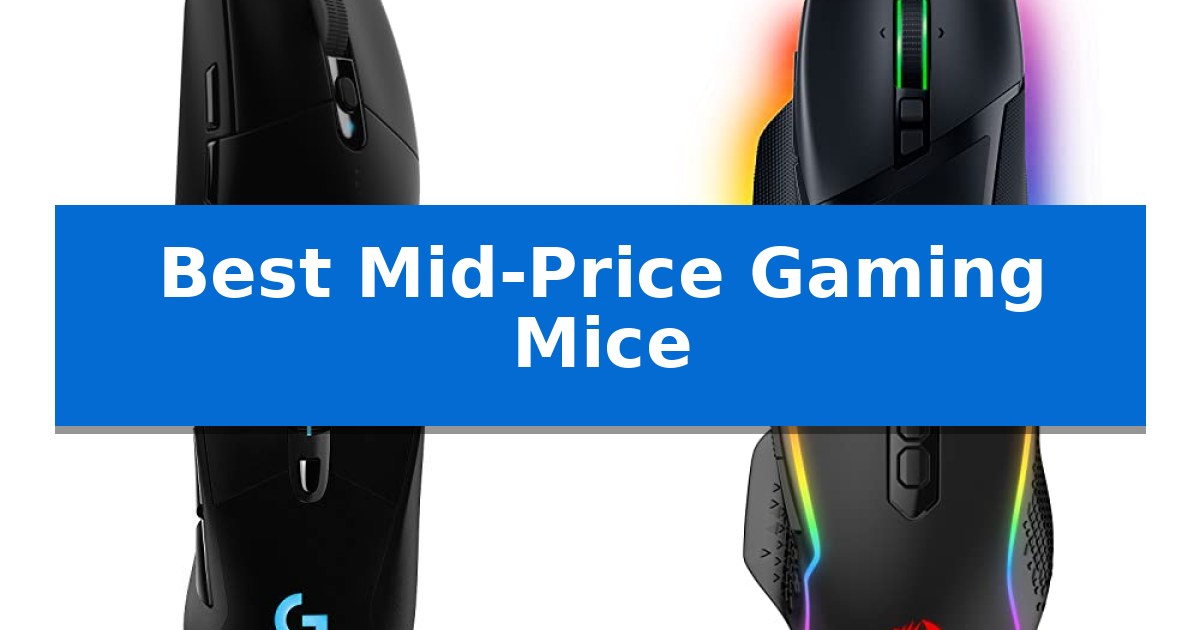
Finding the right peripheral for your desktop setup often involves a trade-off between high-end features and budget constraints. Many gamers search for hardware that offers reliable tracking and responsive inputs without the inflated cost of enthusiast-grade models.
Our guide focuses on the Best Mid-Price Gaming Mice that provide essential tools for competitive play. We examine how these devices balance sensor precision, ergonomic design, and connectivity to help you find a reliable companion for your gaming sessions.
You may also want to compare Best Mid-Price Floor-Standing Speakers, Best Mid-Price Bluetooth Headphones, and Best Mid-Price Bluetooth Earbuds.
Best Mid-Price Gaming Mice
Quick Comparison
| Product | Best For | Key Strength | Score |
|---|---|---|---|
| Logitech G305 LIGHTSPEED Wireless Gaming Mouse | Best Overall | LIGHTSPEED wireless technology for 1 ms report rate performance | 4.9 |
| Razer Basilisk V3 Gaming Mouse | Advanced Ergonomic Customization | HyperScroll Tilt Wheel offers versatile tactile and free-spin modes. | 4.7 |
| Logitech G703 LIGHTSPEED Wireless Gaming Mouse | Ergonomic Comfort for Long Sessions | HERO 25K Sensor provides high-precision tracking with a wide DPI range. | 4.3 |
| Redragon M810 PRO Wireless Gaming Mouse | Feature-Rich Wireless Versatility | 2.4Ghz wireless connectivity for a cable-free experience. | 4.8 |
| Razer DeathAdder Essential Gaming Mouse | Classic Shape for Competitive Play | Ergonomic shape with rubber side grips for improved comfort. | 4.9 |
How We Chose
- Sensor Precision: We analyzed the DPI range and tracking capabilities to ensure consistent performance during rapid movements.
- Connectivity: We assessed the reliability of wireless protocols versus wired stability to suit different desktop environments.
- Ergonomics and Weight: We considered the physical shape, button placement, and overall weight to ensure comfort during extended use.
- Customization: We looked at programmable buttons and software support that allow users to tailor the device to their specific gaming needs.
- Battery Efficiency: For wireless models, we evaluated the power management to ensure minimal downtime for the user.
1 Logitech G305 LIGHTSPEED Wireless Gaming Mouse — Reliable Wireless Performance
Precision gaming requires equipment that keeps pace with rapid movements, and the Logitech G305 LIGHTSPEED Wireless Gaming Mouse addresses this with its LIGHTSPEED wireless technology. By providing a 1 ms report rate, it offers a responsive connection that aims to eliminate the lag often associated with wireless peripherals during competitive play.
At the heart of this device is the HERO sensor, which supports up to 12,000 DPI and 400 IPS precision. This sensor is engineered for power efficiency, allowing the mouse to operate for up to 250 hours of continuous gameplay on a single AA battery. Users can further extend this longevity to nine months by switching to Endurance mode via the Logitech G HUB software.
The physical design prioritizes maneuverability, weighing in at 3.4 oz. Its compact form factor includes 6 programmable buttons and an integrated slot for the nano receiver, making it a practical choice for those who need a consistent gaming experience across both desktop and laptop setups.
While it offers high-end sensor performance and wireless freedom, the reliance on a AA battery means users must manage physical battery swaps rather than using a rechargeable internal cell. This design choice keeps the unit lightweight and removes the need for charging cables during extended sessions.
Best for: Gamers seeking a lightweight, lag-free wireless mouse with long battery life for both desktop and mobile gaming.
Skip if: Users who prefer a rechargeable internal battery or require more than six programmable buttons for complex macro-heavy workflows.
PROS
- LIGHTSPEED wireless technology for 1 ms report rate performance
- HERO sensor providing up to 12,000 DPI and high power efficiency
- Long battery life of up to 250 hours on a single AA battery
- Lightweight 3.4 oz design with built-in receiver storage
CONS
- Requires AA battery rather than an integrated rechargeable system
2 Razer Basilisk V3 Gaming Mouse — Advanced Ergonomic Customization
Precision control and physical customization define the Razer Basilisk V3 Gaming Mouse, a wired peripheral built for users who demand tactile feedback and extensive macro support. Its standout feature is the HyperScroll Tilt Wheel, which allows users to toggle between a free-spin mode for rapid navigation and a tactile mode for high-precision weapon or skill selection.
Engineered for high-performance gaming, the device utilizes Optical Mouse Switches Gen 2 that deliver a 0.2ms actuation speed. These switches are rated for up to 70 million clicks, providing a consistent, responsive feel without the risk of unintended double-clicks. The internal Focus+ 26K DPI Optical Sensor ensures pixel-precise tracking, supporting high-speed movement without the need for smoothing.
The mouse features an iconic ergonomic design with a dedicated thumb rest, ensuring comfort during extended sessions. With 11 programmable buttons, users can map secondary functions or complex macros directly to the device, streamlining actions like push-to-talk or in-game pings. Aesthetic customization is handled via 11 Razer Chroma RGB lighting zones, which integrate dynamically with over 150 supported games.
To achieve peak performance, the manufacturer recommends disabling Windows pointer precision settings and utilizing the Razer Synapse App for fine-tuning. This wired-only mouse prioritizes consistent connectivity and low-latency execution, making it a reliable choice for competitive setups where wireless interference is a concern.
Best for: Gamers who prioritize tactile scroll wheel customization and a high button count for complex macro management.
Skip if: Users who prefer a wireless setup or those with very small hands who may find the ergonomic thumb rest and overall dimensions restrictive.
PROS
- HyperScroll Tilt Wheel offers versatile tactile and free-spin modes.
- 11 programmable buttons allow for extensive macro and secondary function mapping.
- Optical Mouse Switches Gen 2 provide fast 0.2ms actuation with high durability.
- Focus+ 26K DPI sensor enables precise, zero-smoothing tracking.
CONS
- Wired-only connection limits desk mobility compared to wireless alternatives.
- Ergonomic thumb rest design is fixed and may not suit all grip styles.
3 Logitech G703 LIGHTSPEED Wireless Gaming Mouse — Ergonomic Comfort for Long Sessions
Precision in competitive gaming often hinges on the responsiveness of your hardware, and the Logitech G703 LIGHTSPEED Wireless Gaming Mouse addresses this with its LIGHTSPEED wireless technology. This connection provides pro-level responsiveness, ensuring that the input remains consistent during high-performance gameplay sessions.
At the core of its performance is the HERO 25K Sensor, which supports a range of 100-25,600 DPI. This sensor is engineered for 1:1 tracking and 400+ IPS, operating without smoothing, filtering, or acceleration. This allows for accurate cursor movement, which is essential for maintaining control during fast-paced gaming scenarios.
The physical design focuses on durability and comfort, featuring rubber side grips and an ergonomic shape. It includes 6 programmable buttons and metal-spring button tensioning, which reduces the force required to trigger the primary left and right clicks. This mechanical design choice promotes a consistent feel and reliable response across repeated inputs.
For those who prefer a specific weight profile, the mouse includes an optional 10g weight that can be added to the base 95g frame. Additionally, the device is POWERPLAY wireless charging compatible, allowing users to maintain a charge during use if the charging system is added. The mouse also features LIGHTSYNC RGB lighting and offers up to 35 hours of battery life with default lighting enabled.
Best for: Gamers who prioritize ergonomic comfort and high-precision sensor tracking in a wireless form factor.
Skip if: Users who require a lightweight, ambidextrous design or a significantly higher number of programmable buttons for complex macros.
PROS
- HERO 25K Sensor provides high-precision tracking with a wide DPI range.
- LIGHTSPEED wireless connectivity ensures reliable, low-latency performance.
- Metal-spring button tensioning improves click consistency and response.
- POWERPLAY compatibility allows for continuous wireless charging.
CONS
- Battery life is limited to 35 hours with default RGB lighting enabled.
- Weight customization is limited to a single 10g optional weight.
4 Redragon M810 PRO Wireless Gaming Mouse — Feature-Rich Wireless Versatility
Achieving a competitive edge in fast-paced titles often comes down to hardware responsiveness, and the Redragon M810 PRO Wireless Gaming Mouse addresses this with a 2.4Ghz nano receiver designed to eliminate cable-related input lag. This mouse prioritizes a pure, unrestricted movement experience, allowing for precise tracking during intense gameplay sessions.
The device is built around the PAW3325 Optical Pixart sensor, which supports adjustable DPI levels up to 10,000. Users can cycle through five on-board DPI presets, making it simple to switch sensitivity on the fly. With a 1000Hz polling rate in dual mode, the mouse is engineered to maintain consistent communication with your system, while the internal battery provides up to 45 hours of operation in eco-mode.
Customization is a core component of the Redragon M810 PRO Wireless Gaming Mouse, featuring eight programmable buttons. These include dedicated rapid-fire and side macro buttons that can be remapped via the Redragon Pro driver to suit specific game requirements or productivity workflows. The aesthetic is equally adjustable, with integrated lighting modes that offer dynamic streaming, breathing, and waving effects.
Designed with an ergonomic grip, this mouse balances functional features with long-term comfort. The inclusion of wireless connectivity removes the physical constraints of a cord, while the software-driven macro support ensures that the hardware adapts to your specific playstyle. It serves as a versatile tool for gamers seeking a balance between performance-focused specs and wireless convenience.
Best for: Gamers who prioritize wireless freedom and macro-heavy customization within a mid-range budget.
Skip if: Users who require an ultra-lightweight chassis or those who prefer a wired-only connection to avoid battery management entirely.
PROS
- 2.4Ghz wireless connectivity for a cable-free experience.
- 8 programmable buttons with macro support for custom keybinds.
- Adjustable DPI up to 10,000 with five on-board presets.
- Long-lasting battery providing up to 45 hours of use.
CONS
- Battery management required compared to wired-only alternatives.
5 Razer DeathAdder Essential Gaming Mouse — Classic Shape for Competitive Play
Precision and control define the Razer DeathAdder Essential Gaming Mouse, a device engineered for those who prioritize a consistent, ergonomic feel during extended sessions. Its 6,400 DPI optical sensor provides the necessary sensitivity for rapid movements, while the on-the-fly sensitivity adjustment allows users to toggle settings via dedicated buttons to suit specific gaming or creative tasks.
The physical design centers on a classic, contoured shape that incorporates rubber side grips to ensure stability during high-stakes maneuvers. Accuracy is further supported by the ridged, rubberized scroll wheel, which features tactile bumps designed to provide controlled feedback. For durability, the mouse utilizes mechanical switches rated to support up to 10 million clicks, ensuring longevity for heavy users.
Customization is handled through 5 programmable buttons, which allow for button remapping and the assignment of complex macro functions via Razer Synapse. This software integration enables users to tailor the mouse to their specific workflow or gaming style, transforming the hardware into a more versatile tool for various applications.
While this wired mouse offers a reliable connection, it lacks the freedom of wireless alternatives. However, for users who prefer a consistent, battery-free experience, the Razer DeathAdder Essential Gaming Mouse remains a focused choice that balances essential gaming performance with a proven, comfortable form factor.
Best for: Gamers and professionals seeking a reliable, ergonomic wired mouse with customizable macros and high-precision tracking.
Skip if: Users who require wireless connectivity or a lightweight, ambidextrous shape will find this wired, right-handed ergonomic design unsuitable.
PROS
- Ergonomic shape with rubber side grips for improved comfort.
- Programmable buttons allow for complex macro assignments.
- Durable mechanical switches rated for 10 million clicks.
- High-precision 6,400 DPI optical sensor for accurate tracking.
CONS
- Wired connection limits movement compared to wireless models.
- Right-handed design is not suitable for left-handed users.
Best Mid-Price Gaming Mice Buying Guide
Understanding Sensor Technology
The optical sensor is the heart of any gaming mouse, responsible for translating your physical movements into on-screen actions. Higher DPI (Dots Per Inch) settings allow for greater sensitivity, which can be beneficial for high-resolution displays, though most competitive players prefer lower, more stable settings.
Look for sensors that offer zero smoothing or acceleration, as these features ensure that your muscle memory remains consistent. A high-quality sensor provides 1:1 tracking, meaning your cursor movement matches your hand movement exactly, regardless of speed.
Wired vs. Wireless Connectivity
Modern wireless technology has evolved to the point where latency is virtually indistinguishable from wired connections. Technologies like LIGHTSPEED provide a stable, lag-free experience that meets the demands of competitive gaming while offering the freedom of a cable-free desk.
Wired mice remain a popular choice for those who prefer a lightweight, maintenance-free setup. Without the need for batteries, wired options are often lighter and eliminate the concern of charging, making them a reliable choice for long-term use.
Ergonomics and Grip Style
The shape of your mouse should complement your natural grip style, whether you use a palm, claw, or fingertip grip. An ergonomic design with a thumb rest can reduce wrist strain during long sessions, while a more symmetrical shape might offer better maneuverability.
Consider the weight of the mouse as well. Lighter mice are generally easier to flick quickly, which is advantageous in fast-paced shooters, while slightly heavier models with rubberized grips can provide more control and stability for precision tasks.
Programmable Buttons and Macros
Having extra programmable buttons can significantly enhance your efficiency in both gaming and productivity. These buttons allow you to map complex macros or secondary functions, such as push-to-talk or weapon cycling, directly to your mouse.
Ensure the mouse you choose has intuitive software support that allows you to save these settings to on-board memory. This feature ensures your button assignments and DPI settings remain active even when you move the mouse to a different computer.
Durability and Switch Quality
The mechanical switches under the primary buttons determine the longevity and feel of your clicks. Look for switches rated for millions of clicks, as these are designed to withstand the high-frequency input common in gaming.
A tactile feel with a crisp response is essential for ensuring every click is registered correctly. High-quality switches also help prevent accidental inputs, providing the reliability needed for high-stakes gaming situations.
Frequently Asked Questions
Do I need a high DPI setting for better gaming performance?
Not necessarily. While high DPI is a feature, most competitive gamers use lower settings for better control. The most important factor is the consistency and accuracy of the sensor.
Is wireless gaming mouse battery life a concern?
Modern wireless gaming mice are highly efficient. Many models offer hundreds of hours of battery life, and some include power-saving modes to extend usage even further.
Can I use a gaming mouse for office work?
Yes, gaming mice are excellent for productivity. The extra programmable buttons can be mapped to shortcuts, and the high-precision sensors provide smooth tracking for daily tasks.
What is the benefit of on-board memory?
On-board memory allows you to save your custom DPI settings and button macros directly to the mouse, so your preferences follow you to any computer without needing software installed.
Does the weight of the mouse affect my aim?
Weight is a personal preference. Lighter mice are often preferred for fast-paced games requiring quick flicks, while heavier mice can offer more stability for steady, precise movements.
Conclusion: Our Top Pick
When selecting from the Best Mid-Price Gaming Mice, the Logitech G305 LIGHTSPEED Wireless Gaming Mouse stands out as a top recommendation. It combines reliable wireless performance with a high-precision sensor and an efficient, lightweight design that suits a wide range of users.
While other models offer specific advantages like advanced ergonomic shapes or additional programmable buttons, the G305 provides the most consistent balance of features for the price. It is an ideal choice for gamers who prioritize performance and reliability without needing unnecessary extras.