
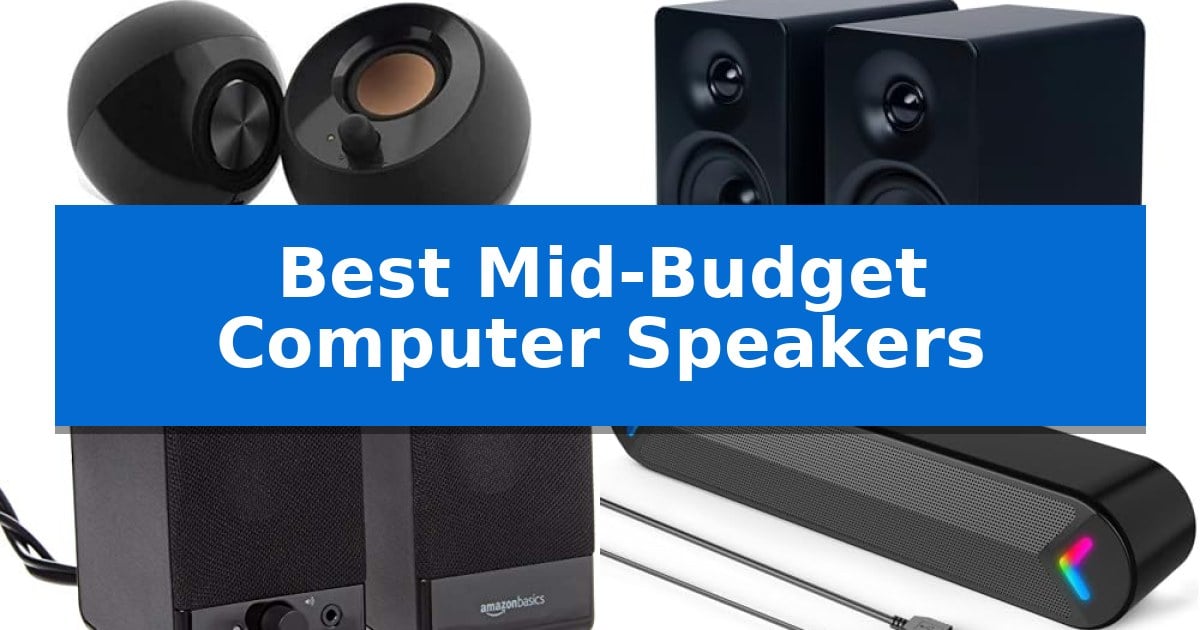
Upgrading your workstation audio doesn't require a massive investment in professional studio gear. Finding the Best Mid-Budget Computer Speakers is about balancing clear, consistent sound with the physical constraints of your desk and the specific connection needs of your computer.
Whether you are looking to replace tinny built-in monitor speakers or want a more immersive experience for daily media, the right pair can significantly improve your listening environment. We have analyzed current options to help you identify which features—such as compact footprints, wireless connectivity, or simple plug-and-play setups—matter most for your specific workspace.
You may also want to compare Best Mid-Bass Subwoofers, Best Mid-Back Gaming Chairs, and Best Mid-Altitude Drone.
Best Mid-Budget Computer Speakers
Quick Comparison
| Product | Best For | Key Strength | Score |
|---|---|---|---|
| Creative Pebble 2.0 Desktop Speakers | Best Overall | Single USB cable connectivity simplifies setup and reduces cord clutter. | 4.9 |
| Edifier M60 Multimedia Speakers | High-Res Audio with Bluetooth | Hi-Res Audio certification with LDAC support for high-fidelity wireless streaming. | 4.6 |
| Amazon Basics USB Computer Speakers | Essential Plug-and-Play Simplicity | Compact footprint saves valuable desk space. | 4.3 |
| LENRUE A39PRO Computer Soundbar | Space-Saving Under-Monitor Design | Slim under-monitor footprint saves valuable desk space. | 4.6 |
| XKX Monitor Clip-On Speakers | Versatile Mount for Minimal Desks | Adaptive-Channel-Switching automatically adjusts audio orientation based on mounting position. | 4.4 |
How We Chose
- Audio Fidelity: Assessing the frequency response and driver configuration for clear output.
- Connectivity Options: Checking for USB, 3.5mm AUX, or Bluetooth support to ensure compatibility with your hardware.
- Space Efficiency: Measuring the physical footprint and mounting options to suit crowded desks.
- Ease of Use: Evaluating the accessibility of volume controls and the simplicity of the setup process.
- Build Quality: Considering the materials and design features that contribute to long-term desk stability.
1 Creative Pebble 2.0 Desktop Speakers — Angled Drivers for Desktop Clarity
Achieving clear, directional audio on a crowded desk often requires equipment that balances footprint with projection. The Creative Pebble 2.0 Desktop Speakers utilize a distinctive 45° elevated driver design, which angles the sound directly toward your ears to create a more immersive listening experience compared to standard forward-facing units.
These speakers are built for simplicity, relying on a single USB cable for both power and audio connectivity. This eliminates the need for bulky external power adapters, making them a practical choice for clean, minimalist workspaces. The front-facing volume control allows for quick, tactile adjustments without needing to reach behind the unit or navigate software menus.
Despite their compact size, the system incorporates far-field drivers paired with rear-facing passive radiators. This configuration is engineered to enhance bass reproduction and provide a broader soundstage than typical small-form-factor speakers. With a frequency response range of 100 Hz to 17 kHz, they are tuned to handle standard desktop audio tasks effectively.
The modern aesthetic fits well into most home or office environments, while the small footprint ensures they do not clutter your primary workspace. By prioritizing a streamlined, cable-efficient design, these speakers offer a straightforward solution for users who need reliable desktop audio without the complexity of multi-cable setups.
Best for: Users seeking a compact, USB-powered audio solution for basic desktop tasks and minimalist workspaces.
Skip if: Users who require high-fidelity audio, deep sub-bass performance, or dedicated analog inputs for professional media production.
PROS
- Single USB cable connectivity simplifies setup and reduces cord clutter.
- 45° elevated drivers improve sound projection toward the listener.
- Compact, minimalist design saves valuable desk space.
- Front-facing volume control provides convenient, instant access.
CONS
- Limited frequency response (100 Hz – 17 kHz) may lack depth for bass-heavy content.
- No dedicated analog inputs or auxiliary options for non-USB devices.
2 Edifier M60 Multimedia Speakers — High-Res Audio with Bluetooth
The Edifier M60 Multimedia Speakers provide a high-fidelity desktop audio solution by integrating Hi-Res Audio certification with a compact, space-saving footprint. Measuring just 100mm wide, these speakers are engineered for users who require professional-grade sound without occupying significant desk real estate.
Performance is driven by a 66W RMS total output, utilizing a combination of 1" silk dome tweeters and 3" long-throw aluminum diaphragm mid-low drivers. The system employs a closed-loop Class-D amplifier and a built-in DSP to manage precise two-way active crossover and dynamic range control, ensuring clear audio reproduction across frequencies.
Connectivity is a primary strength, featuring Bluetooth 5.3 with LDAC codec support for high-resolution wireless streaming up to 24-bit/96kHz. For wired setups, the speakers include USB-C and AUX inputs, allowing for versatile integration with various source devices. The cap-sensitive touch panel offers intuitive volume and playback control, complete with an automatic backlight that responds to proximity.
To optimize the listening experience, the package includes aluminum speaker stands angled at 15 degrees. This design choice directs audio output toward the listener's ear level, effectively reducing sound distortion caused by desktop reflections. These speakers offer a balanced combination of modern connectivity and acoustic engineering for a refined desktop environment.
Best for: Users seeking high-resolution audio and versatile wireless connectivity in a compact, aesthetically integrated desktop setup.
Skip if: Users requiring a dedicated subwoofer for deep bass extension or those needing more than two input channels for complex audio routing.
PROS
- Hi-Res Audio certification with LDAC support for high-fidelity wireless streaming.
- Compact 100mm width design fits easily into crowded workspaces.
- Bundled 15-degree aluminum stands improve sound projection and reduce desk-surface distortion.
- Versatile connectivity options including Bluetooth 5.3, USB-C, and AUX.
CONS
- No dedicated subwoofer output for supplemental low-frequency enhancement.
- Limited physical inputs compared to larger, multi-source studio monitors.
3 Amazon Basics USB Computer Speakers — Essential Plug-and-Play Simplicity
The Amazon Basics USB Computer Speakers offer a streamlined audio solution for those looking to declutter their workspace. By utilizing a USB-powered (5V) connection, these speakers draw power directly from your computer, effectively removing the need for bulky external power adapters that often crowd power strips or wall outlets.
Measuring a compact 2.76 by 3.55 by 5.3 inches, these units are specifically engineered for tight desk environments where space is at a premium. Despite their small footprint, they provide a functional frequency range of 103 Hz – 20 KHz and a total of 2.2 watts of RMS power, which is sufficient for standard desktop audio tasks like video calls, system alerts, or casual media playback.
Usability is centered on a single, front-mounted control that manages both power and volume, featuring a clear On/Standby function for quick adjustments. The plug-and-play design eliminates the need for software or driver installations, allowing for immediate use upon connection to a USB port.
For users who require privacy or need to switch to a headset, the integrated 3.5mm headphone jack provides a convenient pass-through. This design choice allows you to transition between speaker output and personal audio without needing to reach behind your computer tower or laptop to swap cables.
Best for: Users with limited desk space who need a simple, USB-powered audio solution for basic computer tasks.
Skip if: Users requiring high-fidelity audio or significant bass response will find the 2.2-watt output and frequency range insufficient for their needs.
PROS
- Compact footprint saves valuable desk space.
- USB-powered design removes the need for a dedicated power outlet.
- Plug-and-play setup requires no software or drivers.
- Front-mounted controls allow for easy volume and power management.
CONS
- Limited power output of 2.2 watts may not be suitable for large rooms or high-volume needs.
- Fixed frequency range lacks the depth required for professional audio or immersive media consumption.
4 LENRUE A39PRO Computer Soundbar — Space-Saving Under-Monitor Design
Maximizing desk space while upgrading audio output often leads to a trade-off between footprint and sound quality. The LENRUE A39PRO Computer Soundbar addresses this by utilizing a slim, low-profile design that measures just 2.17 inches in height, allowing it to slide easily under most monitors without obstructing the screen or cluttering the workspace.
This soundbar features upgraded 2x5W technology to provide stereo sound for media consumption, including movies, videos, and games. Unlike many compact speakers that rely on in-line controls, this model places a dedicated volume knob on the top of the unit, enabling immediate and tactile adjustments without requiring users to navigate software menus or fumble with cables.
Connectivity is handled via a standard 3.5mm AUX jack for audio input, while a separate USB cable provides power. This plug-and-play approach ensures broad compatibility with desktops, laptops, and tablets without the need for additional drivers. The 47-inch cable length offers enough slack for most standard desktop configurations.
For those who prefer a customized aesthetic, the unit includes a colorful breathlight design. A physical block switch located on the back of the device allows users to toggle the lighting on or off, providing flexibility for different work or home environments. The build is straightforward, focusing on functional utility and ease of use.
Best for: Users seeking a space-saving, plug-and-play audio solution for desktop setups who prioritize physical volume controls and a slim profile.
Skip if: Users who require high-fidelity audio, deep bass performance, or wireless Bluetooth connectivity, as this is a wired-only stereo system.
PROS
- Slim under-monitor footprint saves valuable desk space.
- Top-mounted volume knob allows for quick, intuitive sound adjustments.
- Plug-and-play compatibility via standard 3.5mm and USB connections.
- Toggleable colorful breathlight for aesthetic customization.
CONS
- Wired-only connectivity limits placement flexibility compared to wireless options.
- Basic stereo output may not satisfy users looking for high-end audio performance.
5 XKX Monitor Clip-On Speakers — Versatile Mount for Minimal Desks
Maximizing desk real estate often requires creative hardware placement, and the XKX Monitor Clip-On Speakers address this by offering a versatile mounting system that attaches directly to your monitor. Whether you prefer to clamp the unit to the top, side, or bottom of your display, this design helps eliminate clutter while maintaining a streamlined workstation.
Equipped with dual ultra-magnetic drivers and dual passive radiators, these speakers are engineered to deliver stereo sound with enhanced volume and bass. A standout technical feature is the Adaptive-Channel-Switching system, which utilizes an integrated G-sensor to automatically reorient the left and right audio channels based on the speaker's physical position on your monitor.
Connectivity is handled via a standard USB plug-in, ensuring broad compatibility with Windows, macOS, ChromeOS, and Linux systems. For users operating on modern hardware, the package includes a USB-C to USB adapter, allowing for direct connection to laptops, tablets, and devices like the MacBook or iPad that lack traditional USB-A ports.
Usability is focused on simplicity, featuring three touch-sensitive buttons on the front panel for quick volume adjustment and muting. The unit is compact, measuring approximately 9.17 inches in width, and comes with a 24-month warranty to support long-term use.
Best for: Users with limited desk space who need a versatile, plug-and-play audio solution that mounts directly to their monitor.
Skip if: Those who require audio output for televisions, projectors, or dedicated home theater setups, as this device is specifically optimized for computer monitors.
PROS
- Adaptive-Channel-Switching automatically adjusts audio orientation based on mounting position.
- Versatile mounting system allows for placement on the top, side, or bottom of a monitor.
- USB-C compatibility is included via an adapter for modern laptops and tablets.
- Touch control interface provides intuitive volume and mute management.
CONS
- Incompatible with TVs and projectors, limiting its use to computer-based setups.
- Requires updated audio drivers and specific USB interface settings for proper functionality.
Best Mid-Budget Computer Speakers Buying Guide
Understanding Connectivity Standards
The way your speakers connect to your computer dictates both ease of use and audio reliability. USB-powered speakers are often the most convenient for laptops and desktops, as they handle both power and audio signal through a single cable, reducing cable clutter.
Alternatively, if you require versatility, look for models offering Bluetooth 5.3 or 3.5mm AUX inputs. These allow you to switch between your computer, tablet, or phone without constantly unplugging cables, making them ideal for multi-device workflows.
The Importance of Driver Placement
The physical orientation of your speakers significantly impacts how you perceive sound. Angled drivers are designed to project audio directly toward your ears rather than at your chest or the desk surface, which can help clarify dialogue and music.
If your desk space is limited, consider clip-on soundbars or compact units that utilize passive radiators to enhance bass reproduction without requiring a bulky, separate subwoofer.
Evaluating Total Power Output
Power output, measured in RMS (Root Mean Square), provides a better indication of volume and clarity than peak wattage. For near-field listening at a desk, a modest wattage is usually sufficient to provide rich, distortion-free sound.
Higher RMS ratings, such as those found in multimedia-focused speakers, often indicate the presence of dedicated tweeters and mid-bass drivers, which provide a more balanced sound profile for high-resolution audio.
Desk Footprint and Mounting
Your available desk real estate is a critical factor. Soundbars that fit neatly under a monitor are excellent for maintaining a clean, minimalist aesthetic, while traditional 2.0 stereo setups offer better stereo separation if you have the width.
Some modern designs include aluminum stands or specialized clamps that allow you to mount the speakers to your monitor, effectively reclaiming desk space while keeping the audio source at an optimal height.
Control Accessibility
Frequent adjustments to volume should be intuitive. Look for speakers with front-facing volume controls or touch-sensitive panels that respond quickly to your input, as reaching behind a speaker or digging through software menus can be frustrating.
Some advanced models include automatic backlighting or app-based control, which can add convenience if you frequently switch between different audio sources or need to mute your sound quickly.
Frequently Asked Questions
Do I need a separate power adapter for USB-powered speakers?
Most USB-powered computer speakers draw sufficient power directly from your computer's USB port, eliminating the need for a separate wall power adapter.
Can I use these speakers with a monitor that doesn't have a headphone jack?
Yes, most computer speakers connect directly to your PC or laptop via USB or a 3.5mm audio jack, meaning they do not rely on the monitor's audio output.
What is the benefit of Bluetooth in desktop speakers?
Bluetooth connectivity allows you to stream audio from mobile devices or tablets without needing to physically connect them to your computer or the speakers.
Are soundbars better than traditional 2.0 speakers?
Soundbars are generally better for saving desk space, while 2.0 speaker systems typically provide better stereo separation and a wider soundstage.
Do I need special drivers to install these speakers?
Most modern computer speakers are plug-and-play, meaning they are automatically recognized by Windows, macOS, and Linux without the need for additional driver software.
Conclusion: Our Top Pick
When selecting the right audio solution for your workspace, the Creative Pebble 2.0 Desktop Speakers stand out as a highly effective choice for those prioritizing desk clarity and ease of use. Their 45-degree elevated driver design ensures that sound is projected directly toward the listener, which is a significant advantage for near-field desktop listening.
While other options in this category offer advanced features like Bluetooth or higher power output for larger setups, the Creative Pebble 2.0 provides a streamlined, single-cable USB experience that fits perfectly into most modern work environments. If you need a simple, reliable upgrade that balances footprint with performance, these speakers offer a practical and consistent solution.