
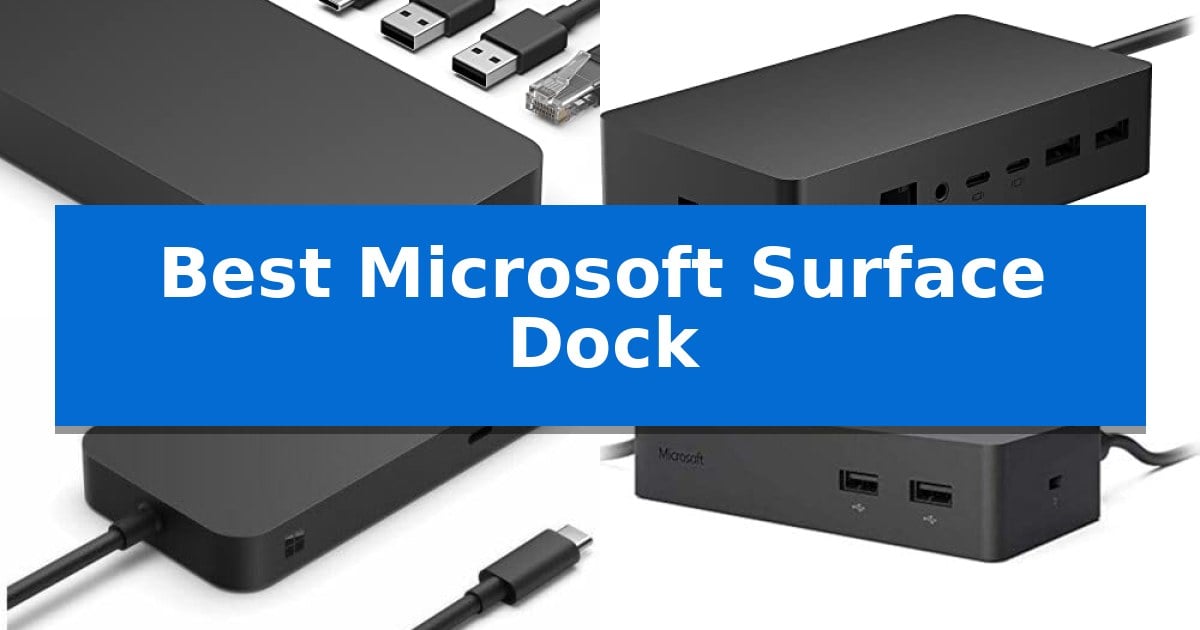
Finding the right hub for your tablet or laptop is essential for transforming a portable device into a full-scale workstation. The Best Microsoft Surface Dock options are designed to bridge the gap between mobile convenience and desktop-level productivity, offering a centralized point for all your peripherals.
Whether you need to drive multiple high-resolution displays, manage high-speed data transfers, or simply keep your device powered throughout the workday, selecting the correct dock depends on your specific hardware and workflow requirements. This guide explores the top solutions to help you streamline your desk setup.
You may also want to compare Best Microsoft Surface Computers, Best Microsoft Modern Keyboard, and Best Microsoft Laptops for Work.
Best Microsoft Surface Dock
Quick Comparison
| Product | Best For | Key Strength | Score |
|---|---|---|---|
| Microsoft Surface Thunderbolt 4 Dock | Best Overall | Thunderbolt 4 connectivity for high-speed data and media streaming. | 4.9 |
| Microsoft Surface Dock 2 | Reliable Desktop Expansion | 199w power supply ensures simultaneous device charging and peripheral power. | 4.6 |
| Microsoft Surface USB4 Dock | Compact Modern Connectivity | 40Gbps data transfer speed for high-performance peripheral use. | 4.9 |
| Microsoft Surface Dock | Essential Legacy Port Support | Magnetic Surface Connect Cable for easy, secure attachment. | 4.4 |
| Yezori Surface Thunderbolt 4 Dock | Maximum Multi-Monitor Setup | Supports triple 4K@60Hz displays via HDMI and DisplayPort. | 4.8 |
How We Chose
- Device Compatibility: Ensuring the dock supports the specific Surface connector or USB-C/Thunderbolt standards of your model.
- Display Output: Assessing the capability to drive single or multiple 4K monitors at high refresh rates.
- Data Throughput: Measuring the speed and variety of USB-A and USB-C ports for external drives and accessories.
- Power Delivery: Verifying the wattage provided to charge your device efficiently while peripherals are connected.
- Build and Ergonomics: Considering the physical footprint and the utility of features like tactile port indicators.
1 Microsoft Surface Thunderbolt 4 Dock — Fastest Data and Charging Speeds
The Microsoft Surface Thunderbolt 4 Dock streamlines your workspace by consolidating high-speed data transfer, display output, and power delivery into a single connection. Featuring raised tactile indicators on each port, this dock allows for intuitive cable management, ensuring you can identify and connect your peripherals without needing to visually inspect the back of the device.
Engineered for high-bandwidth requirements, the dock utilizes Thunderbolt 4 technology to support rapid data movement and media streaming. It provides extensive connectivity through three USB-C ports, three USB-A ports, a 3.5mm audio jack, and 2.5G Ethernet for stable wired networking. A dedicated security lock slot is also integrated to help secure the unit in shared office environments.
For users managing multiple displays, the dock supports up to two 4K monitors, facilitating a dual-screen setup that enhances multitasking and visual clarity. The system also features quick charge capability, designed to power up a compatible laptop in approximately 2.5 hours, minimizing downtime during busy workdays.
Constructed with sustainability in mind, the chassis is manufactured using 20% recycled ocean-bound plastic. This design choice balances functional performance with environmental considerations, providing a durable and compact solution that measures 3.2 inches in height and 4.4 inches in width.
Best for: Professionals requiring high-speed data transfer, dual 4K monitor support, and rapid laptop charging in a single-cable setup.
Skip if: Users who do not require Thunderbolt 4 bandwidth or those who prefer a more minimalist hub without the 2.5G Ethernet and multi-port array.
PROS
- Thunderbolt 4 connectivity for high-speed data and media streaming.
- Raised tactile indicators for easy port identification.
- Rapid charging capability for compatible laptops.
- Multi-monitor support for up to two 4K displays.
- Eco-friendly construction using 20% recycled ocean-bound plastic.
CONS
- Dedicated power requirements may occupy significant desk space.
- Port selection is optimized for Thunderbolt-compatible devices, which may limit utility for older hardware.
2 Microsoft Surface Dock 2 — Reliable Desktop Expansion
Transforming a portable device into a full-scale workstation requires reliable connectivity, and the NEW Microsoft Surface Dock 2, Ethernet For Notebook provides a centralized hub for this transition. By utilizing a single Surface Connect cable, this dock manages both power delivery and data expansion, effectively turning a mobile setup into a stationary desktop environment.
The NEW Microsoft Surface Dock 2, Ethernet For Notebook is engineered with a robust 199w power supply, ensuring sufficient energy to charge your device while simultaneously powering connected peripherals. The inclusion of a longer 80 cm Surface Connect cable offers increased flexibility for cable management, allowing the dock to be positioned more conveniently on a workspace.
Connectivity options are extensive, featuring two front-facing USB-C ports and two rear-facing USB-C (gen 2) ports for modern high-speed peripherals. For legacy devices or standard accessories, the unit includes two rear-facing USB-A ports and a 1 gigabit Ethernet port for stable wired networking. The dock also supports dual 4K at 60Hz monitor configurations, catering to users who require expanded screen real estate.
Designed for professional environments, the unit includes a 3.5mm in/out audio jack for integrated sound and Kensington-compatible security lock support to keep the hardware secure. Its compact footprint, measuring approximately 5.12 by 2.75 inches, ensures it occupies minimal desk space while providing comprehensive port access.
Best for: Users who need to expand their Surface device into a multi-monitor desktop workstation with wired networking and high-speed USB-C connectivity.
Skip if: Users who do not own a compatible Surface device with a Surface Connect port or those who prefer a portable, bus-powered hub without external power requirements.
PROS
- 199w power supply ensures simultaneous device charging and peripheral power.
- Supports dual 4K at 60Hz external monitor output.
- Includes 1 gigabit Ethernet for reliable wired internet connectivity.
- Features four USB-C ports for modern peripheral compatibility.
CONS
- Requires a Surface Connect port for operation, limiting compatibility to specific Microsoft devices.
- The 199w power supply and dock housing create a stationary setup that is less portable than compact USB-C hubs.
3 Microsoft Surface USB4 Dock — Compact Modern Connectivity
Managing multiple peripherals and high-resolution displays requires a streamlined connection hub that prioritizes data throughput and power delivery. The Microsoft Surface USB4 Dock addresses this by utilizing USB4 technology, which provides up to 40Gbps data transfer speeds—four times faster than standard USB 3.2—allowing for rapid file transfers and responsive peripheral performance.
Designed for a clean workspace, the Microsoft Surface USB4 Dock features a compact footprint measuring approximately 9.65 x 3.48 x 2.44 inches. It includes front and rear-facing ports equipped with raised tactile indicators, a thoughtful design choice that helps users identify and locate specific connections without needing to rotate or inspect the device directly.
Versatility is central to its utility, as the dock supports a variety of display configurations. It can drive two 4K monitors at 60Hz via its USB-C or HDMI 2.1 ports, or a single 8K monitor at 30Hz through the USB-C port. Additionally, the unit provides 65W power passthrough via USB-C, enabling simultaneous charging for your connected device and accessories while maintaining a reliable network connection through the integrated Gigabit Ethernet port.
The connectivity suite includes two USB-C ports, one USB-A port, an HDMI port, and an Ethernet port, ensuring compatibility with a wide range of modern peripherals. By consolidating power, data, and display signals into a single cable, the Microsoft Surface USB4 Dock simplifies cable management for users who require a high-performance, organized desktop environment.
Best for: Users who need high-speed data transfer and multi-monitor support for a streamlined, organized workspace.
Skip if: Users who require more than one USB-A port or need specialized legacy connections not supported by this USB-C/USB4-focused hub.
PROS
- 40Gbps data transfer speed for high-performance peripheral use.
- Supports dual 4K 60Hz or single 8K 30Hz display configurations.
- Integrated 65W power delivery for efficient device charging.
- Tactile port indicators for easier cable management.
CONS
- Limited to one USB-A port for legacy peripheral connectivity.
4 Microsoft Surface Dock — Essential Legacy Port Support
The Microsoft Surface Dock simplifies your workspace by transforming a single connection into a comprehensive hub for peripherals and networking. Utilizing a Magnetic Surface Connect Cable, this dock provides a streamlined method to link your device to multiple accessories without the clutter of individual cables.
Designed for versatility, the unit features 4 USB 3.0 ports for high-speed data transferring, ensuring that external drives and input devices maintain efficient connectivity. The inclusion of 2x Mini Display Ports allows for expanded screen real estate, while the dedicated Gigabit Ethernet Port provides a stable, wired network connection for demanding tasks.
With a compact footprint measuring 5.1 inches in length and 2.4 inches in width, the dock fits discreetly on a desk. It includes a dedicated Audio out port for external sound systems, making it a functional addition for both productivity and media setups. The device is specifically engineered for compatibility with the Surface Pro 3, Surface Pro 4, and Surface Book.
This accessory is a practical choice for users who require a consistent, wired interface for their legacy Surface hardware. By centralizing power and connectivity, it reduces the need for multiple adapters, allowing for a more organized and efficient professional or home office environment.
Best for: Users of legacy Surface Pro 3, Surface Pro 4, and Surface Book devices who need a reliable, wired desktop connectivity hub.
Skip if: Users with newer Surface devices that utilize USB-C or Thunderbolt connectivity, as this dock is specifically designed for the older Surface Connect interface.
PROS
- Magnetic Surface Connect Cable for easy, secure attachment.
- 4 USB 3.0 ports supporting high-speed data transfer.
- Gigabit Ethernet Port for reliable wired networking.
- Dual Mini Display Ports for multi-monitor setups.
CONS
- Limited compatibility restricted to Surface Pro 3, Surface Pro 4, and Surface Book.
- No USB-C or Thunderbolt support for modern peripheral standards.
5 Yezori Surface Thunderbolt 4 Dock — Maximum Multi-Monitor Setup
Managing multiple peripherals and high-resolution displays requires a robust connection hub, and the Yezori Surface Thunderbolt 4 Dock provides a comprehensive solution by integrating 13 distinct ports into a single, streamlined station. Designed specifically for the Microsoft Surface ecosystem, this dock simplifies complex workflows by offering a centralized point for power, data, and video connectivity.
The Yezori Surface Thunderbolt 4 Dock excels in multi-monitor environments, supporting triple display configurations through a combination of dual HDMI and DisplayPort outputs, all capable of delivering 4K@60Hz resolution. This capability allows users to expand their screen real estate significantly, which is particularly beneficial for data-heavy tasks or creative projects requiring simultaneous application windows.
Data management is handled efficiently with high-speed transfer options, including 10Gbps USB-A and USB-C data ports alongside integrated SD/TF 3.0 card slots that support rapid offloading of media files. For network stability, the dock includes a 1000Mbps Gigabit RJ45 Ethernet port, ensuring consistent high-speed internet access that is often more reliable than standard wireless connections.
Power delivery is a core strength of this unit, as it includes a 100W power adapter to charge connected Surface devices quickly while simultaneously powering peripherals. The plug-and-play design eliminates the need for driver installations, ensuring broad compatibility across the Surface Pro, Laptop, Laptop Studio, Go, and Book series, making it a versatile addition to any professional workspace.
Best for: Professionals and creators who require a high-bandwidth, triple-monitor setup with fast data transfer capabilities for their Microsoft Surface devices.
Skip if: Users who require a portable, bus-powered hub for travel, as this dock is a stationary unit that requires an external power adapter.
PROS
- Supports triple 4K@60Hz displays via HDMI and DisplayPort.
- Includes a 100W power adapter for rapid device charging.
- Features 10Gbps data transfer speeds for efficient file management.
- Broad plug-and-play compatibility across the entire Microsoft Surface lineup.
CONS
- Stationary design requires a dedicated power outlet and is not intended for portable use.
Best Microsoft Surface Dock Buying Guide
Understanding Connectivity Standards
The primary distinction between modern docks lies in the connection standard used. Thunderbolt 4 represents the current gold standard, offering massive bandwidth for high-speed data, multiple displays, and rapid charging. If your device supports it, this is the most future-proof choice.
Alternatively, USB4 and standard USB-C docks provide versatile connectivity for a wider range of devices. Always check your specific Surface model's technical specifications to ensure it supports the data and display protocols required by your chosen dock.
Multi-Monitor Configurations
If your workflow involves extensive multitasking, look for docks that explicitly support dual 4K monitor output. Not all docks are created equal in this regard; some may limit resolution or refresh rates when multiple screens are active.
Consider the physical output ports available, such as HDMI 2.1 or DisplayPort, and ensure they match the inputs on your monitors. Using the correct cable and dock combination is critical for achieving a stable, flicker-free visual experience.
Power Delivery and Charging
A major benefit of a high-quality dock is the ability to charge your device through a single cable. Check the wattage output of the dock to ensure it meets or exceeds the power requirements of your specific Surface laptop or tablet.
Using a dock with insufficient power delivery may result in slower charging times or the device failing to charge entirely while under heavy load. Always prioritize models that offer enough overhead to keep your battery topped up during intensive tasks.
Port Variety and Peripheral Management
Evaluate the mix of USB-A and USB-C ports based on your existing peripherals. While many modern devices are moving toward USB-C, having legacy USB-A ports is still vital for connecting older mice, keyboards, and external storage drives.
Additional features like Gigabit Ethernet ports provide a more stable and faster internet connection compared to Wi-Fi, which is particularly beneficial for large file transfers or video conferencing.
Physical Design and Workspace Organization
The physical size and cable length of a dock can significantly impact your desk layout. A compact, low-profile design helps keep your workspace clean, while longer cables provide more flexibility in where you place the dock relative to your laptop.
Look for thoughtful design elements like raised tactile indicators near ports, which make it much easier to identify and plug in devices without needing to look directly at the back of the unit.
Frequently Asked Questions
Can I use a Thunderbolt 4 dock with a device that only supports USB-C?
While Thunderbolt 4 docks are often backward compatible with USB-C, you may lose some high-bandwidth features like maximum display resolution or data transfer speeds. Always verify your device's port specifications.
Do I need to install drivers for these docks?
Most modern Microsoft Surface docks are designed for plug-and-play functionality, meaning they should work immediately without the need for manual driver installation on compatible Surface devices.
How many monitors can I connect to these docks?
This varies by model. Some support a single 8K monitor, while others are optimized for dual 4K setups. Check the specific product features to confirm the monitor configuration supported by your chosen dock.
Will these docks charge my Surface while it is in use?
Yes, provided the dock's power delivery wattage is sufficient for your specific Surface model. High-wattage docks are generally capable of charging your device even during intensive tasks.
Are these docks compatible with non-Surface laptops?
Many of these docks use standard USB-C or Thunderbolt protocols, which often allow them to function with other laptops, though some proprietary features or specific charging capabilities may be optimized primarily for the Surface ecosystem.
Conclusion: Our Top Pick
For users seeking the most robust performance and future-proof connectivity, the Microsoft Surface Thunderbolt 4 Dock stands out as the premier choice. Its ability to handle high-speed data, rapid charging, and dual 4K display output makes it an invaluable asset for demanding professional workflows.
While other options in our lineup offer specialized benefits—such as compact designs or legacy port support—the Microsoft Surface Thunderbolt 4 Dock provides the most comprehensive balance of speed, compatibility, and reliability for the modern Surface user.