
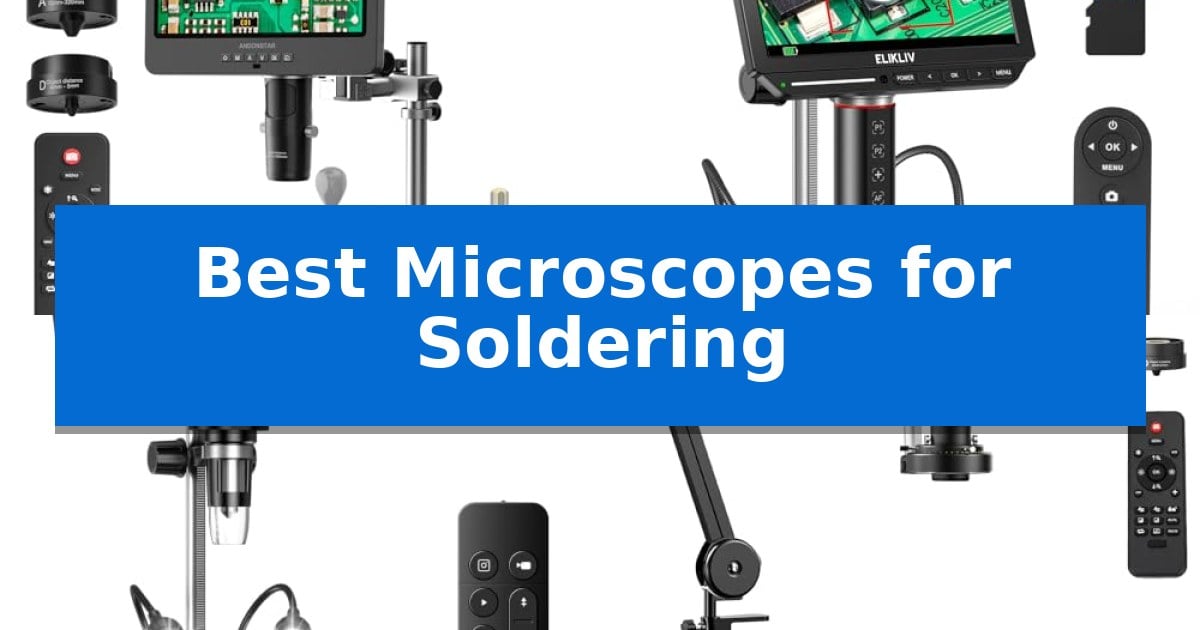
Precision electronics repair requires a clear view of microscopic components that the naked eye simply cannot resolve. Finding the Best Microscopes for Soldering is essential for anyone working on modern PCBs, where trace sizes and solder joints have become increasingly dense and difficult to inspect.
Whether you are a hobbyist working on vintage audio gear or a professional managing complex surface-mount device repairs, the right optical setup transforms your workflow. We have evaluated several digital microscopes to help you identify which features—such as screen size, stand flexibility, and magnification range—best suit your specific repair bench requirements.
You may also want to compare Best Microscopes for SMD Soldering, Best Microscopes for Science Exploration, and Best Microscopes for Rock Identification.
Best Microscopes for Soldering
Quick Comparison
| Product | Best For | Key Strength | Score |
|---|---|---|---|
| Andonstar AD249S-M Plus Digital Microscope | Best Overall | Versatile 3-lens system covering a wide range of magnification needs. | 4.9 |
| Elikliv EM4K-AF Digital Microscope | Fast AI Autofocus Precision | AI-powered auto-focus with TOF sensor for rapid clarity adjustments. | 4.3 |
| TOMLOV DM9 Max Digital Microscope | Extra Workspace for Repair | 12.6-inch metal stand provides superior clearance for soldering tools. | 4.5 |
| TOMLOV DM602 Flex Digital Microscope | Versatile Multi-Angle Positioning | Highly adjustable arm with 360° rotation for precise positioning. | 4.7 |
| EasyWox LP043 Digital Microscope | Space-Saving C-Clamp Mount | C-clamp boom arm design maximizes available workspace. | 4.7 |
How We Chose
- Working distance and clearance for soldering irons and hot air tools.
- Display clarity and resolution for identifying fine solder bridges.
- Mechanical stability and ease of positioning for multi-angle inspection.
- Connectivity options for external monitoring and digital documentation.
- Integrated workspace features like lighting and component storage.
1 Andonstar AD249S-M Plus Digital Microscope — Complete Soldering Station Setup
Achieving precision in electronics repair requires a stable, magnified view of microscopic components, which is exactly why the Andonstar AD249S-M Plus Digital Microscope serves as a comprehensive workstation. This system integrates a 10.1-inch display with a specialized boom arm stand, providing the necessary clearance for soldering irons and hand tools while maintaining a clear, high-definition view of the circuit board.
The device features a versatile 3-lens system designed for distinct magnification needs. The Lens L is specifically optimized for soldering and repair tasks, while the Lens A and Lens D provide expanded capabilities for inspecting smaller components or biological samples. Users can capture 2160P ultra-high-definition video and images, which can be output directly to larger monitors via HDMI for detailed group observation or training.
Ergonomics and workspace management are central to this design. The upgraded Pro Boom Arm stand includes an extension base that increases the available soldering area by 230%, while integrated storage boxes keep essential components organized. The inclusion of soldering helping hands with rotatable clamps and a dedicated tool holder ensures that your workspace remains uncluttered during intricate repair procedures.
Connectivity and ease of use are further supported by the included professional measurement software for Windows, allowing for precise documentation of repairs. The system is equipped with eight-level adjustable LED lighting to ensure optimal visibility regardless of ambient conditions. With a 32GB SD card included, the microscope is ready for immediate use, offering a robust, all-in-one solution for technicians and hobbyists alike.
Best for: Electronics technicians and hobbyists who require a dedicated, all-in-one workstation for soldering and circuit board inspection.
Skip if: Users who require a highly portable, handheld microscope or those who do not have the desk space for a large boom-arm soldering station.
PROS
- Versatile 3-lens system covering a wide range of magnification needs.
- Integrated soldering station features including helping hands and tool storage.
- HDMI output for high-definition viewing on external monitors.
- Expanded workspace provided by the upgraded extension base.
CONS
- Large physical footprint may not suit smaller, space-constrained workbenches.
2 Elikliv EM4K-AF Digital Microscope — Fast AI Autofocus Precision
Precision soldering requires a clear, stable view of microscopic components, and the Elikliv EM4K-AF Digital Microscope addresses this with the industry's first AI-driven auto-focus system. By utilizing an advanced TOF sensor, this device continuously monitors and adjusts focal clarity in just 2 seconds, ensuring that your work remains sharp even when moving components under the lens.
The hardware is built for high-resolution inspection, featuring a 4K UHD imaging system capable of 3840x2160P video and 52MP still captures. These visuals are displayed on a vibrant 8-inch IPS screen with a 178-degree viewing angle, providing a wide, color-accurate workspace that reduces eye strain during long sessions. For those needing a larger display, the integrated HDMI and USB outputs allow for seamless connection to external monitors.
Designed specifically for electronics repair and watchmaking, the unit includes a 10-inch stand with a broad base that extends up to 6.3 inches, providing ample clearance for soldering irons and tools. The inclusion of a smart controller allows for hands-free photo and video capture, while the Freeze and Split-screen functions enable side-by-side comparisons of components, significantly improving efficiency during complex repairs.
Portability and storage are addressed through a built-in rechargeable battery and an included 16GB storage card. This combination allows for on-the-go inspections without being tethered to a power outlet, making it a versatile tool for both professional labs and home workshops.
Best for: Electronics technicians and hobbyists who require rapid, hands-free focus adjustments and high-resolution 4K imaging for intricate soldering tasks.
Skip if: Users who prefer traditional optical eyepieces or those who do not require digital recording and screen-based magnification features.
PROS
- AI-powered auto-focus with TOF sensor for rapid clarity adjustments.
- 4K UHD resolution with a large 8-inch IPS display.
- Taller 10-inch stand provides necessary clearance for soldering tools.
- Built-in battery enables portable use without power constraints.
CONS
- Fixed screen size may not be sufficient for users requiring ultra-large scale viewing without an external monitor.
3 TOMLOV DM9 Max Digital Microscope — Extra Workspace for Repair
Precision soldering requires a clear, unobstructed view of microscopic components, which is exactly why the TOMLOV DM9 Max Digital Microscope features a taller 12.6-inch metal stand. This design choice provides the necessary clearance to maneuver soldering irons, tweezers, and circuit boards comfortably beneath the lens without sacrificing stability.
The device centers on a 10.1-inch IPS screen that offers a 178-degree viewing angle, ensuring that details remain visible even when viewed from the side during collaborative work. With a zoom range of 5X to 1500X, users can transition from general board inspection to identifying minute solder joints or component markings with ease.
Lighting is critical for PCB repair, and this model addresses this with a dual-system approach: 8 adjustable LED lights surrounding the lens and 2 flexible gooseneck side lights. These can be dimmed independently to minimize glare on reflective metallic surfaces, a common challenge when working with circuit boards.
For documentation and quality control, the system supports 20MP photo capture and 1080P video recording. A wireless remote control is included to trigger these functions, which helps prevent image blurring caused by physical contact with the unit during operation. The microscope is also compatible with PC and TV displays for those requiring a larger shared view.
Best for: PCB repair and soldering enthusiasts who require significant vertical clearance and high-resolution visual documentation.
Skip if: Users who prioritize extreme portability or a compact footprint will find the large metal base and tall stand design cumbersome for smaller workspaces.
PROS
- 12.6-inch metal stand provides superior clearance for soldering tools.
- Dual-lighting system with adjustable LED ring and gooseneck lights reduces glare.
- Wireless remote control eliminates screen shake during image capture.
- 10.1-inch IPS screen offers a wide, clear viewing angle for detailed inspection.
CONS
- Large physical footprint requires significant desk space for the base and stand.
4 TOMLOV DM602 Flex Digital Microscope — Versatile Multi-Angle Positioning
Precision soldering requires a clear view of intricate components, and the TOMLOV DM602 Flex Digital Microscope addresses this with a highly versatile adjustable arm. Featuring 360° base rotation, 135° horizontal extension, and 180° vertical movement, this system allows users to position the camera at the exact angle needed for complex circuit board repairs.
The device centers around a 10.1-inch IPS screen that provides a 178-degree viewing angle, ensuring consistent image quality during long sessions. To support detailed work, it includes three interchangeable lenses: the L lens for micro soldering, the A lens for broader views, and the D lens for higher magnification needs. The integrated ring light provides uniform illumination, which is essential for reducing shadows on small components.
Efficiency is further supported by the included 13.8" x 9.8" heat-resistant silicone soldering mat, which protects work surfaces up to 932°F (500℃) and features built-in part boxes and a scale ruler. For documentation or collaborative work, the microscope supports HDMI and USB output, allowing for direct connection to a computer or external monitor.
Users can capture images and video with one-button controls and save them directly to a MicroSD card. This combination of flexible hardware, multiple lens options, and protective accessories makes it a comprehensive station for electronic repair tasks.
Best for: Electronic hobbyists and professionals who need flexible positioning and multiple magnification levels for detailed soldering tasks.
Skip if: Users who require a portable, battery-operated microscope for field work, as this unit is designed for stationary benchtop use.
PROS
- Highly adjustable arm with 360° rotation for precise positioning.
- Three interchangeable lenses covering a wide range of magnification from 2x to 2000x.
- Heat-resistant silicone mat included to protect surfaces during high-temperature soldering.
- HDMI and USB connectivity for external display and data sharing.
CONS
- Stationary design requires a dedicated workspace and is not intended for mobile use.
5 EasyWox LP043 Digital Microscope — Space-Saving C-Clamp Mount
Precision electronics work requires a clear, unobstructed view of the board, which is exactly where the EasyWox LP043 Digital Microscope excels. By utilizing a C-clamp boom arm with a 29-inch total reach, this station clears your desk surface of bulky stands, providing the necessary clearance for heavy-duty soldering irons and hot air rework tools.
The system features a 4.3-inch IPS screen for real-time inspection, allowing you to work in a standalone configuration. For documentation or more detailed analysis, the microscope connects to a computer via a Type-C interface. Using the HiView software, you can capture 1080P video or 12M photos directly to your computer disk, streamlining the process of building a digital repair record.
Usability is enhanced by the flexible articulating arm design, which consists of a 12.5-inch lower arm and a 12-inch upper arm. This setup allows the camera to hover over large PCBs without interference. The device also supports Charge Only mode, ensuring you can maintain power to the unit during extended computer-side sessions without interrupting your workflow.
Before purchasing, verify your workspace setup, as the C-clamp is designed specifically for flat desk edges between 0.04 and 0.78 inches thick. While the device supports local storage via a C10 TF card (up to 32GB), note that the card is not included in the package.
Best for: Electronics technicians and hobbyists who need a space-saving, flexible mounting solution for PCB repair and soldering.
Skip if: Users with desk edges thicker than 0.78 inches or those who require 4K resolution for ultra-fine micro-soldering.
PROS
- C-clamp boom arm design maximizes available workspace.
- Dual-mode operation allows for both standalone and PC-connected use.
- Flexible articulating arm provides a 29-inch total reach for large boards.
- Integrated charging mode keeps the device powered during computer sessions.
CONS
- Limited desk thickness compatibility (0.04 to 0.78 inches).
- TF card not included for local storage.
Best Microscopes for Soldering Buying Guide
Understanding Working Distance
The working distance is perhaps the most critical factor for soldering. Unlike biological microscopes, a soldering microscope must provide enough physical clearance between the lens and the circuit board to allow for the manipulation of soldering irons, tweezers, and other hand tools.
Models with articulating boom arms or tall stands are generally superior for this purpose. They allow you to position the camera head high enough to keep your tools out of the way while maintaining a sharp focus on the work area.
Digital Display vs. External Output
Most modern digital microscopes include an integrated IPS screen, which provides immediate visual feedback without the need for additional hardware. This is ideal for quick inspections and saves valuable desk space in smaller workshops.
However, for long-duration soldering sessions, the ability to output to an HDMI monitor is a significant advantage. A larger, external display reduces eye strain and allows you to share your view with others, which is particularly useful for training or collaborative troubleshooting.
Magnification Requirements
While many units boast high magnification numbers, more is not always better for soldering. Excessive magnification often results in a very shallow depth of field, making it difficult to keep the entire component in focus while you work.
For most PCB repair tasks, a lower magnification range that offers a wider field of view is more practical. This allows you to see a larger portion of the board at once, which is vital for navigating complex circuits and identifying damaged traces.
Lighting and Glare Control
Soldering involves working with reflective surfaces like solder, copper pads, and shiny component leads. Poor lighting can create intense glare that obscures the very details you are trying to inspect.
Look for microscopes with adjustable LED lighting, ideally with multiple sources like ring lights and side-mounted goosenecks. Being able to change the angle of the light helps eliminate reflections and provides better depth perception on flat surfaces.
Ergonomics and Stability
A shaky image is frustrating and can lead to errors during delicate work. The mechanical stability of the stand is paramount; a heavy, rigid base prevents the microscope from vibrating when you make adjustments or bump the desk.
Additionally, consider the ergonomic impact of the setup. A microscope that allows you to maintain a natural, upright posture will significantly reduce neck and back fatigue during long repair sessions compared to traditional eyepieces.
Frequently Asked Questions
Do I need a 4K microscope for soldering?
While 4K resolution offers excellent detail, 1080P or 2160P is usually sufficient for standard soldering tasks. The clarity of the lens and the quality of the sensor often matter more than the raw pixel count.
Can I use these microscopes for coin collecting too?
Yes, many of these models are designed as all-purpose magnifiers. Features like interchangeable lenses and adjustable stands make them highly versatile for both electronics repair and inspecting small collectibles.
How do I connect the microscope to my computer?
Most digital microscopes use a USB interface to connect to a PC. This allows you to use software for capturing images, recording video, and performing measurements directly on your computer screen.
What is the benefit of a C-clamp mount?
A C-clamp mount attaches to the edge of your desk, freeing up the entire surface area. This is an excellent solution for crowded workstations where a large base plate would take up too much room.
Are the lenses interchangeable on these models?
Some advanced models, such as those from Andonstar or TOMLOV, offer interchangeable lenses to switch between different magnification ranges, allowing you to optimize the view for either micro-soldering or broader inspections.
Conclusion: Our Top Pick
When selecting the right tool for your bench, the Andonstar AD249S-M Plus Digital Microscope stands out as a comprehensive solution. Its modular design, which includes multiple lenses and a dedicated soldering station setup, provides the flexibility needed to handle everything from fine SMD work to general board inspection.
By integrating a spacious extension base, helping hands, and a high-definition HDMI output, this system addresses the most common pain points in electronics repair. While other models offer specific advantages like AI autofocus or space-saving clamps, the Andonstar's all-in-one approach makes it a highly capable choice for those looking to upgrade their entire repair workflow.