
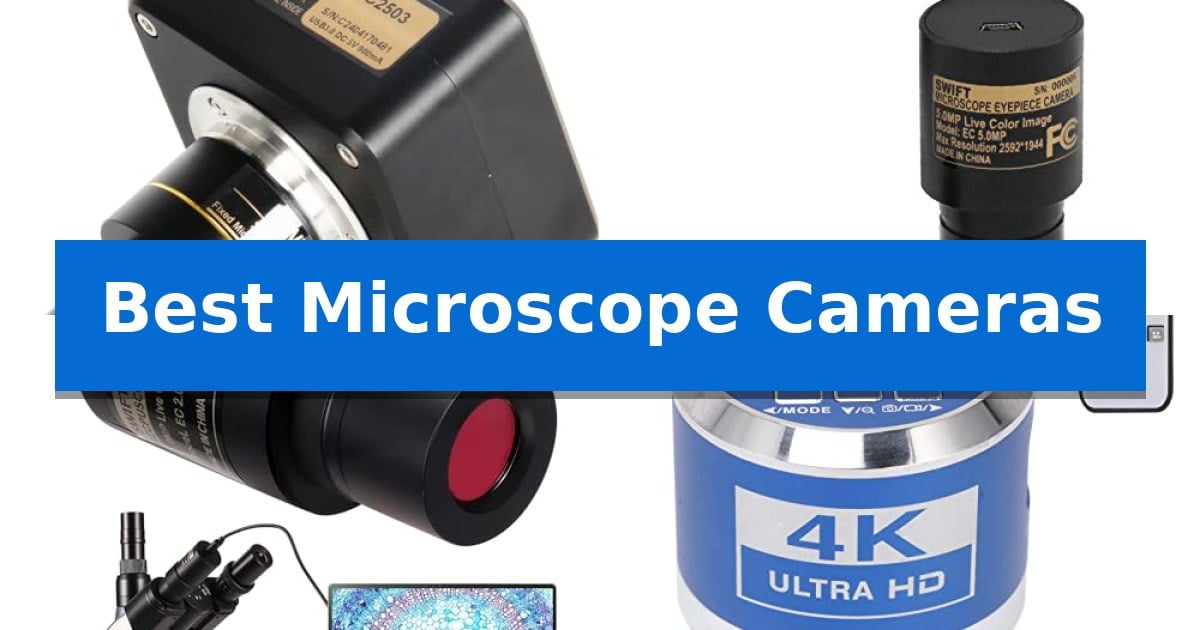
Capturing clear, high-resolution images from a microscope is essential for accurate documentation, whether you are working in a clinical lab, an industrial quality control setting, or an educational environment. Finding the Best Microscope Cameras requires balancing sensor resolution, frame rates, and the specific mounting requirements of your existing optics.
The right camera transforms a standard optical microscope into a powerful digital workstation, allowing for real-time sharing, precise measurement, and professional-grade reporting. By understanding the differences between USB-connected sensors and HDMI-output systems, you can select a tool that integrates seamlessly into your current workflow.
You may also want to compare Best Microscope Camera Lens, Best Microscope Camera for Parasitology, and Best Microscope Camera for Mineral Photography.
Best Microscope Cameras
Quick Comparison
| Product | Best For | Key Strength | Score |
|---|---|---|---|
| Swiftcam 25 Megapixel Microscope Camera | Best Overall | 25-megapixel sensor for high-resolution image and video capture. | 4.9 |
| Swift 5MP Digital Microscope Camera | Smooth Live-View Performance | Sony Back-illuminated sensor for enhanced sensitivity. | 4.7 |
| Swift 2MP Digital Eyepiece Camera | Simple Lab Documentation | Live 1080p output at 30 fps for real-time viewing. | 4.5 |
| BTER 4K HDMI Microscope Camera | Ultra-HD Industrial Clarity | 4K resolution at 30FPS for high-clarity imaging. | 4.9 |
| Goldmeet 37MP Industrial Microscope Camera | Versatile Dual-Output Inspection | High-definition 1080P 60FPS output for smooth, clear real-time inspection. | 4.5 |
How We Chose
- Sensor resolution and image clarity for documentation.
- Compatibility with standard ocular ports and trinocular systems.
- Interface options including USB 3.0, USB 2.0, and HDMI outputs.
- Included software capabilities for measurement and annotation.
- Ease of integration with existing Windows, Mac, or Linux systems.
1 Swiftcam 25 Megapixel Microscope Camera — High-Resolution Professional Imaging
Capturing high-resolution microscopic detail requires a reliable interface between your optical equipment and digital display. The Swiftcam 25 Megapixel Microscope Camera addresses this by providing a high-resolution sensor designed specifically for integration with trinocular ports or standard eyetubes, ensuring that your observations are translated into clear, full-color digital media.
This camera utilizes a USB 3.0 connection to facilitate rapid data transfer, which is essential when handling the large file sizes generated by a 25-megapixel sensor. To maintain visual accuracy, the system includes a reduction lens that compensates for the camera's field of view, ensuring the digital image remains consistent with the magnification levels observed through the microscope's eyepieces.
Versatility in mounting is a core design choice, as the included adapters allow the unit to fit 23.2mm, 30mm, and 30.5mm tube sizes. This broad compatibility makes it suitable for a variety of standard laboratory and educational microscope configurations. The package also includes a calibration kit and a USB flash disk containing the necessary installation software for Windows, Mac, and Linux environments.
By integrating directly into your existing optical setup, this camera provides a streamlined workflow for documenting specimens. Whether you are recording video or capturing still images, the combination of high pixel density and a dedicated reduction lens helps maintain the integrity of your microscopic observations.
Best for: Researchers and educators requiring high-resolution digital documentation across various standard microscope port sizes.
Skip if: Users who do not have a compatible trinocular port or standard eyetube size, or those who lack a computer with USB 3.0 support for optimal transfer speeds.
PROS
- 25-megapixel sensor for high-resolution image and video capture.
- USB 3.0 interface for fast data transfer speeds.
- Reduction lens ensures accurate field of view matching.
- Broad compatibility with 23.2mm, 30mm, and 30.5mm ports.
CONS
- Requires USB 3.0 for maximum performance, which may limit compatibility with older hardware.
- Specific mounting requirements necessitate a compatible trinocular or ocular port.
2 Swift 5MP Digital Microscope Camera — Smooth Live-View Performance
Capturing high-resolution microscopic imagery requires a reliable interface between your optical equipment and digital display. The Swift 5MP Digital Microscope Camera simplifies this process by utilizing a versatile eyepiece mount that integrates directly into standard 23.2mm, 30mm, and 30.5mm microscope tubes, making it a practical choice for educational or clinical environments.
Equipped with a Sony Back-illuminated sensor, this camera prioritizes image clarity through an improved signal-to-noise ratio. This sensor technology supports a live image speed of up to 30 frames per second at a resolution of 2592×1944, ensuring that motion remains smooth during live demonstrations or video recording sessions.
Setup is designed for efficiency, relying on a standard USB 2.0 connection for both data transfer and power. The inclusion of a dedicated USB software installation disk facilitates a straightforward installation process on both Windows and Mac operating systems, allowing users to move quickly from assembly to observation.
This digital eyepiece is engineered to bridge the gap between individual observation and group participation. By enabling lecturers and clinicians to project live feeds, it transforms traditional microscopy into a collaborative experience without requiring complex external hardware configurations.
Best for: Lecturers, clinicians, and educators who need to share live, high-resolution microscope imagery with an audience via a computer.
Skip if: Users requiring ultra-high-speed data transfer or specialized software features beyond standard USB 2.0 capabilities may find the interface limiting.
PROS
- Sony Back-illuminated sensor for enhanced sensitivity.
- Smooth 30fps live display at 5MP resolution.
- Broad compatibility with 23.2mm, 30mm, and 30.5mm eyepiece tubes.
- Cross-platform support for Windows and Mac OS.
CONS
- USB 2.0 interface may be slower than modern USB 3.0 or higher standards.
3 Swift 2MP Digital Eyepiece Camera — Simple Lab Documentation
The SWIFT EP2M 2-MP 1920 * 1080 Digital Eyepiece Microscope Camera offers a direct solution for digitizing microscopy workflows by replacing standard eyepieces with a 2 MP progressive scan sensor. This device provides a 30 fps live view output, enabling hands-free observation on external monitors or projectors, which is particularly useful for collaborative environments like classrooms or quality control stations.
Engineered with a GC2053 sensor featuring 2.7 μm pixels, the camera captures imagery within a 390–650 nm visible light range. It supports flexible exposure settings ranging from 0.1 to 30 ms, allowing users to adjust for varying light conditions during specimen analysis. The unit is designed for physical versatility, fitting standard 23.2 mm eyepiece tubes and most trinocular phototubes.
Digital integration is handled through the included S-Viewer software, which provides tools for calibration, measurement, and annotation. The software allows for both photo and video capture with manual control over white balance, facilitating the creation of documentation for reports. The camera connects via USB and maintains compatibility across Windows 7–11 and macOS.
Physically, the camera is compact, measuring 35×35×62.5 mm and weighing approximately 70 g. It is backed by a 1-year electrical warranty and a 5-year mechanical body warranty, ensuring long-term utility for routine lab or educational tasks.
Best for: Educational and laboratory environments requiring live digital projection and basic measurement capabilities for non-medical microscopy.
Skip if: Users requiring high-resolution imaging for professional medical diagnostics or those needing specialized adapters for non-standard microscope ports.
PROS
- Live 1080p output at 30 fps for real-time viewing.
- S-Viewer software included for measurement and annotation.
- Broad compatibility with Windows and macOS systems.
- 5-year mechanical warranty provides long-term hardware support.
CONS
- Adapter may be required for specific microscope models not using 23.2 mm tubes.
- Not intended for medical use or clinical diagnostic applications.
4 BTER 4K HDMI Microscope Camera — Ultra-HD Industrial Clarity
Precision imaging in laboratory and industrial environments relies on high-quality hardware, and the BTER 4K HDMI Microscope Camera addresses this by utilizing a high-sensitivity CMOS sensor. This unit captures imagery at a 3840 x 2160 resolution, providing the sharp detail necessary for rigorous inspection tasks where clarity is paramount.
Designed for professional integration, the camera features a standard CS interface, allowing it to mount easily onto common industrial microscope setups. It supports simultaneous output, enabling users to route the live feed to a computer monitor and an external display at the same time. This dual-output capability is essential for workflows that require local monitoring alongside external presentation.
Operational efficiency is enhanced by the included remote control, which allows for menu navigation and shooting adjustments without physical contact with the device. This feature minimizes vibration and is particularly beneficial for clinicians and instructors who need to share high-resolution live feeds with large audiences without interrupting the microscope's alignment.
The system supports direct image capturing and video recording to a memory card, streamlining documentation in industrial settings. For computer-based workflows, the device connects via a Type-C port, though this requires the installation of external software to function. With its compact dimensions of approximately 5.9 x 3.9 x 2 inches, it maintains a small footprint, ensuring it integrates seamlessly into existing laboratory workstations.
Best for: Professional laboratory, clinical, and industrial settings requiring high-resolution 4K imaging and remote-controlled operation.
Skip if: Users who require a standalone microscope with integrated optics, as this device is a camera component that requires an existing microscope setup.
PROS
- 4K resolution at 30FPS for high-clarity imaging.
- Remote control included for convenient menu operation and shooting.
- Simultaneous output capability for flexible viewing options.
- Standard CS interface ensures compatibility with common industrial microscope mounts.
CONS
- Requires external software for computer-based connectivity and recording.
- No built-in display, necessitating an external monitor or computer connection.
5 Goldmeet 37MP Industrial Microscope Camera — Versatile Dual-Output Inspection
Achieving high-definition clarity in industrial quality control requires reliable imaging hardware that integrates seamlessly into existing workflows. The Goldmeet 37MP Industrial Microscope Camera provides a 1080P 60FPS output, designed specifically to assist in the examination of microcomponents, circuit boards, and various material surfaces.
This C-mount microscope camera is built with a durable housing intended to withstand the demands of industrial environments. Its versatile connectivity options, including HDMI and USB interfaces, allow for straightforward integration with monitors and computers, facilitating real-time viewing and efficient data transfer for documentation purposes.
To enhance operational precision, the device includes advanced digital observation features such as automatic/manual brightness control, R/G/B color adjustment, and digital zoom. These adjustments help users maintain accurate visual support during detailed inspections, while the included conversion adapter and remote compatibility ensure the unit fits into varied professional setups.
The system supports resolutions up to 37MP and includes a freeze function to capture static images for closer analysis. By combining high-frame-rate video with flexible output configurations, this camera serves as a practical tool for those requiring consistent visual feedback in electronics manufacturing and material analysis.
Best for: Industrial professionals and technicians requiring real-time, high-definition microscopic imaging for quality control and electronics inspection.
Skip if: Users who do not have a C-mount compatible microscope or those who require specialized software for advanced automated image analysis beyond standard digital observation.
PROS
- High-definition 1080P 60FPS output for smooth, clear real-time inspection.
- Dual HDMI and USB connectivity for versatile integration with various display and recording devices.
- Robust, durable build designed to withstand harsh industrial environments.
- Advanced image adjustments including R/G/B control and digital zoom for precise visual assessments.
CONS
- Requires a C-mount compatible microscope interface for proper installation.
- Limited to standard digital observation features rather than specialized automated inspection software.
Best Microscope Cameras Buying Guide
Understanding Mounting and Compatibility
The most critical step in selecting a camera is ensuring it fits your microscope. Most cameras are designed to mount into a 23.2mm ocular port, but many also include adapters for 30mm and 30.5mm tubes. If you are using a trinocular microscope, ensure the camera is compatible with your specific phototube setup.
A reduction lens is often included to ensure the camera's field of view matches the magnification seen through the eyepieces. Without this, you may experience a significant crop factor that makes it difficult to frame your subject accurately.
Interface and Connectivity
Your choice of interface depends on how you intend to use the images. USB 3.0 connections offer the fastest transfer speeds, which is ideal for high-resolution photography and smooth video recording. USB 2.0 is generally sufficient for standard documentation but may have lower frame rates at maximum resolution.
HDMI output is preferred for industrial inspection where you need to connect directly to a monitor without a computer. This setup allows for real-time, lag-free viewing, which is particularly useful for quality control or demonstrating samples to a group.
Sensor Resolution and Sensitivity
Higher megapixel counts, such as 25MP or 37MP, provide greater detail for post-capture analysis and large-format printing. However, resolution is only one part of the equation; sensor sensitivity is equally important for low-light conditions.
Look for sensors that offer a good signal-to-noise ratio. Features like back-illuminated sensors help maintain image quality in challenging lighting, ensuring that your digital captures remain sharp and color-accurate.
Software and Measurement Tools
The software included with your camera is often as important as the hardware itself. Many professional-grade cameras come with dedicated suites that allow for calibration, measurement, and annotation directly on the live image.
Verify that the software is compatible with your operating system, whether it is Windows, macOS, or Linux. Some manufacturers provide software on a USB flash disk, while others offer online downloads to ensure you have the latest updates and drivers.
Industrial vs. Lab Use Cases
Industrial inspection cameras often prioritize durability and high-speed live output, making them suitable for repetitive tasks like electronics manufacturing or material analysis. These units frequently feature robust builds to withstand harsh environments.
Lab-focused cameras are typically optimized for color accuracy and documentation. They are often more compact and designed to fit into standard eyepiece tubes, making them ideal for clinical or educational settings where space and ease of use are priorities.
Frequently Asked Questions
Will these cameras fit my existing microscope?
Most of these cameras are designed to fit the standard 23.2mm eyepiece tube. Many models include additional adapters for 30mm and 30.5mm tubes to ensure broad compatibility with various compound and stereo microscopes.
What is the advantage of an HDMI output?
An HDMI output allows you to connect the camera directly to a monitor or projector without needing a computer. This is ideal for real-time viewing in industrial inspection or for sharing live images with a large audience.
Do I need specific software to use these cameras?
Yes, most digital microscope cameras require specific software for capturing, measuring, and annotating images. This software is usually provided on an included USB drive or available for download from the manufacturer's website.
Can I use these cameras on a Mac?
Compatibility varies by model. Many modern microscope cameras support both Windows and macOS, but it is important to check the specific product specifications to ensure your operating system version is supported.
What is a reduction lens?
A reduction lens is an optical component that adjusts the camera's field of view to match what you see through the microscope's eyepieces. It prevents the image from appearing overly zoomed-in or cropped.
Conclusion: Our Top Pick
For those seeking professional-grade imaging with high resolution and fast data transfer, the Swiftcam 25 Megapixel Microscope Camera stands out as the most versatile option. Its combination of a 25-megapixel sensor and USB 3.0 connectivity ensures that you can capture highly detailed images and smooth video with minimal latency.
While this camera is an excellent choice for most professional applications, ensure your computer has a USB 3.0 port to take full advantage of its transfer speeds. If your primary goal is industrial inspection without a computer, you may prefer an HDMI-capable model, but for general lab and documentation needs, this unit offers the best balance of performance and ease of use.