
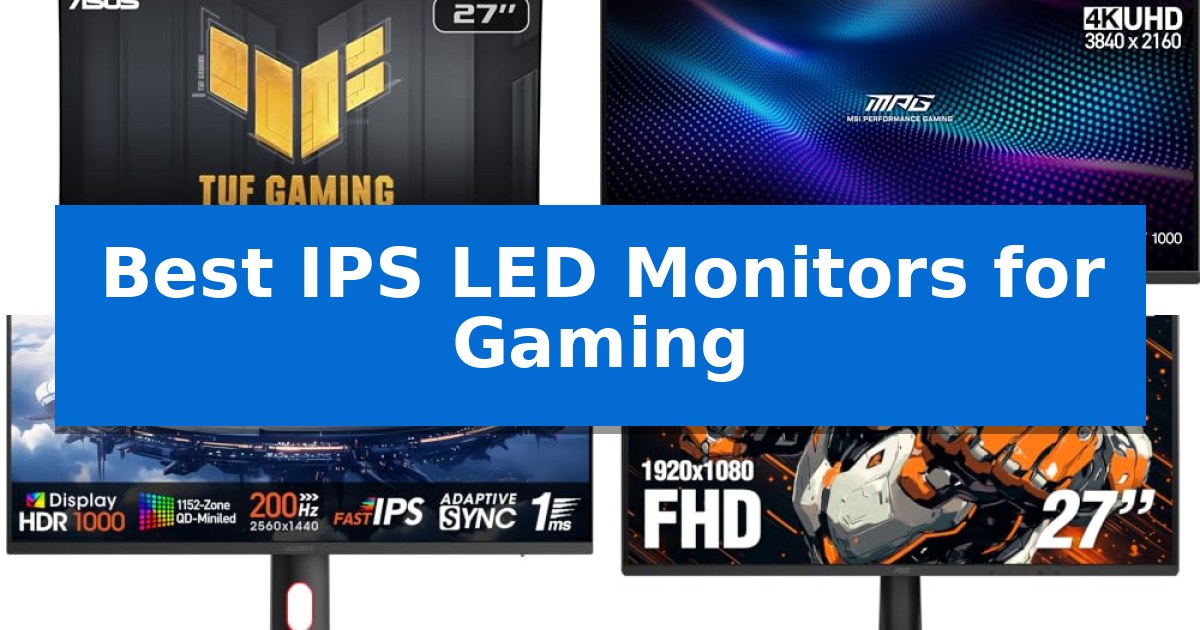
Finding the right display requires balancing fluid motion with visual fidelity. The Best IPS LED Monitors for Gaming offer a unique combination of wide viewing angles and rapid pixel transitions, ensuring that fast-paced action remains clear without sacrificing color depth.
Whether you are prioritizing competitive frame rates or immersive graphical quality, selecting the right panel depends on your specific hardware and gaming habits. We have evaluated these displays to help you understand which technical specifications truly impact your experience.
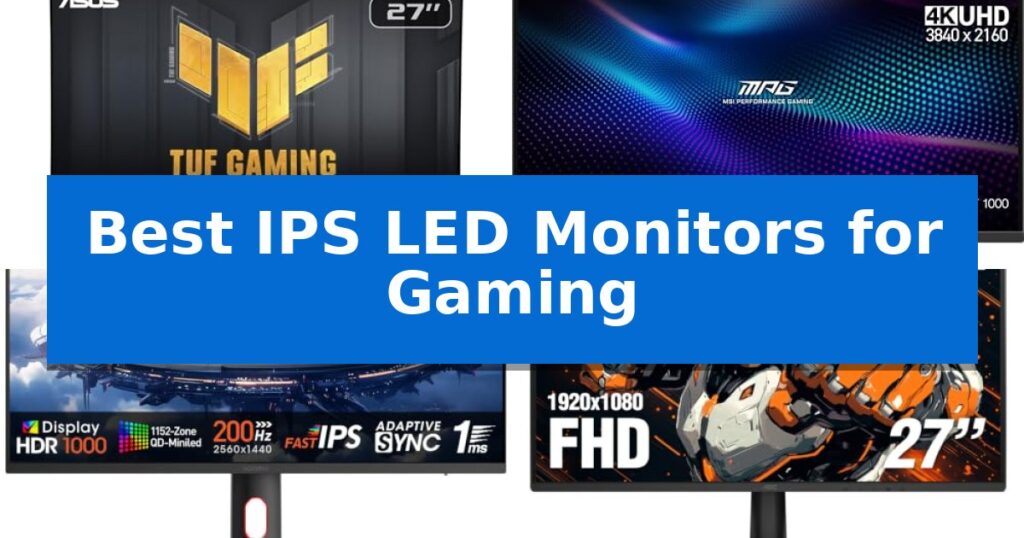
Best IPS LED Monitors for Gaming in 2026
Quick Comparison
| Product | Best For | Key Strength | Score |
|---|---|---|---|
| ASUS TUF Gaming VG27AQM5A Monitor | Best Overall | 300Hz refresh rate for ultra-smooth motion | 4.9 |
| MSI MPG 274URDFW E16M Gaming Monitor | Ultra-sharp 4K clarity | Mini-LED backlighting with 1,152 zones for superior HDR contrast. | 4.3 |
| KOORUI 27-inch Mini-LED Gaming Monitor | Superior HDR contrast | 200Hz refresh rate for smooth motion in fast-paced games. | 4.9 |
| AOC 27-inch Gaming Monitor | Ultra-fast response times | 180Hz refresh rate for fluid motion | 4.4 |
| Philips 24-inch Gaming Monitor | Compact 180Hz performance | 180Hz overclocked refresh rate for fluid gameplay | 4.3 |
How We Chose
- Refresh Rate and Motion Handling: We prioritized monitors with high refresh rates and advanced blur reduction technologies to ensure smooth, tear-free gameplay.
- Response Time: We assessed GTG and MPRT claims to identify panels that minimize ghosting during rapid on-screen movement.
- Color Accuracy and HDR: We evaluated color gamut coverage and HDR capabilities to ensure vibrant, lifelike visuals for both gaming and creative tasks.
- Ergonomics and Connectivity: We examined physical adjustability and port configurations to ensure the monitors fit seamlessly into diverse desk setups.
- Resolution and Clarity: We compared QHD and FHD options to match display density with common gaming hardware requirements.
1 ASUS TUF Gaming VG27AQM5A Monitor — High-speed 300Hz competitive edge
Achieving a competitive edge in fast-paced gaming requires hardware that can keep up with rapid frame rates and precise visual demands. The ASUS TUF Gaming VG27AQM5A is engineered for these high-stakes environments, featuring a 27-inch QHD (2560×1440) display that supports a 300Hz refresh rate. This combination of resolution and speed provides the clarity and fluidity necessary for professional-level gameplay.
Performance is further refined by ASUS Fast IPS technology, which enables a 0.3ms (GTG) response time. This specification is critical for minimizing ghosting during intense motion. To ensure visual integrity, the monitor includes ELMB Sync, a feature that allows variable-refresh-rate technologies to function alongside motion blur reduction, maintaining sharp visuals even when frame rates fluctuate.
The monitor prioritizes both visual quality and user convenience. It covers 95% of the DCI-P3 color gamut, ensuring vibrant and accurate color reproduction for gaming and content creation. For dark environments, Shadow Boost technology selectively brightens shadows to reveal hidden details without over-exposing the rest of the scene. Users can manage these settings directly through the DisplayWidget Center using a mouse, eliminating the need for complex on-screen menus.
Designed for versatility, the unit includes integrated speakers for basic audio needs and comes with a 3-year manufacturer warranty. It is also compatible with current-generation consoles, supporting PS5 and Xbox setups. As an added benefit, the purchase includes a 3-month subscription to Adobe Creative Cloud, providing immediate value for those who balance gaming with creative projects.
Best for: Competitive gamers and creators who require a high 300Hz refresh rate and accurate color reproduction in a 1440p resolution.
Skip if: Users who prioritize a 4K resolution display or those who do not require refresh rates above 144Hz for their specific gaming style.
PROS
- 300Hz refresh rate for ultra-smooth motion
- 0.3ms (GTG) response time to reduce ghosting
- ELMB Sync for tear-free, sharp visuals
- 95% DCI-P3 color gamut for vibrant imagery
CONS
- QHD resolution may be less sharp than 4K for non-gaming productivity tasks
- Integrated speakers offer limited audio fidelity compared to dedicated sound systems
2 MSI MPG 274URDFW E16M Gaming Monitor — Ultra-sharp 4K clarity
The MSI MPG 274URDFW E16M Gaming Monitor distinguishes itself through its integration of Mini-LED technology, which utilizes 1,152 local dimming zones to achieve high-contrast visuals with deep blacks and bright highlights. This 27-inch display is designed to handle demanding visual tasks, offering a 3840 x 2160 UHD resolution that provides sharp detail for both gaming and creative workflows.
Performance is bolstered by a 320Hz refresh rate and a 0.5ms (GtG, Min.) response time, which are engineered to minimize motion blur and screen tearing. The monitor features Rapid IPS panel technology, ensuring color intensity and purity, while AMD FreeSync Premium Pro and NVIDIA G-SYNC compatibility work to synchronize the display with your graphics card for fluid frame transitions.
Usability is enhanced by the AI Dual Mode, which automatically adjusts the refresh rate when switching between resolutions, removing the need for manual configuration. Additionally, the AI Menu allows for the customization of display settings that activate automatically upon launching a game, supporting the creation and sharing of personalized profiles.
The monitor is built with a functional design that includes VESA mount compatibility and tilt adjustments to assist with ergonomic positioning. Its white finish and compact dimensions of 24.14 x 15.78 inches make it a distinct addition to a desk setup, backed by a 3-year manufacturer warranty.
Best for: Competitive gamers and creators who require a high-refresh-rate 4K display with advanced local dimming for HDR content.
Skip if: Users who do not have a high-performance graphics card capable of driving 4K at high frame rates or those who prefer a non-white aesthetic.
PROS
- Mini-LED backlighting with 1,152 zones for superior HDR contrast.
- 320Hz refresh rate paired with a 0.5ms response time for high-speed gaming.
- AI-driven features that automate refresh rate and display profile management.
- Rapid IPS panel for accurate and intense color reproduction.
CONS
- White chassis design may not match all existing PC setups.
- High-end specifications require significant hardware power to fully utilize.
3 KOORUI 27-inch Mini-LED Gaming Monitor — Superior HDR contrast
The KOORUI 27-inch Mini-LED Gaming Monitor distinguishes itself with a high-performance 200Hz refresh rate and a rapid 1ms (GtG) response time, providing a responsive foundation for competitive gaming. By integrating Free-sync and G-Sync compatibility, this display minimizes visual stutter and screen tearing, ensuring fluid motion during high-intensity sequences.
Visual fidelity is a primary focus, supported by a QHD (2560×1440) resolution and a wide color gamut covering 97% DCI-P3 and 99% Adobe RGB. The static contrast ratio of 300,000:1 contributes to deep blacks and vibrant color reproduction, making the monitor suitable for both gaming and creative workflows that demand color precision.
Designed for versatility, the unit includes PiP (Picture-in-Picture) and PbP (Picture-by-Picture) functionality, allowing users to manage multiple tasks simultaneously without switching tabs. The ergonomic stand offers extensive flexibility, including height, tilt, swivel, and rotation adjustments, while the VESA-compatible (75x75mm) mounting option provides additional configuration choices for varied desk setups.
Customization is managed through an intuitive on-screen display (OSD) menu, enabling users to fine-tune brightness, contrast, and color settings to suit specific environmental conditions. The monitor is backed by a 3-year spare parts replacement warranty, emphasizing its build quality and long-term support for users seeking a reliable display solution.
Best for: Competitive gamers and creative professionals who require high refresh rates, color accuracy, and multi-tasking display modes.
Skip if: Users with limited desk space who do not require advanced multi-tasking features like PiP/PbP or those who prefer a smaller display footprint.
PROS
- 200Hz refresh rate for smooth motion in fast-paced games.
- 97% DCI-P3 and 99% Adobe RGB coverage for accurate color reproduction.
- Ergonomic stand with full height, tilt, swivel, and rotation adjustments.
- PiP/PbP support for efficient multi-tasking.
CONS
- Large footprint may require significant desk space.
- High-performance features may be underutilized by casual users.
4 AOC 27-inch Gaming Monitor — Ultra-fast response times
The AOC 27-inch Gaming Monitor features a 180Hz refresh rate that provides smooth motion for fast-paced titles, supported by both DisplayPort 1.4 and HDMI 2.0 connectivity. This 27-inch Full HD IPS display is engineered to maintain consistent color performance and wide viewing angles, making it a versatile choice for various gaming environments.
To minimize motion blur and ghosting, the monitor utilizes a 0.5ms MPRT response time. This technical specification is designed to help maintain visual clarity during rapid on-screen movement. The inclusion of Adaptive-Sync technology works to reduce screen tearing, while the HDR Ready capability enhances contrast for supported content.
The physical design centers on a modern frameless aesthetic that fits well into compact or multi-monitor setups. It includes essential connectivity options such as an audio earphone out port and is VESA mount compatible, allowing for flexible installation on monitor arms or wall mounts. The unit comes with a 3-year manufacturer warranty.
This monitor is a practical solution for users prioritizing high refresh rates and low response times within a standard 1080p resolution. Its combination of IPS panel technology and gaming-focused features balances visual quality with the responsiveness required for competitive play.
Best for: Gamers seeking a high-refresh-rate display with fast response times for competitive or action-oriented titles.
Skip if: Users requiring 1440p or 4K resolution for high-fidelity graphics or professional color-critical design work.
PROS
- 180Hz refresh rate for fluid motion
- 0.5ms MPRT response time to reduce ghosting
- Adaptive-Sync support for tear-free gaming
- Frameless design for a sleek, modern look
CONS
- Full HD (1080p) resolution may lack sharpness on a 27-inch screen compared to higher pixel densities
5 Philips 24-inch Gaming Monitor — Compact 180Hz performance
Competitive gaming demands hardware that can keep pace with rapid on-screen action, and the Philips 24-inch Gaming Monitor addresses this through an overclockable 180Hz refresh rate. By pushing beyond standard refresh rates, this display minimizes visual stutter, allowing for a more responsive experience in fast-paced titles where every frame counts.
The monitor is built around a 23.8-inch Full HD IPS panel, which provides a balance of screen real estate and image clarity. To further enhance motion, it features a 0.5ms MPRT response time, a specification engineered to reduce ghosting and motion blur. This ensures that fast-moving objects remain sharp, which is essential for maintaining accuracy during intense gameplay.
Visual stability is managed through Adaptive Sync technology, which works to eliminate screen tearing by synchronizing the monitor's refresh rate with the GPU. The inclusion of HDR10 support adds depth to the visual experience by enhancing contrast, while LowBlue Mode and Flicker-Free technology are integrated to support eye comfort during long gaming sessions.
For connectivity, the unit utilizes HDMI 2.1 and DisplayPort 1.4 ports, ensuring compatibility with modern high-bandwidth signals. The physical design features ultra-slim bezels for a clean aesthetic and includes VESA mount support, providing the flexibility to integrate the monitor into various desk configurations or multi-monitor setups.
Best for: Competitive gamers seeking a high-refresh-rate, compact IPS display with modern connectivity and motion-blur reduction.
Skip if: Users requiring higher resolutions like 1440p or 4K for professional creative work or those needing a larger screen size beyond 24 inches.
PROS
- 180Hz overclocked refresh rate for fluid gameplay
- 0.5ms MPRT response time to minimize motion blur
- IPS panel technology for wide viewing angles and vivid colors
- HDMI 2.1 and DisplayPort 1.4 connectivity
CONS
- 1080p resolution may lack the sharpness of higher-density displays
- 24-inch screen size is limited for productivity-heavy multitasking
Best IPS LED Monitors for Gaming Buying Guide
Understanding Panel Technology
IPS (In-Plane Switching) technology is favored for its superior color reproduction and wide viewing angles compared to older TN or VA panels. Modern Fast IPS iterations have bridged the gap in response times, making them a standard choice for gamers who refuse to compromise on image quality.
When selecting a monitor, ensure the panel type aligns with your primary use case. While IPS is excellent for color-critical work and immersive titles, high-refresh-rate variants are now fast enough to satisfy even the most demanding competitive players.
The Importance of Refresh Rates
The refresh rate, measured in Hertz (Hz), dictates how many frames the monitor can display per second. A higher refresh rate, such as 300Hz or 320Hz, provides a smoother visual experience, allowing for faster reaction times in competitive environments.
It is essential to pair your monitor's refresh rate with a graphics card capable of outputting a similar frame rate. If your system cannot reach these high frame counts, you may not see the full benefit of an ultra-high-refresh display.
Response Time and Motion Blur
Response time measures how quickly a pixel can change from one color to another. Low response times, often cited as 0.3ms or 0.5ms (GtG), are critical for reducing motion blur and ghosting in fast-moving scenes.
Technologies like ELMB (Extreme Low Motion Blur) or variable refresh rate synchronization help align the monitor's output with your GPU, effectively eliminating screen tearing and stuttering during intense gameplay.
Resolution and Pixel Density
Choosing between QHD (1440p) and FHD (1080p) involves a trade-off between visual sharpness and performance. QHD offers significantly more screen real estate and detail, which is ideal for 27-inch displays.
FHD remains a viable option for smaller screens or systems where maintaining maximum frame rates is the priority. Consider your desk size and viewing distance when deciding which resolution provides the best balance for your setup.
Ergonomics and Connectivity
A monitor's stand should offer height, tilt, and swivel adjustments to prevent neck strain during long sessions. VESA compatibility is also a key feature if you plan to use a monitor arm for a cleaner, more flexible workspace.
Check the available ports, such as HDMI 2.1 or DisplayPort 1.4, to ensure they support the bandwidth required for your monitor's maximum resolution and refresh rate. Proper connectivity is the foundation of a stable gaming experience.
Frequently Asked Questions
What is the main advantage of Fast IPS over standard IPS?
Fast IPS technology is specifically engineered to reduce pixel transition times, allowing for higher refresh rates and less motion blur without losing the color accuracy and viewing angles that define standard IPS panels.
Do I need a 300Hz monitor for casual gaming?
For casual gaming, a 300Hz monitor is often overkill. Most players find that 144Hz to 180Hz provides a significant improvement over standard 60Hz displays while being easier to drive with mid-range hardware.
How does HDR affect gaming performance?
HDR (High Dynamic Range) enhances contrast and color depth, making dark scenes more detailed and bright highlights more vivid. However, it requires content that supports HDR to be fully utilized.
Is G-SYNC or FreeSync necessary?
Yes, adaptive sync technologies like G-SYNC and FreeSync are highly recommended. They synchronize the monitor's refresh rate with your GPU's frame output, which prevents screen tearing and stuttering.
Can I use a gaming monitor for professional creative work?
Many IPS gaming monitors, especially those with high DCI-P3 color gamut coverage, are well-suited for creative tasks like photo editing and content creation, provided they offer good color accuracy.
Conclusion: Our Top Pick
For gamers seeking the best balance of speed and visual performance, the ASUS TUF Gaming VG27AQM5A Monitor stands out as our top recommendation. Its 300Hz refresh rate and 0.3ms response time provide a distinct competitive edge, while the 95% DCI-P3 color gamut ensures that games look vibrant and detailed.
While other models offer specific benefits like 4K resolution or Mini-LED contrast, this monitor delivers the most consistent performance for a wide range of gaming styles. Its inclusion of ELMB Sync and Shadow Boost further refines the experience, making it a versatile choice for both high-speed competitive play and immersive single-player titles.