
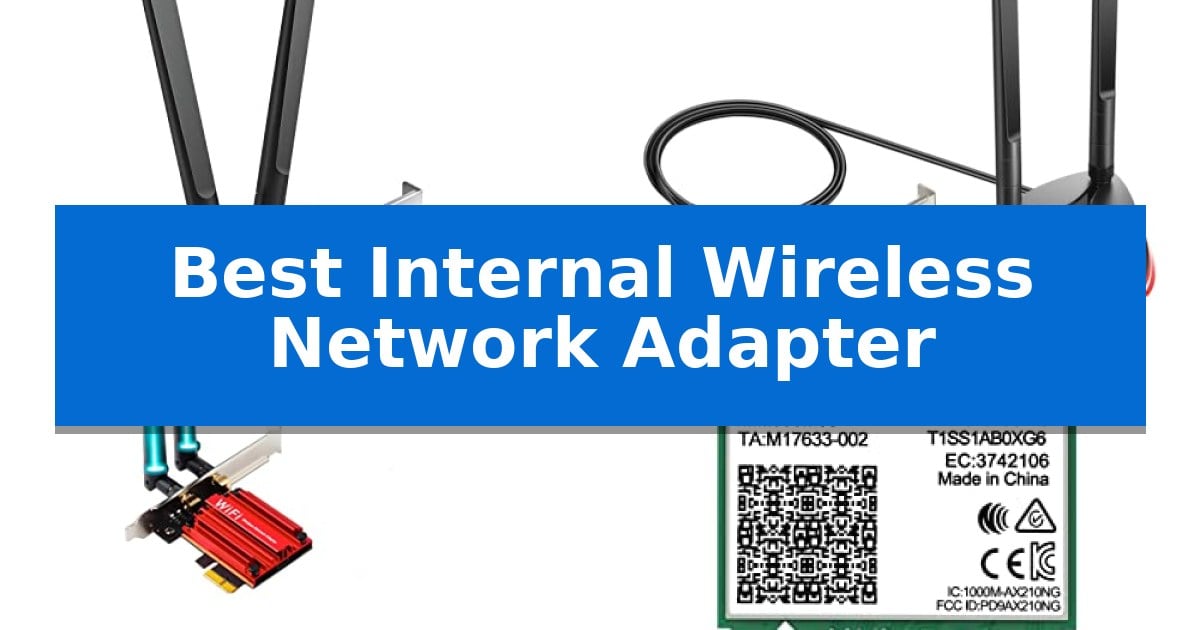
Upgrading your desktop's connectivity is often the most effective way to eliminate network lag and improve data transfer speeds. Finding the Best Internal Wireless Network Adapter requires balancing your motherboard's available slots with the specific wireless standards supported by your router.
Whether you are looking to integrate high-speed Wi-Fi 6 or 6E into an older machine or need a reliable connection for a new custom build, the right card can transform your online experience. We have analyzed current internal adapters to help you navigate the technical specifications and compatibility requirements for your specific system.
Best Internal Wireless Network Adapter in 2026
Quick Comparison
| Product | Best For | Key Strength | Score |
|---|---|---|---|
| TP-Link Archer TX55E WiFi 6 Adapter | Best Overall | Supports Wi-Fi 6 for high-speed, low-latency connectivity. | 4.9 |
| TP-Link Archer TX3000E WiFi 6 Adapter | Flexible Placement for Better Signal | Magnetized antenna base for flexible, optimal signal placement. | 4.5 |
| OKN AX210 WiFi 6E Network Card | Future-Proof Tri-Band Connectivity | Tri-band support including the 6GHz spectrum for reduced interference. | 4.5 |
| NICGIGA AX210 WiFi 6E Network Card | Compact M.2 Laptop Upgrade | Supports Wi-Fi 6E tri-band connectivity for increased bandwidth. | 4.7 |
| FebSmart FS-N300 Wireless Network Adapter | Budget Pick for Basic Connectivity | Broad OS compatibility including Windows 11 and Linux. | 4.6 |
How We Chose
- Interface Compatibility: We prioritized cards that utilize standard PCIe x1 slots or M.2 A/E key slots to ensure broad motherboard support.
- Wireless Standard: We focused on adapters supporting Wi-Fi 6 and 6E to ensure compatibility with modern high-bandwidth networking environments.
- Bluetooth Integration: We assessed the inclusion of integrated Bluetooth modules, which require dedicated internal USB header connections.
- Physical Form Factor: We evaluated the inclusion of low-profile brackets, which are essential for users with slim or small-form-factor computer cases.
- Security Protocols: We verified support for WPA3 encryption to ensure that the hardware meets current network security standards.
1 TP-Link Archer TX55E WiFi 6 Adapter — Best for High-Speed Gaming
Upgrading your desktop connectivity with the TP-Link Archer TX55E WiFi 6 Adapter allows you to leverage Wi-Fi 6 technology for faster data rates and improved efficiency on busy networks. This PCIe card is engineered to deliver speeds up to 2.4 Gbps, providing a robust foundation for high-bandwidth activities like real-time gaming or immersive VR experiences.
The adapter integrates OFDMA and MU-MIMO technologies, which work to minimize lag and maintain stable connections even when multiple devices are active. To ensure reliable signal strength at greater distances, the unit features two high-gain, signal-boost antennas that help maintain a consistent link to your router.
Beyond wireless networking, the card includes Bluetooth 5.2 functionality, offering broader coverage and faster connection speeds for peripherals like game controllers, headphones, and keyboards. This dual-purpose design helps consolidate your PC's wireless needs into a single internal expansion slot, though it requires an internal F_USB header connection on your motherboard to enable the Bluetooth feature.
Security is addressed through the inclusion of the WPA3 protocol, which provides enhanced protection for your transmitted data. The package includes both standard and low-profile brackets, ensuring compatibility with a wide range of desktop chassis sizes, including compact mini-tower builds. Note that this adapter is specifically designed for systems running Windows 10 or 11 (64-bit).
Best for: Desktop users who require high-speed wireless connectivity and Bluetooth integration for gaming and productivity.
Skip if: Users with laptops or desktops lacking an available PCIe slot, or those who require a plug-and-play USB wireless solution.
PROS
- Supports Wi-Fi 6 for high-speed, low-latency connectivity.
- Includes Bluetooth 5.2 for versatile peripheral support.
- Equipped with WPA3 security for modern network protection.
- Includes low-profile brackets for flexible case compatibility.
CONS
- Requires an internal PCIe slot and a motherboard F_USB header for Bluetooth functionality.
- Limited to Windows 10 and 11 (64-bit) operating systems.
2 TP-Link Archer TX3000E WiFi 6 Adapter — Flexible Placement for Better Signal
Achieving optimal signal placement is often the greatest challenge when upgrading a desktop PC's connectivity. The TP-Link Archer TX3000E WiFi 6 Adapter addresses this by including a magnetized base for its external antennas, allowing users to position the hardware away from the crowded rear ports of a chassis to find the best reception.
This PCIe card leverages Wi-Fi 6 technology powered by Intel, incorporating OFDMA and MU-MIMO to manage high-traffic network environments. It supports speeds up to 2.4Gbps, split between 2402 Mbps on the 5 GHz band and 574 Mbps on the 2.4 GHz band, which helps reduce latency for demanding applications like real-time gaming or VR.
Beyond wireless networking, the card integrates Bluetooth 5.3, providing a significant upgrade in range and speed compared to older standards. This allows for stable connections to multiple peripherals, such as game controllers, headphones, and keyboards, provided the included USB cable is correctly connected to an internal F_USB header.
Installation is straightforward, though users should note that the TP-Link Archer TX3000E WiFi 6 Adapter requires a driver download from the manufacturer's website if a CD-ROM drive is unavailable. The package includes a low-profile bracket, ensuring compatibility with a wide range of desktop form factors.
Best for: Desktop users seeking a high-speed Wi-Fi 6 upgrade with the flexibility to relocate antennas for improved signal reception.
Skip if: Users with laptops or those lacking an available PCIe slot and internal USB header on their motherboard.
PROS
- Magnetized antenna base for flexible, optimal signal placement.
- Wi-Fi 6 and Bluetooth 5.3 support for modern connectivity standards.
- OFDMA and MU-MIMO technology to minimize lag in busy networks.
- Includes low-profile bracket for compact PC cases.
CONS
- Requires internal F_USB header connection to enable Bluetooth functionality.
- Driver installation via website or CD is mandatory for operation.
3 OKN AX210 WiFi 6E Network Card — Future-Proof Tri-Band Connectivity
Upgrading a desktop PC with the OKN AX210 WiFi 6E Network Card provides an immediate pathway to the 6GHz frequency band, enabling access to 7x160MHz channels that significantly reduce signal congestion in busy environments. This PCIe-based card leverages the Intel AX210 chipset to deliver high-speed wireless connectivity, reaching up to 2400Mbps on the 6GHz and 5GHz bands, or 574Mbps on the 2.4GHz band.
Designed for demanding tasks, this card incorporates OFDMA and MU-MIMO technologies to improve network flexibility and reliability during high-bandwidth activities like 8K video streaming or real-time gaming. The inclusion of Bluetooth 5.3 offers enhanced connection stability and broader coverage compared to older standards, facilitating efficient audio stream transmission for wireless peripherals.
Security and physical installation are addressed through the support of the WPA3 protocol and the inclusion of a low-profile bracket, making it compatible with various desktop chassis sizes. Users should note that optimal performance requires a compatible WiFi 6E router to utilize the 6GHz spectrum, and drivers must be sourced directly from the Intel website to ensure full functionality.
This internal adapter serves as a comprehensive solution for users looking to modernize their desktop's wireless capabilities while maintaining a stable, low-latency connection for both data and Bluetooth-enabled devices.
Best for: Desktop users seeking to add WiFi 6E and Bluetooth 5.3 capabilities to their system for high-bandwidth gaming and streaming.
Skip if: Users without a PCIe slot or those who do not have a WiFi 6E-compatible router will not be able to utilize the 6GHz band benefits.
PROS
- Tri-band support including the 6GHz spectrum for reduced interference.
- Integrated Bluetooth 5.3 for improved peripheral connectivity.
- Low-profile bracket included for flexible chassis compatibility.
- Advanced WPA3 security protocol support.
CONS
- Requires driver installation from the Intel website for initial setup.
- 6GHz band performance is dependent on having a compatible WiFi 6E router.
4 NICGIGA AX210 WiFi 6E Network Card — Compact M.2 Laptop Upgrade
Upgrading an aging laptop's connectivity often starts with the NICGIGA AX210 WiFi 6E Network Card, a compact M.2 solution designed to bring modern wireless standards to compatible hardware. By utilizing the Intel AX210 chipset, this adapter enables tri-band connectivity across the 6GHz, 5GHz, and 2.4GHz spectrums, providing a path to higher bandwidth and reduced congestion for users with supported routers.
Beyond its networking capabilities, this card integrates Bluetooth 5.3, which introduces enhancements like LE channel hierarchy and improved anti-interference protocols. These features are intended to provide a more stable connection for peripherals while potentially contributing to better battery efficiency compared to older Bluetooth iterations.
Installation requires a specific hardware configuration, as the card utilizes the NGFF M.2 2230 A/E key interface. It is essential to verify that your motherboard features an Intel CPU and a compatible M.2 slot, as this adapter does not support mini PCIe slots or systems utilizing the CNVIo2 protocol. Once installed, users must manually download and install the appropriate drivers from the Intel website to ensure full functionality on Windows 10 or 11.
The NICGIGA AX210 WiFi 6E Network Card serves as a specialized component for users looking to modernize their internal wireless hardware. While it offers a significant technical leap for compatible systems, the requirement for specific slot types and manual driver configuration makes it a project best suited for those comfortable with internal hardware upgrades.
Best for: Users with compatible M.2 2230 A/E key slots looking to upgrade their laptop to Wi-Fi 6E and Bluetooth 5.3 standards.
Skip if: Users with laptops utilizing mini PCIe slots or CNVIo2 protocol M.2 slots, or those who prefer plug-and-play solutions without manual driver installation.
PROS
- Supports Wi-Fi 6E tri-band connectivity for increased bandwidth.
- Includes Bluetooth 5.3 for improved peripheral stability and efficiency.
- Compact M.2 2230 form factor fits standard laptop network slots.
- Backed by a one-year warranty and lifetime technical support.
CONS
- Requires manual driver installation from the Intel website.
- Incompatible with mini PCIe and CNVIo2 protocol slots.
5 FebSmart FS-N300 Wireless Network Adapter — Budget Pick for Basic Connectivity
Adding reliable wireless connectivity to a desktop computer is often a matter of installing a dedicated internal card, and the FebSmart FS-N300 Wireless Network Adapter provides a straightforward solution for this task. By utilizing a PCIE interface, this adapter integrates directly into your desktop's motherboard, offering a stable 2.4GHz connection for daily tasks like web browsing, file downloads, and video streaming.
The FebSmart FS-N300 Wireless Network Adapter is built around the Qualcomm Atheros AR928X chipset and adheres to the IEEE 802.11N standard. It features two detachable 3dBi external antennas equipped with power amplifiers, which are designed to enhance signal reception and transmission range compared to standard internal solutions. This hardware configuration supports a maximum speed of 300Mbps, ensuring consistent performance for common internet activities.
Compatibility is a primary focus of this design, as the card supports a wide range of operating systems, including Windows 11, 10, 8.x, and various Windows Server versions via plug-and-play functionality. Users on Windows 7, XP, or Linux can also utilize the card by installing the necessary drivers. The package includes both low-profile and full-height brackets, making it suitable for installation in both slim-form-factor and standard desktop chassis.
Security and versatility are further addressed through support for multiple encryption standards, including WPA3, WPA2, and WPA-PSK, helping to keep your network traffic private. Because it uses a PCIE X1 interface, it can be installed in any available X1, X2, X4, X8, or X16 slot, provided the user has an empty slot available on their motherboard.
Best for: Desktop users seeking a stable 2.4GHz wireless connection for general internet use and basic streaming.
Skip if: Users requiring high-speed 5GHz or 6GHz Wi-Fi bands, or those who do not have an available internal PCIE slot on their motherboard.
PROS
- Broad OS compatibility including Windows 11 and Linux.
- External 3dBi antennas with power amplifiers for improved range.
- Includes low-profile bracket for installation in slim desktop cases.
- Supports WPA3 encryption for modern network security.
CONS
- Limited to 2.4GHz frequency, which may be slower than dual-band alternatives.
- Requires physical installation into an internal PCIE slot.
Best Internal Wireless Network Adapter Buying Guide
Understanding Interface Requirements
The most critical step in choosing an internal adapter is identifying your motherboard's available expansion slots. Most desktop-focused adapters use a PCIe x1 interface, which is compatible with almost all full-sized PCIe slots, including x4, x8, and x16. Ensure you have physical space on your motherboard, especially if you have a large graphics card that might block adjacent slots.
For laptop users or specific compact desktop motherboards, an M.2 (NGFF) 2230 A/E key slot is the standard. These cards are significantly smaller and do not require a PCIe slot, but they are not interchangeable with PCIe cards. Always check your motherboard manual to confirm the slot type before purchasing.
Wi-Fi Standards and Bandwidth
The Wi-Fi 6 (802.11ax) standard is currently the most practical choice for high-speed home and office networks. It utilizes technologies like OFDMA and MU-MIMO to manage traffic more efficiently, which is particularly beneficial in households with multiple connected devices. If your router supports it, a Wi-Fi 6 card will provide a noticeable improvement in latency.
Wi-Fi 6E introduces the 6GHz band, which offers additional channels to reduce signal congestion in dense environments. While this provides more headroom for high-speed data, it requires a compatible Wi-Fi 6E router to function. If you are not planning to upgrade your router, a standard Wi-Fi 6 card is often sufficient.
Bluetooth Connectivity
Most modern internal wireless adapters include integrated Bluetooth 5.2 or 5.3 functionality. It is important to note that these cards typically require an internal F_USB header connection on your motherboard to enable Bluetooth. Without this cable connection, the Wi-Fi will work, but the Bluetooth features will not be detected by your operating system.
Newer Bluetooth versions, such as 5.3, offer improved power efficiency and better anti-interference capabilities. This is particularly useful if you frequently connect multiple peripherals like wireless headsets, game controllers, or keyboards to your desktop simultaneously.
Antenna Placement and Signal Strength
The physical design of the antennas significantly impacts signal reception. Cards with high-gain antennas attached directly to the back of the PC are convenient, but they can be blocked by the metal chassis of the computer. If your PC is located under a desk or in a corner, this can lead to signal degradation.
Some models feature a magnetized base with an extension cable, allowing you to move the antennas to a more open location on your desk. This flexibility can be the difference between a stable, high-speed connection and frequent drops, especially if your router is located in a different room.
Security and Driver Support
Modern adapters support the WPA3 security protocol, which provides enhanced protection for your wireless data. When selecting a card, ensure that the manufacturer provides clear driver support for your operating system, particularly if you are using Windows 10 or 11. Some cards may require a manual driver download from the manufacturer's website rather than relying on plug-and-play installation.
Always verify if the card includes a low-profile bracket if you are building in a slim tower. While most cards include this in the box, it is a common oversight that can prevent successful installation in compact cases.
Frequently Asked Questions
Do I need an internal USB header for my Wi-Fi card?
Yes, if the card includes Bluetooth functionality. The Wi-Fi portion of the card operates via the PCIe or M.2 slot, but the Bluetooth module requires a connection to an internal F_USB header on your motherboard to function.
Can I use a PCIe Wi-Fi card in any PCIe slot?
Generally, yes. Most PCIe Wi-Fi cards use an x1 interface, which can be installed in any PCIe x1, x4, x8, or x16 slot. Ensure there is enough physical clearance around the slot to accommodate the card and its antennas.
What is the difference between Wi-Fi 6 and Wi-Fi 6E?
Wi-Fi 6 operates on the 2.4GHz and 5GHz bands. Wi-Fi 6E adds support for the 6GHz band, which provides more channels and less congestion, provided you have a compatible Wi-Fi 6E router.
Will a Wi-Fi 6 card work with my older router?
Yes, Wi-Fi 6 adapters are backward compatible with older standards like 802.11ac (Wi-Fi 5) and 802.11n. You will be able to connect to your network, though you will be limited to the speeds supported by your router.
How do I know if my laptop supports an M.2 Wi-Fi card?
You must check your laptop's service manual or specifications to confirm it has an available M.2 2230 A/E key slot. Note that some laptops have soldered Wi-Fi chips that cannot be upgraded.
Conclusion: Our Top Pick
Selecting the right internal adapter depends primarily on your motherboard's available slots and your current network environment. For most desktop users, the TP-Link Archer TX55E WiFi 6 Adapter provides the best balance of high-speed Wi-Fi 6 performance and reliable Bluetooth 5.2 connectivity.
This adapter is highly versatile, including both standard and low-profile brackets to fit various case sizes. While it offers excellent range with its high-gain antennas, ensure you have an available F_USB header on your motherboard to fully utilize the integrated Bluetooth features.