
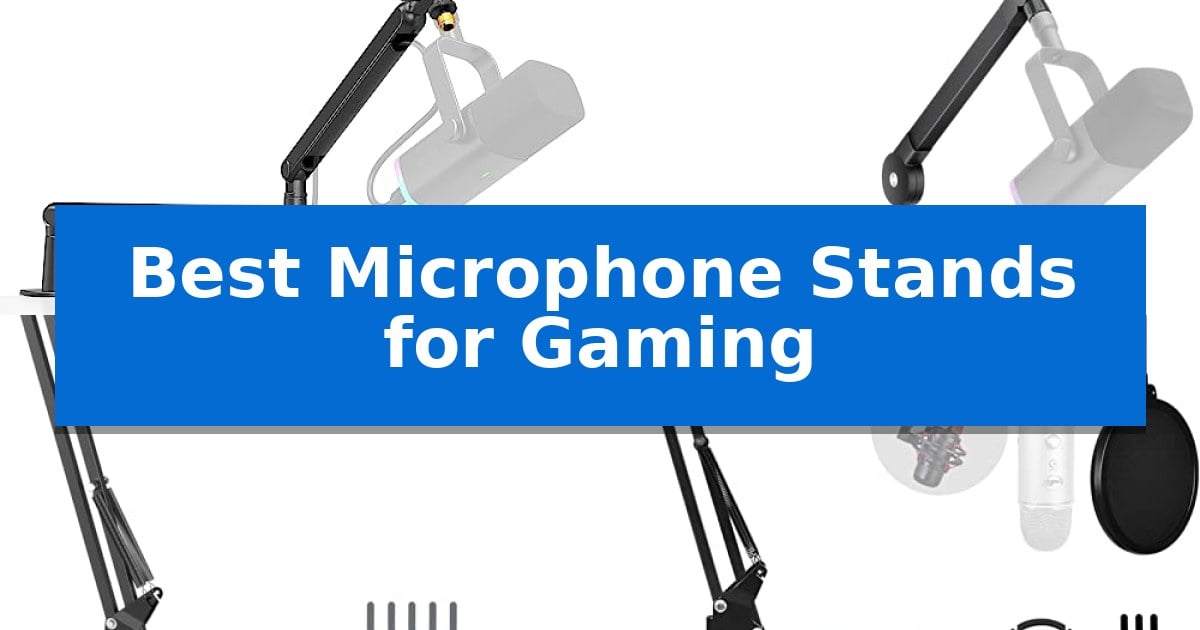
Finding the right support for your audio gear is essential for a clean, professional streaming or gaming environment. The Best Microphone Stands for Gaming are designed to balance stability with the flexibility needed to keep your microphone positioned perfectly without cluttering your desk space.
Whether you need a low-profile arm that stays out of your monitor's view or a compact desktop stand for a smaller setup, choosing the right mount depends on your desk layout and microphone weight. We have analyzed the top options to help you find a stand that keeps your audio clear and your workspace organized.
You may also want to compare Best Microphone Stands for Desks, Best Microphone Speakers, and Best Microphone Software for Discord.
Best Microphone Stands for Gaming
Quick Comparison
| Product | Best For | Key Strength | Score |
|---|---|---|---|
| FIFINE BM88 Low Profile Boom Arm | Best Overall | Low-profile design prevents monitor obstruction. | 4.9 |
| InnoGear Low Profile Boom Arm | Sleek design for clutter-free desks | Low-profile design clears line of sight to monitors. | 4.4 |
| InnoGear Adjustable Boom Arm | Versatile positioning for any setup | High load-bearing capacity of 3.3lb/1.5kg supports heavier professional microphones. | 4.8 |
| Luling Arts Scissor Boom Arm | Includes essential studio pop filters | Heavy-duty construction supporting up to 4.4 pounds | 4.6 |
| FIFINE BS1 Desktop Mic Stand | Compact footprint for small spaces | Weighted round base with non-slip pads for stability. | 4.9 |
How We Chose
- Desk Compatibility: We assessed the clamp range and footprint to ensure the stands fit common desk thicknesses and surface types.
- Ergonomic Positioning: We looked at the range of motion, including horizontal and vertical adjustments, to ensure the microphone can be placed exactly where needed.
- Build Quality: We focused on the materials used, such as steel construction, to determine if the stand can support the weight of various popular gaming microphones.
- Cable Management: We identified which models include integrated features to keep audio cables hidden and organized.
- Compatibility: We checked for included screw adapters to ensure the stands work with standard microphone threads and shock mounts.
1 FIFINE BM88 Low Profile Boom Arm — Unobstructed view for gaming monitors
Maintaining an unobstructed view of your monitor during intense gaming sessions is essential for competitive performance, and the FIFINE BM88 Low Profile Microphone Boom Arm is engineered specifically to solve the problem of bulky stands blocking your screen. By extending from the bottom of your desk rather than rising from behind the monitor, this arm ensures your display remains completely clear while keeping your microphone perfectly positioned.
The FIFINE BM88 Low Profile Microphone Boom Arm features a robust all-metal construction designed to withstand vigorous movement without wobbling. It offers extensive reach, extending up to 29 inches, which accommodates even large office desks. The arm provides significant flexibility with 360-degree horizontal rotation and a 220-degree vertical adjustment range, allowing for precise placement of your audio equipment.
Practicality is integrated into the design through hidden cable management channels, which keep your streaming setup tidy and prevent accidental cable snags. Installation is straightforward thanks to the included C-clamp, which attaches securely to desktops ranging from 0.8 to 2.4 inches in thickness. The stand also includes a rotatable ball-head and a versatile screw adapter set supporting 1/4'', 3/8'', and 5/8'' threads, ensuring compatibility with a wide range of microphones and shock mounts.
While the low-profile design is ideal for maintaining monitor visibility, users should note that the section of the arm closest to the C-clamp is fixed and does not adjust vertically. This design choice prioritizes stability and a clean aesthetic, making it an effective solution for gamers and streamers who prioritize a minimalist, functional workspace.
Best for: Gamers and streamers who need a desk-mounted microphone arm that stays below the monitor line of sight to keep their screen view completely unobstructed.
Skip if: Users who require a traditional high-rise boom arm to reach over tall equipment or those with desk thicknesses outside the 0.8 to 2.4-inch range.
PROS
- Low-profile design prevents monitor obstruction.
- All-metal construction ensures long-term stability.
- Versatile thread adapters (1/4'', 3/8'', 5/8'') included.
- Integrated cable management for a clean aesthetic.
CONS
- Fixed base section limits vertical adjustment near the C-clamp.
2 InnoGear Low Profile Boom Arm — Sleek design for clutter-free desks
Maintaining a clean, professional streaming environment often requires reclaiming desk space previously occupied by bulky equipment. The InnoGear Low Profile Boom Arm addresses this by utilizing a streamlined design that tucks discreetly beneath your monitor, ensuring an unobstructed view while keeping your microphone positioned exactly where you need it.
Engineered from solid alloy steel, this boom arm supports a maximum payload of 3.3 lbs (1.5 kg), making it compatible with a wide range of popular microphones including the Shure SM7B, Blue Yeti, and HyperX QuadCast. The arm provides 360° horizontal rotation and a 250° vertical adjustment range, with an extension reach of up to 25.6 inches to accommodate diverse desk layouts.
Installation is simplified through a secure C-style clamp constructed from robust alloy. This mount features an ample contact area with rubber padding to protect desk surfaces up to 2.75 inches thick. Beyond its primary function, the clamp includes a built-in headphone hook, adding a layer of utility for managing your audio accessories.
The stand arrives with versatile mounting options, including 3/8" to 5/8" and 3/8" to 1/4" screw adapters. These allow for the attachment of not only microphones but also webcams and ring lights, providing flexibility for creators who frequently update their hardware. The included universal mic clip is specifically suited for dynamic microphones like the Shure SM58, ensuring a secure fit for various recording setups.
Best for: Gamers and streamers who need a space-saving, low-profile microphone mount that clears their line of sight to the monitor.
Skip if: Users who require an extremely long reach beyond 25.6 inches or those with desk surfaces thicker than 2.75 inches.
PROS
- Low-profile design clears line of sight to monitors.
- 3.3 lbs weight capacity supports heavy professional microphones.
- Integrated headphone hook adds workspace utility.
- Universal compatibility with included multiple adapters.
CONS
- Limited reach of 25.6 inches may not suit all desk configurations.
- Clamp thickness limit of 2.75 inches restricts use on some specialized or thick desks.
3 InnoGear Adjustable Boom Arm — Versatile positioning for any setup
Achieving a professional-grade audio setup requires more than just a high-quality microphone; it demands a stable, flexible mounting solution that keeps your workspace clutter-free. The InnoGear Adjustable Boom Arm provides this through a highly versatile design featuring 360° base rotation, 135° back and forth extension, and a 180° arm shaft for precise positioning during gaming or streaming sessions.
Engineered for durability, this stand is constructed from high-quality steel and utilizes super-strong springs to support a load-bearing capacity of 3.3lb/1.5kg. This allows it to hold heavier dynamic microphones securely without sagging. The manufacturer has also implemented a unique design to prevent spring deformation, effectively extending the lifespan of the unit compared to models that rely on obstructive knobs on the arm shaft.
Compatibility is a primary strength of this boom arm. It includes a standard microphone clip for dynamic microphones like the Shure SM58, alongside a 5/8" to 3/8" adapter that ensures compatibility with popular gaming microphones including the HyperX QuadCast series, Blue Yeti, and various Fifine models. The desk clamp is designed to grip squared edges up to 2 inches thick, providing a stable foundation for your recording gear.
When not in use, the arm can be folded and pushed away, making it an efficient choice for users who need to reclaim desk space quickly. Its silent operation is a notable benefit for live recording, ensuring that adjustments during a stream do not introduce unwanted noise into your audio feed.
Best for: Gamers and streamers who need a heavy-duty, versatile boom arm that supports a wide range of microphones and folds away to save desk space.
Skip if: Users with desks featuring curved or slanted edges, as the clamp requires a flat, squared surface for secure installation.
PROS
- High load-bearing capacity of 3.3lb/1.5kg supports heavier professional microphones.
- Extensive articulation with 360-degree base rotation and multiple adjustment points for precise mic placement.
- Broad compatibility via included 5/8" to 3/8" adapter and standard clip.
- Space-saving design that folds away when idle.
CONS
- Desk clamp limitations require a flat, squared edge up to 2 inches thick for secure mounting.
- Shock mount not included, which may be necessary for specific microphone setups.
4 Luling Arts Scissor Boom Arm — Includes essential studio pop filters
Achieving a stable, vibration-free setup for high-quality audio is essential for streamers and content creators. The Luling Arts Scissor Boom Arm addresses this by providing a heavy-duty microphone stand designed to support standard-sized microphones, including the Blue Yeti and Quadcast, with a maximum support weight of 70 oz (2 kg).
This boom arm features an all-zinc alloy table mounting clamp that includes an anti-scratch pad and a wide mouth opening of up to 2.16 inches (6 cm), ensuring a secure fit on most desk surfaces. The included suspension shock mount is highly adjustable, using O-rings to accommodate microphones with diameters ranging from 1.77 inches up to 2.05 inches, effectively isolating the device from physical vibrations and desk noise.
To ensure clear audio capture, the kit includes a two-screen pop filter. The dual-layer design works by dispersing air pressure between the screens, which helps mitigate plosive sounds like 'B' and 'P' and reduces hissing during speech. The arm also utilizes industry-standard 3/8-inch to 5/8-inch screw adapters, providing broad compatibility with various microphone clips and mounts.
The Luling Arts Scissor Boom Arm is a practical solution for those looking to organize their recording space while improving sound clarity. Its robust construction and included accessories offer a comprehensive setup for broadcasting and gaming environments.
Best for: Gamers and streamers using heavy condenser microphones who need a stable, vibration-dampened mounting solution with integrated pop filtering.
Skip if: Users with extremely thin or glass-edged desks that cannot accommodate a 2.16-inch clamp, or those requiring a low-profile desk stand rather than an overhead boom arm.
PROS
- Heavy-duty construction supporting up to 4.4 pounds
- Dual-layer pop filter for effective plosive reduction
- Adjustable shock mount compatible with various mic diameters
- Zinc alloy clamp with protective anti-scratch padding
CONS
- Requires significant desk edge clearance for the clamp mount
- Manual O-ring adjustment required for different microphone sizes
5 FIFINE BS1 Desktop Mic Stand — Compact footprint for small spaces
Maximizing desk space while maintaining a stable foundation for your microphone is essential for a clean streaming or recording environment. The FIFINE BS1 Desktop Mic Stand addresses this with a compact, weighted round base that measures 5.12 inches in diameter, ensuring the setup remains secure during intense gaming sessions.
Engineered for versatility, this stand features adjustable height from 5.5 to 8.26 inches. Users can easily modify the position of their microphone using the integrated clutch knob, which locks the height securely to prevent slippage. The heavy-gauge steel construction provides the necessary durability to support standard and moderately heavy microphones effectively.
Compatibility is a primary focus, as the stand includes a built-in 3/8" thread and an additional 5/8" to 3/8" screw adapter. This design allows it to work with a wide range of popular microphones, including models from Shure, HyperX, and FIFINE’s own AM8 and K688 series. The base is equipped with four non-slip pads, which serve to protect table surfaces from scratches while dampening minor vibrations.
Setting up the FIFINE BS1 Desktop Mic Stand is a straightforward process that requires only two steps: attaching the stand to the base and securing the microphone. Its portable, minimalist design makes it a practical choice for those who need a reliable, space-saving solution for podcasting or gaming without the complexity of larger boom arm systems.
Best for: Gamers and streamers who need a stable, height-adjustable, and space-saving microphone mount for their desktop.
Skip if: Users who require a suspension boom arm for maximum desk clearance or those who need an included microphone clip.
PROS
- Weighted round base with non-slip pads for stability.
- Adjustable height range of 5.5 to 8.26 inches.
- Includes 5/8" to 3/8" screw adapter for broad compatibility.
- Heavy-gauge steel construction for long-term durability.
CONS
- Microphone clip not included and must be purchased separately.
Best Microphone Stands for Gaming Buying Guide
Understanding Boom Arm vs. Desktop Stands
A boom arm is typically the preferred choice for gamers who want to keep their desk surface clear. These arms attach to the edge of your desk and extend over your equipment, allowing you to move the microphone closer to your mouth while gaming and push it away when not in use.
A desktop stand is a more stationary option that sits directly on your desk. These are ideal for users with limited space or those who do not need to frequently adjust their microphone position. They offer a smaller footprint but may be more susceptible to vibrations from your keyboard or mouse.
Checking Desk Compatibility
Before purchasing, always measure the thickness of your desk edge. Most C-clamp style boom arms are designed for standard desk thicknesses, but some heavy-duty models require more clearance or specific edge shapes to mount securely.
Ensure your desk surface is flat and sturdy. If your desk has a beveled edge or a metal frame underneath, a standard clamp might not provide a secure grip, potentially leading to instability during intense gaming sessions.
Weight Capacity and Microphone Compatibility
Your microphone's weight is a critical factor. Heavy condenser microphones require a stand with strong springs or a locking mechanism to prevent the arm from sagging or drifting over time.
Check the thread size of your microphone or shock mount. Most stands come with universal adapters (1/4", 3/8", and 5/8"), but verifying compatibility beforehand prevents the need for additional purchases.
The Importance of Cable Management
A clean gaming setup often relies on effective cable management. Stands that include built-in channels or clips for your XLR or USB cables help prevent tangles and keep your desk looking professional.
If a stand does not have built-in management, consider using external cable ties or sleeves to secure the cord along the length of the arm, which prevents the cable from pulling on the microphone during adjustments.
Low-Profile vs. Standard Height
Low-profile boom arms are designed to sit below the line of sight of your monitor. This is a significant advantage for gamers who want to maintain an unobstructed view of their screen while streaming.
Standard height arms offer more vertical reach, which can be useful if you need to position the microphone high above your desk or if you have a multi-monitor setup that requires a different approach to positioning.
Frequently Asked Questions
Will these stands fit my specific microphone?
Most of these stands include multiple screw adapters (1/4", 3/8", and 5/8") to ensure compatibility with the vast majority of gaming and studio microphones on the market.
Can I use a boom arm on a glass desk?
While many clamps include protective padding, you should exercise caution when mounting to glass. Ensure the clamp is tightened only until secure and avoid overtightening to prevent potential damage to the glass surface.
Do I need a shock mount with these stands?
A shock mount is highly recommended if you are using a boom arm, as it helps isolate the microphone from vibrations caused by keyboard typing or desk bumps. Many of these stands are compatible with standard shock mounts.
What is the difference between a low-profile arm and a standard arm?
A low-profile arm is designed to sit beneath your monitor to keep your view clear, while a standard arm typically extends from a higher point and offers more vertical flexibility.
How do I know if my desk is thick enough for the clamp?
Each product specification lists the maximum desk thickness the clamp can accommodate. Always measure your desk edge before purchasing to ensure a proper fit.
Conclusion: Our Top Pick
For gamers seeking the best balance of stability and desk clearance, the FIFINE BM88 Low Profile Boom Arm stands out as the top choice. Its low-profile design ensures your monitor view remains unobstructed, while the all-metal construction provides the durability needed for long-term use.
While other options like the InnoGear Adjustable Boom Arm offer more vertical reach, the FIFINE BM88 is specifically optimized for modern gaming setups where screen real estate is at a premium. Its integrated cable management and included screw adapters make it a versatile and reliable solution for most streamers.