
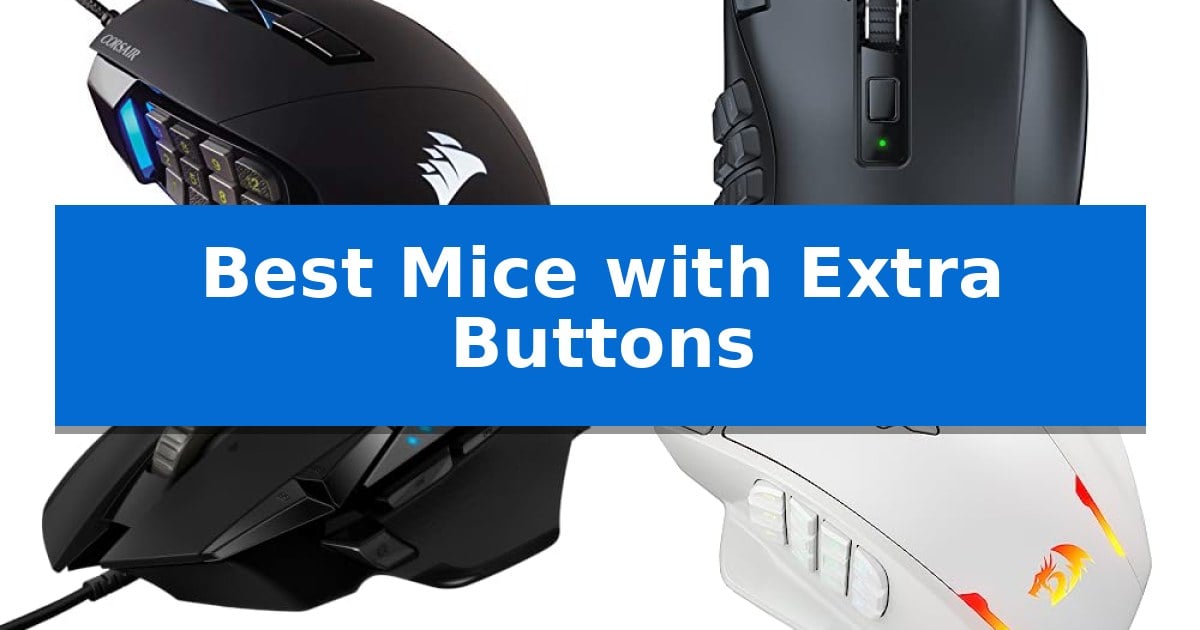
Finding the right peripheral can significantly impact your efficiency, whether you are managing complex spreadsheets or navigating intense gaming sessions. The Best Mice with Extra Buttons offer a practical solution for users who need to execute frequent commands without relying solely on keyboard shortcuts or repetitive mouse clicks.
By assigning specific functions to side keys, you can streamline your workflow and reduce hand strain during extended use. This guide examines five distinct models, focusing on their button layouts, sensor precision, and ergonomic designs to help you determine which configuration best suits your specific needs.
You may also want to compare Best Mice Under $60, Best Mice Under $40, and Best Mice Sensors.
Best Mice with Extra Buttons
Quick Comparison
| Product | Best For | Key Strength | Score |
|---|---|---|---|
| Corsair Scimitar RGB Elite Gaming Mouse | Best Overall | Patented Key Slider allows for precise side button positioning. | 4.9 |
| Razer Naga V2 HyperSpeed Gaming Mouse | Wireless freedom with nineteen inputs | 19 programmable buttons for extensive macro customization | 4.3 |
| Logitech G502 HERO Gaming Mouse | Adjustable weights for custom balance | 11 programmable buttons for extensive shortcut and macro customization. | 4.7 |
| Redragon M908 Impact Gaming Mouse | High precision with twelve side keys | 12 programmable side buttons for extensive macro support. | 4.3 |
| LTC MKM071 Wireless Gaming Mouse | Includes convenient RGB charging dock | 11 programmable buttons for extensive macro and shortcut management. | 4.3 |
How We Chose
- Programmability and software support for custom key mapping.
- Ergonomic design and button accessibility for various grip styles.
- Sensor precision and DPI adjustability for consistent tracking.
- Build quality and switch durability for long-term reliability.
- Connectivity options including wired, wireless, and multi-device support.
1 Corsair Scimitar RGB Elite Gaming Mouse — Twelve side buttons for complex macros
The Corsair Scimitar RGB Elite Gaming Mouse is defined by its Patented Key Slider Control System, which allows users to physically reposition the 12 side buttons to match their specific grip style and hand size. This level of customization ensures that every button remains accessible during intense gaming sessions, providing a tailored interface for complex inputs.
Engineered for high-frequency actions, the mouse features 17 fully programmable buttons, making it a specialized tool for MMO and MOBA players who rely on executing intricate macros. The device is powered by a native 18,000 DPI optical sensor using a custom PixArt PMW3391, which supports adjustments in 1 DPI resolution steps for precise tracking control.
Durability is a core design focus, evidenced by the inclusion of 50 million click-rated Omron switches and a sturdy scroll wheel. The contoured shape includes a dedicated right-side finger rest, intended to provide support during extended use, while the braided cable is built to withstand the rigors of frequent gaming sessions.
Compatibility extends across multiple platforms, including PC, Mac, PS5, PS4, and Xbox, with iCUE software support enabling deep customization of the mouse's performance and lighting. This combination of hardware adjustability and software-driven programmability makes it a robust choice for users requiring a high density of inputs in a single peripheral.
Best for: Gamers who require a high volume of programmable side buttons and need to physically adjust button positioning for optimal ergonomics.
Skip if: Users who prefer a lightweight, minimalist mouse design or those who do not utilize complex macros in their daily workflow.
PROS
- Patented Key Slider allows for precise side button positioning.
- 17 fully programmable buttons for extensive macro support.
- 18,000 DPI optical sensor with 1 DPI adjustment increments.
- 50 million click-rated Omron switches for long-term durability.
CONS
- Wired-only connection may limit cable management preferences.
- Higher button density may require an adjustment period for users accustomed to standard mice.
2 Razer Naga V2 HyperSpeed Gaming Mouse — Wireless freedom with nineteen inputs
Managing complex workflows or demanding gaming titles often requires more than a standard two-button layout. The Razer Naga V2 HyperSpeed Wireless MMO Gaming Mouse addresses this by integrating 19 programmable buttons, allowing users to map essential commands or advanced macros directly to their fingertips for streamlined control.
Beyond its button count, the mouse features Razer HyperScroll Technology, which offers a free-spin mode for rapid content navigation and a tactile mode for precise, stepped feedback. This versatility is supported by the Focus Pro 30K Optical Sensor, engineered to maintain tracking performance across a wide variety of surfaces, including glass.
Connectivity is handled via Razer HyperSpeed Wireless (2.4 GHz), which provides low-latency performance, or Bluetooth for extended usage. The device is built for longevity, utilizing Mechanical Mouse Switches Gen-2 with gold-plated contact points that are rated for up to 60 million clicks, reducing the likelihood of degradation over time.
For power management, the mouse delivers up to 250 hours of gaming on the 2.4GHz wireless connection and up to 400 hours when using Bluetooth. Users can further refine their experience by using the Razer Synapse App to optimize settings, ensuring the device fits into a variety of professional or gaming environments.
Best for: MMO gamers and power users who require extensive macro mapping and programmable inputs for complex software or game commands.
Skip if: Users who prefer an ultra-lightweight mouse or those with limited desk space who do not require a high volume of side buttons.
PROS
- 19 programmable buttons for extensive macro customization
- Dual-mode wireless connectivity with low-latency 2.4GHz and Bluetooth options
- Razer HyperScroll Technology for versatile navigation modes
- Long battery life reaching up to 400 hours on Bluetooth
CONS
- Higher weight profile due to the complex button array and battery requirements
3 Logitech G502 HERO Gaming Mouse — Adjustable weights for custom balance
Precision control and physical customization define the Logitech G502 HERO Wired Gaming Mouse, a device engineered for users who require extensive input options. At its core, the mouse features the HERO 25K sensor, which provides tracking up to 25,600 DPI without smoothing, filtering, or acceleration, ensuring high-fidelity input for demanding tasks.
The standout feature for productivity and gaming is the inclusion of 11 programmable buttons, allowing for complex macro assignments and shortcut management. These inputs are complemented by a dual-mode hyper-fast scroll wheel, which enables rapid navigation through long documents or precise, tactile scrolling. The mechanical switch button tensioning system utilizes metal pivot hinges to provide a consistent, crisp click feel across the primary buttons.
Physical ergonomics and balance are addressed through an adjustable weight system. Users can arrange up to five 3.6g weights to achieve a personalized weight and balance configuration that suits their specific grip style and desk surface friction. The chassis is further enhanced by LIGHTSYNC technology, which offers customizable RGB lighting that can synchronize with software-based gaming profiles.
While the Logitech G502 HERO Wired Gaming Mouse offers significant versatility, it is a wired-only device, which may be a consideration for those prioritizing a cable-free workspace. Its design is tailored for users who benefit from a high button count and physical weight tuning, making it a robust choice for complex workflows or intensive gaming sessions.
Best for: Users who require a high number of programmable inputs and the ability to physically tune the weight and balance of their mouse.
Skip if: Users who prioritize a wireless connection or a lightweight, minimalist design without extra buttons.
PROS
- 11 programmable buttons for extensive shortcut and macro customization.
- Adjustable weight system with five 3.6g weights for personalized balance.
- HERO 25K sensor offering high-precision tracking up to 25,600 DPI.
- Mechanical switch button tensioning for consistent, rapid click feedback.
CONS
- Wired-only connection limits desk placement flexibility compared to wireless models.
- Heavier base weight due to the integrated weight-tuning system and mechanical components.
4 Redragon M908 Impact Gaming Mouse — High precision with twelve side keys
The Redragon M908 Impact Gaming Mouse provides a specialized hardware solution for users requiring extensive input options, featuring 12 programmable side buttons specifically designed for MMO gaming. This wired peripheral integrates a high-precision Pixart PAW3327 sensor capable of reaching 12,400 DPI, allowing for granular sensitivity adjustments in 100 DPI increments to suit various desktop or gaming environments.
Beyond its primary button layout, the device includes an 8-piece weight tuning set, enabling users to customize the physical feel of the mouse by adding or removing 2.4g weights. The construction features durable TEFLON feet for smooth movement across surfaces and a 6ft braided-fiber cable with a gold-plated USB connector to maintain a stable connection during intensive use.
Customization extends to the visual and functional profile of the mouse, which supports 16.8 million RGB LED color options. Users can configure up to 5 distinct memory profiles, each associated with a specific lighting color for rapid identification. The device is compatible with Windows systems for full programmability, while maintaining standard functionality on Mac OS.
The ergonomic design is built for comfort during extended sessions, incorporating a total of 18 programmable macro shortcuts. By balancing high-end tracking specifications with physical modularity, this mouse serves as a comprehensive tool for tasks demanding complex shortcut management and precise cursor control.
Best for: Gamers and power users who require a high volume of programmable side buttons for complex macro execution.
Skip if: Users who prefer a lightweight, minimalist design or those who do not require a large array of side-mounted buttons for their workflow.
PROS
- 12 programmable side buttons for extensive macro support.
- Adjustable weight system with 8-piece tuning set.
- High-precision sensor with up to 12,400 DPI.
- 5 onboard memory profiles for quick setting switches.
CONS
- Wired-only connection limits desk placement flexibility.
- Complex button layout may require a learning curve for non-MMO users.
5 LTC MKM071 Wireless Gaming Mouse — Includes convenient RGB charging dock
The LTC MKM071 Wireless Gaming Mouse streamlines complex workflows and gaming inputs through its 11 programmable buttons, including 7 side buttons designed for rapid execution of macros and skills. This layout provides a dedicated hardware advantage for users who require immediate access to multiple shortcuts without relying solely on keyboard commands.
Connectivity flexibility is a core feature, offering tri-mode support that includes 2.4GHz wireless, Bluetooth, and a wired connection. The included RGB charging dock serves as a convenient base for the 600mAh battery, allowing for a drop-and-charge workflow that keeps the device powered between sessions. The mouse maintains a 1000Hz polling rate to ensure consistent input response.
Precision tracking is handled by the PAW3311 optical sensor, which supports up to 12000 DPI across 6 adjustable levels. This sensor allows users to calibrate the pointer speed to match specific gaming styles or productivity tasks. The ergonomic shape is engineered to support natural hand positioning during extended use.
Users can manage their button configurations and sensor settings by saving up to 5 custom profiles via professional software. This enables quick transitions between different game titles or software environments, ensuring the mouse remains adaptable to various operational needs.
Best for: Gamers and power users who need extensive macro control for MMOs or complex software workflows.
Skip if: Users who prefer a minimalist, lightweight mouse without the added bulk of multiple side buttons or a charging dock.
PROS
- 11 programmable buttons for extensive macro and shortcut management.
- Tri-mode connectivity provides versatility for wireless and wired setups.
- RGB charging dock included for convenient battery maintenance.
- High-performance PAW3311 sensor with adjustable DPI levels.
CONS
- Increased weight and size due to the high button count and internal battery.
- Complexity of software setup required to utilize all programmable profiles.
Best Mice with Extra Buttons Buying Guide
Understanding Programmable Inputs
The primary advantage of these devices is the ability to map complex macros to individual buttons. For gamers, this means executing multi-key spells or abilities instantly. For professionals, it allows for one-click access to common tools in creative software or navigation commands in web browsers.
Consider how many buttons you actually need. While some models offer over a dozen side keys, they can sometimes feel crowded. Evaluate whether you prefer a thumb grid for MMO-style gaming or a few strategically placed side buttons for general productivity.
Ergonomics and Hand Comfort
Because these mice are often used for hours at a time, the physical shape is crucial. Look for contoured designs that support your palm and provide natural finger placement. A mouse that is too large or too small can lead to discomfort regardless of how many features it includes.
Weight also plays a role in comfort. Some models include adjustable weight systems, allowing you to fine-tune the balance to your preference. A heavier mouse might feel more stable, while a lighter one can reduce fatigue during fast-paced movements.
Sensor Accuracy and DPI
The optical sensor determines how accurately your physical movements translate to the screen. High DPI (dots per inch) settings allow for faster cursor speed, which is beneficial for high-resolution displays or multi-monitor setups.
Look for sensors that offer adjustable DPI steps. This flexibility ensures you can switch between high-precision tasks, like photo editing, and faster movements required for gaming or general navigation.
Connectivity and Power
Decide between wired and wireless connectivity based on your desk setup. Wired mice offer a consistent connection without the need for batteries, while wireless models provide freedom of movement and a cleaner workspace.
If you choose a wireless model, check the battery life and charging options. Some modern mice include convenient charging docks that keep the device powered when not in use, eliminating the need to plug in cables manually.
Software and Customization
The software accompanying your mouse is the bridge between your hardware and your computer. Ensure the manufacturer provides intuitive software that allows you to save multiple profiles, which is particularly useful if you switch between different games or work applications.
On-board memory is another valuable feature. It allows you to save your custom button mappings directly to the mouse, so your settings remain intact even if you plug the device into a different computer.
Frequently Asked Questions
Do I need special software to use the extra buttons?
Most manufacturers provide dedicated software that allows you to map the buttons. While the buttons may function as standard inputs out of the box, the software is required to assign complex macros or specific application shortcuts.
Are mice with many buttons too heavy?
Some models are heavier due to the internal mechanisms required for extra buttons. However, many manufacturers design these mice with ergonomic weight distribution, and some even offer adjustable weights to help you find a comfortable balance.
Can these mice be used for office work?
Absolutely. Many professionals use gaming-grade mice because the extra buttons can be programmed to perform common tasks like copy-paste, undo, or switching between browser tabs, significantly increasing productivity.
What is the benefit of a wireless mouse with extra buttons?
Wireless models provide a clutter-free desk and greater freedom of movement. Modern wireless technology has reached a point where latency is virtually indistinguishable from wired connections, making them suitable for both gaming and work.
How do I know if a mouse will fit my hand size?
Check the dimensions provided for each mouse. If you have smaller hands, look for more compact designs. If you have larger hands, a mouse with a longer body and a palm-supporting contour is usually more comfortable.
Conclusion: Our Top Pick
Selecting the right tool depends on your specific balance of gaming needs and daily productivity requirements. If you require maximum input flexibility for complex macros, the Corsair Scimitar RGB Elite Gaming Mouse stands out as a top choice. Its combination of 17 programmable buttons and a patented key slider system allows for a highly customized fit that adapts to your unique grip style.
While other models offer wireless convenience or adjustable weights, the Scimitar provides a reliable, wired foundation for users who prioritize consistent performance and extensive button mapping. It is a robust solution for anyone looking to integrate more control directly into their fingertips.