
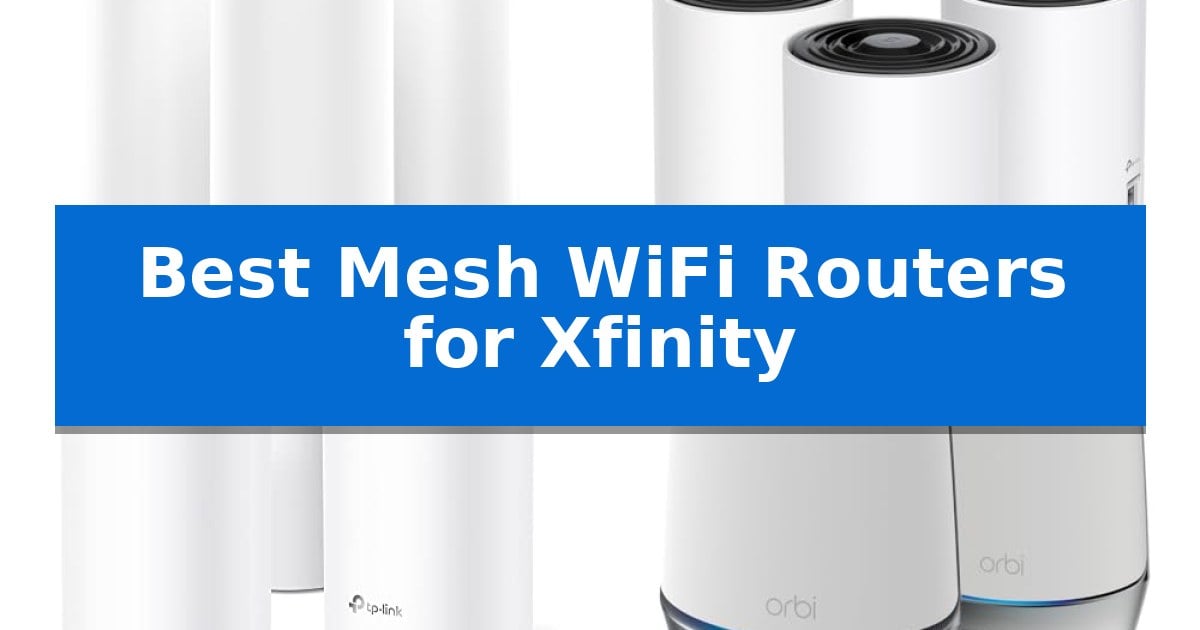
Finding the right networking hardware for your Xfinity internet plan can significantly impact your daily connectivity. Whether you are dealing with dead zones in a large home or struggling with bandwidth bottlenecks during peak hours, the Best Mesh WiFi Routers for Xfinity offer a reliable way to extend coverage and maintain stable speeds across multiple devices.
Selecting the right system requires balancing your specific internet speed tier with your home's physical layout. From high-performance WiFi 7 systems designed for future-proofing to integrated modem-router combos that simplify your setup, these solutions help ensure that your streaming, gaming, and remote work remain uninterrupted.
You may also want to compare Best Mesh WiFi Routers for Large Homes, Best Mesh WiFi Routers, and Best Mesh WiFi Networking Kits.

Best Mesh WiFi Routers for Xfinity
Quick Comparison
| Product | Best For | Key Strength | Score |
|---|---|---|---|
| NETGEAR Orbi 370 Series WiFi 7 Mesh System | Best Overall | WiFi 7 technology provides high-speed throughput up to 5 Gbps. | 4.9 |
| TP-Link Deco XE75 WiFi 6E Mesh System | Best for Eliminating Interference | Dedicated 6 GHz band eliminates interference from older devices. | 4.5 |
| TP-Link Deco S4 Mesh WiFi System | Budget-Friendly Whole-Home Coverage | Whole-home coverage up to 5,500 square feet using a three-unit mesh configuration. | 4.5 |
| NETGEAR Orbi DOCSIS 3.1 Modem Router Combo | All-in-One Modem and Mesh | All-in-one design combines a DOCSIS 3.1 modem and mesh router to reduce clutter. | 4.3 |
| NETGEAR Nighthawk DOCSIS 3.1 Modem Router Combo | Reliable Integrated Cable Gateway | Two-in-one design reduces hardware clutter and simplifies network management. | 4.8 |
How We Chose
- Compatibility with DOCSIS 3.1 standards for high-speed cable internet plans.
- Mesh coverage range and the ability to eliminate dead zones in multi-story homes.
- Wireless standards, including WiFi 6, 6E, and 7, to ensure device efficiency.
- Integrated management features such as app-based setup and parental controls.
- Hardware versatility, including the presence of multi-gigabit Ethernet ports for wired backhaul.
1 NETGEAR Orbi 370 Series WiFi 7 Mesh System — Next-Gen Speed for Future-Proofing
Managing high-bandwidth home networks requires hardware capable of handling modern traffic demands, and the NETGEAR Orbi 370 Series WiFi 7 Mesh System addresses this by utilizing WiFi 7 technology to deliver speeds up to 5 Gbps. This system is engineered to maintain consistent connectivity across large areas, supporting up to 70 devices simultaneously without the typical bottlenecks found in older standards.
The NETGEAR Orbi 370 Series WiFi 7 Mesh System utilizes a dual-band architecture with Enhanced Backhaul to ensure data flows efficiently between the router and its two included satellites. This configuration is designed to eliminate dead zones across spaces up to 6,000 square feet, providing a unified network that covers everything from basements to rooftops.
Compatibility is a core strength, as the system integrates with existing cable or fiber modems from any internet provider, supporting plans up to 2.5 Gbps. Setup is managed through the Orbi app, which provides a guided, step-by-step process to get the network operational. For added security, the system includes Advanced Router Protection and automatic firmware updates, with an optional subscription available for NETGEAR Armor to enhance protection against malware and identity theft.
The hardware is designed for scalability, allowing users to add additional satellites if they need to extend coverage beyond the initial 6,000 square feet. By focusing on WiFi 7 performance and robust security features, this system provides a stable foundation for high-demand activities like 8K streaming, VR, and video conferencing.
Best for: Large households requiring high-capacity, future-ready wireless coverage across multiple floors or expansive layouts.
Skip if: Users with smaller living spaces or those who do not require the high-speed capabilities of WiFi 7 may find more cost-effective solutions.
PROS
- WiFi 7 technology provides high-speed throughput up to 5 Gbps.
- Seamless mesh coverage for up to 6,000 square feet.
- Broad compatibility with existing cable and fiber modems.
- Integrated security features including automatic firmware updates.
CONS
- Separate subscription required for full NETGEAR Armor security suite.
- Performance dependent on the user's existing internet service plan.
2 TP-Link Deco XE75 WiFi 6E Mesh System — Best for Eliminating Interference
The TP-Link Deco XE75 WiFi 6E Mesh System utilizes the dedicated 6 GHz band to eliminate interference from legacy wireless devices, providing a clean, high-capacity lane for modern traffic. This tri-band system is engineered to cover up to 7,200 square feet, effectively replacing standard routers and extenders to resolve dead zones in larger homes.
By leveraging WiFi 6E technology, the system ensures that high-bandwidth tasks are not hindered by older hardware competing for airtime. The 6 GHz band can be configured as a dedicated backhaul to maintain stable, high-speed connections between mesh nodes, or opened to support compatible devices directly. With a total aggregate speed of up to 5,400 Mbps across three bands, it is designed to manage up to 200 connected devices simultaneously.
The AI-Driven Mesh technology proactively learns your home's network environment and client behaviors to optimize connection quality as you move between rooms. Setup is managed through the Deco app, which provides visual guidance for installation and allows for remote network management. The system also integrates with Alexa for convenient voice-controlled guest network access.
Security is a primary focus, with the device built under the CISA Secure-by-Design pledge. It includes TP-Link HomeShield, which provides foundational network security, IoT device identification, and basic parental controls. The system is compatible with all major internet service providers, including Xfinity, though a separate modem is required to establish the initial connection.
Best for: Large homes requiring a stable, high-capacity network that can isolate modern traffic from legacy interference.
Skip if: Users who do not have WiFi 6E-compatible devices or a high-speed internet plan may not fully utilize the benefits of the 6 GHz band.
PROS
- Dedicated 6 GHz band eliminates interference from older devices.
- AI-Driven Mesh automatically optimizes connections based on user behavior.
- CISA Secure-by-Design compliance ensures advanced security standards.
- Supports up to 200 connected devices simultaneously.
CONS
- Requires a separate modem for internet connectivity.
- Advanced features may require a subscription to TP-Link HomeShield.
3 TP-Link Deco S4 Mesh WiFi System — Budget-Friendly Whole-Home Coverage
Eliminating dead zones in a home network often requires a robust mesh system that can handle multiple devices simultaneously. The TP-Link Deco S4 Mesh WiFi System utilizes Deco Mesh technology to provide a unified network, allowing users to roam throughout their home without switching between different network names or passwords.
This system is designed to cover up to 5,500 square feet using three units that work together to maintain a stable signal. With AC1900 dual-band Wi-Fi 5 speeds, it delivers up to 1300 Mbps on the 5 GHz band and 600 Mbps on the 2.4 GHz band, providing sufficient bandwidth for up to 100 connected devices. Each unit is equipped with two Gigabit Ethernet ports, which support wired backhaul for users who prefer a hardwired connection to improve stability.
Management of the network is handled through the Deco app, which simplifies the setup process. The system includes robust parental controls, enabling the creation of unique profiles to manage online time and block specific content for family members. Additionally, it offers integration with Alexa for convenient voice-controlled management of guest networks.
The TP-Link Deco S4 Mesh WiFi System is compatible with all major ISPs, including Xfinity. While it functions as a comprehensive mesh solution, it is important to note that a separate modem is required to provide the internet connection, as this system replaces only the router and extender components of a home network.
Best for: Homeowners seeking to eliminate Wi-Fi dead zones with a scalable, easy-to-manage mesh system that supports a high number of simultaneous device connections.
Skip if: Users who require the latest Wi-Fi 6 or Wi-Fi 7 standards for multi-gigabit internet plans or those who do not have a separate modem to pair with the system.
PROS
- Whole-home coverage up to 5,500 square feet using a three-unit mesh configuration.
- Seamless roaming with a single network name and password across all nodes.
- Gigabit Ethernet ports on each unit for flexible wired backhaul options.
- Robust parental controls for managing family internet usage and content access.
CONS
- Requires a separate modem to function, as it does not include built-in modem hardware.
- Wi-Fi 5 standard may not fully utilize the highest speed tiers offered by modern fiber or cable internet providers.
4 NETGEAR Orbi DOCSIS 3.1 Modem Router Combo — All-in-One Modem and Mesh
Managing home network hardware often involves juggling separate devices, but the NETGEAR Orbi DOCSIS 3.1 Modem Router Combo simplifies this by integrating a high-performance cable modem and a tri-band mesh WiFi 6 system into one unit. This design eliminates the need for a standalone modem, providing a streamlined solution for Xfinity subscribers who want to consolidate their networking equipment.
The system is built to handle high-bandwidth activities across large spaces, offering coverage for up to 5,000 square feet. With tri-band AX4200 WiFi 6 technology, it utilizes a dedicated backhaul band to maintain stable connections even when multiple devices are streaming, gaming, or video conferencing simultaneously. It supports capacity for 40+ connected devices, making it suitable for busy households.
For users requiring low-latency connections for gaming consoles or desktop computers, the system includes four Gigabit Ethernet ports on the router and two on the satellite. These wired connections ensure that high-priority devices maintain a consistent, stable link to the network. Setup and ongoing management are handled through the Orbi app, which provides tools for running speed tests, pausing devices, and configuring guest networks.
Security is integrated through WPA3 encryption and automatic firmware updates, with an optional trial of NETGEAR Armor available for enhanced protection against malware and identity theft. The unit is specifically engineered for US cable internet providers, including Xfinity plans up to 900Mbps, ensuring compatibility with modern DOCSIS 3.1 standards for faster download performance.
Best for: Households looking to replace their ISP-provided hardware with a single, high-coverage mesh system that supports Gigabit-tier cable internet plans.
Skip if: Users who require compatibility with non-cable internet services like fiber, DSL, or satellite, or those who prefer to keep their modem and router as separate, modular components.
PROS
- All-in-one design combines a DOCSIS 3.1 modem and mesh router to reduce clutter.
- Tri-band AX4200 WiFi 6 provides a dedicated backhaul for stable, high-speed mesh performance.
- Four Gigabit Ethernet ports on the main unit allow for stable, hardwired connections for critical devices.
- Guided setup via the Orbi app simplifies the activation process for Xfinity and other supported providers.
CONS
- Limited compatibility as it is designed exclusively for US cable internet providers and does not work with fiber or DSL services.
- Requires a separate subscription for continued use of advanced security features like NETGEAR Armor after the initial trial period.
5 NETGEAR Nighthawk DOCSIS 3.1 Modem Router Combo — Reliable Integrated Cable Gateway
Managing home internet and local network traffic efficiently often requires balancing hardware footprint with performance. The NETGEAR Nighthawk DOCSIS 3.1 Modem Router Combo simplifies this by integrating a high-speed cable modem and a WiFi 6 router into a single, space-saving chassis. By combining these functions, it eliminates the need for separate devices while providing a centralized point for managing your home network settings.
Designed for users on cable internet plans, this unit supports DOCSIS 3.1 technology, which is engineered to handle Gigabit+ speeds and reduce congestion during peak usage hours. The integrated AX2700 WiFi 6 capability provides dual-band coverage for up to 2,000 square feet, supporting a capacity of 25 or more connected devices simultaneously. This makes it a practical choice for households that rely on high-bandwidth activities like 4K streaming, video conferencing, and gaming.
Connectivity options are robust for a combo unit, featuring four Gigabit Ethernet ports that allow for stable, low-latency wired connections to gaming consoles or desktop computers. Setup and ongoing management are handled through the Nighthawk app, which provides tools for running speed tests, pausing device access, and configuring guest networks. Security is addressed through WPA3 encryption and built-in firewall protections, with an optional trial for NETGEAR Armor to further defend against external threats.
While this device offers a streamlined approach to networking, it is specifically optimized for US-based cable providers like Xfinity, Spectrum, and Cox. It is not compatible with fiber or DSL services, nor does it support bundled voice plans, making it essential to verify your specific ISP requirements before installation.
Best for: Households looking to consolidate their cable modem and router into a single, high-performance device that supports WiFi 6 and Gigabit cable internet plans.
Skip if: Users who require compatibility with fiber, DSL, or satellite internet providers, or those who prefer separate modem and router hardware for modular network upgrades.
PROS
- Two-in-one design reduces hardware clutter and simplifies network management.
- DOCSIS 3.1 support ensures compatibility with modern, high-speed cable internet plans.
- Four Gigabit Ethernet ports provide reliable wired connectivity for high-demand devices.
- WiFi 6 technology improves capacity and efficiency for multi-device households.
CONS
- Limited ISP compatibility as it is restricted to specific US cable internet providers.
- No support for bundled voice plans or non-cable internet technologies.
Best Mesh WiFi Routers for Xfinity Buying Guide
Understanding Mesh WiFi vs. Traditional Routers
A traditional router broadcasts a signal from a single point, which often leads to signal degradation as you move further away or behind walls. A mesh WiFi system uses a primary router and multiple satellite nodes to create a unified network, ensuring consistent signal strength throughout your entire living space.
For Xfinity users, this is particularly beneficial in larger homes or multi-story layouts where a single gateway might fail to reach every room. By using a single network name and password, these systems allow devices to roam seamlessly between nodes without dropping connections.
The Importance of DOCSIS Compatibility
If you are looking at modem-router combos, checking for DOCSIS 3.1 compatibility is essential. This standard is required to support Xfinity's gigabit-tier plans effectively, allowing for faster data throughput and reduced latency compared to older standards.
Choosing a compatible combo unit can also help you save on monthly rental fees often charged by internet service providers. Always verify that the specific model is approved for your current speed tier before making a purchase.
WiFi Standards: 6, 6E, and 7
The wireless standard determines how efficiently your router handles data traffic. WiFi 6 is a reliable standard for most households, while WiFi 6E introduces the 6 GHz band to reduce interference in crowded environments.
WiFi 7 represents the latest advancement, offering significantly higher speeds and lower latency. While it is the most future-proof option, ensure your primary devices are compatible to take full advantage of the increased throughput.
Optimizing Your Network Layout
Placement is critical for any mesh system. The primary router should be connected directly to your modem, while satellite nodes should be placed in open areas, ideally within a clear line of sight to the main unit.
Avoid placing nodes inside cabinets or behind large metal objects, as these can block the wireless signal. Most modern mesh systems include app-based tools that help you test the signal strength at each node location during setup.
Security and Network Management
Modern mesh systems offer robust security features, such as WPA3 encryption and automatic firmware updates, to protect your home network from unauthorized access. Many also include built-in tools for scanning IoT devices and blocking malicious traffic.
App-based management is a standard feature that allows you to monitor connected devices, set up guest networks, and configure parental controls. These interfaces make it easy to manage your network settings even when you are away from home.
Frequently Asked Questions
Do I need a separate modem if I buy a mesh system?
If you purchase a standalone mesh system, you will still need a separate modem to connect to your Xfinity service. However, if you purchase a modem-router combo, the modem functionality is integrated into the device.
Can I mix and match different mesh brands?
Generally, you cannot mix and match mesh nodes from different brands. To ensure a stable and seamless network, it is recommended to use nodes from the same manufacturer and product line.
How many nodes do I need for my home?
The number of nodes depends on your square footage and home layout. Most 3-pack systems are designed to cover between 5,000 and 7,000 square feet, but walls and construction materials can affect actual performance.
Does a mesh system improve my internet speed?
A mesh system does not increase the speed provided by your ISP, but it can improve the consistency and reliability of your connection throughout your home by eliminating weak signal areas.
Are these routers compatible with all Xfinity plans?
Most modern routers are compatible with Xfinity, but you should always check the specific DOCSIS rating or speed capacity of the device to ensure it matches or exceeds your subscribed internet plan.
Conclusion: Our Top Pick
For users seeking the most advanced performance and long-term reliability, the NETGEAR Orbi 370 Series WiFi 7 Mesh System is our top recommendation. Its integration of WiFi 7 technology provides the necessary bandwidth for high-demand tasks like 8K streaming and gaming, while its 3-pack configuration ensures comprehensive coverage for large homes.
While this system offers significant speed advantages, ensure your home network environment is prepared for the latest standard to maximize its potential. For those on more modest plans or with smaller coverage needs, other options in our list provide reliable, cost-effective alternatives that remain fully compatible with Xfinity services.