
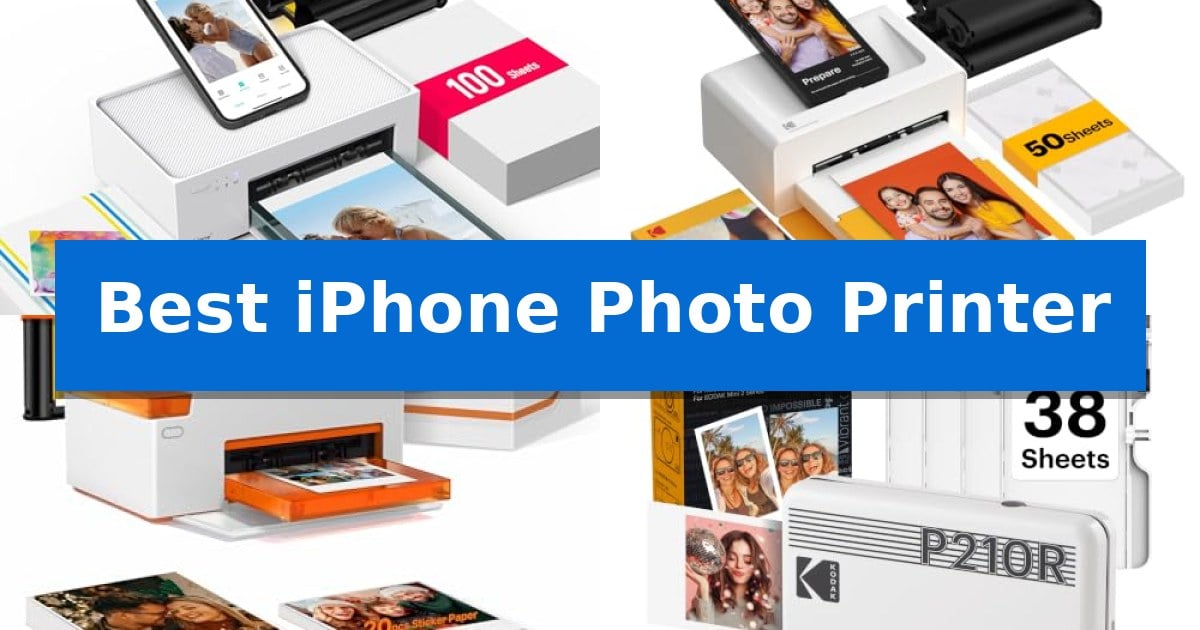
Capturing moments on your iPhone is effortless, but turning those digital files into physical keepsakes requires the right hardware. Finding the Best iPhone Photo Printer involves balancing print technology, portability, and ease of use to ensure your memories look their best on paper.
Whether you want to create scrapbooks, share physical prints with friends, or decorate your space with stickers, the right printer makes all the difference. We have analyzed the leading options to help you choose a device that fits your workflow and creative goals.
Best iPhone Photo Printer in 2026: Print Memories Instantly
Quick Comparison
| Product | Best For | Key Strength | Score |
|---|---|---|---|
| Liene M100 Photo Printer | Best Overall | Thermal dye sublimation technology provides durable, laminated, and water-resistant prints. | 4.9 |
| KODAK Dock Plus Photo Printer | Integrated Charging While Printing | Integrated docking station charges your smartphone while printing. | 4.9 |
| Liene Amber M110 Photo Printer | Dual Format Paper Tray Convenience | Dual tray design supports both 4×6 inch and 3×3 inch paper formats. | 4.4 |
| KODAK Mini 2 Retro Photo Printer | Pocket-Sized On-the-Go Printing | 4PASS dye sublimation technology provides a protective lamination layer. | 4.7 |
| Canon Ivy 2 Photo Printer | Compact Zero-Ink Sticker Prints | Zero Ink technology eliminates the need for ink cartridges. | 4.6 |
How We Chose
- Print Technology: Assessing dye-sublimation versus ZINK methods for image longevity and color accuracy.
- Connectivity: Evaluating the reliability of Wi-Fi hotspots and Bluetooth pairing for seamless mobile printing.
- Portability: Measuring the size and weight to ensure the device fits your on-the-go lifestyle.
- Media Versatility: Checking for support of different paper sizes, sticker formats, and tray convenience.
- App Integration: Reviewing the customization options available within the manufacturer's dedicated mobile application.
1 Liene M100 Photo Printer — High-Volume Dye Sublimation Printing
Capturing physical memories from a smartphone requires a reliable output method, and the Liene M100 Photo Printer offers a dedicated solution for 4×6-inch prints using thermal dye sublimation technology. This process ensures that dyes penetrate the paper to create vibrant, laminated images that are resistant to water, scratches, fingerprints, and fading.
Designed for convenience, the Liene M100 Photo Printer features a built-in Wi-Fi hotspot, allowing users to connect their devices directly to the printer without needing an existing network. This setup supports up to 5 simultaneous connections, making it practical for sharing printing duties among friends or family members without the need for additional cables or Bluetooth pairing.
The printer includes a specialized app that provides tools for customization, such as adding square borders, applying filters, and adjusting brightness or contrast. Beyond standard photos, the app supports the creation of ID and Visa photos, offering a versatile tool for home-based printing needs.
The unit features a minimalist, magnetic design intended for compact storage. The package is comprehensive, arriving with 100 sheets of photo paper and 3 color cartridges, along with a fully sealed cassette designed to keep the paper free from dust during operation.
Best for: Users seeking a dedicated, high-capacity 4×6-inch thermal dye sublimation printer for smartphone photos with multi-device support.
Skip if: Users who require a portable, pocket-sized printer for Zink stickers or those who need to print sizes other than standard 4×6-inch photos.
PROS
- Thermal dye sublimation technology provides durable, laminated, and water-resistant prints.
- Built-in Wi-Fi hotspot allows for stable, direct connections without external network requirements.
- Multi-device support enables up to 5 simultaneous connections for easy sharing.
- Comprehensive starter kit includes 100 sheets of paper and 3 cartridges.
CONS
- Fixed 4×6-inch print size limits versatility for those needing smaller or custom-sized photos.
- Requires manual print head maintenance if smudges appear during operation.
2 KODAK Dock Plus Photo Printer — Integrated Charging While Printing
The KODAK Dock Plus Photo Printer simplifies the process of turning digital memories into physical keepsakes by incorporating an integrated docking station. This design choice allows users to physically dock their smartphone for a stable connection while simultaneously charging the device during the printing process.
Utilizing 4PASS dye sublimation printing, the device creates high-quality 4×6-inch prints by layering three distinct colors and finishing with a clear protective lamination. This process results in prints that are specifically engineered to be water, fingerprint, and fade resistant, ensuring long-term durability for your photos.
Operation is designed for simplicity, requiring only a power connection and a wireless Bluetooth link to the KODAK Photo Printer app. This software interface provides tools for users to edit, crop, and customize images before printing, making it accessible for those seeking a straightforward, desktop-based home printing station.
This printer is built for consistent performance in a home environment, relying on a direct power outlet rather than internal batteries. By focusing on a stable, stationary setup, it provides a reliable solution for printing photos for albums, framing, or family events without the need for complex technical configurations.
Best for: Users who want a dedicated home desktop printer that charges their smartphone while producing durable 4×6-inch physical photos.
Skip if: Users who require a highly portable, battery-operated printer for on-the-go use away from a power outlet.
PROS
- Integrated docking station charges your smartphone while printing.
- 4PASS dye sublimation technology provides water and fade resistance.
- Easy setup via Bluetooth and the dedicated KODAK app.
- Produces standard 4×6-inch prints ideal for framing.
CONS
- Stationary design requires a constant connection to a power outlet.
- Limited to 4×6-inch print size only.
3 Liene Amber M110 Photo Printer — Dual Format Paper Tray Convenience
Capturing memories directly from your smartphone requires a balance of convenience and print quality, and the Liene Amber M110 Photo Printer addresses this with its innovative dual tray design. This versatile printer allows you to switch seamlessly between standard 6-inch photos and 3-inch sticky-backed paper, catering to both traditional framing and creative scrapbooking needs without requiring multiple devices.
At the heart of its performance is thermal dye sublimation technology, which ensures that dyes penetrate the paper for vibrant, long-lasting results. The prints feature a laminated surface specifically engineered to be resistant to water, scratches, and fingerprints, protecting your photos from the wear and tear of handling or display.
Connectivity is streamlined through fast Bluetooth pairing, which establishes a connection in just 13 seconds, eliminating the need for complex cable setups. The system supports multiple simultaneous connections, allowing friends and family to print from their own devices during gatherings, making it a practical solution for shared events.
Beyond simple printing, the Liene App provides a suite of customization tools. Users can apply filters, adjust brightness and contrast, or add Polaroid-style borders before sending images to the printer. The device is also capable of handling functional tasks, such as printing ID and Visa photos directly from home, adding utility beyond casual snapshots.
Best for: Users who want a versatile, compact printer capable of handling both standard 4×6 inch photos and smaller 3×3 inch sticky-backed prints for scrapbooking.
Skip if: Users who require high-volume professional photo lab output or those who prefer a purely wired, non-Bluetooth printing workflow.
PROS
- Dual tray design supports both 4×6 inch and 3×3 inch paper formats.
- Thermal dye sublimation produces durable, laminated, and water-resistant prints.
- Fast Bluetooth connectivity allows for quick, cable-free pairing in 13 seconds.
- Multiple device support enables simultaneous printing from different smartphones.
CONS
- Limited to specific paper sizes and proprietary thermal dye cartridges.
- Requires the Liene App for advanced customization and printing features.
4 KODAK Mini 2 Retro Photo Printer — Pocket-Sized On-the-Go Printing
Capturing physical prints from a smartphone is simplified with the KODAK Mini 2 Retro Photo Printer, a device engineered for portability and ease of use. This compact unit utilizes 4PASS dye sublimation printing to produce credit-card-sized photos, applying three color layers and a clear protective lamination layer in approximately 55 seconds.
Designed for on-the-go utility, the printer is small enough to fit into a bag or pocket. It connects to iOS and Android devices via integrated Bluetooth, allowing users to manage images through the KODAK Photo Printer app. This software enables cropping and customization before printing, ensuring the final output meets specific creative needs.
The printing process is straightforward, requiring minimal setup for first-time users. The resulting prints are finished with a smudge-proof, water-resistant, and fade-resistant coating, making them suitable for scrapbooks, journals, or wallets. The included bundle provides the printer, a USB Type-C cable, 4 cartridges, and 38 sheets of photo paper to facilitate immediate use.
While the device excels at spontaneous, portable printing, users should note the specific credit-card-sized output format. This size is ideal for keepsakes and planners but may not suit those requiring larger standard photo dimensions. The reliance on the dedicated app and specific cartridges ensures consistent quality but necessitates keeping the printer supplied with compatible consumables.
Best for: Users who want a highly portable, easy-to-use device for printing credit-card-sized photos directly from their smartphone.
Skip if: Users who require larger photo formats or professional-grade archival printing capabilities beyond the credit-card size.
PROS
- 4PASS dye sublimation technology provides a protective lamination layer.
- Compact, pocket-sized design facilitates easy travel and on-the-go use.
- Integrated Bluetooth connectivity allows for quick wireless printing.
- Smudge-proof and water-resistant finish ensures long-lasting prints.
CONS
- Fixed credit-card-sized output limits print dimensions.
- Requires specific cartridges and photo paper for operation.
5 Canon Ivy 2 Photo Printer — Compact Zero-Ink Sticker Prints
Transforming digital memories into physical keepsakes is simplified with the Canon Ivy 2 Mini Photo Printer. This compact device allows you to print and customize photos directly from your smartphone or tablet using the Canon Mini Print App, making it a straightforward solution for those who want to move images from their camera roll to a tangible format.
The printer utilizes ZINK (Zero Ink) technology, which eliminates the need for messy ink cartridges. Instead, the process relies on colorful dye-based crystals embedded directly into the paper. This design choice ensures the device remains portable while simplifying the maintenance process for the user.
Functionality is enhanced through the inclusion of a PEEL & STICK backing on the photo paper, allowing prints to adhere to various surfaces. Canon has specifically optimized the Canon Ivy 2 Mini Photo Printer for improved skin tone colors, photo contrast, and sharpness, providing a refined output compared to previous iterations.
Connectivity is handled via Bluetooth 5.0 technology, which facilitates a reliable link between the printer and compatible iOS or Android devices. With its compact dimensions of roughly 3.3 by 4.7 inches and a weight of approximately 0.32 pounds, it is designed for users who prioritize mobility and ease of use in their photo printing workflow.
Best for: Users who want a portable, ink-free way to print smartphone photos as stickers for journals or scrapbooking.
Skip if: Users who require high-resolution professional photo prints or larger print formats, as this device is optimized for small, casual sticker-style output.
PROS
- Zero Ink technology eliminates the need for ink cartridges.
- PEEL & STICK backing allows for easy application to surfaces.
- Bluetooth 5.0 connectivity ensures stable mobile device pairing.
- Compact and lightweight design for high portability.
CONS
- Small print size may not suit those looking for standard 4×6 inch photos.
Best iPhone Photo Printer Buying Guide
Understanding Print Technologies
Most portable photo printers use either thermal dye-sublimation or ZINK (Zero Ink) technology. Dye-sublimation printers, like those using 4PASS tech, apply color in layers and finish with a protective lamination, which generally results in higher durability against water and fading.
ZINK printers, by contrast, use heat-activated crystals embedded in the paper. These devices are often more compact and lighter, making them ideal for casual, on-the-go sticker printing, though they may offer slightly different color depth compared to dye-sublimation models.
Connectivity and Ease of Use
The Best iPhone Photo Printer should offer a frictionless connection. Many modern units feature built-in Wi-Fi hotspots, allowing you to print directly from your iPhone without needing an existing network or router.
Bluetooth connectivity is another common standard, offering quick pairing for spontaneous printing. When choosing, consider whether you prefer a dedicated docking station for a stable physical connection or the freedom of wireless printing from anywhere in the room.
Portability and Form Factor
If you plan to take your printer to parties or on trips, size matters. Pocket-sized models are designed to fit into bags or even large pockets, while desktop-style printers often provide a more stable base for high-volume printing at home.
Consider the weight and dimensions of the unit. A printer that is too bulky may stay on your shelf, while a truly portable device ensures you can print memories the moment they happen.
Media and Customization
Check the paper compatibility before purchasing. Some printers support multiple sizes, such as standard 4×6 inch prints and 3×3 inch stickers, via dual-tray systems. This flexibility is vital if you want to switch between traditional photos and creative projects.
The companion app is equally important. Look for features like filters, contrast adjustments, and border templates that allow you to edit your photos on your iPhone before sending them to the printer.
Maintenance and Consumables
All photo printers require ongoing supplies, specifically paper and ink cartridges or ZINK-compatible media. Factor in the cost and availability of these refills when calculating the long-term value of your device.
Maintenance is generally minimal, but keeping the print head clean is essential for dye-sublimation models to avoid smudges. Ensure the printer you choose has a clear, user-friendly process for replacing cartridges and clearing paper jams.
Frequently Asked Questions
Do I need Wi-Fi to use these printers?
Most of these printers create their own independent Wi-Fi hotspot or use Bluetooth, meaning you do not need an external internet connection to print from your iPhone.
What is the difference between 4PASS and ZINK?
4PASS is a dye-sublimation process that adds a protective lamination layer for better durability, while ZINK uses heat-sensitive paper to produce images without ink cartridges.
Can I print photos directly from my iPhone gallery?
Yes, all these printers use a dedicated app that integrates with your iPhone's photo library, allowing you to select, edit, and print your images easily.
Are the prints waterproof?
Models using dye-sublimation technology typically include a protective lamination layer that makes the prints resistant to water, fingerprints, and fading.
Can I print sticker photos?
Some models, particularly those using ZINK technology or specific dual-tray systems, support sticky-backed paper, allowing you to turn your photos into instant stickers.
Conclusion: Our Top Pick
Choosing the right device depends on whether you prioritize high-volume, high-quality prints or maximum portability. For most users, the Liene M100 Photo Printer stands out as the best overall choice due to its reliable thermal dye-sublimation technology, generous starter kit, and user-friendly mobile app integration.
While other models offer specific advantages like pocket-sized designs or integrated charging, the Liene M100 provides the most balanced performance for home and social use. Always ensure you have a steady supply of compatible paper and cartridges on hand to keep your printing experience uninterrupted.