
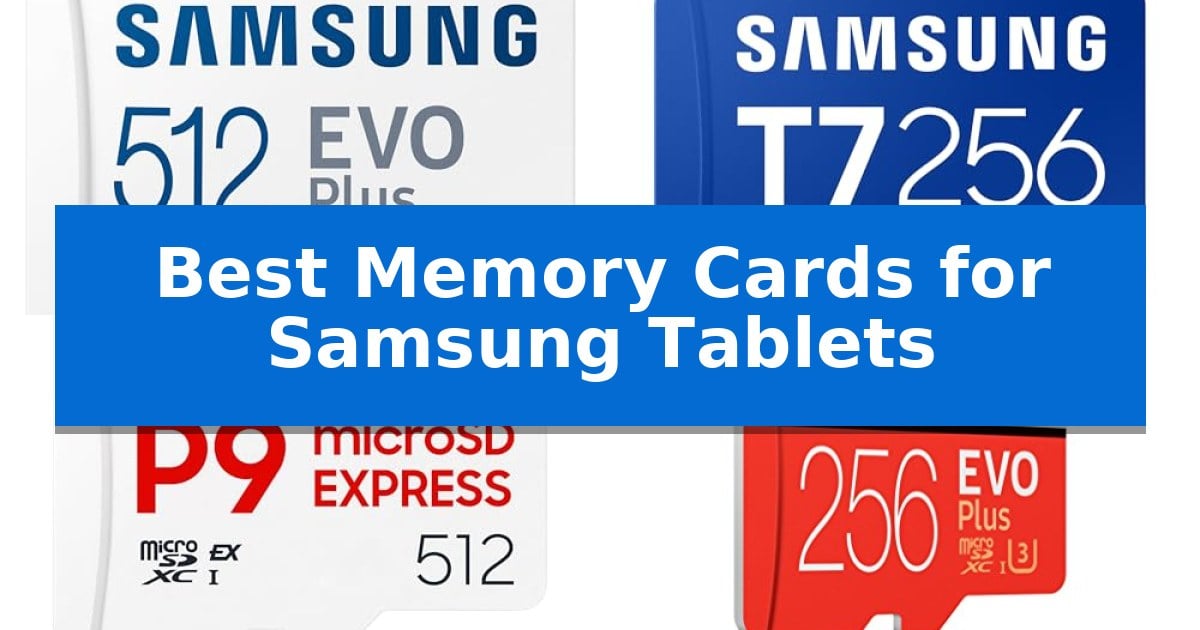
Running out of space on your mobile device is a common frustration, especially when you rely on your tablet for high-resolution media, gaming, or productivity. Finding the Best Memory Cards for Samsung Tablets is the most effective way to ensure you have enough room for your growing digital library without needing to delete older files.
Whether you are looking to store 4K video, install large game files, or simply keep your documents organized, choosing the right card depends on your specific performance needs and capacity requirements. We have reviewed several options to help you identify which card best matches your device and usage habits.
You may also want to compare Best Memory Cards for Samsung Galaxy Tab S2, Best Memory Cards for Samsung Galaxy Note 8, and Best Memory Cards for Ricoh GR IIIx.
Best Memory Cards for Samsung Tablets
Quick Comparison
| Product | Best For | Key Strength | Score |
|---|---|---|---|
| Samsung EVO Plus microSD Card | Best Overall | 6-proof protection ensures reliability against environmental hazards like water and extreme temperatures. | 4.9 |
| Samsung T7 microSD Card | Fast Speeds for Media Creators | U3 and V30 ratings ensure stable 4K video capture. | 4.6 |
| Samsung P9 Express microSD Card | High-Performance Gaming Expansion | Sequential read speeds up to 800 MB/s for rapid data access. | 4.6 |
| Samsung 256GB EVO Plus Class 10 UHS-I microSDXC U3 with Adapter (MB-MC256GA) | Proven Value for Media Libraries | 256 GB high-capacity storage for large media collections. | 4.5 |
| Samsung 64GB Evo Plus Class 10 Micro SDXC with Adapter 80MB/S (MB-MC64DA/AM) | Essential Capacity for Basic Use | Durable protection against water, temperature, x-rays, and magnets. | 4.8 |
How We Chose
- Read and write speed ratings to ensure smooth media playback and app loading.
- Capacity options to match different storage needs from casual use to professional media creation.
- Device compatibility, including support for standard microSD slots and included SD adapters.
- Durability features such as water, temperature, and magnetic protection for long-term data safety.
- Interface standards like UHS-I and A2 performance ratings for optimized tablet interaction.
1 Samsung EVO Plus microSD Card — Reliable Daily Tablet Storage
Expanding your tablet's storage capacity is a straightforward process with the Samsung EVO Plus 512GB microSDXC Memory Card, which includes a dedicated SD adapter for seamless integration across a variety of devices. Whether you are managing high-resolution media on a tablet or transferring files between a PC and a handheld gaming console, this card is engineered to handle diverse data requirements without the need for additional hardware.
Performance is defined by its UHS-I, U3, and V30 interface ratings, which support the recording of 4K UHD video and 3D content. With read and write speeds reaching up to 160 MB/s, the card is designed to maintain efficiency during heavy-duty applications, making it a reliable choice for users who frequently capture or store large media files on their mobile devices.
Durability is a core component of the Samsung EVO Plus 512GB microSDXC Memory Card, featuring 6-proof protection designed to withstand water and extreme temperatures. This rugged construction is backed by a 10-year limited warranty, providing long-term assurance for users who rely on their storage for consistent, daily use in various environments.
The card also carries an A2 rating, indicating optimized performance for running applications directly from the storage media. By combining high-speed transfer capabilities with robust physical protection, this memory card provides a versatile storage solution that fits into existing workflows for tablets, drones, and action cameras alike.
Best for: Users who need high-capacity, durable storage for 4K video recording and app-heavy multitasking on tablets and mobile devices.
Skip if: Users who require specialized high-end professional cinema-grade write speeds beyond the UHS-I standard or those who do not need the included SD adapter.
PROS
- 6-proof protection ensures reliability against environmental hazards like water and extreme temperatures.
- UHS-I, U3, and V30 speeds enable fast transfers and 4K UHD video recording.
- A2 rating provides improved performance for running applications directly from the card.
- Included SD adapter allows for immediate compatibility with cameras, PCs, and gaming consoles.
CONS
- UHS-I interface limits the maximum theoretical speed compared to UHS-II or UHS-III standards.
2 Samsung T7 microSD Card — Fast Speeds for Media Creators
Expanding the storage capacity of your tablet requires a card that can keep pace with high-resolution media and demanding applications. The Samsung T7 microSD Card is engineered to handle these tasks, offering U3 and V30 ratings for stable 4K video recording and A2 performance to ensure apps load with minimal delay.
For users who frequently move files between devices, this card provides transfer speeds up to 170MB/s. This capability simplifies the process of offloading large photo libraries or game files from your tablet to a laptop or smartphone, making it a versatile tool for creators and casual gamers alike.
Durability is a core design focus, featuring 6-proof protection against water, extreme temperatures, magnets, x-rays, drops, and daily wear. This rugged construction is intended to safeguard your data during travel or outdoor use, supported by a 3-year limited warranty.
To help maintain long-term reliability, the card is compatible with Magician Software 9.0. This suite allows you to verify the authenticity of your hardware, protect your stored content, and monitor the overall health of the card, providing additional oversight for your digital media library.
Best for: Users who need reliable, high-speed storage for 4K video recording, gaming, and multi-device file transfers.
Skip if: Users who require specialized high-end professional cinema-grade write speeds or capacities exceeding 1TB.
PROS
- U3 and V30 ratings ensure stable 4K video capture.
- A2 performance enables faster application loading times.
- 6-proof durability protects data from environmental hazards.
- Magician Software 9.0 provides health monitoring and management tools.
CONS
- Transfer speeds are dependent on the host device's hardware capabilities.
3 Samsung P9 Express microSD Card — High-Performance Gaming Expansion
Managing high-resolution media and extensive game libraries on a tablet requires reliable, high-speed storage that keeps pace with modern demands. The Samsung P9 Express microSD Card addresses this by offering sequential read speeds up to 800 MB/s, significantly reducing wait times when accessing large files or loading complex applications compared to standard UHS-I cards.
Designed for versatility, this 512GB card provides ample space for games, downloadable content, and high-definition media. It features Dynamic Thermal Guard technology, which actively manages heat during intensive use to maintain smooth operation. This thermal management is particularly beneficial for users who frequently push their device hardware to the limit.
Durability is a core component of the design, as the card includes 6-proof protection to safeguard data against environmental hazards. Users can also utilize the Samsung Magician Software to perform authenticity verification and monitor drive health, ensuring the storage remains reliable over time. The card is backward compatible with standard UHS-I devices, making it a flexible choice for tablets, cameras, and drones.
The Samsung P9 Express microSD Card represents a balance of high-speed performance and robust build quality. While it is optimized for next-gen gaming hardware, its compatibility with existing microSD slots ensures it fits into a wide range of mobile setups without requiring additional adapters or specialized interfaces.
Best for: Users who require high-speed data transfer and reliable, high-capacity storage for gaming and media-intensive tasks on compatible tablets.
Skip if: Users who only require basic, low-cost storage for documents or light media and do not need the high-speed performance of the Express interface.
PROS
- Sequential read speeds up to 800 MB/s for rapid data access.
- Dynamic Thermal Guard helps prevent overheating during heavy use.
- 6-proof protection provides enhanced durability for mobile environments.
- Samsung Magician Software support for health monitoring and verification.
CONS
- Premium performance tier may exceed the requirements for casual file storage.
4 Samsung 256GB EVO Plus Class 10 UHS-I microSDXC U3 with Adapter (MB-MC256GA) — Proven Value for Media Libraries
Expanding the storage capacity of your mobile device requires a reliable solution, and the Samsung 256GB EVO Plus Class 10 UHS-I microSDXC U3 with Adapter (MB-MC256GA) offers a high-capacity option for users needing to house extensive media libraries. This card is designed to integrate seamlessly with compatible hardware, providing a substantial 256 GB of space for photos, videos, and documents.
The inclusion of an adapter ensures that this card is versatile enough to transition between different form factors, making it a practical choice for those who frequently move data between tablets, laptops, and other personal computing devices. With its Class 10 and UHS-I U3 rating, the card is built to handle modern data transfer demands, ensuring that your files are accessible when you need them.
Durability and long-term support are central to the design of this storage solution. Samsung provides a 10-year warranty, which underscores the manufacturer's commitment to the longevity of the product. This makes it a stable investment for users who prioritize reliability for their primary media storage needs.
While this card provides significant space, it is best utilized by those who require a high-capacity, consistent storage medium for their digital content. The combination of the adapter and the robust capacity makes it a well-rounded accessory for a wide range of personal computing tasks.
Best for: Users who need high-capacity, reliable storage for extensive media libraries across multiple devices.
Skip if: Users who require specialized high-speed performance for professional 4K video production or high-burst photography.
PROS
- 256 GB high-capacity storage for large media collections.
- Included adapter for broad device compatibility.
- 10-year warranty providing long-term peace of mind.
- Class 10 and UHS-I U3 rating for reliable data handling.
CONS
- No specific performance metrics provided for high-speed professional workflows.
5 Samsung 64GB Evo Plus Class 10 Micro SDXC with Adapter 80MB/S (MB-MC64DA/AM) — Essential Capacity for Basic Use
Expanding the storage capacity of your mobile device is a straightforward process with the Samsung 64GB Evo Plus Class 10 Micro SDXC with Adapter (MB-MC64DA/AM). This card is engineered to provide reliable space for high-resolution images, Full HD video recordings, and mobile gaming, ensuring your tablet has the room it needs for media-heavy workflows.
The card is built for versatility, featuring a design that is water proof, temperature proof, x-ray proof, and magnetic proof. These protective measures help safeguard your stored data against common environmental hazards. With its included adapter, the card maintains broad compatibility, working seamlessly with devices that utilize Micro SDHC or Micro SDXC slots, including various Android tablets and PCs.
Performance is centered on a transfer speed of up to 80MB/s, which facilitates efficient file movement between your tablet and other hardware. This speed is sufficient for the demands of standard mobile applications and media playback, making it a practical choice for users who need a dependable storage boost without unnecessary complexity.
When choosing memory for a tablet, consider your specific capacity requirements. While 64GB is suitable for a large library of music and photos, users who frequently capture long-form 4K video or store extensive offline game files may eventually require higher capacity tiers. This card serves as a robust, essential solution for general tablet users seeking a balance of durability and performance.
Best for: Users needing a reliable, durable storage expansion for Android tablets, smartphones, and mobile devices.
Skip if: Users who require extreme high-speed performance for professional 4K video editing or those who need significantly more than 64GB of storage capacity.
PROS
- Durable protection against water, temperature, x-rays, and magnets.
- Includes an adapter for broad compatibility with SDHC and SDXC slots.
- Supports transfer speeds up to 80MB/s for efficient file management.
- Optimized for Full HD video and mobile gaming performance.
CONS
- 64GB capacity may be limiting for users with massive media libraries.
Best Memory Cards for Samsung Tablets Buying Guide
Understanding Speed Classes
When selecting a card, you will encounter various speed ratings like UHS-I, U3, and V30. These ratings indicate the minimum sustained write speed, which is crucial for tasks like recording 4K UHD video or running demanding applications directly from the card.
For general tablet use, a Class 10 card is the baseline, but if you frequently record high-resolution video or play complex games, opting for a U3 or V30 rated card ensures your tablet does not experience stuttering or frame drops during intensive tasks.
The Importance of App Performance Ratings
Look for A1 or A2 ratings on your memory card if you plan to install applications directly onto the storage. These ratings are specifically designed to measure how well a card handles the random read and write operations required by mobile apps.
An A2-rated card provides significantly better performance for app loading and responsiveness compared to standard cards. This is a vital consideration for users who want to keep their internal tablet storage free for system updates while running apps from the expandable memory.
Capacity Requirements
Storage needs vary widely depending on your habits. A 64GB or 128GB card is often sufficient for basic document storage, music, and light photo collections. However, if you are a heavy media consumer or a gamer, capacities of 256GB, 512GB, or 1TB are recommended.
Always check your specific tablet model’s maximum supported capacity. While most modern Samsung tablets support high-capacity microSDXC cards, older models may have a lower limit on the total gigabytes they can recognize.
Durability and Reliability
Tablets are often used on the go, making durability a key factor. Many cards now feature 6-proof protection, which guards your data against water, extreme temperatures, X-rays, magnets, and drops.
Investing in a card with these protections provides peace of mind, especially if you travel frequently or use your tablet in varied environments. Always check the warranty period provided by the manufacturer as an indicator of their confidence in the product's longevity.
Compatibility and Adapters
Most microSD cards come with an SD adapter, which allows you to use the card in devices with full-sized SD slots, such as laptops or DSLR cameras. This adds significant value if you frequently transfer files between your tablet and other hardware.
Ensure the card interface is compatible with your device. While most cards are backward compatible, using a high-speed card in an older tablet may limit the card to the tablet's maximum supported bus speed, preventing you from utilizing the full potential of the card's rated speeds.
Frequently Asked Questions
Can I use any microSD card in my Samsung tablet?
Most Samsung tablets are compatible with standard microSDXC cards. However, you should always verify the maximum storage capacity supported by your specific tablet model in its user manual.
What does the A2 rating mean for my tablet?
The A2 rating indicates that the card is optimized for running applications. It allows for faster app loading and smoother performance when apps are installed directly on the memory card.
Do I need a high-speed card for just storing photos?
For simple photo storage, a standard Class 10 card is usually sufficient. High-speed U3 or V30 cards are primarily necessary if you are recording 4K video or using the tablet for intensive gaming.
Can I move my memory card between different devices?
Yes, microSD cards are portable. If your card comes with an SD adapter, you can easily use it in laptops, cameras, or other devices that support the SD format.
How do I know if my card is failing?
Common signs of a failing card include slow file transfers, inability to save new photos, or error messages when trying to open apps stored on the card. Using manufacturer software like Samsung Magician can help monitor the health of your card.
Conclusion: Our Top Pick
For most users seeking a balance of speed, reliability, and capacity, the Samsung EVO Plus microSD Card stands out as the most versatile choice. Its support for high-speed transfers and its robust 6-proof protection make it an excellent companion for daily tablet use, whether you are managing a large media library or running demanding applications.
While other specialized cards offer higher speeds for specific gaming needs, the reliability and wide compatibility of this card ensure it performs consistently across various tasks. It is a dependable solution that provides the necessary space to keep your tablet running smoothly without constant file management.