
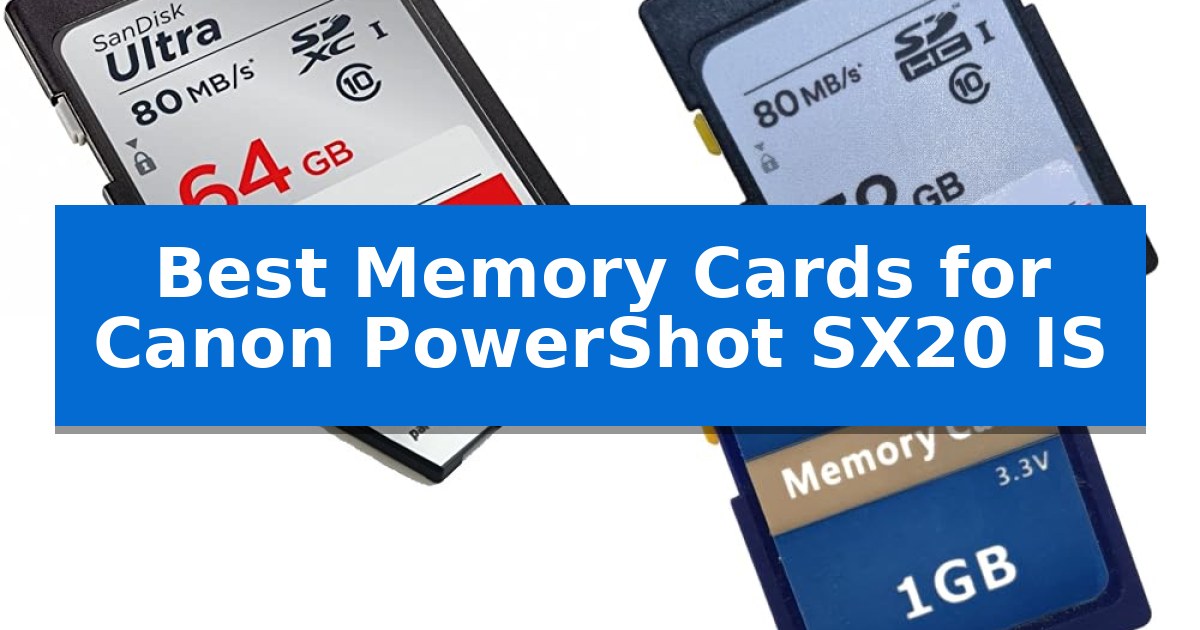
Finding the right storage for a legacy camera requires careful attention to format compatibility. When searching for the Best Memory Cards for Canon PowerShot SX20 IS, you must distinguish between older SD standards and newer high-capacity formats that the camera may not support.
This guide evaluates available options to help you select a card that balances capacity with the specific technical requirements of your device. Whether you need a standard card for occasional use or a reliable option for daily photography, understanding these storage limitations is essential for consistent performance.
You may also want to compare Best Memory Cards for Canon PowerShot Series, Best Memory Cards for Canon PowerShot SD1000, and Best Memory Cards for Canon PowerShot G10.
Best Memory Cards for Canon PowerShot SX20 IS
Quick Comparison
| Product | Best For | Key Strength | Score |
|---|---|---|---|
| SanDisk Ultra SDXC Memory Card | Best Overall | Class 10 rating ensures stable Full HD video recording. | 4.9 |
| EPPS SDHC Memory Card | Standard Capacity for Older Models | Full-size SDHC format ensures direct compatibility with the Canon PowerShot SX20 IS. | 4.7 |
| Parts-Quick SDHC Memory Card | Budget-Friendly Storage Option | 32GB high-capacity storage allows for extensive photo sessions. | 4.9 |
| EPPS SD Memory Card | Essential for Legacy Compatibility | Full-size SDSC format ensures compatibility with older camera hardware. | 4.8 |
How We Chose
- Format Compatibility: Verifying support for SD and SDHC standards required by the camera's firmware.
- Capacity Limits: Assessing storage sizes that remain functional within the device's hardware constraints.
- Reliability Features: Identifying cards with physical protections like write-protect switches and environmental durability.
- Ease of Use: Evaluating the availability of full-size card formats that do not require adapters.
1 SanDisk Ultra SDXC Memory Card — Reliable for Daily Photography
The SanDisk Ultra 64GB Class 10 SDXC UHS-I Memory Card provides a reliable storage solution for the Canon PowerShot SX20 IS, ensuring you have ample space for high-resolution images and video. Designed for compact and midrange point-and-shoot cameras, this card supports efficient data management, allowing you to capture and transfer files with ease.
Engineered for performance, this memory card features a Class 10 rating, which is essential for capturing Full HD video (1080p). With quick transfer speeds reaching up to 80MB/s, it significantly reduces the time spent moving files from your camera to a computer, making it a practical choice for photographers who frequently manage large batches of media.
Durability is a core component of this design. The card is built to be waterproof, temperature-proof, X-ray-proof, magnet-proof, and shockproof, offering peace of mind when shooting in various environments. This robust construction helps protect your data against common physical hazards encountered during travel or outdoor photography.
Compatibility is straightforward, as the card is designed to work with SDHC I/SDXC I devices. With a 10-year limited warranty, it provides long-term support for your digital storage needs, ensuring that your investment remains protected over years of consistent use.
Best for: Photographers using the Canon PowerShot SX20 IS who need reliable, high-capacity storage for Full HD video and daily image capture.
Skip if: Users who require professional-grade, ultra-high-speed cards for burst-mode RAW photography or 4K video recording, as this card is optimized for standard point-and-shoot performance.
PROS
- Class 10 rating ensures stable Full HD video recording.
- Quick transfer speeds up to 80MB/s for efficient file management.
- Comprehensive durability features including shock, water, and temperature proofing.
- 10-year limited warranty provides long-term reliability.
CONS
- Limited to UHS-I speeds, which may not meet the requirements of high-end professional cameras.
2 EPPS SDHC Memory Card — Standard Capacity for Older Models
The EPPS 32GB SDHC Memory Card provides a dedicated storage solution for the Canon PowerShot SX20 IS, ensuring compatibility with the camera's specific SDHC format requirements. This full-size card is designed to integrate directly into the device's card slot without the need for adapters, offering a straightforward way to expand your camera's capacity.
With a 32GB capacity, this memory card offers ample space for high-resolution images and video files. It is classified as a Class 10 card, which denotes a specific speed standard for data transfer. The inclusion of a physical write-protect switch allows users to prevent accidental data deletion or overwriting, providing an extra layer of security for captured media.
Proper setup is essential for reliable operation. The manufacturer recommends formatting the card within the Canon PowerShot SX20 IS before its first use to ensure file system compatibility. Users should note that this process will erase any existing data on the card, so it is important to perform this step on a fresh or backed-up unit.
The product is supplied in a reinforced cardboard envelope, prioritizing a simple, plastic-free packaging approach. It is backed by a 12-month warranty, offering support for the hardware. Because this is a standard SDHC card, it is not interchangeable with microSD formats or older SD/SDSC-only equipment, making it a specialized choice for compatible digital cameras.
Best for: Owners of the Canon PowerShot SX20 IS who require a reliable, full-size SDHC storage solution for their photography needs.
Skip if: Users who require microSD cards, high-speed UHS-II/III performance, or equipment that is limited to the older, lower-capacity SD/SDSC standard.
PROS
- Full-size SDHC format ensures direct compatibility with the Canon PowerShot SX20 IS.
- Includes a physical write-protect switch to prevent accidental data loss.
- Backed by a 12-month manufacturer warranty for added peace of mind.
- Class 10 speed rating provides consistent performance for digital camera use.
CONS
- Not compatible with devices limited to standard SD/SDSC formats.
- Single card supply may not meet the needs of users requiring multiple backups or high-volume storage.
3 Parts-Quick SDHC Memory Card — Budget-Friendly Storage Option
Capturing high-resolution images with the Canon PowerShot SX20 IS requires reliable storage that can keep pace with the camera's sensor. The Parts-Quick 32GB Memory Card for Canon PowerShot SX20 is provides a straightforward, high-capacity solution for photographers who need to extend their shooting sessions without frequent file transfers.
This 32GB card utilizes Flash Memory technology, offering a stable environment for storing digital photos and videos. By providing a significant jump in capacity compared to standard starter cards, it allows users to capture more images at full resolution, ensuring that important moments are not missed due to a full buffer or limited space.
Designed specifically for compatibility with the Canon PowerShot SX20 IS, this card integrates seamlessly into the camera's SDHC slot. The Parts-Quick SDHC Memory Card is a practical choice for those who prioritize a simple, plug-and-play experience without the complexity of high-speed class ratings or specialized video protocols that the camera may not fully utilize.
While this card excels at providing ample space for general photography, users should note that it is a standard capacity option. It is best suited for everyday use, vacations, and family events where consistent, reliable storage is the primary requirement for the Canon PowerShot SX20 IS.
Best for: Photographers needing a high-capacity, reliable storage solution for everyday shooting and travel with the Canon PowerShot SX20 IS.
Skip if: Professional videographers or burst-mode photographers who require specialized high-speed write ratings for 4K video or rapid-fire continuous shooting.
PROS
- 32GB high-capacity storage allows for extensive photo sessions.
- Flash Memory technology ensures reliable data retention.
- Direct compatibility with the Canon PowerShot SX20 IS SDHC interface.
CONS
- Standard speed rating may not support high-bandwidth professional video recording.
4 EPPS SD Memory Card — Essential for Legacy Compatibility
Maintaining compatibility with legacy digital cameras requires specific hardware that adheres to older interface standards. The EPPS 1GB SD Memory Card is designed as a full-size SDSC format card, providing a dedicated storage solution for the Canon PowerShot SX20 IS. By utilizing the standard SD architecture rather than newer SDHC or SDXC protocols, this card ensures reliable interaction with the camera's original firmware and hardware specifications.
This memory card features a physical write-protect switch, allowing users to prevent accidental data deletion or overwriting. With a 1GB capacity, it offers sufficient space for standard-resolution image capture typical of the era in which the camera was released. The card is supplied in a reinforced cardboard envelope, prioritizing functional delivery over elaborate retail packaging.
Proper setup is essential for performance. Users must format the card within the camera before the first use to ensure the file system is correctly initialized for the device. This process will erase any existing data, so it is important to verify that no files are stored on the card prior to formatting. The product is backed by a 12-month manufacturer warranty, providing support for the hardware over the course of a year.
When selecting storage for this specific camera, verifying the supported format is critical. Because the Canon PowerShot SX20 IS relies on the legacy SDSC standard, this card serves as a direct, compatible replacement. It avoids the compatibility issues often encountered when attempting to use high-capacity, modern SDHC or SDXC cards in older equipment that lacks the necessary controller support.
Best for: Owners of the Canon PowerShot SX20 IS who require a compatible, legacy-standard SDSC memory card for reliable image storage.
Skip if: Users seeking high-capacity storage for modern devices, as this 1GB SDSC card is limited by its format and capacity to older digital cameras.
PROS
- Full-size SDSC format ensures compatibility with older camera hardware.
- Includes a physical write-protect switch to prevent data loss.
- Backed by a 12-month manufacturer warranty.
CONS
- Limited 1GB capacity is not suitable for high-resolution video or large-volume photography.
- Not compatible with devices requiring SDHC or SDXC standards.
Best Memory Cards for Canon PowerShot SX20 IS Buying Guide
Understanding SD and SDHC Standards
The Canon PowerShot SX20 IS is designed to work with specific memory card standards. It is critical to understand that not all modern high-capacity cards are compatible with older camera hardware. The SDHC (Secure Digital High Capacity) standard is generally the upper limit for many cameras of this era, while standard SD cards offer maximum compatibility for older firmware.
Always check if your device requires a specific file system format. Many cards require you to format them directly within the camera menu before the first use to ensure the file structure is correctly recognized by the internal processor.
The Importance of Capacity
While modern devices support massive storage capacities, older cameras often have a ceiling on the card size they can address. Using a card that exceeds the camera's maximum supported capacity can lead to read errors or the device failing to recognize the media entirely.
For most legacy point-and-shoot cameras, a 32GB SDHC card is often the practical maximum. Choosing a card within this range provides a balance between ample storage for high-resolution JPEGs and ensuring the camera's software can effectively manage the file index.
Physical Design and Durability
Because these cameras are often used in varied environments, the physical build of the memory card matters. Features such as waterproof, temperature-proof, and shockproof ratings provide an extra layer of security for your data, especially when shooting outdoors.
Additionally, a physical write-protect switch remains a highly useful feature. This small slider on the side of the card allows you to lock your images, preventing accidental deletion or overwriting of files while you are transferring them to a computer.
Transfer Speeds and Performance
While the camera's internal write speed is the primary bottleneck for shooting, the card's transfer speed becomes relevant when moving files to your computer. A Class 10 rating is generally recommended as it ensures a stable minimum write speed, which is beneficial for recording video clips.
Faster transfer speeds, such as those reaching 80MB/s, allow you to offload your photos more quickly. This reduces the time the card spends in a card reader and minimizes the risk of data corruption during the transfer process.
Legacy Compatibility Check
Always ensure you are purchasing a full-size SD card rather than a microSD card with an adapter. While adapters can work, they introduce an extra point of failure and can sometimes cause physical fitment issues in the camera's card slot.
If you are unsure about a card's compatibility, sticking to reputable brands that explicitly list support for legacy SDHC or SDSC formats is the safest approach. Avoid cards that are marketed exclusively for modern high-speed 4K or 8K recording, as they may use protocols that your camera cannot interpret.
Frequently Asked Questions
Can I use a 64GB or larger card in my Canon PowerShot SX20 IS?
The camera may not support cards larger than 32GB due to the SDHC standard limitations. It is recommended to stick to 32GB or smaller to ensure full compatibility.
What is the difference between SD and SDHC?
SD cards typically have a capacity up to 2GB, while SDHC (Secure Digital High Capacity) cards range from 4GB to 32GB. Your camera must specifically support the SDHC standard to use the higher capacity cards.
Do I need to format the card in the camera?
Yes, it is best practice to format any new memory card inside the camera's menu. This ensures the card is initialized with the correct file system structure for your specific device.
What does the Class 10 rating mean?
A Class 10 rating indicates that the card has a minimum sustained write speed of 10MB/s, which is sufficient for reliable Full HD video recording and standard photo capture.
Is a microSD card with an adapter okay to use?
While technically possible, it is not recommended. Full-size SD cards are more robust and provide a more secure physical fit within the camera's card slot.
Conclusion: Our Top Pick
Selecting the right storage for your camera is a simple way to ensure your photography sessions remain uninterrupted. For most users, the SanDisk Ultra SDXC Memory Card offers a reliable balance of performance and durability, provided your specific camera firmware supports the SDXC format.
If you find that your device is strictly limited to older standards, ensure you check the capacity requirements before finalizing your purchase. Always prioritize cards that offer physical write-protection to keep your captured memories safe from accidental deletion.