
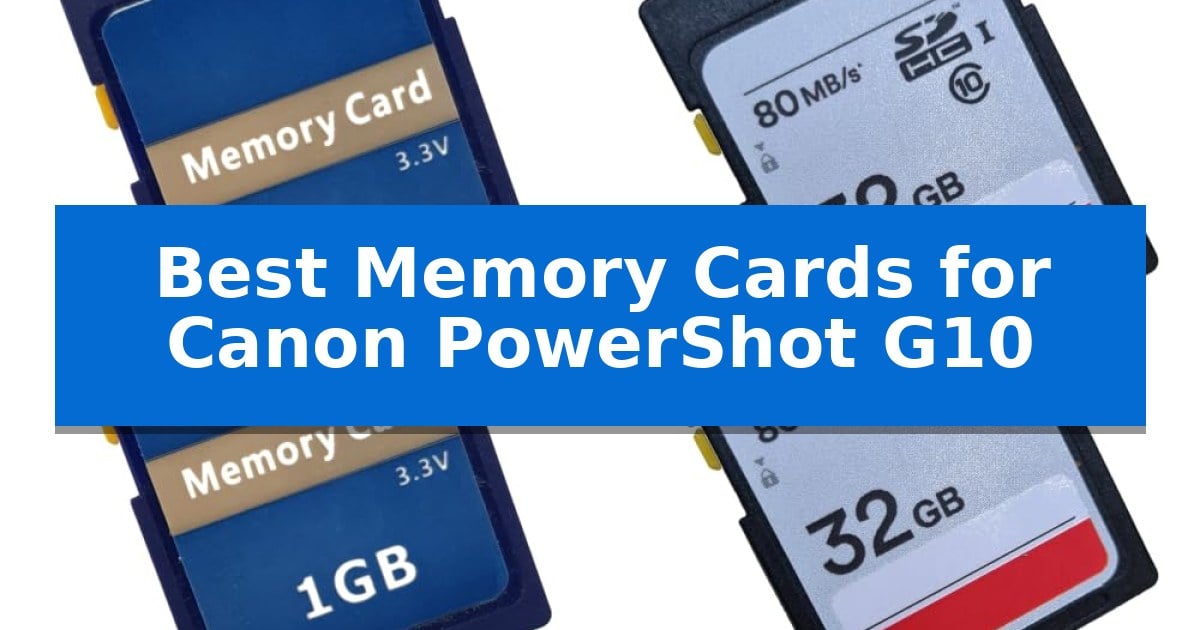
Finding the right storage for a classic digital camera requires careful attention to format and capacity standards. The Best Memory Cards for Canon PowerShot G10 must align with the specific technical limitations of this model to ensure your images are captured and saved without errors.
Whether you are looking for standard capacity or need to maximize your storage for extended shooting sessions, selecting a card that matches the camera's interface is essential. We have analyzed the available options to help you identify which storage solution best fits your legacy device requirements.
You may also want to compare Best Memory Cards for Canon PowerShot G9X Mark II, Best Memory Cards for Canon PowerShot G9X, and Best Memory Cards for Canon PowerShot G9 Mark II.
Best Memory Cards for Canon PowerShot G10
Quick Comparison
| Product | Best For | Key Strength | Score |
|---|---|---|---|
| EPPS SD Memory Card | Best Overall | Guaranteed compatibility with the Canon PowerShot G10 digital camera. | 4.9 |
| EPPS SDHC Memory Card | Reliable Standard Capacity Choice | Full-size SDHC format specifically compatible with the Canon PowerShot G10. | 4.9 |
| EPPS SD Memory Card (B0HHY245MZ) | Compact Storage for Older Models | Specific compatibility with the Canon PowerShot G10 digital camera. | 4.3 |
| EPPS SDHC Memory Card (B0HHXSTK9Y) | Maximum Supported Capacity Option | Full-size SDHC format specifically compatible with the Canon PowerShot G10. | 4.7 |
How We Chose
- Verification of card format compatibility with the Canon PowerShot G10.
- Assessment of storage capacity limits to ensure the camera can recognize the card.
- Evaluation of physical design features such as the integrated write-protect switch.
- Review of provided warranty terms and packaging standards for long-term reliability.
1 EPPS SD Memory Card — Essential for Legacy Compatibility
The EPPS SD Memory Card provides a specific, full-size SDSC storage solution for the Canon PowerShot G10, ensuring compatibility for those maintaining older digital camera hardware. This card offers a 1GB capacity, which aligns with the storage requirements of legacy devices that do not support modern high-capacity SDHC or SDXC standards.
Designed as a standard full-size SD card, this unit includes a physical write-protect switch to prevent accidental data deletion or overwriting. Because the format is strictly SDSC, it is essential to verify that your specific camera model and firmware version are configured to recognize this capacity and format before use.
Proper setup is required to ensure reliable operation. The manufacturer recommends formatting the card directly within the Canon PowerShot G10 before the first use. This process prepares the file system for the camera and ensures optimal communication between the device and the storage medium.
Each purchase includes a single memory card, delivered in a reinforced cardboard envelope to minimize environmental impact by avoiding plastic retail packaging. The product is backed by a 12-month manufacturer warranty, providing support for the hardware's functional lifespan.
Best for: Owners of the Canon PowerShot G10 who require a compatible, standard-capacity SDSC memory card for legacy storage.
Skip if: Users who require high-capacity storage for modern cameras, as this card is limited to the 1GB SDSC format and will not function in devices requiring SDHC or SDXC cards.
PROS
- Guaranteed compatibility with the Canon PowerShot G10 digital camera.
- Includes a physical write-protect switch for data security.
- Protected by a 12-month manufacturer warranty.
- Ships in plastic-free, reinforced cardboard packaging.
CONS
- Limited 1GB capacity is not suitable for high-resolution video or large-volume photography.
- Strictly SDSC format, making it incompatible with devices requiring SDHC or SDXC standards.
2 EPPS SDHC Memory Card — Reliable Standard Capacity Choice
The EPPS 32GB SDHC Memory Card offers a dedicated storage solution for the Canon PowerShot G10, utilizing a full-size SDHC format to ensure compatibility with the camera's specific requirements. This card provides a 32GB capacity, allowing for a substantial volume of digital images to be stored directly on a single, reliable medium.
Designed with a standard Class 10 speed rating, this memory card is built to handle the data transfer needs of the PowerShot G10. It includes a physical write-protect switch, providing a tactile method to prevent accidental data deletion or overwriting, which is a practical feature for managing important photography files.
To ensure optimal performance, the card must be formatted within the Canon PowerShot G10 before its initial use. This process prepares the file system for the camera and clears any pre-existing data. Users should note that this is a full-size SDHC card and is not compatible with devices restricted to standard SD/SDSC formats or microSD slots.
The product is supplied in a reinforced cardboard envelope to minimize environmental impact by avoiding plastic retail packaging. Each unit is backed by a 12-month manufacturer warranty, providing a standard period of coverage for the hardware.
Best for: Photographers using a Canon PowerShot G10 who require a dedicated, full-size SDHC storage card with a 32GB capacity.
Skip if: Users who require microSD cards or devices that are limited to older, standard SD/SDSC card formats.
PROS
- Full-size SDHC format specifically compatible with the Canon PowerShot G10.
- Includes a physical write-protect switch for data security.
- Generous 32GB capacity for high-volume image storage.
- Backed by a 12-month manufacturer warranty.
CONS
- Not compatible with devices limited to standard SD/SDSC or microSD formats.
3 EPPS SD Memory Card (B0HHY245MZ) — Compact Storage for Older Models
The EPPS SD Memory Card (B0HHY245MZ) provides a dedicated storage solution for the Canon PowerShot G10, utilizing the full-size SDSC format to ensure compatibility with this specific digital camera model. This card offers a 1GB capacity, serving as a functional option for users who require standard storage media for their legacy equipment.
Designed specifically for older hardware, this full-size standard SD card is distinct from modern microSD, SDHC, or SDXC formats. It includes a physical write-protect switch, allowing users to secure their captured images against accidental deletion or overwriting. The card is supplied individually in a reinforced cardboard envelope, prioritizing simple, protective packaging over retail plastic.
To ensure proper functionality, the card must be formatted directly within the Canon PowerShot G10 before its initial use. Users should be aware that this formatting process will erase any existing data on the card, making it essential to back up files beforehand. The product is supported by a 12-month manufacturer warranty, providing coverage for the hardware after purchase.
When integrating this card into an existing photography setup, it is important to verify the specific memory requirements of the camera. Because this is a standard SDSC card, it is tailored for devices that do not support the higher capacities or different file systems found in modern high-density cards, making it a specialized fit for the PowerShot G10.
Best for: Owners of the Canon PowerShot G10 seeking a compatible, standard-capacity SDSC memory card for their camera.
Skip if: Users requiring high-capacity storage or those using modern cameras that rely on SDHC or SDXC memory standards.
PROS
- Specific compatibility with the Canon PowerShot G10 digital camera.
- Includes a physical write-protect switch for data security.
- Backed by a 12-month manufacturer warranty.
CONS
- Limited 1GB capacity compared to modern storage standards.
- Format-specific (SDSC only), meaning it is not compatible with devices requiring SDHC or SDXC.
4 EPPS SDHC Memory Card (B0HHXSTK9Y) — Maximum Supported Capacity Option
The EPPS SDHC Memory Card (B0HHXSTK9Y) provides a dedicated storage solution for the Canon PowerShot G10, offering a 32GB capacity in a standard full-size SDHC format. This card is designed to meet the specific compatibility requirements of the G10, ensuring it functions as intended within the camera's hardware constraints.
Engineered as a Class 10 card, this unit includes a physical write-protect switch, allowing users to prevent accidental data deletion or overwriting. The card is supplied as a single unit and arrives in a reinforced cardboard envelope, prioritizing a simple, plastic-free delivery method.
Before initial use, the card must be formatted directly within the Canon PowerShot G10 to ensure proper file system alignment. Users should be aware that this process will erase any existing data on the card, making it essential to back up files if the card has been used previously or contains data.
This memory card is strictly for devices supporting 32GB SDHC standards and is not compatible with older equipment limited to standard SD/SDSC formats. It is not a microSD card and should not be used with adapters in devices requiring smaller form factors. A 12-month manufacturer warranty is included to support the product's functional lifespan.
Best for: Owners of the Canon PowerShot G10 seeking a reliable, full-size 32GB SDHC storage solution.
Skip if: Users requiring high-speed recording for 4K video or those using devices that do not support the SDHC standard.
PROS
- Full-size SDHC format specifically compatible with the Canon PowerShot G10.
- Includes a physical write-protect switch for data security.
- Backed by a 12-month manufacturer warranty.
- Ships in plastic-free, reinforced cardboard packaging.
CONS
- Not compatible with older devices limited to standard SD/SDSC cards.
- Single card capacity is fixed at 32GB.
Best Memory Cards for Canon PowerShot G10 Buying Guide
Understanding SD and SDHC Compatibility
The Canon PowerShot G10 has specific requirements regarding memory card formats. It is crucial to distinguish between SD (SDSC) and SDHC standards, as older devices may not support newer, higher-capacity cards. Always check your camera manual to confirm the maximum supported capacity before purchasing.
Using a card that exceeds the camera's native format support can lead to recognition errors or data loss. Stick to the format specifications listed for your device to ensure consistent performance during your photography sessions.
The Importance of Formatting
Before using any new memory card, it is best practice to format the card directly in the camera. This process ensures that the file system is optimized for your specific device, reducing the risk of corruption or read errors.
Remember that formatting will permanently erase all data on the card. If you are reusing a card from another device, ensure you have backed up any important files to a computer or external drive before starting the formatting process in your camera.
Managing Storage Capacity
Choosing the right capacity depends on your shooting habits. A 1GB card is often sufficient for casual use or smaller projects, while a 32GB SDHC card offers significantly more room for high-resolution images.
Consider how many photos you typically take in a single outing. If you prefer to download your images frequently, a smaller capacity card may be perfectly adequate. If you are traveling or shooting in environments where you cannot easily offload files, a higher capacity option is a practical choice.
Physical Protection and Reliability
Many memory cards include a physical write-protect switch on the side. This simple feature is an effective way to prevent accidental deletion of your images. When the switch is moved to the locked position, the camera cannot write new data or delete existing files.
Always handle your memory cards with care. Keep them in a clean, dry environment when not in use, and avoid touching the gold contact pins. Proper storage helps maintain the integrity of your data over time.
Warranty and Support
When selecting a memory card, look for products that come with a clear manufacturer warranty. This provides peace of mind, knowing that the product is backed by the manufacturer in the event of a technical defect.
Check the packaging details to understand what is included. Some cards are supplied in reinforced envelopes to ensure they arrive in good condition. A reliable warranty is a strong indicator of the manufacturer's confidence in their product's quality.
Frequently Asked Questions
Can I use a 64GB or larger card in my Canon PowerShot G10?
The Canon PowerShot G10 is generally limited to SD and SDHC formats. Cards exceeding the SDHC standard, such as SDXC, are typically not compatible. Always verify the maximum capacity supported by your specific camera firmware.
What is the difference between SD and SDHC?
SD (Secure Digital) cards typically have a capacity up to 2GB. SDHC (Secure Digital High Capacity) cards support capacities from 4GB up to 32GB. They use different file systems, so your camera must specifically support the SDHC standard to use those cards.
Why does my camera say 'Card Error'?
A 'Card Error' often occurs if the card is not formatted correctly for the camera or if the card format is not supported. Try formatting the card within the camera menu. If the error persists, the card may be incompatible or faulty.
Should I format my memory card on my computer?
It is highly recommended to format your memory card inside the camera. Formatting on a computer can sometimes create file system structures that the camera does not recognize, leading to errors.
What does the write-protect switch do?
The write-protect switch is a physical slider on the side of the SD card. When slid into the 'lock' position, it prevents the camera from writing new data to the card or deleting existing photos, protecting your files from accidental loss.
Conclusion: Our Top Pick
For users seeking a reliable storage solution that respects the legacy requirements of the Canon PowerShot G10, the EPPS SD Memory Card stands out as a dependable choice. Its design is specifically tailored for compatibility, ensuring that your device can read and write data without the complications often found with newer, unsupported formats.
By choosing a card that aligns with the camera's native SDSC specifications, you minimize the risk of technical issues during your shoots. Always remember to format your card in-camera before your first use to ensure optimal performance and data stability.