
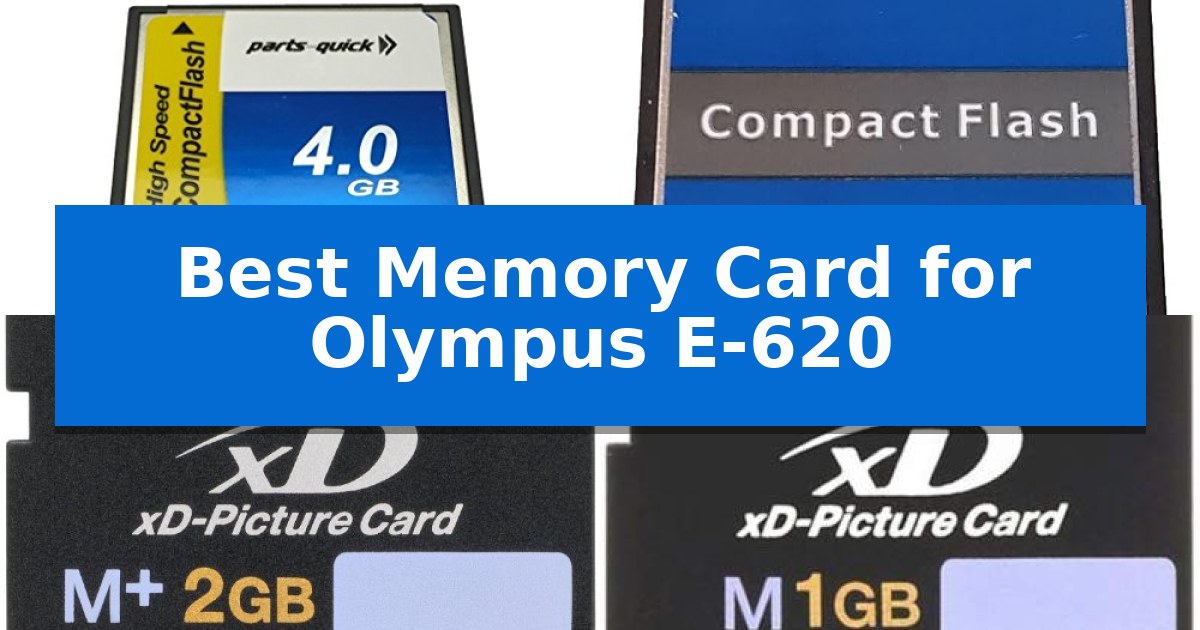
Finding the right storage media for your digital camera is essential for ensuring that every shot is captured without interruption. When searching for the Best Memory Card for Olympus E-620, you must navigate the specific requirements of a camera that supports both CompactFlash and xD-Picture card formats.
This guide evaluates the available storage solutions to help you select a card that matches your shooting needs. Whether you require higher capacity for long sessions or specific media for unique camera functions like panorama mode, understanding the compatibility of these legacy formats is the first step toward reliable performance.
You may also want to compare Best Memory Card for Olympus Cameras, Best Memory Card for Nvidia Shield Tablet, and Best Memory Card for Nvidia Shield.
Best Memory Card for Olympus E-620
Quick Comparison
| Product | Best For | Key Strength | Score |
|---|---|---|---|
| parts-quick Compact Flash Memory Card | Best Overall | Native Compact Flash Type 1 compatibility for the Olympus E-620. | 4.9 |
| EPPS CompactFlash Memory Card | Standard Type I Compatibility | Guaranteed compatibility with Olympus E-620 and Evolt E-620 cameras. | 4.3 |
| OM SYSTEM xD-Picture Card | Essential for Panorama Mode | 1.5x faster write speeds compared to standard type M cards. | 4.5 |
| OM SYSTEM M xD-Picture Card | Original Manufacturer Media | Full support for the Olympus Panorama function | 4.6 |
| PNY xD-Picture Card | Compact Legacy Storage | Native compatibility with Olympus cameras requiring the xD format. | 4.3 |
How We Chose
- Compatibility verification with the CompactFlash Type I and xD-Picture card standards.
- Assessment of storage capacity options to suit varying photography workflows.
- Evaluation of specialized features, such as support for the camera's built-in panorama mode.
- Analysis of build quality and durability for long-term media reliability.
- Review of manufacturer specifications to ensure proper fit and format support.
1 parts-quick Compact Flash Memory Card — Reliable CompactFlash Storage
Capturing high-resolution images with the Olympus E-620 requires reliable storage that fits the camera's specific interface requirements. The parts-quick 4GB Memory Card for Olympus E-620 Digital Camera Compact Flash CF provides a dedicated solution for this legacy DSLR, utilizing the Compact Flash Type 1 standard to ensure consistent data handling during your photography sessions.
This memory card offers a 4GB capacity, which serves as a practical storage volume for photographers managing file sizes typical of the E-620's sensor. By adhering to the Compact Flash form factor, the card ensures a secure physical fit within the camera's dedicated slot, eliminating the need for adapters or compatibility workarounds that can introduce points of failure.
Choosing the right storage for an older digital camera involves prioritizing hardware compatibility above all else. Because the Olympus E-620 relies on the Compact Flash interface, this card is engineered to meet the specific physical and electrical standards required by the camera's internal controller, supporting stable operation during image capture and playback.
The parts-quick 4GB Memory Card is a straightforward choice for users who need a functional, dedicated storage medium without the complexity of modern high-speed protocols that the E-620 cannot utilize. It focuses on providing the necessary capacity and interface alignment to keep your camera operational for daily shooting needs.
Best for: Photographers using the Olympus E-620 who require a reliable, compatible Compact Flash Type 1 storage solution.
Skip if: Users who need high-capacity storage for extensive video recording or those whose cameras use SD card slots instead of Compact Flash.
PROS
- Native Compact Flash Type 1 compatibility for the Olympus E-620.
- Dedicated storage solution that avoids the need for external adapters.
- Reliable form factor designed specifically for legacy DSLR hardware.
CONS
- Limited 4GB capacity may be insufficient for high-volume shooting or RAW file workflows.
- Fixed interface restricts use to devices supporting Compact Flash only.
2 EPPS CompactFlash Memory Card — Standard Type I Compatibility
Reliable storage is essential for maintaining the workflow of your digital camera, and the EPPS CompactFlash Memory Card provides a dedicated solution for the Olympus E-620. This CompactFlash Type I card is engineered specifically for compatibility with the E-620 and Evolt E-620 models, ensuring that your hardware recognizes the media correctly for image capture.
With a 1GB capacity, this card offers a straightforward storage option for photographers who prefer smaller, manageable volumes of data. The unit arrives as a single card, and the manufacturer includes a 12-month warranty to support the hardware. It is important to note that this is a standard Type I card and is not compatible with CFast or CFexpress slots.
Practical integration requires a few simple steps to ensure optimal performance. Before the first use, you must format the card directly within your Olympus E-620 camera. This process prepares the file system for your specific device and clears any existing data. If you are using a computer with a PCMCIA slot, you will need a separate CompactFlash adapter, as one is not included in the package.
The card is delivered in a reinforced cardboard envelope, prioritizing a functional approach over elaborate retail packaging. By verifying your camera model and ensuring the CompactFlash Type I format matches your equipment requirements, you can integrate this storage into your existing photography setup with confidence.
Best for: Photographers using the Olympus E-620 who require a standard, dedicated CompactFlash Type I storage card for image capture.
Skip if: Users who require high-capacity storage for extensive video recording or those who need a CFast or CFexpress card format.
PROS
- Guaranteed compatibility with Olympus E-620 and Evolt E-620 cameras.
- Includes a 12-month manufacturer warranty.
- Standard CompactFlash Type I form factor for reliable fit.
CONS
- Limited 1GB capacity may not suit high-volume shooting.
- Adapter not included for users requiring PCMCIA slot connectivity.
3 OM SYSTEM xD-Picture Card — Essential for Panorama Mode
Capturing high-resolution images with the Olympus E-620 requires reliable storage that integrates seamlessly with the camera's specific architecture. The Olympus xD-Picture Card M+ 2 GB serves as a purpose-built solution for this system, offering the necessary capacity to manage digital files while maintaining the compact physical profile required by the camera's card slot.
Engineered for efficiency, this 2 GB flash memory card provides a distinct performance advantage by being 1.5x faster than the standard type M cards. This increased speed is particularly beneficial for photographers utilizing the camera's advanced features, such as the dedicated Panorama Mode, which relies on consistent write speeds to process image sequences effectively.
The card is designed to be both reusable and removable, allowing for straightforward file transfers and long-term utility. Its compact and durable construction ensures it fits securely within the E-620, minimizing the risk of connection issues during intensive shooting sessions.
Choosing the right media is essential for maintaining the integrity of your workflow. By utilizing this specific card, you ensure compatibility with the proprietary requirements of the Olympus system, avoiding the common pitfalls associated with using non-standardized storage adapters.
Best for: Photographers using the Olympus E-620 who require reliable, system-compatible storage for standard shooting and Panorama Mode.
Skip if: Users who require modern high-speed storage formats or capacities exceeding 2 GB will find this card's limitations restrictive for high-volume RAW photography.
PROS
- 1.5x faster write speeds compared to standard type M cards.
- Compact and durable design tailored for specific camera slots.
- Reusable and removable for flexible file management.
- Optimized for Panorama Mode functionality on compatible Olympus cameras.
CONS
- 2 GB capacity is limited by modern standards.
- Proprietary format restricts use to specific older camera models.
4 OM SYSTEM M xD-Picture Card — Original Manufacturer Media
The Olympus M 1 GB xD-Picture Card Flash Memory Card 202169 provides a specialized storage solution for legacy photography workflows, serving as the only media option that supports the integrated Panorama function found on many Olympus digital cameras. Its design prioritizes physical compatibility with xD-compatible devices, ensuring that users of classic hardware can continue to capture and store images without needing to adapt to newer, incompatible memory standards.
Engineered for reliability, this card is built for maximum durability, protecting your digital files in a variety of environments. The exceptionally compact design—roughly the size of a postage stamp—makes it an unobtrusive addition to your camera bag, allowing for easy transport and storage without adding bulk to your kit.
With a capacity of 1 GB, this media meets the essential storage needs for standard digital photography, offering a balance between space and the specific technical requirements of older camera systems. As a reusable digital medium, it provides a consistent and dependable way to manage your image library, ensuring that your equipment remains functional and ready for use.
Choosing the right card for an older camera often comes down to hardware support rather than raw speed. By utilizing this original manufacturer media, you ensure full compatibility with your camera's internal software, specifically for advanced features like panoramic stitching that generic third-party adapters may not support.
Best for: Owners of legacy Olympus digital cameras who require full support for proprietary features like the Panorama function.
Skip if: Users seeking modern, high-speed storage standards or those who do not own hardware specifically designed for the xD-Picture Card interface.
PROS
- Full support for the Olympus Panorama function
- Maximum durability design for long-term use
- Compact, postage-stamp-sized form factor
- Broad compatibility with xD-compatible devices
CONS
- Limited to 1 GB capacity
- Proprietary interface not compatible with modern SD card slots
5 PNY xD-Picture Card — Compact Legacy Storage
The PNY Olympus 512MB XD Picture Card provides a specific storage solution for legacy digital cameras that rely on the xD-Picture Card format. With a capacity of 512MB, this card offers a dedicated media option for users of older equipment like the Olympus E-620, ensuring compatibility with hardware that predates modern SD standards.
Designed specifically for the xD interface, this card serves as a functional replacement or expansion for cameras that do not support standard memory formats. Its compact physical design is tailored to fit the proprietary slots found in compatible Olympus models, maintaining the original workflow requirements of the device.
When selecting storage for older digital cameras, compatibility is the primary concern. Because the PNY xD-Picture Card is built to the specific technical requirements of the xD format, it integrates directly with the camera's internal file system without the need for adapters or software workarounds.
This card is a practical choice for maintaining the utility of vintage photography gear. By utilizing this 512MB capacity, users can continue to capture images on their original hardware while adhering to the storage constraints dictated by the camera's firmware and card slot architecture.
Best for: Owners of legacy Olympus cameras who require specific xD-Picture Card media for continued operation.
Skip if: Users with modern cameras that utilize SD, CFexpress, or other standard memory card formats.
PROS
- Native compatibility with Olympus cameras requiring the xD format.
- Compact physical design tailored for specific legacy card slots.
- Reliable 512MB storage capacity for older digital photography workflows.
CONS
- Limited capacity compared to modern high-density memory standards.
- Proprietary interface restricts use to specific older camera models.
Best Memory Card for Olympus E-620 Buying Guide
Understanding Card Compatibility
The Olympus E-620 is a unique camera because it features dual card slots, supporting both CompactFlash (CF) and xD-Picture cards. It is critical to confirm which slot you intend to use, as these formats are not interchangeable. CompactFlash cards are generally larger and offer higher capacities, while xD-Picture cards are smaller and were specifically designed for certain Olympus camera features.
Always check your camera's manual to confirm the maximum supported capacity for each slot. Using a card that exceeds the camera's firmware limits can lead to read errors or data corruption. Furthermore, ensure that any CompactFlash card you purchase is a Type I card, as the camera may not accommodate thicker Type II media.
The Role of xD-Picture Cards
While CompactFlash cards are often preferred for their speed and capacity, the xD-Picture card remains a necessary accessory for specific Olympus camera functions. Most notably, these cards are required to utilize the Panorama mode found in the E-620 menu. If you frequently use this feature, keeping an xD-Picture card in your kit is essential.
When selecting an xD-Picture card, look for the Type M or M+ designation. These versions offer improved storage density and faster read/write speeds compared to the original standard xD cards. Because these cards are legacy technology, ensure you are purchasing from reputable sources to avoid counterfeit or degraded media.
Formatting and Maintenance
Proper maintenance of your memory cards is the best way to prevent data loss. Always format your new memory card inside the camera before taking your first photo. This process creates the necessary directory structure that the E-620 expects, reducing the likelihood of file system errors during use.
Avoid deleting images one by one on your computer, as this can sometimes lead to fragmentation or file system corruption over time. Instead, transfer your photos to your computer, verify they are safe, and then perform a full format of the card within the camera menu to prepare it for your next shooting session.
Capacity Considerations
Your choice of capacity should be dictated by your shooting habits. If you shoot in RAW format, your files will be significantly larger than standard JPEGs, requiring more frequent card changes or higher-capacity cards. For most users, a 4GB CompactFlash card provides a balanced amount of space for a full day of photography.
For those who prefer smaller capacities, 1GB or 512MB cards are still available and can be useful for organizing projects by date or subject. However, keep in mind that the cost-per-gigabyte is usually much higher on these smaller cards, making them less economical for high-volume shooters.
Storage and Physical Protection
Memory cards are sensitive electronic devices. When not in use, store your cards in a protective plastic case to prevent dust, moisture, and static electricity from damaging the contact pins. This is especially important for CompactFlash cards, as their exposed pin-hole interface is susceptible to bending if handled roughly.
Avoid exposing your cards to extreme temperatures or magnetic fields. While modern flash memory is quite durable, physical impact or moisture ingress can permanently destroy your images. A small, dedicated memory card wallet is an inexpensive investment that significantly extends the lifespan of your storage media.
Frequently Asked Questions
Can I use a CFast or CFexpress card in my Olympus E-620?
No. The Olympus E-620 only supports CompactFlash Type I cards. CFast and CFexpress cards use different physical interfaces and communication protocols that are not compatible with this camera.
Why does my camera require an xD-Picture card for Panorama mode?
The Panorama function in many older Olympus cameras was hard-coded to communicate specifically with the proprietary file system and metadata handling of the xD-Picture card format.
What should I do if the camera displays a card error?
First, try re-inserting the card to ensure it is seated correctly. If the error persists, try formatting the card within the camera's menu. If the camera still cannot read the card, the card may be faulty or incompatible.
Are all CompactFlash cards the same speed?
No. CompactFlash cards come in various speed ratings. While the E-620 will work with most standard Type I cards, faster cards may offer quicker write times when clearing the camera's buffer after a burst of shots.
Do I need a special reader to transfer photos from these cards?
Yes, you will need a card reader that supports either the CompactFlash or xD-Picture card format. Many multi-format USB card readers are available that can handle both types.
Conclusion: Our Top Pick
Choosing the right storage for your Olympus E-620 ensures that your camera remains a reliable tool for your creative projects. By selecting media that aligns with the camera's specific CompactFlash and xD-Picture card requirements, you can avoid compatibility issues and focus on your photography.
For most users, the parts-quick Compact Flash Memory Card stands out as the most practical choice due to its 4GB capacity, which offers a balance between storage space and reliability for standard shooting sessions. Ensure you format the card in-camera before your first use to guarantee optimal performance.