
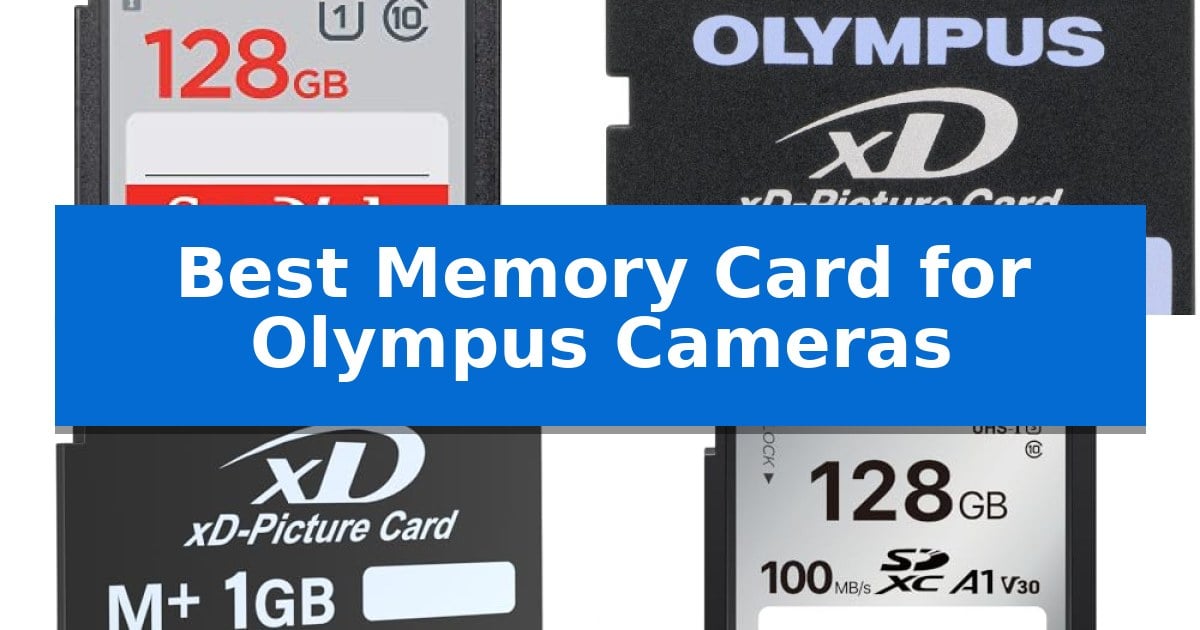
Finding the Best Memory Card for Olympus Cameras requires careful attention to your specific model's storage format, as Olympus has transitioned through several proprietary and industry-standard interfaces over the years. Whether you are using a modern Tough series camera or a vintage digital model, selecting the correct card is essential for preventing data errors and ensuring your device functions as intended.
Our guide focuses on matching the right storage technology to your camera's hardware, distinguishing between modern SDXC standards and legacy xD-Picture cards. By understanding the specific interface requirements of your device, you can avoid common compatibility issues and ensure your captured images and videos are stored safely.
You may also want to compare Best Memory Card for Nvidia Shield Tablet, Best Memory Card for Nvidia Shield, and Best Memory Card for Nintendo Switch.
Best Memory Card for Olympus Cameras
Quick Comparison
| Product | Best For | Key Strength | Score |
|---|---|---|---|
| SanDisk Ultra SD Memory Card | Best Overall | Rugged design that is waterproof, shockproof, and temperature-proof. | 4.9 |
| OM SYSTEM xD-Picture Card M+ | Essential for vintage digital models | 1.5x faster write performance compared to standard type M cards. | 4.8 |
| INDMEM xD-Picture Card M+ | Supports classic panorama functions | Native support for the Panorama function on older Olympus cameras. | 4.7 |
| Gigastone SDXC Memory Card | High-speed for 4K video capture | 4K Ultra HD video compatibility ensures smooth recording for high-resolution projects. | 4.3 |
| Pefishop xD-Picture Card | Reliable storage for legacy cameras | Wide compatibility with older Olympus and Fujifilm digital cameras. | 4.6 |
How We Chose
- Interface Compatibility: Verifying whether the card uses the modern SD standard or the legacy xD-Picture format required by older models.
- Capacity Support: Assessing the maximum storage supported by different camera generations to prevent formatting errors.
- Transfer Performance: Comparing read and write speeds to ensure the card can handle the camera's burst shooting or video recording requirements.
- Durability Standards: Evaluating environmental protections such as shock, temperature, and waterproof ratings for field use.
- Reliability Features: Checking for included data recovery support or manufacturer-backed warranties.
1 SanDisk Ultra SD Memory Card — Optimized for Tough waterproof series
Capturing high-resolution images and video in challenging environments requires reliable storage that can withstand the elements. The SanDisk 128GB SD Ultra Memory Card is engineered to support the Olympus Tough series, including the TG-6, TG-5, and TG-4 models, ensuring your camera remains ready for action whether you are shooting in wet or rugged conditions.
This memory card is built for durability, featuring a design that is waterproof, temperature-proof, X-ray proof, magnet-proof, and shockproof. These protective qualities make it a practical companion for the Olympus Tough line, which is specifically designed for outdoor adventure and underwater photography. With a Class 10 rating, it provides the necessary performance for compact to mid-range point-and-shoot cameras.
Beyond its rugged build, the card supports high-speed transfer rates of up to 120MB/s. This capability allows for quick file transfers to your computer, reducing the time spent waiting for large image files or video clips to move. The included Everything But Stromboli Multi-slot Reader further simplifies this process by providing compatibility with SD, TF, M2, and MS slots, ensuring you have a versatile solution for offloading data from various devices.
Choosing this bundle provides a comprehensive storage solution that balances capacity with physical resilience. By combining a high-capacity 128GB card with a dedicated multi-format reader, you gain a streamlined workflow for managing your photography assets without needing additional adapters.
Best for: Outdoor photographers using Olympus Tough cameras who need a rugged, high-capacity storage solution and a versatile card reader.
Skip if: Professional videographers requiring ultra-high-speed V-rated cards for 4K raw video workflows or those who do not require an external card reader.
PROS
- Rugged design that is waterproof, shockproof, and temperature-proof.
- High-speed transfer rates up to 120MB/s for efficient file management.
- Includes a multi-slot card reader compatible with multiple memory formats.
- Optimized compatibility specifically for the Olympus Tough camera series.
CONS
- Bundle includes extra hardware that may be redundant if you already own a card reader.
2 OM SYSTEM xD-Picture Card M+ — Essential for vintage digital models
Maintaining compatibility with legacy digital photography equipment requires specific storage solutions, such as the Olympus xD-Picture Card M+ 2 GB. This specialized flash memory card is engineered to support older camera models that rely on the xD-Picture format, providing a reusable and removable storage medium for capturing images.
The Olympus xD-Picture Card M+ 2 GB is designed for efficiency within its specific hardware ecosystem, offering performance that is 1.5x faster than type M cards. This enhancement helps streamline the process of writing image data to the card, which is particularly beneficial for users who need to manage file transfers on older Olympus devices.
Built to be compact and durable, this memory card features a physical footprint measuring approximately 1 inch by 0.3 inches. Its small scale ensures it fits securely within the dedicated card slots of compatible vintage digital cameras, while the robust construction supports the demands of frequent removal and reinsertion.
Choosing the right media for older hardware is essential to ensure device recognition and data integrity. By utilizing the Olympus xD-Picture Card M+ 2 GB, photographers can continue to operate their legacy equipment without needing to adapt to modern, incompatible storage standards.
Best for: Owners of vintage Olympus digital cameras that require the specific xD-Picture Card format for image storage.
Skip if: Users with modern cameras that utilize SD, CFexpress, or other contemporary memory card standards, as this card is not compatible with those interfaces.
PROS
- 1.5x faster write performance compared to standard type M cards.
- Compact and durable physical design suitable for frequent handling.
- Reusable and removable storage specifically for legacy systems.
CONS
- Limited compatibility restricted only to devices supporting the xD-Picture Card format.
3 INDMEM xD-Picture Card M+ — Supports classic panorama functions
Maintaining compatibility with legacy digital photography equipment requires specialized storage solutions, such as the INDMEM xD-Picture Card M+. This storage medium is specifically engineered to function with older digital cameras, including various models from Olympus, Fuji, and Fujifilm, ensuring that these devices remain operational for those who prefer classic hardware.
The INDMEM xD-Picture Card M+ offers a standard 1GB storage capacity, providing sufficient space for archival photography. It is designed with a compact, postage-stamp-sized form factor that fits the specific card slots found in vintage camera bodies. Beyond simple storage, this card supports the Panorama function native to many older Olympus cameras, a feature that is often incompatible with modern, generic memory cards.
Performance-wise, this card is built to be 1.5x faster than the standard Type M cards, facilitating more efficient read and write operations during image capture and transfer. The design prioritizes maximum durability to withstand the rigors of repeated use, and the manufacturer includes a one-year after-sale service to support the product's longevity.
Choosing the right card for legacy systems often involves balancing compatibility with availability. Because this card is purpose-built for older interfaces, it avoids the common connectivity issues encountered when attempting to use modern, high-capacity adapters in vintage hardware.
Best for: Owners of legacy Olympus, Fuji, or Fujifilm digital cameras who require specific support for the Panorama function and original xD-Picture card compatibility.
Skip if: Users with modern digital cameras that utilize SD, CFexpress, or other contemporary memory card formats, as this card will not fit or function in those devices.
PROS
- Native support for the Panorama function on older Olympus cameras.
- 1.5x faster read and write speeds compared to standard Type M cards.
- Compact, durable design specifically for legacy xD-Picture card slots.
- Includes a one-year after-sale service warranty.
CONS
- Limited to 1GB capacity, which may be restrictive for high-resolution workflows.
- Proprietary format restricts use exclusively to older digital cameras.
4 Gigastone SDXC Memory Card — High-speed for 4K video capture
Capturing high-resolution footage requires a storage medium that can keep pace with the demanding write speeds of modern sensors. The Gigastone SDXC Memory Card is engineered to support 4K Ultra HD video recording, providing the necessary bandwidth for consistent data throughput during extended shooting sessions.
Designed as a full-sized SD card measuring 32mm by 24mm, this unit is compatible with standard camera slots. It features a UHS-I, U3, and V30 speed class rating, which ensures the stability required for high-bitrate video capture. Beyond its primary function, the card is built to withstand environmental hazards, including being waterproof, temperature-proof, x-ray-proof, shock-proof, and magnetic-proof.
The card offers a read speed of up to 100 MB/s, facilitating efficient file transfers to your computer or editing workstation. To assist with organization and protection during transport, the package includes a dedicated mini case. The manufacturer backs this product with a 5-year limited warranty, providing long-term assurance for your digital assets.
When integrating this card into your workflow, consider that its performance is optimized for 4K video tasks. While it provides robust protection against physical elements, users should always maintain a secondary backup strategy for critical footage to mitigate the inherent risks of any single storage medium.
Best for: Photographers and videographers requiring reliable 4K video recording and environmental durability for their full-sized SD camera systems.
Skip if: Users who require extreme high-speed burst shooting or professional cinema-grade RAW video workflows that demand UHS-II or faster V60/V90 speed classes.
PROS
- 4K Ultra HD video compatibility ensures smooth recording for high-resolution projects.
- Comprehensive environmental protection including waterproof, shock-proof, and x-ray-proof ratings.
- 5-year limited warranty provides extended support for long-term reliability.
- Included mini case offers convenient and secure storage for the card.
CONS
- 100 MB/s transfer speed may be slower than specialized high-end cards for rapid offloading of massive file sets.
5 Pefishop xD-Picture Card — Reliable storage for legacy cameras
Maintaining legacy digital cameras often requires finding specific, compatible storage media that is no longer standard in modern devices. The Pefishop xD-Picture Card provides a dedicated solution for older Olympus and Fujifilm models that utilize the xD-Picture Card format, offering a 512MB standard storage capacity for those looking to keep their vintage gear operational.
This card is designed exclusively for devices featuring an xD-Picture Card slot. It is important to verify that your camera explicitly requires the Standard Type xD card before purchase, as it is not physically compatible with SD, microSD, CF, or MS slots. The card is pre-formatted and ready for plug-and-play use, though some older camera models may require an in-camera format upon the first insertion.
Performance is tailored for the capabilities of older digital cameras, with a maximum read speed of 5MB/s and a maximum write speed of 3MB/s. This speed is optimized for 5MP JPEG photos. Users should note that this card is not intended for HD video recording or high-speed continuous burst shooting. Depending on your camera's resolution, the 512MB capacity can store approximately 150–200 photos at 5MP, or fewer than 80 photos if using a camera with 10MP or higher.
To ensure longevity and connectivity, the card is built with a compact, lightweight design that consumes minimal power. If you encounter a 'Card Error' message, the manufacturer suggests cleaning the camera's slot contacts or performing a manual format to FAT16 using a PC card reader, as many legacy devices do not support FAT32. Gently inserting and removing the card can also help clear contact oxidation.
Best for: Owners of legacy Olympus or Fujifilm digital cameras that specifically require a Standard Type xD-Picture Card for storage.
Skip if: Users with modern cameras that utilize SD or microSD card slots, as this card is physically incompatible with those interfaces.
PROS
- Wide compatibility with older Olympus and Fujifilm digital cameras.
- Pre-formatted for immediate plug-and-play use in most devices.
- Compact and lightweight flash media design.
- Includes troubleshooting guidance for legacy hardware connectivity.
CONS
- Limited write speeds not suitable for HD video or burst shooting.
- Strict physical compatibility restricted only to xD-Picture Card slots.
Best Memory Card for Olympus Cameras Buying Guide
Understanding Memory Card Formats
The most critical step in choosing the Best Memory Card for Olympus Cameras is identifying your camera's specific slot type. Modern Olympus and OM SYSTEM cameras utilize standard SD, SDHC, or SDXC cards, which are widely available and offer high capacities. In contrast, many early digital cameras from the mid-2000s required proprietary xD-Picture cards, which are physically smaller and use a completely different interface.
Attempting to use an adapter or forcing an incompatible card into a slot can cause permanent damage to the camera's delicate pins. Always check your camera's manual or the label near the battery door to confirm whether your device requires an SD card or an xD-Picture card before making a purchase.
Capacity and Formatting Limitations
Older digital cameras often have strict limitations regarding the maximum storage capacity they can recognize. While a 128GB SD card works perfectly in a modern Tough TG-6, a camera from 2005 might fail to format or even recognize a card larger than 1GB or 2GB. Always verify the maximum supported capacity for your specific vintage model.
For legacy devices, formatting is equally important. Many older cameras require cards to be formatted in the FAT16 file system. If you encounter a 'Card Error' on a vintage device, using a computer to reformat the card to the correct file system—or using the camera's internal 'Format' menu—can often resolve the issue.
Speed and Performance Requirements
If you are shooting 4K video or using continuous burst modes, the write speed of your SD card is paramount. Look for cards with a V30 or U3 rating, which indicate they can handle the sustained data throughput required for high-resolution video. Using a card that is too slow can cause your camera to stop recording unexpectedly.
For vintage cameras, high-speed cards are generally unnecessary and may even cause compatibility issues. These cameras were designed for much slower data transfer rates, and the primary goal should be finding a reliable, standard-speed card that the camera's processor can communicate with effectively.
Environmental Durability
Olympus is well-known for its rugged, waterproof Tough series, which are designed to be taken into harsh environments. When selecting an SD card for these cameras, prioritize models that are shockproof, temperature-proof, and waterproof. This ensures that your storage media is as resilient as the camera itself.
Even if your camera is not waterproof, choosing a card with robust physical construction provides an extra layer of security for your data. Features like X-ray and magnet proofing protect your photos from common hazards encountered during travel and daily use.
Data Recovery and Reliability
Memory cards are consumable items, and their lifespan can be affected by frequent read/write cycles. Opting for cards from reputable manufacturers that offer long-term warranties or included data recovery services can provide peace of mind. These services can be invaluable if you accidentally delete files or if the card suffers a minor corruption event.
Always keep a spare card in your camera bag. Regardless of the brand or quality, having a backup ensures that you can continue shooting if your primary card fails or reaches its storage limit during an important event.
Frequently Asked Questions
Can I use an SD card in an Olympus camera that requires an xD-Picture card?
No. SD cards and xD-Picture cards have different physical dimensions and electrical interfaces. They are not interchangeable, and you should not attempt to use an adapter.
Why does my camera show a 'Card Error' message?
A 'Card Error' can be caused by an incompatible card format, a card that exceeds the camera's maximum capacity, or dirty contact pins. Try cleaning the contacts with a soft cloth or reformatting the card in the camera.
Do I need a high-speed card for an older Olympus digital camera?
No. Older cameras cannot utilize the high transfer speeds of modern cards. A standard-speed card is usually sufficient and often more compatible with older hardware.
What is the maximum capacity for my vintage Olympus camera?
This varies by model. Check your camera's user manual for the 'Maximum Supported Capacity' section. Many older models are limited to 1GB or 2GB cards.
Are all SD cards compatible with the Olympus Tough series?
Most modern SDHC and SDXC cards are compatible, but you should ensure the card meets the speed requirements for the specific video resolution you intend to record.
Conclusion: Our Top Pick
For users of modern Olympus Tough cameras, the SanDisk Ultra SD Memory Card stands out as the most reliable choice. Its robust construction, including shockproof and waterproof ratings, aligns perfectly with the rugged nature of the Tough series, while the included multi-slot reader adds significant value for transferring files to your computer.
While vintage camera users must prioritize specific xD-Picture card compatibility, those with modern equipment will find that this SanDisk option provides the necessary speed and durability for daily photography. Always verify your specific camera model's requirements to ensure a perfect fit for your storage needs.