
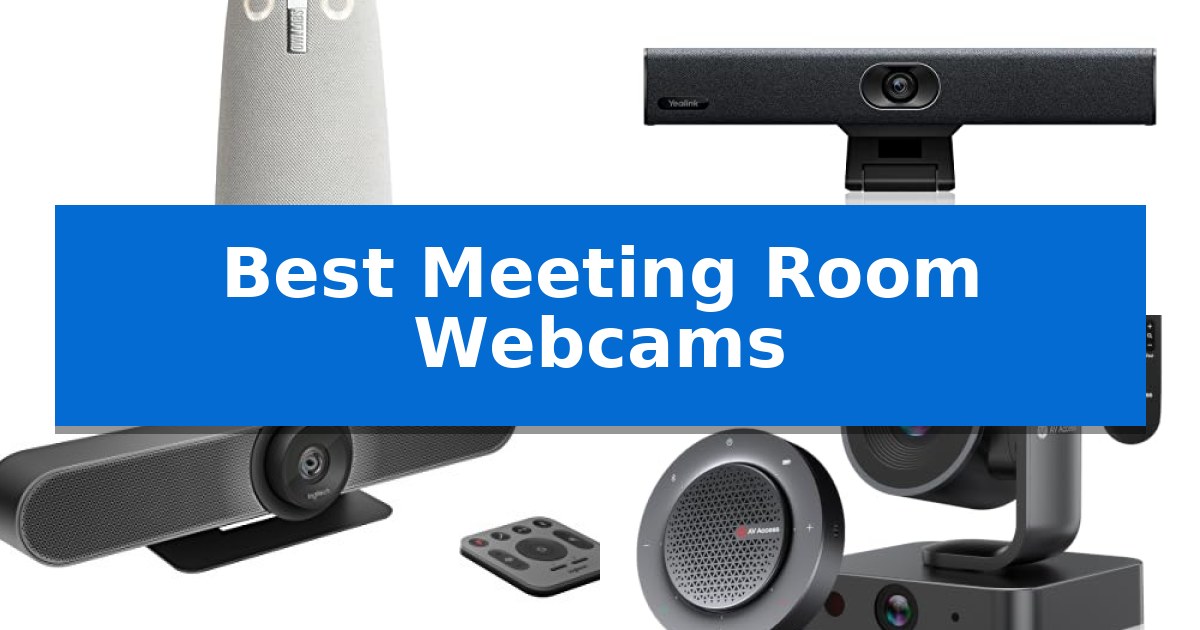
Selecting the right video hardware for a shared workspace is essential for maintaining clear communication between in-office teams and remote participants. The Best Meeting Room Webcams must balance wide-angle visibility with reliable audio pickup to ensure that every voice is heard and every speaker is seen clearly during hybrid discussions.
Whether you are outfitting a compact huddle room or a larger conference space, the choice of camera impacts the overall flow of your meetings. We have analyzed current market options to help you identify which features—such as AI-driven framing, 360-degree coverage, or plug-and-play simplicity—best match your specific room requirements and technical setup.
You may also want to compare Best Meeting Recording Devices, Best Meeting Recorder for Android, and Best Meeting Recorder Devices.
Best Meeting Room Webcams
Quick Comparison
| Product | Best For | Key Strength | Score |
|---|---|---|---|
| Owl Labs Meeting Owl 3 | Best Overall | 360-degree 1080p HD video capture for full room visibility | 4.9 |
| Yealink UVC34 Conference Bar | Best for huddle room setups | All-in-one design reduces cable clutter and simplifies setup. | 4.7 |
| Logitech MeetUp Conference System | Wide-angle view for small spaces | Ultra-wide 120° field of view captures all participants in small rooms. | 4.7 |
| AV Access BizEye P30 Kit | Advanced AI gallery tracking | All-in-one design combines professional video and audio in a single kit. | 4.5 |
| j5create 360 Meeting Webcam | Versatile multi-mode display options | 360-degree field of view captures all participants in a room. | 4.5 |
How We Chose
- Visual Coverage: Assessing whether the field of view or 360-degree capture is appropriate for the room size.
- Audio Integration: Evaluating the range and quality of built-in microphone arrays for clear voice pickup.
- AI Functionality: Checking for automated speaker tracking and framing capabilities that reduce the need for manual adjustments.
- Compatibility: Verifying support for major video conferencing platforms like Zoom, Microsoft Teams, and Google Meet.
- Deployment Ease: Considering the simplicity of setup, including cable requirements and mounting options.
1 Owl Labs Meeting Owl 3 — Immersive 360-degree room coverage
Achieving a truly immersive hybrid meeting experience often requires more than a standard front-facing camera. The Owl Labs Meeting Owl 3 addresses this by utilizing a 360-degree camera that captures the entire room in 1080p HD, ensuring that remote participants can see every attendee regardless of where they are seated.
At the core of this device is the Owl Intelligence System, which leverages both visual and audio cues to automatically focus on whoever is currently speaking. This AI-driven speaker-tracking functionality helps maintain engagement by providing a dynamic view of the conversation, while the 18-foot microphone pickup range ensures clear audio capture across small to medium-sized conference rooms.
Deployment is designed to be straightforward, requiring only a plug-and-play USB connection to get started in approximately six minutes. For larger environments, the system offers scalability, allowing users to pair two units or integrate an Owl Bar and Expansion Mic to extend coverage. The device is also certified for Microsoft Teams and maintains compatibility with major platforms like Zoom and Google Meet.
While the Owl Labs Meeting Owl 3 provides comprehensive room coverage, it is a specialized tool. Its unique form factor and 360-degree focus are optimized for collaborative round-table discussions rather than traditional lecture-style setups where a single point of focus is preferred.
Best for: Small to medium-sized conference rooms requiring 360-degree video and audio coverage for collaborative hybrid meetings.
Skip if: You primarily conduct presentations or lectures where a traditional, directional camera focused on a single subject is more appropriate.
PROS
- 360-degree 1080p HD video capture for full room visibility
- AI-driven speaker-tracking that automatically focuses on active participants
- 18-foot microphone pickup range for clear audio in larger spaces
- Scalable ecosystem with support for dual-unit pairing and expansion mics
CONS
- Specialized 360-degree design may not suit all room layouts or presentation styles
2 Yealink UVC34 Conference Bar — Best for huddle room setups
Equipped with an automatic electric privacy shutter, the Yealink UVC34 Conference Bar provides hardware-level security by closing instantly when meetings conclude. This all-in-one solution is designed to simplify deployment in huddle rooms, offering a streamlined approach to professional video conferencing.
The system centers on Ultra HD 4K optics powered by an 8MP camera and a 1/2.8-inch CMOS sensor, ensuring high-resolution visuals. With a 120° super-wide field of view, the camera captures all participants in smaller meeting spaces without edge distortion, while AI Auto Framing and Speaker Tracking dynamically adjust the composition to keep the active speaker centered.
Audio performance is managed by an integrated 8-microphone array capable of 5-meter far-field voice pickup. This setup utilizes intelligent audio processing to maintain clarity across the room, reducing the need for external audio hardware. The device includes an extra-long 7m USB-B to USB-A cable, facilitating flexible installation.
Designed for seamless integration, the Yealink UVC34 Conference Bar is officially certified for Microsoft Teams and Zoom, ensuring broad platform compatibility. Its plug-and-play nature allows for immediate use across Windows and macOS environments, making it a practical choice for organizations prioritizing rapid, reliable meeting deployment.
Best for: Small to medium-sized huddle rooms requiring an integrated, certified all-in-one video and audio solution.
Skip if: Users requiring a modular system with expandable microphones or those operating in large conference halls where the 5-meter pickup range may be insufficient.
PROS
- All-in-one design reduces cable clutter and simplifies setup.
- Automatic electric privacy shutter ensures hardware-level security.
- AI-driven features like auto framing and speaker tracking enhance remote collaboration.
- Broad platform certification for Teams and Zoom ensures reliable performance.
CONS
- Fixed 5-meter pickup range may limit effectiveness in larger room configurations.
3 Logitech MeetUp Conference System — Wide-angle view for small spaces
The Logitech MeetUp Conference System addresses the specific spatial constraints of huddle rooms by utilizing an ultra-wide 120° field of view lens. This design choice ensures that all participants seated around a small table remain within the frame without requiring users to crowd together.
This all-in-one conference camera integrates high-definition optics with custom-tuned speakers and three beamforming microphones. By combining these components into a single unit, it simplifies the setup process while maintaining audio clarity for small-group interactions. The system also supports 4K Ultra HD video and includes a 5x HD zoom to focus on specific meeting participants or whiteboard content as needed.
Connectivity is streamlined through USB plug-and-play functionality, allowing for immediate integration with common platforms like Zoom, Microsoft Teams, and Google Meet. For added versatility, the device features Bluetooth wireless technology, enabling users to connect smartphones or tablets for audio conferencing independent of the video feed.
As a Certified Renewed product, this system has been professionally inspected and tested to function like new. This approach provides a sustainable option for outfitting small meeting spaces with professional-grade conferencing hardware while maintaining a compact footprint.
Best for: Small meeting rooms and huddle spaces requiring an integrated, wide-angle video and audio solution.
Skip if: Large conference rooms requiring extended microphone reach or multiple camera angles beyond the capabilities of an all-in-one unit.
PROS
- Ultra-wide 120° field of view captures all participants in small rooms.
- USB plug-and-play simplifies installation across major conferencing platforms.
- Integrated beamforming microphones and speakers eliminate the need for extra hardware.
- Bluetooth connectivity allows for flexible audio-only conferencing via mobile devices.
CONS
- Fixed all-in-one design may not suit rooms requiring modular or distributed audio setups.
- 90-day limited warranty is shorter than typical new hardware coverage.
4 AV Access BizEye P30 Kit — Advanced AI gallery tracking
The AV Access BizEye P30 Kit simplifies hybrid collaboration by integrating a 4K PTZ camera and a high-fidelity speakerphone into a single, cohesive system. Designed specifically for small to medium meeting rooms, this all-in-one solution eliminates the need for complex, multi-device setups by providing professional-grade video and audio in a streamlined package.
The system features a 4K dual-lens AI camera that combines a 110° field-of-view PTZ lens with a 120° panoramic lens. Its AI Gallery Technology and Presenter Tracking capabilities automatically adjust framing to keep participants centered and visible, removing the requirement for manual camera operation during active sessions. Users can manage these views and save up to nine camera positions via an IR remote or a web-based interface.
Audio performance is handled by a portable speakerphone equipped with four omnidirectional microphones capable of 360° voice pickup. The device includes built-in acoustic echo cancellation (AEC) and noise reduction to maintain clarity in various room environments. With a 10-hour battery life, the speakerphone offers the flexibility to move between different meeting spaces without being tethered to a power source.
Deployment is straightforward, utilizing a plug-and-play approach that requires no specialized IT setup. The system connects via USB or Bluetooth and maintains broad compatibility with major conferencing platforms, including Zoom, Microsoft Teams, and Webex. It is a practical choice for teams seeking to improve meeting room efficiency through automated video framing and integrated audio control.
Best for: Small to medium meeting rooms of 4–8 participants requiring an automated, all-in-one video and audio conferencing solution.
Skip if: Large conference halls or boardrooms where the 5-meter audio pickup range and 3x optical zoom may not provide sufficient coverage for larger groups.
PROS
- All-in-one design combines professional video and audio in a single kit.
- AI-driven camera features include automatic framing and presenter tracking.
- Plug-and-play connectivity via USB and Bluetooth requires no driver installation.
- Portable speakerphone provides up to 10 hours of wireless operation.
CONS
- Limited audio pickup range of 5 meters restricts use to smaller room sizes.
- Fixed 3x optical zoom may not be sufficient for very deep or large meeting spaces.
5 j5create 360 Meeting Webcam — Versatile multi-mode display options
Capturing every participant in a conference room requires more than a standard fixed-lens camera, which is why the j5create 360 Degree All Around Meeting Webcam utilizes a specialized 360-degree field of view to ensure no one is left out of the frame. This device is engineered to sit at the center of a table, providing a comprehensive visual sweep that adapts to the layout of your meeting space.
The camera offers six distinct display modes, allowing users to toggle between viewing angles to best suit the number of participants and the nature of the collaboration. It delivers Full HD 1080p video playback at 30 Hz, ensuring that remote attendees receive a clear, consistent visual feed. The unit also integrates a high-fidelity omnidirectional microphone to capture audio from all directions, eliminating the need for additional peripheral microphones in smaller settings.
Usability is centered on a USB UVC/UAC plug-and-play interface, which simplifies the setup process by removing the need for complex driver installations. A built-in touch bar allows for precise control, enabling users to specify participant locations and adjust the camera's focus dynamically during a call. This makes it a practical solution for those who frequently switch between different video conferencing platforms, as it maintains compatibility with major services like Zoom, Microsoft Teams, and Google Meet.
While the device provides significant flexibility, users should note that optimal performance may require a firmware update to the latest version. Additionally, because the camera relies on specific software permissions, ensuring that your operating system has authorized the necessary app access is a critical step for a smooth, uninterrupted connection.
Best for: Small to medium-sized conference rooms where a single, central camera needs to capture multiple participants simultaneously.
Skip if: Large boardrooms or environments requiring high-zoom capabilities, as this camera is optimized for wide-angle, table-centered perspectives rather than long-distance focus.
PROS
- 360-degree field of view captures all participants in a room.
- Six display modes offer versatile viewing options for different meeting sizes.
- Plug-and-play USB-C connectivity ensures quick setup without complex drivers.
- Built-in omnidirectional microphone reduces the need for external audio hardware.
CONS
- Firmware updates may be required to optimize resolution and functionality.
- Software permissions must be manually configured for the camera to operate correctly.
Best Meeting Room Webcams Buying Guide
Understanding Field of View
The field of view (FOV) determines how much of the room the camera can capture. For small huddle rooms, a wide-angle lens is often sufficient to keep everyone in the frame. However, for larger tables, a 360-degree camera is usually more effective as it sits in the center of the room and captures all participants equally.
When choosing between a fixed wide-angle camera and a 360-degree device, consider the seating arrangement. If participants sit in a circle or around a large rectangular table, 360-degree units prevent the 'far-end' participants from being cut off or appearing too small on the remote screen.
Audio Pickup Range
A camera's microphone array is just as important as its lens. You must ensure the device's rated pickup range matches the physical dimensions of your meeting room. If the microphone range is too short, remote participants will struggle to hear those sitting at the far ends of the table.
Look for features like beamforming microphones, which focus on the person speaking while suppressing background noise. Some systems also allow for expansion microphones, which can be added to extend the audio reach in larger or more complex room layouts.
AI-Driven Speaker Tracking
Modern conference cameras often include AI features that automatically detect and frame the active speaker. This technology mimics a professional production by focusing on the person talking, which helps remote participants stay engaged and follow the conversation more naturally.
Before purchasing, verify if the AI tracking is smooth and responsive. Some systems offer 'gallery views' that can display multiple speakers simultaneously, which is particularly useful for dynamic meetings where several people are contributing at once.
Platform Compatibility and Connectivity
Most meeting room webcams are designed to be plug-and-play via USB, but it is critical to confirm that the device is certified for the specific platforms your organization uses, such as Microsoft Teams or Zoom. Certification often ensures a more stable experience and better integration with software controls.
Check the connection type—USB-A, USB-C, or Bluetooth—to ensure it matches the ports available on your meeting room computer. If you plan to use a dedicated room PC, ensure the camera's management software is compatible with your operating system.
Privacy and Security
Privacy is a significant concern in shared office environments. Many conference cameras now include physical or electronic privacy shutters that automatically close when a meeting ends. This provides a clear visual indicator that the camera is not active.
For organizations with strict security requirements, look for devices that offer administrative management tools. These tools allow IT departments to manage firmware updates, security settings, and device configurations across multiple rooms from a central location.
Frequently Asked Questions
Do I need a dedicated PC for these meeting room webcams?
Most of these devices are designed to connect via USB to a laptop or a dedicated room computer. While they function as plug-and-play peripherals, having a dedicated PC in the room often provides a more consistent and reliable experience for all users.
Can these cameras be used in very large conference rooms?
Some cameras are optimized for small to medium rooms. For very large spaces, you may need to look for systems that support expansion microphones or the ability to pair multiple units together to ensure both video and audio coverage are adequate.
What is the difference between a conference bar and a 360-degree camera?
A conference bar is typically mounted at the front of the room and provides a wide-angle view of the participants facing the screen. A 360-degree camera is placed in the center of the table and captures everyone in the room, which is often better for round-table discussions.
Are these webcams compatible with all video conferencing software?
Most of these devices are UVC/UAC compliant, meaning they work as standard cameras with almost any video conferencing software. However, specific features like AI auto-framing may work best with platforms that the device is officially certified for, such as Zoom or Microsoft Teams.
How do I update the firmware on these devices?
Most manufacturers provide dedicated management software or tools—such as Owl Labs' 'The Nest'—that allow you to update firmware, adjust settings, and manage multiple devices across your office from a single interface.
Conclusion: Our Top Pick
Choosing the right hardware depends on your room size and meeting style. For those seeking a versatile, all-in-one solution that excels in collaborative environments, the Owl Labs Meeting Owl 3 stands out for its 360-degree coverage and intelligent speaker tracking. It is particularly effective for round-table discussions where capturing every participant's perspective is vital for engagement.
While other options like conference bars are excellent for front-facing huddle rooms, the Owl Labs Meeting Owl 3 offers a unique combination of immersive video and audio reach that is hard to match in a single, plug-and-play device. Ensure your room layout supports a center-table placement to get the most out of its 360-degree capabilities.