
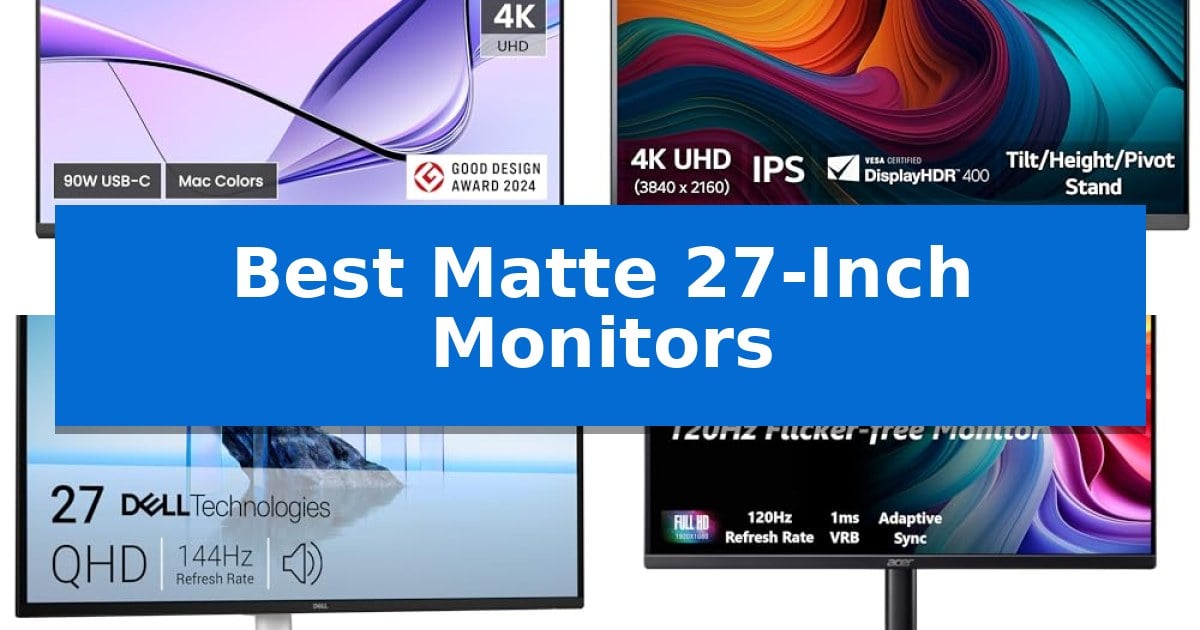
Finding the right display often comes down to managing ambient light and reflection. If your workspace faces a window or has harsh overhead lighting, a glossy screen can quickly become a source of frustration, turning your monitor into a mirror during bright parts of the day.
Our guide explores the Best Matte 27-Inch Monitors to help you maintain focus and clarity. By prioritizing anti-glare finishes and ergonomic designs, these displays offer a more comfortable viewing experience for long hours of work or play.
You may also want to compare Best Matte 3D Printing Filament, Best Materials for Computer Cases, and Best Materials for 3D Printing Miniatures.
Best Matte 27-Inch Monitors
Quick Comparison
| Product | Best For | Key Strength | Score |
|---|---|---|---|
| BenQ MA270U 4K Monitor | Best Overall | 90W Power Delivery via USB-C for single-cable charging and display. | 4.9 |
| LG 27UP650K-W 4K UHD Monitor | Superior Color Accuracy for Creatives | 95% DCI-P3 color gamut for accurate color reproduction. | 4.3 |
| Dell S2725DSM QHD Monitor | Ergonomic Choice for Daily Tasks | High-refresh-rate 144Hz panel with 1ms response time for smooth visuals. | 4.7 |
| Acer KB272 G0bi FHD Monitor | Responsive Gaming on a Budget | 120Hz refresh rate for smooth motion | 4.6 |
| Sceptre E275B-FW180T Gaming Monitor | High Refresh Rate for Action | 180Hz refresh rate for smooth visual performance | 4.5 |
How We Chose
- Panel clarity and anti-glare surface performance
- Resolution and color accuracy for intended use cases
- Ergonomic stand adjustability including height, tilt, and pivot
- Connectivity standards such as USB-C power delivery and port variety
- Refresh rate and response time for motion-heavy tasks
1 BenQ MA270U 4K Monitor — Best for MacBook Pro Users
Achieving a color-accurate workflow while maintaining a clean desk aesthetic often requires hardware that bridges the gap between desktop utility and laptop portability. The BenQ MA270U 4K Monitor addresses this by offering a 4K 3840×2160 resolution display specifically calibrated for MacBook Pro and Air users, ensuring that the visual output matches the color expectations of the Apple ecosystem through its P3 wide color gamut support.
Connectivity is streamlined via a single-cable solution that simplifies cable management. The monitor features dual USB-C ports capable of delivering 90W Power Delivery to a connected MacBook, while simultaneously providing 15W of power to secondary devices like an iPhone or iPad. This integration effectively turns the monitor into a central hub for a mobile-first workstation.
Usability is further enhanced by integrated MacBook controls, allowing users to adjust volume and brightness directly from their laptop keyboard, eliminating the need to reach for physical monitor buttons. The display is mounted on a highly versatile stand that supports height, tilt, swivel, and pivot adjustments, ensuring that the screen can be positioned for optimal ergonomics during long work sessions.
Designed for those who prioritize a seamless connection between their portable computer and a stationary display, this monitor balances technical performance with practical desk management. The matte finish helps reduce glare, making it a suitable choice for varied lighting environments where screen reflections would otherwise be a distraction.
Best for: MacBook Pro and Air users who require a color-accurate 4K display with integrated power delivery and laptop-synced controls.
Skip if: Users who require a high-refresh-rate gaming panel or those who do not use USB-C/Thunderbolt-based laptops as their primary machine.
PROS
- 90W Power Delivery via USB-C for single-cable charging and display.
- Mac Color Match technology with P3 wide color gamut support.
- Integrated MacBook controls for brightness and volume adjustment.
- Fully adjustable stand supporting height, tilt, swivel, and pivot.
CONS
- Limited to 60Hz refresh rate, which may not suit high-motion gaming needs.
- USB-C centric design may require adapters for older legacy hardware.
2 LG 27UP650K-W 4K UHD Monitor — Superior Color Accuracy for Creatives
The LG 27UP650K-W 27-inch Ultrafine 4K UHD Monitor provides a high-resolution workspace for detail-oriented tasks, featuring a 3840 x 2160 IPS display that covers up to 95% of the DCI-P3 color gamut. This monitor is designed to assist with both professional creative workflows and entertainment, utilizing VESA DisplayHDR 400 compatibility to enhance contrast and brightness levels beyond standard displays.
For users who split their time between productivity and gaming, the monitor includes specific performance-oriented features. Black Stabilizer technology is included to improve visibility in dark scenes, while Dynamic Action Sync is designed to minimize input lag during fast-paced sequences. These tools are intended to provide a more responsive experience during gameplay.
The included Switch app functions as a multitasking interface, allowing users to divide the screen into as many as six sections. This software enables quick adjustments to display layouts and provides shortcuts for managing video calls or switching between connected devices, such as a PC and an integrated webOS streaming platform.
Physical ergonomics are addressed through a versatile stand that supports tilt, height, and pivot adjustments. This range of motion allows users to position the screen to suit their specific desk setup or viewing angle, contributing to a more comfortable workspace during extended periods of use.
Best for: Creative professionals and multitaskers who require high color accuracy and a flexible, adjustable 4K workspace.
Skip if: Users who require a high refresh rate gaming monitor, as this model is limited to 60Hz.
PROS
- 95% DCI-P3 color gamut for accurate color reproduction.
- Ergonomic stand with height, tilt, and pivot adjustments.
- Switch app allows for efficient screen splitting and multitasking.
- VESA DisplayHDR 400 support for enhanced visual contrast.
CONS
- 60Hz refresh rate may not meet the needs of competitive gamers.
- 5ms response time is standard but not optimized for ultra-fast gaming.
3 Dell S2725DSM QHD Monitor — Ergonomic Choice for Daily Tasks
Achieving a comfortable and responsive workspace starts with the Dell 27 Plus QHD Monitor – S2725DSM, a display engineered to balance high-resolution clarity with ergonomic flexibility. Its 27-inch QHD (2560×1440) panel provides a sharp, detailed workspace, while the 144Hz refresh rate and 1ms Moving Picture Response Time (MPRT) ensure fluid motion for both productivity and entertainment.
Designed for long-term use, the monitor features a 4-star TÜV-certified display that actively reduces harmful blue light emissions without sacrificing color accuracy. The integrated dual 3W speakers offer a convenient audio solution, saving desk space by eliminating the need for external peripherals. Users can further refine their setup using the Dell Display and Peripheral Manager, which provides centralized control over workspace performance.
Physical ergonomics are a core strength of this model, offering extensive height, tilt, pivot, and swivel adjustability. This allows for precise positioning to match individual desk setups and viewing preferences throughout the day. With AMD FreeSync support and a 1500:1 contrast ratio, the monitor maintains a stable, tear-free image across various tasks.
Connectivity is handled via HDMI and DisplayPort 1.4 ports, ensuring compatibility with most modern desktop and laptop configurations. The Ash White finish offers a clean, modern aesthetic that fits well in professional or home office environments, backed by a 1-year Advanced Exchange Service and Premium Panel Exchange warranty.
Best for: Users seeking a versatile, ergonomically adjustable monitor that balances high-refresh-rate performance with eye-comfort features for daily work and entertainment.
Skip if: Users who require specialized color-critical professional displays or those with limited desk space who might prefer a smaller form factor.
PROS
- High-refresh-rate 144Hz panel with 1ms response time for smooth visuals.
- Extensive ergonomic adjustments including height, tilt, pivot, and swivel.
- TÜV-certified eye comfort features to reduce blue light exposure.
- Integrated 3W speakers for an all-in-one audio experience.
CONS
- Limited connectivity options compared to high-end professional hubs.
- Standard 1-year warranty may be shorter than some premium competitors.
4 Acer KB272 G0bi FHD Monitor — Responsive Gaming on a Budget
Achieving a balance between fluid motion and visual clarity is essential for both competitive gaming and daily productivity. The Acer KB272 G0bi FHD Monitor addresses these needs with a 27-inch IPS panel that supports a 120Hz refresh rate, ensuring smooth 2D motion for fast-paced content. By pairing this high refresh rate with a 1ms VRB response time, the display effectively minimizes smearing and ghosting during rapid on-screen transitions.
To maintain visual consistency, the monitor includes Adaptive-Sync (FreeSync Compatible) technology. This feature synchronizes the display's refresh rate with the output of your graphics card, which helps eliminate screen tearing during gaming sessions. The 1920 x 1080 resolution, combined with 99% sRGB color gamut coverage, provides accurate and vibrant image reproduction suitable for a wide range of digital media and office applications.
Practicality is central to the design of the Acer KB272 G0bi FHD Monitor. It features a built-in bluelight filter to assist with eye comfort during extended viewing sessions, making it a functional choice for long work days. The chassis is VESA mountable, offering flexibility for users who prefer custom desk arms or wall mounts. Connectivity is handled through standard HDMI and VGA ports, ensuring compatibility with various hardware configurations.
With a brightness rating of 250 nits and a pixel pitch of 0.311mm, this unit offers a balanced performance profile. The 16:9 aspect ratio provides a standard widescreen format that is widely compatible with modern software and media, making it a reliable, budget-conscious option for users who need a versatile display for mixed-use environments.
Best for: Users seeking a responsive, budget-friendly 27-inch monitor for a mix of gaming and general office productivity.
Skip if: Users requiring higher pixel density for professional design work or 4K resolution for high-fidelity media consumption.
PROS
- 120Hz refresh rate for smooth motion
- 1ms VRB response time reduces ghosting
- Adaptive-Sync support for tear-free visuals
- 99% sRGB coverage for accurate color representation
CONS
- 1080p resolution may appear less sharp on a 27-inch screen compared to higher resolutions
- 250 nits brightness is standard but may struggle in very bright environments
5 Sceptre E275B-FW180T Gaming Monitor — High Refresh Rate for Action
The Sceptre E275B-FW180T Gaming Monitor utilizes a high-performance 180Hz refresh rate to deliver fluid motion for both competitive gaming and high-demand productivity tasks. This 27-inch display is engineered with a minimal bezel design, which is specifically intended to facilitate clean, distraction-free dual-monitor configurations for users needing an expansive, unobstructed workspace.
Visual comfort is a primary focus of this model, featuring Blue-Light Shift technology to mitigate eye strain during extended sessions. The monitor includes custom gaming modes optimized for specific genres, such as First Person Shooters (FPS) and Real-Time Strategy (RTS) titles, allowing users to toggle display settings to match their current activity.
Connectivity is handled through a versatile array of inputs, including two HDMI ports and two DisplayPort connections. This multi-port setup allows for simultaneous device integration, while the built-in speakers and dedicated audio out jack provide integrated sound options that help maintain a clutter-free desk environment.
Measuring 24.2 inches in width and weighing 7 pounds, the monitor is designed for standard desktop setups. The integration of audio and display features into a single unit makes it a practical choice for users who prioritize a streamlined aesthetic without sacrificing the technical specifications required for high-frequency visual performance.
Best for: Gamers and professionals who require a high refresh rate and a clean, bezel-free display for multi-monitor productivity setups.
Skip if: Users who require integrated height-adjustable stands or specific color-accurate professional panels for creative color grading work.
PROS
- 180Hz refresh rate for smooth visual performance
- Versatile connectivity with dual HDMI and dual DisplayPort inputs
- Minimal bezel design ideal for dual-monitor arrangements
- Blue-Light Shift technology to reduce eye strain
CONS
- Limited to a 1-year warranty
- Integrated speakers may not replace dedicated high-fidelity audio systems
Best Matte 27-Inch Monitors Buying Guide
Understanding Panel Types and Finishes
The primary advantage of a matte finish is its ability to diffuse light rather than reflecting it directly into your eyes. This is achieved through a specialized coating on the surface of the panel, which is essential for users working in rooms with uncontrolled lighting.
When selecting a monitor, consider that matte coatings can sometimes slightly soften the image compared to glossy screens. However, for most professional and daily tasks, this trade-off is negligible compared to the significant reduction in eye strain and distraction.
Resolution and Pixel Density
On a 27-inch screen, resolution is a critical factor for sharpness. A 1080p (FHD) resolution is common for budget-friendly gaming, but text and fine details may appear less crisp compared to 1440p (QHD) or 4K (UHD) options.
If you are using the monitor for productivity, design, or reading large amounts of text, opting for QHD or 4K will provide a much denser pixel count, resulting in clearer fonts and more usable screen real estate for multitasking.
Ergonomics and Physical Adjustability
A monitor that cannot be adjusted to your eye level can lead to neck and shoulder discomfort over time. Look for stands that offer height adjustment, tilt, and swivel capabilities, as these allow you to align the screen perfectly with your natural posture.
If the included stand lacks these features, verify that the monitor is VESA mount compatible. This allows you to attach the display to a third-party monitor arm, which provides even greater flexibility and frees up valuable desk space.
Connectivity and Power Delivery
Modern monitors often act as a hub for your entire workstation. Models featuring USB-C connectivity with power delivery can charge your laptop while simultaneously transmitting video and data through a single cable, significantly reducing desk clutter.
Always check the wattage provided by the USB-C port to ensure it matches your laptop's requirements. Additionally, ensure the monitor has the necessary HDMI or DisplayPort inputs to support your specific graphics card or docking station configuration.
Refresh Rates and Motion Handling
While standard office work is perfectly fine at 60Hz, gamers and those who prefer a smoother desktop experience should look for higher refresh rates. A 120Hz or 180Hz refresh rate makes cursor movement and scrolling feel noticeably more fluid.
Pairing a high refresh rate with adaptive sync technology, such as FreeSync, helps eliminate screen tearing during fast-paced action. This ensures that your visual experience remains smooth even if your frame rate fluctuates during intensive tasks.
Frequently Asked Questions
Do matte monitors have worse color accuracy?
Not necessarily. While the matte coating can slightly alter the light transmission, many modern professional-grade monitors use high-quality matte finishes that maintain excellent color accuracy and wide color gamuts.
Is 4K necessary for a 27-inch monitor?
4K is highly beneficial for text clarity and detailed design work. However, for casual gaming or general office use, QHD (1440p) is often considered the 'sweet spot' for 27-inch screens, offering a balance between sharpness and performance.
Can I use a matte monitor for gaming?
Yes, many gaming monitors feature matte screens to prevent glare from interfering with your view during dark scenes. Look for models with high refresh rates and low response times to ensure a responsive gaming experience.
What is the benefit of USB-C power delivery?
USB-C power delivery allows you to charge your laptop through the same cable that carries the video signal. This simplifies your cable management and keeps your workspace clean.
How do I know if a monitor is VESA compatible?
Check the back of the monitor for four screw holes arranged in a square pattern. Most manufacturers list the VESA mount size (e.g., 100x100mm) in their technical specifications.
Conclusion: Our Top Pick
Choosing the right display depends on balancing your specific needs for resolution, connectivity, and physical comfort. For users integrated into the Apple ecosystem, the BenQ MA270U 4K Monitor stands out due to its specific color tuning, integrated MacBook controls, and convenient USB-C power delivery, making it a highly streamlined choice for productivity.
While other options in this list offer excellent gaming performance or ergonomic versatility for general tasks, the BenQ model provides a cohesive experience for MacBook users that minimizes desk clutter and ensures color consistency. Evaluate your primary use case to determine if these specialized features align with your daily workflow.