
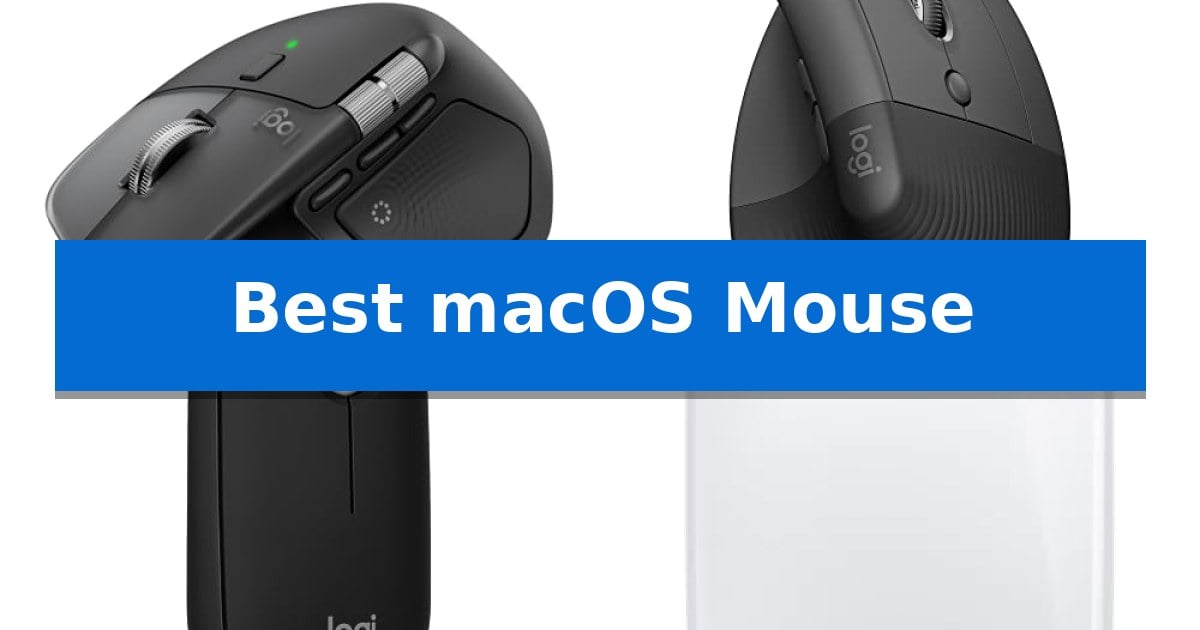
Finding the right peripheral for your Apple ecosystem can significantly impact your daily efficiency and comfort. Whether you are navigating complex creative software or simply managing everyday tasks, the Best macOS Mouse should offer seamless connectivity and intuitive controls that align with your specific workflow needs.
Our selection focuses on devices that prioritize native compatibility, ergonomic design, and specialized features like customizable gestures or high-precision sensors. By evaluating how these tools integrate with your hardware, we help you identify a solution that minimizes strain and maximizes your productivity across macOS.
You may also want to compare Best MacBooks of All Time, Best MacBooks for Video Editing, and Best MacBooks for Studying.
Best macOS Mouse
Quick Comparison
| Product | Best For | Key Strength | Score |
|---|---|---|---|
| Logitech MX Master 4 for Mac | Best Overall | MagSpeed scroll wheel for high-speed, precise navigation. | 4.9 |
| Logitech Lift Vertical Mouse | Natural Wrist Alignment | 57-degree vertical angle promotes a more natural forearm posture. | 4.5 |
| Logitech Pebble 2 Mouse | Ultra-Slim Portable Design | Silent Touch Technology reduces click noise by 90%. | 4.8 |
| Apple Magic Mouse | Seamless Multi-Touch Gestures | Integrated Multi-Touch surface for native macOS gestures | 4.4 |
| Logitech G305 Wireless Mouse | High-Performance Gaming Precision | LIGHTSPEED wireless technology provides a reliable 1 ms report rate. | 4.9 |
How We Chose
- Native macOS compatibility and software integration for button customization.
- Ergonomic design and physical form factor suited for extended use.
- Wireless connectivity standards including Bluetooth and proprietary receiver options.
- Battery life and charging convenience, specifically focusing on USB-C integration.
- Specialized input features such as haptic feedback, multi-touch gestures, or high-precision sensors.
1 Logitech MX Master 4 for Mac — Premium Ergonomics for Apple Users
Navigating complex creative workflows requires hardware that adapts to your specific software environment, and the Logitech MX Master 4 for Mac is engineered to integrate directly with macOS. By utilizing the Logi Options+ software, this mouse provides a tailored interface that aligns with Apple system aesthetics while offering deep customization for professional applications.
The core of its performance lies in the MagSpeed scroll wheel, which enables rapid navigation by scrolling up to 1,000 lines per second while maintaining pixel-level precision. For tasks requiring tactile confirmation, the Haptic Sense Panel delivers customizable feedback, allowing users to receive physical cues for specific shortcuts or notifications directly through the mouse surface.
Designed for sustained use, the mouse features an ergonomic shape with a natural tilt and a dedicated thumb scroll wheel to reduce hand strain during extended sessions. The Quiet Clicks mechanism is engineered to minimize noise by 90%, facilitating a focused environment, while the Actions Ring provides a dynamic, app-specific overlay for quick access to essential tools and filters.
Sustainability and longevity are integrated into the build, with the device utilizing recycled plastic—54% in the Space Black model—and 100% recycled cobalt in the battery. The unit supports USB-C charging for continuous operation and includes a complimentary 1-month subscription to Adobe Creative Cloud, rounding out a package built for high-demand creative tasks.
Best for: Creative professionals and power users who require deep software integration and haptic feedback within a macOS-centric workflow.
Skip if: Users who prefer a symmetrical, ambidextrous mouse shape or those who do not utilize software-based customization for their productivity tasks.
PROS
- MagSpeed scroll wheel for high-speed, precise navigation.
- Haptic Sense Panel provides physical feedback for shortcuts.
- Ergonomic design with thumb scroll wheel reduces hand stress.
- Quiet Clicks technology significantly reduces operational noise.
CONS
- Right-handed ergonomic shape is not suitable for left-handed users.
- Charging cable not included in the box.
2 Logitech Lift Vertical Mouse — Natural Wrist Alignment
The Logitech Lift Vertical Ergonomic Wireless Mouse addresses the physical strain of long work sessions by utilizing a 57-degree vertical shape that promotes a more natural forearm posture. This design choice shifts the hand into a handshake position, intended to reduce muscular effort compared to traditional flat mice.
Designed specifically for small to medium-sized hands, the Logitech Lift Vertical Ergonomic Wireless Mouse features a softly textured grip and a dedicated thumb rest for added comfort. The device is ergo-certified, having been developed and tested against criteria established by leading ergonomists to ensure it meets specific comfort standards.
Functionality is centered on productivity, featuring whisper-quiet clicks and a SmartWheel for seamless scrolling. Users can tailor their experience using four customizable buttons, allowing for quick access to frequently used commands. The mouse is built with sustainability in mind, incorporating certified post-consumer recycled plastic in its construction.
Connectivity is flexible, supporting both Bluetooth Low Energy and the included Logi Bolt USB-A receiver. This ensures broad compatibility across macOS, Windows, iPadOS, Chrome OS, and Linux. The device is powered by a battery rated for up to two years of life, minimizing the need for frequent maintenance in a busy workspace.
Best for: Users with small to medium-sized hands seeking a vertical ergonomic design to improve wrist posture during extended daily computer use.
Skip if: Users with large hands or those who prefer a traditional low-profile mouse design may find the vertical orientation and size constraints of this model unsuitable.
PROS
- 57-degree vertical angle promotes a more natural forearm posture.
- Ergo-certified design tailored for small to medium hands.
- Whisper-quiet clicks and customizable buttons for focused work.
- Dual connectivity via Bluetooth or Logi Bolt USB receiver.
CONS
- Size-specific design may not accommodate larger hand dimensions.
- Vertical form factor requires an adjustment period for users accustomed to standard mice.
3 Logitech Pebble 2 Mouse — Ultra-Slim Portable Design
Maintaining a clean, efficient workspace often requires hardware that minimizes clutter without sacrificing functionality. The Logitech Pebble 2 Mouse addresses this need with a minimalist round design that weighs only 0.16 pounds, making it an ideal companion for users who prioritize portability. Its slim profile allows it to slide easily into laptop sleeves or bags, ensuring you have a reliable input device wherever your work takes you.
Beyond its physical design, this mouse integrates Silent Touch Technology, which is engineered to reduce click noise by 90%. This feature is particularly beneficial for those working in shared offices, libraries, or quiet home environments where minimizing distractions is essential. The device connects seamlessly via Bluetooth to up to three devices, allowing users to toggle between a MacBook, tablet, or secondary computer using the dedicated Easy-Switch button.
Customization plays a key role in the device's utility through the Logi Options+ app. Users can map the middle button to specific shortcuts, such as launching applications like Spotify or WhatsApp, which streamlines repetitive tasks. Furthermore, the mouse is built with sustainability in mind, utilizing at least 58% certified post-consumer recycled plastic in its construction.
For long-term reliability, the Logitech Pebble 2 Mouse includes an auto-sleep power-saving mode and is rated for up to 2 years of battery life. It provides an instant, stable connection to devices, including MacBook laptops, without the need for additional USB receivers. This focus on power efficiency and wireless convenience makes it a practical, low-maintenance tool for daily productivity.
Best for: Users seeking a slim, quiet, and highly portable mouse for multi-device workflows across macOS and other platforms.
Skip if: Users who prefer a full-sized, ergonomic mouse with a more substantial grip or those who require a dedicated USB receiver, as the Logitech Bolt receiver is not included.
PROS
- Silent Touch Technology reduces click noise by 90%.
- Easy-Switch button allows seamless toggling between 3 connected devices.
- Slim and lightweight design enhances portability.
- Customizable middle button via Logi Options+ app.
CONS
- Logitech Bolt receiver not included in the package.
- Minimalist, low-profile shape may not suit users preferring traditional ergonomic support.
4 Apple Magic Mouse — Seamless Multi-Touch Gestures
Navigating a workspace with precise control requires a pointing device that integrates directly into the macOS ecosystem. The Apple Magic Mouse utilizes a unique Multi-Touch surface that enables users to perform intuitive gestures, such as swiping between web pages and scrolling through documents, directly on the mouse's exterior.
Designed for seamless operation, the Apple Magic Mouse features an optimised foot design that allows it to glide across desk surfaces with minimal resistance. It arrives ready for immediate use, pairing automatically with Mac computers to ensure a straightforward setup process right out of the box.
Power management is handled by an internal rechargeable battery, which is rated to last for about a month or more between charges. When the device requires power, the included woven USB-C Charge Cable allows users to connect directly to a USB-C port on their Mac, facilitating both charging and pairing simultaneously.
With dimensions of 5.12 inches in length and 2.91 inches in width, the device maintains a low-profile aesthetic. This design choice prioritizes a sleek, minimalist form factor that complements the Apple hardware lineup while providing essential navigation functionality for daily productivity tasks.
Best for: Users who prioritize native macOS gesture support and a minimalist, low-profile design for their workstation.
Skip if: Users who prefer a high-arched ergonomic shape or require physical side buttons for complex macro assignments.
PROS
- Integrated Multi-Touch surface for native macOS gestures
- Optimised foot design for smooth surface gliding
- Long-lasting rechargeable battery
- Automatic, seamless pairing with Mac devices
CONS
- Low-profile shape may not suit all hand grips
- Lacks physical buttons or scroll wheels
5 Logitech G305 Wireless Mouse — High-Performance Gaming Precision
Precision and efficiency define the Logitech G305 LIGHTSPEED Wireless Gaming Mouse, a peripheral that balances high-end sensor technology with a compact, portable form factor. By utilizing the HERO sensor, this mouse achieves up to 12,000 DPI sensitivity and 400 IPS precision, providing a responsive interface for demanding tasks on macOS systems.
The integration of LIGHTSPEED wireless technology ensures a 1 ms report rate, effectively eliminating the lag often associated with wireless peripherals. This responsiveness is paired with a lightweight mechanical design that weighs only 3.4 oz, facilitating high maneuverability without sacrificing structural durability.
For users prioritizing longevity and convenience, the device offers an impressive 250 hours of continuous gameplay on a single AA battery. The inclusion of on-board memory allows for the storage of custom configurations, while the 6 programmable buttons provide flexibility for various workflows. An Endurance mode, accessible via software, can further extend battery life up to 9 months.
Designed for versatility, the mouse features an integrated nano receiver storage compartment, making it a practical choice for those who frequently transition between desktop setups and travel. Its compact dimensions ensure it fits easily into laptop bags, serving as a reliable input tool for both gaming and general productivity.
Best for: Users who require a high-precision, portable wireless mouse that balances long battery life with low-latency performance for both gaming and productivity.
Skip if: Users who prefer a larger, ergonomically contoured mouse or those who require a rechargeable internal battery rather than a replaceable AA battery.
PROS
- LIGHTSPEED wireless technology provides a reliable 1 ms report rate.
- HERO sensor delivers high-precision tracking up to 12,000 DPI.
- Long battery life of up to 250 hours on a single AA battery.
- Compact, lightweight design with built-in nano receiver storage for portability.
CONS
- AA battery requirement may be less convenient than rechargeable internal batteries.
- Compact shape may not suit users who prefer larger, full-palm ergonomic mice.
Best macOS Mouse Buying Guide
Ergonomics and Hand Health
The physical shape of your mouse is the most critical factor for long-term comfort. Vertical designs, such as those that promote a more natural forearm posture, can significantly reduce wrist strain during long work sessions.
Consider the size of your hand when selecting a model. A mouse that is too large or too small can lead to cramping, so look for options that offer a natural grip and intuitive button placement.
Connectivity and Multi-Device Support
Most modern peripherals for Mac utilize Bluetooth for a clean, cable-free desk setup. This is ideal for users who frequently switch between a MacBook, iPad, or other devices.
Some models also include dedicated USB receivers, which can provide a more stable connection in environments with high wireless interference. Ensure the mouse supports 'Easy-Switch' functionality if you need to toggle between multiple computers quickly.
Customization and Productivity Software
The ability to remap buttons and create app-specific shortcuts is a hallmark of a high-quality mouse for macOS. Software like Logi Options+ allows you to tailor your experience to specific creative or office applications.
Look for features like a 'smart' scroll wheel that adjusts its resistance based on your scrolling speed, or customizable buttons that can trigger system-level actions like Mission Control or App Exposé.
Battery Life and Charging Standards
Rechargeable batteries are now the standard for high-end mice, eliminating the need for disposable cells. USB-C charging is particularly convenient for Mac users, as it allows you to use the same cables you already have for your laptop.
Consider the longevity of a single charge. Some models can last for months, while others may require more frequent attention depending on your usage intensity and haptic feedback settings.
Sensor Precision and Surface Tracking
The quality of the optical or laser sensor determines how accurately your cursor responds to movement. For creative work like photo editing or design, a high-DPI sensor is essential for pixel-perfect control.
Check if the mouse is designed to track on various surfaces, including glass or polished wood, which can be a major advantage if you frequently work in different environments or without a dedicated mousepad.
Frequently Asked Questions
Do I need a special mouse for macOS?
While any standard USB or Bluetooth mouse will work with a Mac, models specifically designed for macOS often include better support for system gestures and dedicated software for button customization.
What is the benefit of a vertical mouse?
A vertical mouse is designed to keep your wrist in a more neutral, 'handshake' position, which can help reduce forearm tension and discomfort associated with traditional flat mouse designs.
Can I use a gaming mouse with my Mac?
Yes, gaming mice are often excellent for productivity due to their high-precision sensors and multiple programmable buttons, though you may need to install manufacturer software to configure them fully on macOS.
How do I connect a mouse to a Mac without a USB-A port?
Most modern mice for Mac support Bluetooth, which connects directly to your computer. If you have a mouse with a USB-A receiver, you will need a USB-C to USB-A adapter or a USB-C hub.
Are quiet-click mice worth it?
Quiet-click mice are ideal for shared workspaces or quiet office environments, as they significantly reduce the audible 'click' noise without sacrificing the tactile feedback of the button press.
Conclusion: Our Top Pick
Selecting the right mouse for your macOS setup depends on balancing your need for ergonomic support, portability, and advanced productivity features. For most users, the Logitech MX Master 4 for Mac stands out as the most versatile option, offering a refined ergonomic shape, customizable haptic feedback, and a highly precise scroll wheel that integrates seamlessly with Apple's ecosystem.
If you prioritize a specific use case, such as travel or wrist health, alternative models like the Pebble 2 or the Lift Vertical offer distinct advantages. Regardless of your choice, ensuring your device supports native macOS software will provide the most fluid and efficient experience.