
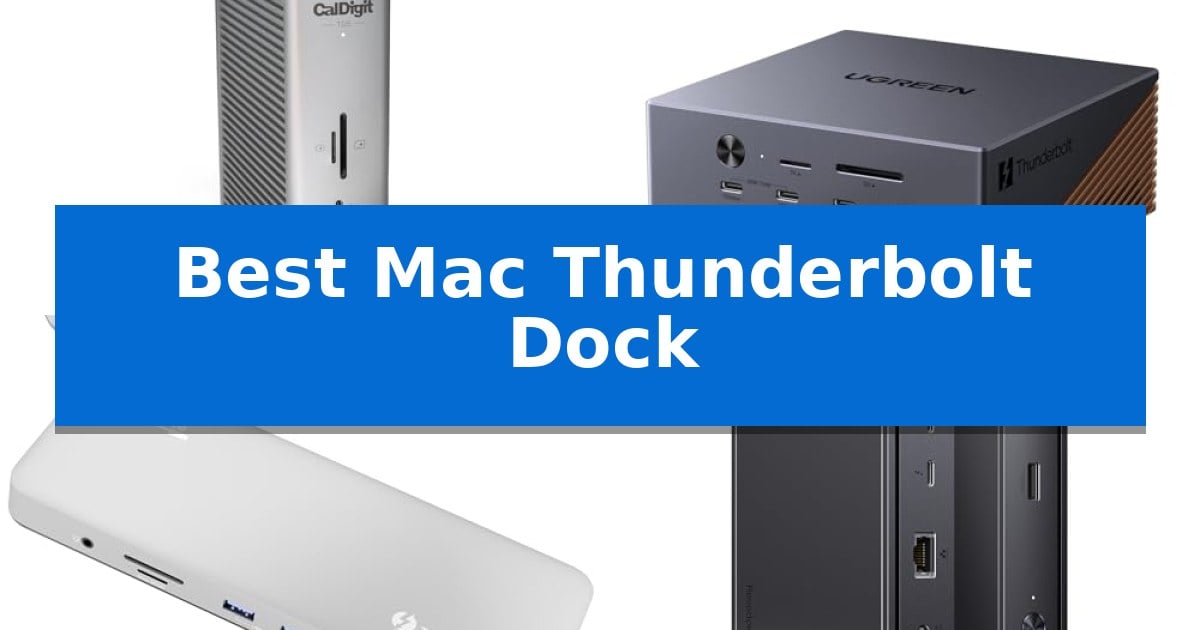
Finding the Best Mac Thunderbolt Dock requires balancing your specific port requirements with the bandwidth capabilities of your Mac. As modern workflows demand faster data transfers and high-resolution display support, choosing a dock that aligns with your machine's Thunderbolt standard is essential for maintaining a stable, high-performance environment.
Whether you are managing multiple 8K displays or require high-wattage power delivery for a power-hungry MacBook Pro, the right dock acts as the central nervous system of your desk. We have analyzed the latest Thunderbolt 5 and Thunderbolt 4 solutions to help you identify which hardware best supports your specific professional needs.
You may also want to compare Best Mac Thunderbolt 5 Dock, Best Mac Thunderbolt 3 Dock, and Best Mac Tenkeyless Keyboards.
Best Mac Thunderbolt Dock
Quick Comparison
| Product | Best For | Key Strength | Score |
|---|---|---|---|
| CalDigit TS5 Thunderbolt 5 Dock | Best Overall | 140W dedicated host charging for high-performance laptops. | 4.9 |
| UGREEN Maxidok Thunderbolt 5 Dock | Integrated Storage for Power Users | 120Gbps Thunderbolt 5 bandwidth for high-speed data and display throughput. | 4.3 |
| Plugable Thunderbolt 4 Dock | Reliable Plug-and-Play Performance | 13-in-1 connectivity including high-speed Thunderbolt 4 and UHS-II card slots. | 4.5 |
| UGREEN Revodok Max 208 Dock | High-Speed Data and Display | 40Gbps Thunderbolt 4 bandwidth for high-speed data and display. | 4.5 |
| UGREEN 11-in-1 USB4 Docking Station | Versatile Connectivity for Workstations | 40Gbps total bandwidth for high-speed data and peripheral management. | 4.9 |
How We Chose
- Bandwidth and Protocol Support: Assessing Thunderbolt 5 and Thunderbolt 4 certification to ensure maximum data throughput.
- Power Delivery Capacity: Verifying the wattage provided to the host laptop to ensure consistent charging during intensive tasks.
- Display Configuration Versatility: Analyzing support for high-refresh-rate monitors and multi-display setups.
- Peripheral Connectivity: Evaluating the variety and speed of downstream ports, including USB-A, USB-C, and Ethernet interfaces.
- Thermal Management: Checking for integrated cooling systems or chassis designs that facilitate heat dissipation.
1 CalDigit TS5 Thunderbolt 5 Dock — Ultimate Bandwidth for Creative Pros
The CalDigit TS5 Thunderbolt 5 Dock leverages the 80Gb/s Thunderbolt 5 and USB4 V2 standard to provide extensive bandwidth for professional creative workflows. By utilizing a 240W power supply, this dock delivers 140W of dedicated host charging, ensuring that high-performance laptops like the 16-inch MacBook Pro remain powered during intensive tasks.
Connectivity is a core strength of this unit, which features 15 ports including three downstream Thunderbolt 5 ports, multiple USB-C and USB-A ports, and DisplayPort 2.1. The inclusion of PCIe-based 2.5 Gigabit Ethernet provides 2.5x the speed of standard 1GbE, while dual SD 4.0 and microSD 4.0 UHS-II card readers allow for rapid media offloading. These features are particularly beneficial for users handling large file transfers or high-resolution video projects.
For visual professionals, the dock supports advanced display configurations, such as dual 6K 60Hz or dual 8K 60Hz setups on compatible hosts, with high-refresh rate support up to dual 4K 240Hz. The Bandwidth Boost feature enables up to 120Gb/s performance for demanding display setups, ensuring fluid output for high-resolution monitors.
The device is built with an aluminum heat sink chassis to manage the thermal output generated during high-power operations. To maintain optimal performance and safety, users should ensure there is adequate clearance around the unit to facilitate effective heat dissipation.
Best for: Creative professionals and power users requiring high-bandwidth connectivity, multi-display support, and high-wattage charging for modern Thunderbolt 5 or USB4 V2 laptops.
Skip if: Users with older Thunderbolt 3, Thunderbolt 4, or standard USB-C hosts who will not benefit from the full 80Gb/s bandwidth or advanced display features of the Thunderbolt 5 architecture.
PROS
- 140W dedicated host charging for high-performance laptops.
- 80Gb/s Thunderbolt 5 bandwidth with Bandwidth Boost for advanced display setups.
- 15-port connectivity including 2.5GbE and dual UHS-II card readers.
CONS
- Reduced functionality when used with older Thunderbolt 3, 4, or USB-C hosts.
- Requires ample clearance around the aluminum chassis for effective heat dissipation.
2 UGREEN Maxidok Thunderbolt 5 Dock — Integrated Storage for Power Users
Managing a high-performance workstation requires more than just raw power; it demands a centralized hub capable of handling massive data transfers and multiple high-resolution displays simultaneously. The UGREEN Maxidok Thunderbolt 5 Dock addresses this by leveraging the 120Gbps bandwidth of Intel-certified Thunderbolt 5 technology to streamline complex setups.
This 17-in-1 solution serves as a comprehensive connectivity center, featuring three Thunderbolt 5 downstream ports and a dedicated NVMe PCIe Gen4x4 M.2 slot. The internal storage bay supports SSDs up to 8TB, providing a high-speed expansion option for users who need to offload large project files without relying on external enclosures. The dock is housed in a premium aluminum unibody chassis, which utilizes an AI-controlled 60mm fan to maintain thermal stability during intensive data operations.
For visual workflows, the dock supports dual 8K@60Hz displays on Mac systems, ensuring crisp output for creative tasks. Connectivity is further bolstered by a 2.5GbE Ethernet port for wired network stability and a robust 240W total system power delivery system, which includes 140W charging to keep host devices powered. The inclusion of SD/TF 4.0 card slots and multiple USB-A and USB-C 10Gbps ports ensures that peripherals and media storage remain accessible.
While the device is designed for high-end performance, users should note that the cooling system is active; the internal fan operates at under 30 dB to manage heat dissipation. Additionally, the dock requires specific active adapters for DP-to-HDMI conversions, as the native DisplayPort does not support DP++.
Best for: Power users and creative professionals requiring high-bandwidth Thunderbolt 5 connectivity, integrated M.2 storage, and multi-monitor support for Mac workstations.
Skip if: Users who do not require Thunderbolt 5 speeds or integrated M.2 storage and prefer a silent, fanless docking solution.
PROS
- 120Gbps Thunderbolt 5 bandwidth for high-speed data and display throughput.
- Integrated M.2 NVMe PCIe Gen4x4 slot supporting up to 8TB of external storage.
- 140W power delivery to the host device with 240W total system power.
- 17-in-1 port array including 2.5GbE Ethernet and SD/TF 4.0 card readers.
CONS
- Active cooling fan generates audible noise under heavy load.
- DisplayPort limitations require active adapters for HDMI compatibility.
3 Plugable Thunderbolt 4 Dock — Reliable Plug-and-Play Performance
The Plugable Thunderbolt 4 Dock streamlines complex desktop environments by consolidating 13 distinct connections into a single, high-performance interface. Designed for users who require consistent connectivity without the need for additional software, this driverless docking station utilizes a space gray aluminum chassis to manage peripherals, displays, and power delivery through one cable.
Equipped with 100W host charging, this dock maintains laptop power throughout the workday while providing a comprehensive port selection. The array includes a downstream Thunderbolt 4 port (40Gbps), one USB-C port, four USB-A ports, SD/microSD UHS-II card slots, Ethernet, and a 3.5mm audio jack. This configuration supports high-speed data transfers and reliable wired networking for professional workflows.
Visual output is a primary strength, as the unit supports dual 4K 60Hz HDMI displays on M4/M5 systems, Pro/Max M-series Macs, and M3 Macs in clamshell mode. By eliminating the need for dongles or driver installations, it simplifies the transition between mobile and stationary setups. The dock is also fully compatible with Windows systems featuring Thunderbolt 4 or USB4 ports.
Built for longevity and deployment, the Plugable Thunderbolt 4 Dock includes lifetime support from a North American team. Its compact design, measuring approximately 8.86 by 3.35 inches, ensures it fits easily on crowded desks while providing the necessary bandwidth for video editors, designers, and developers.
Best for: Users of M-series MacBooks and Windows laptops seeking a driverless, high-bandwidth docking solution for dual 4K displays and extensive peripheral connectivity.
Skip if: Users with base M1 or M2 MacBook models who require dual external monitor support, as these specific laptops are limited to a single display output.
PROS
- 13-in-1 connectivity including high-speed Thunderbolt 4 and UHS-II card slots.
- Driverless, plug-and-play operation compatible with Mac and Windows systems.
- 100W power delivery to keep high-performance laptops charged.
- Supports dual 4K 60Hz HDMI output on supported M-series Mac architectures.
CONS
- Display limitations on base M1/M2 MacBooks, which restrict output to a single external monitor.
4 UGREEN Revodok Max 208 Dock — High-Speed Data and Display
The UGREEN Revodok Max 208 Dock streamlines high-performance workflows by leveraging Thunderbolt 4 technology to deliver 40Gbps data transfer speeds and versatile display connectivity. This 8-in-1 station provides a robust foundation for modern setups, featuring three downstream Thunderbolt 4 ports, three USB-A 3.2 ports, and a dedicated Gigabit Ethernet connection.
Designed for demanding visual tasks, the dock supports dual 4K@60Hz displays or a single 8K@30Hz output for Windows users, while MacBook users with Pro or Max M-series chips can drive dual 4K@60Hz monitors. The included 140W GaN charger ensures the dock remains powered while simultaneously providing 85W of power delivery to a connected laptop, eliminating the need for a secondary power brick.
Compatibility is a core strength of this unit, as it integrates seamlessly with Thunderbolt 4, Thunderbolt 3, USB4, and USB-C devices across macOS and Windows platforms. Its durable construction and comprehensive port selection make it an effective tool for users looking to expand their connectivity without sacrificing speed or display resolution.
While the dock offers significant expansion, users should note that performance varies based on the host device. MacBooks equipped with basic M-series chips are limited to a single 4K@60Hz display, and the device is not compatible with 2018 Intel-based Mac minis. These considerations are important for ensuring the hardware aligns with your specific computing environment.
Best for: Professionals using Thunderbolt 4-enabled laptops who require high-speed data transfer and multi-monitor support.
Skip if: Users with basic M-series MacBooks who require dual-monitor support or those using older Intel-based Mac minis.
PROS
- 40Gbps Thunderbolt 4 bandwidth for high-speed data and display.
- Includes a 140W GaN charger with 85W laptop power delivery.
- Supports dual 4K@60Hz display configurations on compatible hardware.
- Comprehensive 8-in-1 expansion including Gigabit Ethernet and USB-A 3.2 ports.
CONS
- Limited display support for basic M-series MacBooks.
- Incompatible with 2018 Intel Mac mini models.
5 UGREEN 11-in-1 USB4 Docking Station — Versatile Connectivity for Workstations
The UGREEN 11-in-1 USB4 Docking Station centers your workstation around a single high-bandwidth connection, supporting up to 40Gbps total throughput for demanding creative workflows and high-speed data transfers. By utilizing a USB4, Thunderbolt 5, or Thunderbolt 4 host port, this dock enables a streamlined setup that manages multiple peripherals and high-resolution displays through one cable.
This device offers significant flexibility for visual tasks, providing support for either a single 4K display at 240Hz or dual 4K displays at 120Hz. The inclusion of a downstream USB4 port allows for secondary high-speed device connectivity at 20Gbps, while the integrated 2.5GbE Ethernet port ensures fast, wired network access for stable data environments.
Designed with a comprehensive array of ports, the unit features two 10Gbps USB-A/C data ports, two 5Gbps USB-A ports, and dedicated SD and microSD card readers capable of speeds up to 200MB/s. A 3.5mm headset jack is also included, consolidating audio and data needs into a single hub that can be toggled via a dedicated power button.
When paired with a 140W PD 3.1 power adapter, the dock delivers up to 115W of host charging, keeping compatible laptops powered during intensive use. It is specifically engineered for macOS compatibility, though users should note that performance and display modes are dependent on the specific host device, operating system, and cable configuration.
Best for: Users requiring high-bandwidth connectivity for dual 4K displays and multiple peripherals on a single Thunderbolt or USB4 connection.
Skip if: Users with Thunderbolt 3 devices, ARM-based Windows laptops, or specific incompatible models like the Razer Blade 18 or Microsoft Surface series.
PROS
- 40Gbps total bandwidth for high-speed data and peripheral management.
- Supports dual 4K@120Hz displays for expanded workspace.
- Provides up to 115W host charging when paired with a compatible 140W adapter.
- Includes 11-in-1 connectivity featuring 2.5GbE Ethernet and SD/TF card readers.
CONS
- Not compatible with Thunderbolt 3 devices or certain Windows laptop architectures.
- Power adapter sold separately, requiring an additional purchase to reach 115W charging.
Best Mac Thunderbolt Dock Buying Guide
Understanding Thunderbolt Standards
The distinction between Thunderbolt 4 and Thunderbolt 5 is critical when selecting a dock. Thunderbolt 5 offers significantly higher bandwidth, which is necessary for users pushing multiple high-resolution displays or utilizing ultra-fast external storage arrays.
Always verify your Mac's specific port capabilities. While Thunderbolt docks are generally backwards compatible, you will only achieve the advertised speeds and display resolutions if both your host computer and the connected peripherals support the same protocol.
Power Delivery Requirements
A primary benefit of a dedicated docking station is the ability to charge your laptop via a single cable. Ensure the dock's Power Delivery (PD) output matches or exceeds the requirements of your MacBook model.
High-end MacBook Pro models often require 140W for optimal charging. Using a dock with insufficient power delivery may result in slower charging speeds or the need to keep your original power adapter connected simultaneously.
Display and Resolution Support
Not all docks handle multi-monitor setups the same way. Check whether your Mac supports Extended Display mode through a single Thunderbolt connection, as some base-model M-series chips have limitations regarding the number of external monitors they can drive.
Look for docks that offer a mix of DisplayPort and Thunderbolt downstream ports. This flexibility allows you to connect legacy monitors alongside modern high-refresh-rate displays without needing multiple adapters.
Data Transfer and Storage
If you work with large video files or high-resolution photography, the speed of your dock's USB and SD card ports is paramount. Look for UHS-II card readers and 10Gbps USB-A/C ports to minimize transfer times.
Some advanced docks now include internal M.2 NVMe slots. This feature allows you to expand your storage capacity directly within the dock, reducing cable clutter and keeping your high-speed drives permanently connected.
Thermal and Physical Design
High-performance docks generate heat, especially when handling heavy data loads and providing high-wattage power. Docks with aluminum chassis or active cooling fans are generally more reliable during long work sessions.
Consider the physical footprint of the unit. If your desk space is limited, look for compact designs, but ensure that the unit has enough clearance for proper airflow to prevent thermal throttling.
Frequently Asked Questions
Can I use a Thunderbolt 5 dock with a Thunderbolt 3 Mac?
Yes, Thunderbolt 5 docks are backwards compatible with Thunderbolt 3 and 4 ports, though you will be limited to the bandwidth and feature set of the older standard.
Do I need to install drivers for these docks?
Most modern Thunderbolt docks are designed for plug-and-play functionality on macOS, meaning no additional driver installation is required for basic operation.
Why is my dock not charging my laptop at full speed?
Ensure you are using the correct cable (typically the one included with the dock) and that the dock is connected to a high-wattage power source. Also, verify your MacBook's maximum charging input.
Will these docks work with Windows laptops?
Most Thunderbolt 4 and 5 docks are compatible with Windows laptops that feature Thunderbolt or USB4 ports, though display support may vary depending on the laptop's GPU and port configuration.
What is the benefit of 2.5GbE over standard Gigabit Ethernet?
A 2.5GbE port provides 2.5 times the bandwidth of a standard 1GbE port, which is beneficial for users connected to high-speed local networks or NAS devices.
Conclusion: Our Top Pick
For users seeking the most robust performance, the CalDigit TS5 Thunderbolt 5 Dock stands out as the premier choice. Its combination of high-bandwidth Thunderbolt 5 ports, 140W power delivery, and extensive connectivity options makes it an ideal central hub for demanding creative workflows.
While it represents a significant investment, its ability to handle dual 8K displays and high-speed data transfers ensures it remains relevant as your hardware ecosystem evolves. Ensure your specific Mac model supports the required Thunderbolt standards to fully leverage the capabilities of this high-performance dock.