
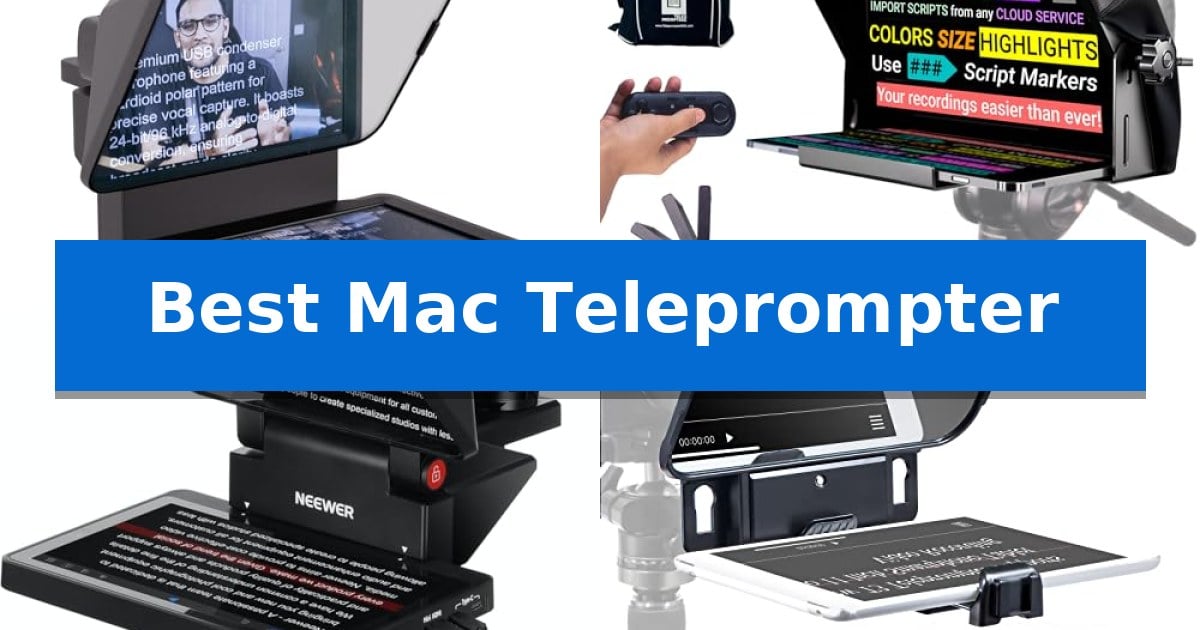
Finding the Best Mac Teleprompter requires balancing seamless software integration with the physical demands of your camera setup. Whether you are recording professional video content, conducting remote meetings, or streaming, the right teleprompter ensures you maintain natural eye contact while reading your script or monitoring your chat.
Our selection focuses on devices that prioritize macOS compatibility, ensuring that your workflow remains uninterrupted by complex drivers or unstable connections. From all-in-one displays that act as secondary monitors to traditional tablet-based rigs, we examine the hardware that best supports your creative process.
You may also want to compare Best Mac Studio Docking Station, Best Mac Speakers, and Best Mac Pro Docks.
Best Mac Teleprompter
Quick Comparison
| Product | Best For | Key Strength | Score |
|---|---|---|---|
| Elgato Prompter | Best Overall | Built-in display removes the need for external tablets. | 4.9 |
| Teleprompter PAD iLight PRO | Professional Tablet-Based Choice | Professional-grade 4mm HD 60/40 beam splitter glass for clear, durable reflection. | 4.3 |
| NEEWER X11 Teleprompter | Dual-Purpose Monitor Setup | Integrated 9-inch HD monitor removes the need for secondary tablets. | 4.6 |
| Desview T3 Teleprompter | Compact Pick for Creators | High-transmittance 70/30 beam splitter glass for clear text and image quality. | 4.3 |
| NEEWER Basics X12B Teleprompter | Economical No-Assembly Design | Installation-free design allows for immediate setup. | 4.8 |
How We Chose
- macOS Compatibility: Prioritizing devices that offer native support or reliable driver-based integration for Mac computers.
- Display Integration: Assessing whether the unit requires an external tablet or features a built-in screen for a streamlined, all-in-one experience.
- Mounting Versatility: Evaluating the range of camera lens compatibility and the ease of attaching the prompter to various tripod or stand configurations.
- Software and Control: Checking for intuitive script management, remote control options, and the ability to handle multiple windows or chat feeds.
- Build Quality and Portability: Considering the durability of the beam splitter glass and the overall weight for studio or on-the-go use.
1 Elgato Prompter — Best for Integrated Display
The Elgato Prompter simplifies video production by integrating a built-in display directly into the teleprompter housing, eliminating the need for external tablets or smartphones. This design allows users to drag and drop any application window—such as scripts or Twitch chat—onto the device, ensuring content is always positioned directly in the user's line of sight.
Designed for versatility, the unit supports a wide range of cameras, including DSLRs, webcams, and smartphones, even when paired with wide-angle lenses. By maintaining professional eye contact during Zoom or Teams calls, it enhances engagement for virtual meetings and live streams. The device is managed via the Camera Hub app, which provides granular control over text and chat appearance.
Setup is streamlined through a desktop-controlled interface, removing the complexity of third-party mobile apps. The Elgato Prompter integrates with the Stream Deck for tactile control, and it connects directly to a Mac or PC. Note that DisplayLink software is required for operation on Mac systems to enable the display functionality.
With a compact footprint of 8.62 by 8.82 inches and weighing 1.52 pounds, the device is built for stable desktop use. It includes a 2-year manufacturer warranty, providing long-term support for creators looking to maintain a professional, script-ready setup without the clutter of secondary mobile devices.
Best for: Creators and professionals who require a dedicated, integrated display for scripts or chat without relying on secondary mobile devices.
Skip if: Users who prefer a lightweight, portable teleprompter that uses their existing smartphone or tablet as the display screen.
PROS
- Built-in display removes the need for external tablets.
- Drag-and-drop functionality works just like a standard monitor.
- Broad compatibility with DSLRs, webcams, and smartphones.
- Stream Deck integration for efficient desktop control.
CONS
- Requires DisplayLink software for Mac connectivity.
- Desktop-dependent setup requires a computer connection.
2 Teleprompter PAD iLight PRO — Professional Tablet-Based Choice
Achieving professional-grade video production requires precise eye contact with the camera, a challenge the Teleprompter PAD iLight PRO addresses through its specialized 12-inch beam splitter glass. This system allows users to read scrolling text while maintaining a direct gaze at the lens, ensuring a natural connection with the audience during recordings.
The Teleprompter PAD iLight PRO features a 4mm thick HD 60/40 beam splitter glass designed for high-quality reflection and scratch resistance. Its exclusive angle adjusting system simplifies the setup process, allowing users to tilt the glass quickly for optimal framing. The unit is constructed from durable aluminum with a microtextured paint coating, balancing structural integrity with a lightweight, portable design.
Versatility is a core strength of this system, as it is compatible with a wide range of devices. The 12-inch display accommodates tablets and smartphones up to 7.8'' x 10.20'', including various iPad models. It supports multi-camera compatibility, working seamlessly with DSLRs and professional handheld cameras, and mounts easily to standard video and photo tripods.
To streamline the workflow, the kit includes a remote control and access to a professional app available on both Apple and Android platforms. The entire assembly is collapsible, facilitating easy transport for creators who need to move between locations. For technical assistance, the manufacturer provides a dedicated Help Center with video instructions and direct expert support.
Best for: Content creators and presenters who need a portable, tablet-based teleprompter that integrates with standard DSLR cameras and mobile devices.
Skip if: Users requiring a permanent, studio-integrated teleprompter system or those using tablets larger than 10.2 inches in width.
PROS
- Professional-grade 4mm HD 60/40 beam splitter glass for clear, durable reflection.
- Exclusive angle adjusting system for quick and precise camera framing.
- Wide compatibility with tablets up to 10.2 inches and various DSLR/handheld cameras.
- Collapsible, lightweight aluminum construction for easy portability.
CONS
- Size limitations restrict use to tablets within specific dimensions.
- Manual assembly required for tripod mounting and glass adjustment.
3 NEEWER X11 Teleprompter — Dual-Purpose Monitor Setup
Maintaining natural eye contact while reading scripts during live streams or video conferences is streamlined by the NEEWER X11 Teleprompter. This device integrates an 11-inch beam splitter glass with 75% light transmission, ensuring text remains legible from up to 2.5 meters away while minimizing ghosting through its multi-coated surface.
The NEEWER X11 Teleprompter features a built-in 9-inch HD LCD monitor (1024 x 768 resolution) that functions as a dedicated display for your scripts. This plug-and-play setup eliminates the need for external tablets or phones, as it supports direct screen mirroring from mobile devices via the included cable. It is compatible with iPhones and Android smartphones that support the DP protocol.
Beyond its primary function, the unit doubles as an external computer monitor for Windows and macOS systems. This allows users to maintain a professional appearance during broadcasts by keeping their gaze directed toward the camera lens. For initial setup via HDMI, users must install the provided driver to ensure full compatibility with computers equipped with USB 3.0 Type A ports or higher.
The hardware includes an adjustable camera mount with 10 cm of horizontal and 3 cm of vertical movement, supporting payloads up to 2 kg. The base is equipped with 1/4-inch and 3/8-inch screw holes, facilitating mounting on various tripods or arms. Note that the system is restricted to lenses with thread sizes up to 72mm and focal lengths between 35mm and 200mm.
Best for: Streamers and professionals who require a dedicated, integrated script display that maintains eye contact with the camera.
Skip if: Users with lenses exceeding 72mm in thread size or those requiring voice-sync features, which this model does not support.
PROS
- Integrated 9-inch HD monitor removes the need for secondary tablets.
- Dual-purpose design functions as both a teleprompter and an external computer display.
- High-quality beam splitter glass with 75% light transmission for clear text reading.
- Flexible mounting options including Arca-type QR plate and standard tripod screw holes.
CONS
- Lens compatibility limitations restricted to 35-200mm focal lengths and 72mm thread sizes.
- Driver installation required for specific HDMI connectivity setups on computers.
4 Desview T3 Teleprompter — Compact Pick for Creators
Maintaining consistent eye contact with your audience while recording high-quality video is essential for professional content creation. The Desview T3 Teleprompter simplifies this process by allowing creators to mount their smartphone or tablet directly in front of a DSLR or mirrorless camera lens, ensuring you remain focused on your script rather than memorizing lines.
This unit is engineered for versatility, supporting smartphones and tablets up to 10 inches. It includes 9 specific adapter rings (49mm to 82mm) to ensure a secure fit on a wide variety of camera lenses. For those recording vertical content, the prompter supports wide-angle lenses down to 35mm without vignetting, keeping the frame clear of obstructions.
At the heart of the device is premium 70/30 beam splitter glass with a 26-layer optical coating. This provides up to 97% light transmittance, ensuring that the text remains sharp and ghost-free for the speaker while allowing the camera to capture pristine, high-definition footage. The glass features 7H hardness for durability and includes a protective cover for storage.
Usability is enhanced by the included Bluetooth remote and the dedicated "DESVIEW" app. This combination allows for intuitive control over scrolling speed and playback, giving you the confidence to deliver natural, fluid presentations. Whether you are live streaming or filming YouTube segments, the Desview T3 Teleprompter provides a reliable, professional-grade solution for your studio setup.
Best for: Content creators and streamers using tablets or smartphones to script their videos while recording with a DSLR or mirrorless camera.
Skip if: Users requiring support for tablets larger than 10 inches or those using cameras without standard lens filter threads.
PROS
- High-transmittance 70/30 beam splitter glass for clear text and image quality.
- Includes 9 adapter rings for broad lens compatibility.
- Bluetooth remote and app integration for seamless script management.
- Supports wide-angle shooting to prevent vignetting.
CONS
- Limited to tablets up to 10 inches in width.
- Requires lens filter threads for direct camera mounting.
5 NEEWER Basics X12B Teleprompter — Economical No-Assembly Design
The NEEWER Basics X12B Teleprompter streamlines video production through an installation-free design that allows creators to set up quickly without complex assembly. Crafted from premium aluminum alloy, this unit provides a stable platform for tablets and DSLR cameras, ensuring the lens remains centered for professional-looking tutorials and online courses.
Equipped with a 12-inch high-definition display, the teleprompter utilizes an innovative coating technique on its beam splitter glass to achieve 75% light transmittance. This clarity allows scripts to be read comfortably from up to 10 feet away, making it an effective tool for presenters who need to maintain eye contact with their audience.
Control is managed through the included RT113 Bluetooth remote and the dedicated NEEWER Teleprompter App, compatible with iOS 11.0 and Android 6.0 or later. Users can remotely play, pause, adjust scroll speeds, and modify font sizes, providing a hands-free experience during recording sessions.
Designed for portability, the device features a foldable, flip-open structure that collapses flat for storage in its included carry case. While it serves as an essential tool for scripted content, it is important to note that this model does not function as a monitor and does not support direct on-screen self-viewing during the recording process.
Best for: Content creators and educators who require a portable, easy-to-assemble teleprompter for scripted video recording using a tablet and DSLR camera.
Skip if: Users who require a teleprompter that functions as an external monitor or provides direct on-screen self-viewing during recording.
PROS
- Installation-free design allows for immediate setup.
- High-quality beam splitter glass ensures clear text visibility.
- Intelligent remote control enables seamless script management.
- Foldable and lightweight construction for easy transport.
CONS
- No on-screen self-viewing capability.
- Does not function as a monitor for the camera feed.
Best Mac Teleprompter Buying Guide
Understanding Beam Splitter Glass
The beam splitter glass is the heart of any teleprompter. It is a specialized piece of glass that allows the camera lens to see through it while simultaneously reflecting the text from your screen. High-quality glass with a proper optical coating is essential to prevent ghosting and ensure that your video footage remains sharp and clear.
When shopping, look for the light transmittance percentage. A higher percentage allows more light to reach your camera sensor, which is crucial if you are working in environments with limited lighting. Durable, scratch-resistant glass is also a significant advantage for long-term use.
Integrated Displays vs. Tablet Rigs
You have two main choices: a prompter with a built-in display or a rig that uses your own iPad or tablet. An integrated display acts as a dedicated second monitor for your Mac, which is often more convenient as it frees up your tablet for other tasks and provides a more stable, plug-and-play experience.
Tablet-based rigs are generally more affordable and offer greater flexibility if you already own a high-resolution tablet. However, they require you to manage a separate device, ensure it is charged, and use specific teleprompter apps to sync your text.
Camera and Lens Compatibility
Not every teleprompter fits every lens. Most units use adapter rings to attach to the front of your lens filter threads. It is vital to check the supported filter sizes of the prompter against your specific camera lenses.
Additionally, consider the focal length of your lens. Wide-angle lenses can sometimes capture the edges of the teleprompter frame, causing vignetting. Ensure the prompter you choose supports your preferred focal length to maintain professional-looking footage.
Software and Remote Control
The software experience is just as important as the hardware. For Mac users, look for teleprompters that offer robust desktop control or well-supported apps. The ability to adjust text speed, font size, and scroll direction on the fly is essential for a smooth recording session.
A Bluetooth remote is a standard inclusion with many kits, allowing you to control the script without needing to touch your computer. This is particularly useful if you are recording solo and need to pause or restart your script mid-take.
Mounting and Stability
A teleprompter adds weight and length to your camera setup, which can affect the balance of your tripod. Ensure your tripod can handle the payload capacity of both your camera and the teleprompter unit combined.
Look for units with Arca-type quick-release plates or adjustable platforms. These features allow you to shift the camera position to keep the lens perfectly centered behind the glass, which is critical for maintaining professional eye contact.
Frequently Asked Questions
Do I need special software to use a teleprompter with my Mac?
It depends on the model. Some units with built-in displays act as a secondary monitor, allowing you to drag any window or app onto them. Others require specific teleprompter apps to manage script scrolling.
Can I use a teleprompter with a wide-angle lens?
Yes, but you must be careful. Many teleprompters have a minimum focal length requirement to avoid vignetting. Always check the manufacturer's specifications for your specific lens focal length.
Is it difficult to set up a teleprompter?
Modern teleprompters are designed for ease of use. Many feature no-assembly designs or simple adapter ring systems that allow you to attach them to your camera in just a few minutes.
Can I use a teleprompter for Zoom or Teams calls?
Absolutely. A teleprompter allows you to look directly at the camera lens while reading your notes or looking at the other participants, which helps maintain professional eye contact during video conferences.
What is the difference between a 60/40 and 70/30 beam splitter?
These numbers refer to the light transmission ratio. A 70/30 glass allows 70% of light to pass through to the camera, which is generally better for low-light conditions, while the 30% reflection is usually sufficient for reading text.
Conclusion: Our Top Pick
For most users, the Elgato Prompter stands out as the most versatile option. Its built-in display eliminates the need for extra tablets, allowing you to drag and drop any application directly onto the prompter screen. This seamless integration with macOS makes it an excellent choice for those who want a professional, reliable setup without the hassle of managing secondary mobile devices.
While other models like the NEEWER X11 offer great dual-purpose functionality, the Elgato's dedicated desktop control and compact, all-in-one design provide the most streamlined experience for Mac-based creators. Ensure your specific camera lens is compatible with the mounting system before finalizing your choice.