
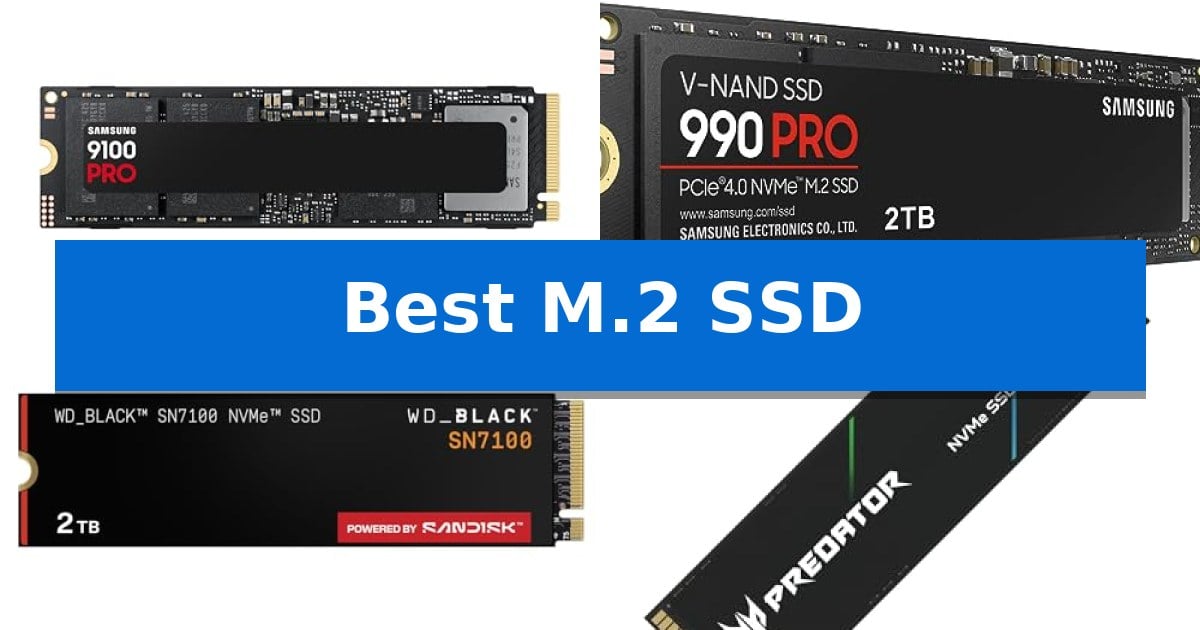
Finding the Best M.2 SSD for your specific build requires balancing raw interface speed against your system's thermal and power constraints. Whether you are upgrading a high-end workstation for AI development or looking to expand your gaming library, the transition from PCIe 4.0 to the latest PCIe 5.0 standards offers significant leaps in sequential read and write throughput.
Our guide evaluates current market leaders to help you determine which drive aligns with your motherboard's capabilities and your daily workload. We focus on technical specifications like IOPS, power efficiency, and thermal management to ensure your data remains accessible and your system runs reliably under heavy, sustained loads.
You may also want to compare Best M.2 SATA SSDs, Best M.2 NVMe SSDs for Laptops, and Best M.2 NVMe SSDs.
Best M.2 SSD
Quick Comparison
| Product | Best For | Key Strength | Score |
|---|---|---|---|
| Samsung 9100 PRO SSD | Best Overall | Industry-leading PCIe 5.0 speeds up to 14,700 MB/s. | 4.9 |
| Samsung 990 PRO SSD | Peak PCIe 4.0 Performance | High-speed PCIe 4.0 performance with read/write speeds up to 7,450/6,900 MB/s. | 4.8 |
| WD_Black SN7100 SSD | Optimized for Mobile Gaming | High-speed PCIe Gen4 performance with up to 7,250 MB/s read speeds. | 4.7 |
| Acer Predator GM7 SSD | Efficient Thermal Management | High-performance PCIe 4.0 interface reaching up to 7400 MB/s read speeds. | 4.7 |
| Kingston NV3 SSD | Balanced Power Efficiency | High-speed PCIe 4.0 Gen 4×4 performance up to 6,000MB/s. | 4.7 |
How We Chose
- Interface compatibility: Verifying support for PCIe 5.0 versus PCIe 4.0 standards.
- Sequential performance: Comparing rated read and write speeds for large file transfers.
- Thermal design: Assessing controller efficiency and heat dissipation features.
- IOPS performance: Evaluating random read/write capabilities for multitasking and application loading.
- Capacity options: Confirming availability for high-density storage requirements.
1 Samsung 9100 PRO SSD — Next-Gen PCIe 5.0 Speed
The Samsung 9100 PRO SSD utilizes the high-bandwidth PCIe 5.0 interface to deliver sequential read speeds of up to 14,700 MB/s, effectively doubling the throughput capabilities of previous-generation storage solutions. This M.2 2280 drive is engineered for demanding environments, providing the rapid file access necessary for high-performance workstations, AI-driven content creation, and modern gaming systems.
Efficiency is central to the drive's architecture, which features a 5nm controller designed to improve performance per watt by up to 49% compared to the 990 PRO. This power-efficient design is paired with advanced thermal management, ensuring the drive maintains consistent operation during intensive, sustained workloads like large-scale video editing or complex data processing tasks.
Versatility is a key design priority, as the drive is compatible with desktop PCs, laptops, and the PlayStation 5, provided the user installs an appropriate heatsink. To assist with maintenance, the integrated Samsung Magician Software allows users to monitor drive health, perform firmware updates, and manage encryption settings directly from their operating system.
With storage capacities reaching up to 8TB, this drive offers significant headroom for professional media archives and expansive game libraries. By producing its own DRAM and NAND components in-house, the manufacturer maintains strict component-level quality control, ensuring the reliability required for professional-grade storage applications.
Best for: Users requiring maximum PCIe 5.0 bandwidth for AI applications, professional video editing, and high-end gaming.
Skip if: Users with older motherboards or devices that do not support the PCIe 5.0 interface, as the drive will not reach its rated speed potential.
PROS
- Industry-leading PCIe 5.0 speeds up to 14,700 MB/s.
- High power efficiency via a 5nm controller.
- Large capacity options up to 8TB.
- Comprehensive management through Samsung Magician Software.
CONS
- Requires PCIe 5.0 compatibility to achieve advertised performance.
- Heatsink not included for all device configurations.
2 Samsung 990 PRO SSD — Peak PCIe 4.0 Performance
Upgrading your internal storage to the Samsung 990 PRO SSD is a direct way to enhance system responsiveness for demanding workflows. By utilizing PCIe 4.0 technology, this drive provides the high-performance bandwidth essential for heavy-duty workstation projects, complex data analysis, and high-end gaming environments.
The drive is engineered for efficiency, delivering up to 50% improved performance per watt compared to the previous 980 PRO model. This focus on power management allows for sustained, high-intensity operation without excessive power draw, making it a practical choice for users who run intensive applications for extended periods.
With read and write speeds reaching up to 7,450/6,900 MB/s, the Samsung 990 PRO SSD offers the throughput required to significantly reduce loading times in modern computing setups. Its 2TB capacity provides substantial room for large game libraries, high-resolution video editing files, and professional software suites.
Designed in the standard M.2 2280 form factor, this drive ensures broad compatibility with most modern motherboards and laptops. It is further supported by a 5-year manufacturer warranty, offering long-term reliability for your storage investment.
Best for: High-end computing, professional video editing, and gaming setups requiring fast data transfer and high power efficiency.
Skip if: Users with older systems lacking PCIe 4.0 support or those requiring capacities beyond 4TB.
PROS
- High-speed PCIe 4.0 performance with read/write speeds up to 7,450/6,900 MB/s.
- Improved power efficiency offering 50% better performance per watt over the 980 PRO.
- Significant random performance gains of over 55% for faster loading and heavy computing.
- 5-year manufacturer warranty for long-term reliability.
CONS
- Requires PCIe 4.0 interface to reach maximum advertised speeds.
- Limited to 4TB maximum capacity for users needing massive storage pools.
3 WD_Black SN7100 SSD — Optimized for Mobile Gaming
Maximizing storage efficiency in compact systems requires a drive that balances thermal output with high-speed data throughput. The WD_Black SN7100 2TB NVMe SSD is engineered specifically for mobile environments, utilizing a PCIe Gen4 interface to deliver read speeds up to 7,250 MB/s and write speeds reaching 6,900 MB/s.
This drive is built with next-generation TLC 3D NAND, focusing on high-octane performance for gaming laptops and handheld devices. A notable design priority is power efficiency, which is rated up to 100% higher than the previous generation, helping to extend operation times when running on battery power.
For users managing their system health, the drive supports the WD_BLACK Dashboard software on Windows, which provides tools to optimize performance. The hardware is manufactured by Sandisk Technologies, Inc., and comes with a 3-year limited manufacture warranty, ensuring a standard level of support for your storage investment.
While this drive offers significant speed improvements for portable gaming, it is important to note that it is a M.2 2280 form factor component. Users should verify that their specific laptop or handheld device has an available M.2 slot and sufficient physical clearance before installation.
Best for: Serious mobile gamers and laptop users who need high-speed storage with improved power efficiency for handheld or portable devices.
Skip if: Users requiring a drive for non-Windows operating systems or those whose hardware does not support the M.2 2280 form factor.
PROS
- High-speed PCIe Gen4 performance with up to 7,250 MB/s read speeds.
- Improved power efficiency designed for handheld and laptop battery longevity.
- WD_BLACK Dashboard compatibility for performance optimization.
- Next-gen TLC 3D NAND technology for reliable data density.
CONS
- Windows-only software support for the WD_BLACK Dashboard.
- Form factor constraints limited to M.2 2280 slots.
4 Acer Predator GM7 SSD — Efficient Thermal Management
Upgrading your storage to a high-speed NVMe drive can significantly reduce load times for demanding games and large file transfers. The Acer Predator GM7 1TB SSD distinguishes itself by utilizing the PCIe 4.0 Gen4 interface to achieve impressive read speeds up to 7400 MB/s and write speeds up to 6500 MB/s, making it a robust choice for enthusiasts and creators alike.
Engineered for sustained performance, this drive incorporates HMB (Host Memory Buffer) and SLC Cache technology to streamline data transmission and game loading. The integration of a high-performance controller and advanced NAND flash allows the drive to maintain efficiency while operating at lower power levels, which helps in managing heat output during intensive tasks.
Thermal management is handled through built-in Thermal Throttling and intelligent Power Management systems. These features automatically regulate the drive's temperature, ensuring stability even when the hardware is pushed to its limits under heavy workloads. This focus on cooling is essential for maintaining consistent performance in compact environments like laptops or tightly packed desktop builds.
For added utility, the drive is compatible with Biwin Intelligence management software. This tool provides a centralized interface for users to monitor drive health, perform data migration, execute drive cloning, and run performance tests, simplifying the maintenance process for both new and experienced users.
Best for: Gamers and content creators who require high-speed data throughput and reliable thermal management for heavy workloads.
Skip if: Users with older systems that do not support the PCIe 4.0 interface will not be able to utilize the drive's maximum rated speeds.
PROS
- High-performance PCIe 4.0 interface reaching up to 7400 MB/s read speeds.
- Integrated Thermal Throttling and power management for effective heat control.
- Includes Biwin Intelligence software for convenient data migration and drive management.
- Supports HMB and SLC Cache for enhanced file transmission and loading efficiency.
CONS
- Requires PCIe 4.0 compatibility to achieve advertised performance specifications.
5 Kingston NV3 SSD — Balanced Power Efficiency
Upgrading your system storage with the Kingston NV3 1TB M.2 2280 NVMe SSD provides a significant boost to data throughput thanks to its PCIe 4.0 Gen 4×4 interface. This drive is engineered for users who require a balance of high-speed performance and efficient power consumption, making it a versatile choice for both desktop and laptop upgrades.
The Kingston NV3 SSD delivers impressive technical specifications, offering rated read speeds of up to 6,000MB/s and write speeds reaching 4,000MB/s. These metrics ensure that demanding applications and large file transfers are handled with efficiency, reducing wait times during intensive tasks.
Designed with a standard M.2 2280 form factor, this drive is compatible with a wide range of modern motherboards and portable computers. To simplify the transition for users moving from an existing drive, the package includes Acronis cloning software, which facilitates the migration of your operating system and files without needing a clean install.
Reliability is supported by a 5-year limited warranty, providing long-term assurance for your storage investment. Whether you are building a new workstation or refreshing an older machine, this drive offers a straightforward path to increased capacity and improved system responsiveness.
Best for: Users looking to upgrade their system storage with a high-speed, power-efficient PCIe 4.0 drive that includes migration software.
Skip if: Users who require specialized heatsinks for extreme thermal management or those whose hardware is limited to older PCIe 3.0 or SATA interfaces.
PROS
- High-speed PCIe 4.0 Gen 4×4 performance up to 6,000MB/s.
- Includes Acronis cloning software for easy data migration.
- Backed by a 5-year limited warranty.
- Efficient low power storage design.
CONS
- Performance is dependent on PCIe 4.0 compatibility.
- Lacks an integrated heatsink for high-load thermal management.
Best M.2 SSD Buying Guide
Understanding Interface Standards
The primary distinction in modern storage is the interface version. PCIe 5.0 drives offer significantly higher bandwidth than PCIe 4.0, but they require compatible motherboard slots to reach their full potential. If your system is limited to PCIe 4.0, investing in a 5.0 drive may result in performance bottlenecks where the drive operates at the lower speed of the host slot.
Always check your motherboard manual to confirm which M.2 slots support the latest generation. While these drives are generally backward compatible, the physical space for heat sinks and the power delivery of the slot are critical factors for maintaining stability.
Thermal Management and Throttling
High-performance NVMe drives generate substantial heat during sustained operations. Advanced controllers often utilize thermal throttling to protect the drive, which can reduce performance during long file transfers or intensive rendering tasks. Drives with integrated heat spreaders or efficient power management controllers are better suited for demanding environments.
For desktop users, ensuring adequate airflow or using a motherboard-integrated M.2 heat sink is recommended. In compact laptop or handheld gaming device scenarios, prioritize drives with lower power consumption profiles to minimize heat buildup in confined spaces.
IOPS and Real-World Responsiveness
While sequential speeds grab headlines, IOPS (Input/Output Operations Per Second) often dictates how snappy your operating system and applications feel. Higher random read/write performance is essential for multitasking, launching games, and running complex AI applications where the drive must access many small files simultaneously.
Look for drives that emphasize high random performance metrics if your primary use case involves frequent application switching or database-heavy workloads rather than just moving large video files.
Capacity and Endurance
Storage requirements depend heavily on your library size and project scope. Modern games and 4K video projects consume space rapidly, making 2TB or larger capacities increasingly standard. Always consider the total drive capacity, as performance can sometimes vary between different capacity tiers of the same model.
Endurance, often measured in Terabytes Written (TBW), is a factor for users who frequently overwrite data. While most consumer drives are sufficient for typical gaming and productivity, heavy creative workflows benefit from drives with higher rated endurance.
Software and Maintenance
Manufacturer-provided software, such as Samsung Magician or WD_BLACK Dashboard, is invaluable for maintaining drive health. These tools allow you to monitor temperatures, perform secure erases, and update firmware, which is critical for fixing bugs and optimizing performance over time.
Before purchasing, verify that the drive's management software is compatible with your operating system. Regular firmware updates can often provide performance improvements or stability fixes that are not present at the time of initial installation.
Frequently Asked Questions
Can I use a PCIe 5.0 SSD in a PCIe 4.0 slot?
Yes, most PCIe 5.0 M.2 SSDs are backward compatible with PCIe 4.0 slots. However, the drive will be limited to the maximum speed of the PCIe 4.0 interface.
Do I need a heat sink for my M.2 SSD?
For high-performance Gen4 and Gen5 drives, a heat sink is highly recommended to prevent thermal throttling during heavy workloads. Many modern motherboards include integrated M.2 heat sinks.
What is the difference between NVMe and M.2?
M.2 is the physical form factor of the drive, while NVMe is the communication protocol used to transfer data. Most modern M.2 SSDs use the NVMe protocol.
How do I migrate my OS to a new M.2 SSD?
Many manufacturers include or provide access to cloning software, such as Acronis or proprietary tools, which allows you to copy your existing drive contents to the new SSD.
Does SSD capacity affect performance?
Yes, in some cases, higher-capacity drives may offer slightly better performance or endurance due to the way data is distributed across more NAND flash chips.
Conclusion: Our Top Pick
For users seeking the absolute peak of current storage technology, the Samsung 9100 PRO SSD stands out as the premier choice. By leveraging the PCIe 5.0 interface, it delivers sequential read speeds up to 14,700MB/s, making it exceptionally well-suited for AI computing, heavy-duty workstations, and high-end gaming setups that require minimal latency.
While its performance is industry-leading, ensure your motherboard supports PCIe 5.0 to fully utilize its capabilities. For those on older systems or with tighter power constraints, the other PCIe 4.0 options in our list provide a more balanced approach to performance and thermal efficiency without requiring the latest hardware upgrades.