
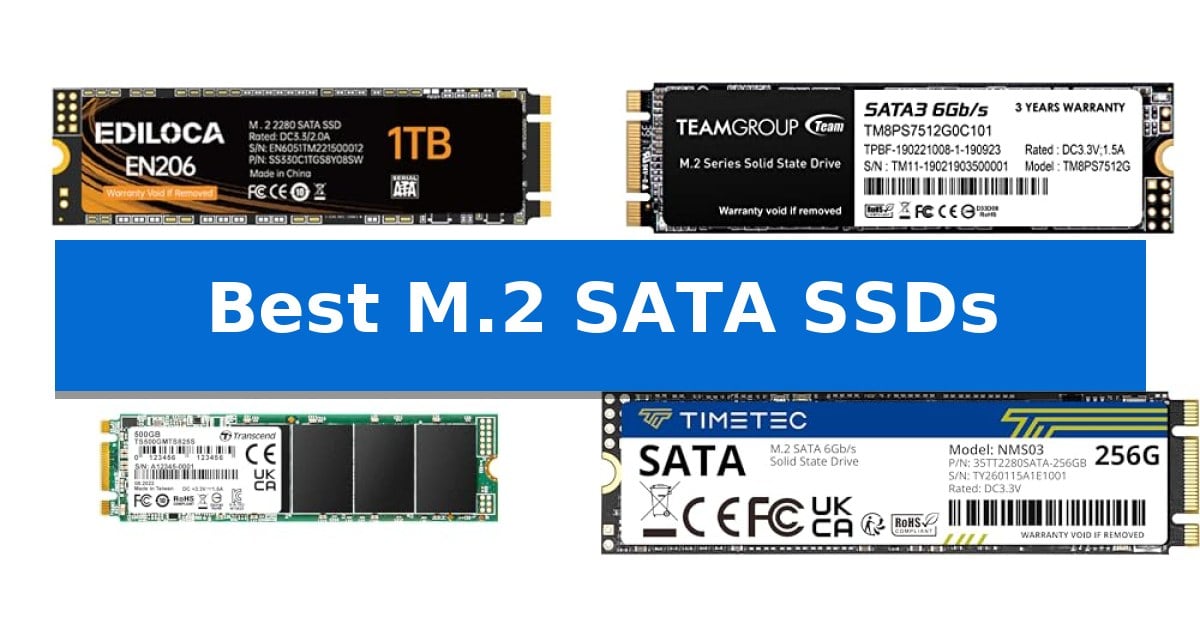
If your older laptop or desktop is feeling sluggish, a storage upgrade is often the most effective way to restore responsiveness. Many systems from a few years ago utilize the M.2 SATA interface, which remains a reliable and cost-effective way to transition from a mechanical hard drive to solid-state storage.
Finding the Best M.2 SATA SSDs requires balancing read and write speeds with long-term data stability. We have analyzed four distinct models to help you identify the right drive for your specific hardware configuration, ensuring you get the performance boost you need without compatibility headaches.
You may also want to compare Best M.2 NVMe SSDs for Laptops, Best M.2 NVMe SSDs, and Best M.2 NVMe SSD for Video Editing.
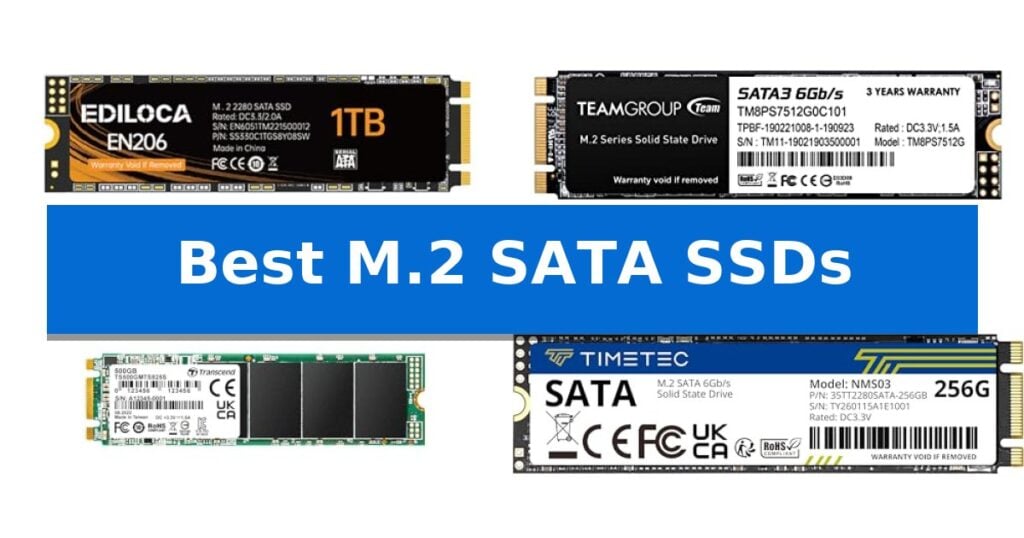
Best M.2 SATA SSDs
Quick Comparison
| Product | Best For | Key Strength | Score |
|---|---|---|---|
| Ediloca EN206 SSD | Best Overall | Compact M.2 2280 form factor ideal for space-constrained builds. | 4.9 |
| TEAMGROUP MS30 SSD | Reliable 3D NAND Performance | 3D NAND TLC technology for reliable storage density. | 4.4 |
| Transcend MTS825S SSD | Error-Correcting Data Stability | SATA III 6 Gbps interface ensures broad compatibility with older M.2 slots. | 4.4 |
| Timetec SATA III SSD | Efficient Power Saving Design | 3D NAND technology with SLC caching for improved performance. | 4.7 |
How We Chose
- Interface Compatibility: Verifying the M.2 2280 form factor and SATA III 6Gb/s standard.
- Data Throughput: Analyzing sequential read and write speed ratings for daily performance.
- Reliability Features: Assessing built-in error correction and NAND technology.
- System Versatility: Evaluating suitability for laptops, mini PCs, and desktop upgrades.
1 Ediloca EN206 SSD — High-Speed Data Transfer
Upgrading an older system or building a compact machine often requires a storage solution that balances physical space with reliable data access. The Ediloca EN206 1TB SSD utilizes the M.2 2280 form factor, providing a caseless design that fits seamlessly into Ultrabooks, Mini PCs, and desktop motherboards without the bulk of traditional 2.5-inch drives.
Engineered for efficiency, this drive leverages the SATA III 6Gb/s interface to achieve sequential read speeds of up to 550MB/s and write speeds of up to 480MB/s. By utilizing 3D TLC NAND particles, the drive maintains data integrity, supported by built-in LDPC error correction decoding to ensure stable performance during intensive file transfers or system operations.
The drive is designed for broad compatibility across various computing environments, functioning reliably with Windows 7, 8, 10, and later operating systems. Its compact footprint makes it a practical choice for users looking to shorten boot times and improve program execution speeds in space-constrained builds.
Ediloca backs this internal solid state drive with a 3-year limited service policy. Each unit undergoes rigorous testing to maintain quality standards, providing a dependable storage upgrade for business professionals, creators, and enthusiasts who require consistent performance from their hardware.
Best for: Users looking to improve boot times and system responsiveness in compact devices like Mini PCs, Ultrabooks, and laptops with M.2 SATA slots.
Skip if: Users whose motherboards or laptops require the faster NVMe PCIe interface, as this drive is strictly limited to the SATA III protocol.
PROS
- Compact M.2 2280 form factor ideal for space-constrained builds.
- 3D TLC NAND technology for improved reliability and data stability.
- Integrated LDPC error correction to ensure accurate data transmission.
- Broad compatibility with various Windows operating systems.
CONS
- SATA III interface speed limitations compared to modern NVMe PCIe drives.
2 TEAMGROUP MS30 SSD — Reliable 3D NAND Performance
Upgrading an older desktop or laptop with the TEAMGROUP MS30 SSD provides a straightforward path to faster data access through its M.2 2280 SATA III 6Gb/s interface. This drive utilizes 3D NAND TLC technology combined with an SLC cache to manage data efficiently, offering a practical storage solution for users who need to revitalize their existing hardware without shifting to more complex NVMe standards.
The TEAMGROUP MS30 SSD is designed for broad system compatibility, supporting Intel's Smart Response Technology (SRT) to allow the drive to act as a cache for mechanical hard disks. This feature is particularly useful for users looking to accelerate system boot times and application loading on older machines that support this specific Intel standard.
Reliability and maintenance are addressed through built-in support for S.M.A.R.T. monitoring, which helps users track the health of their drive over time. The unit is backed by a 3-year product warranty, providing a level of support for long-term use in daily computing environments.
With a slim form factor, this drive fits into standard M.2 slots, making it a versatile choice for both compact laptop upgrades and desktop builds. While it is limited to SATA speeds, it remains a consistent option for those prioritizing compatibility with legacy hardware over the higher throughput of newer PCIe-based storage.
Best for: Users looking to upgrade older laptops or desktops that specifically require an M.2 SATA interface for improved system responsiveness.
Skip if: Users with modern motherboards supporting NVMe PCIe drives who require higher read/write speeds for intensive data tasks.
PROS
- 3D NAND TLC technology for reliable storage density.
- Includes SLC cache to maintain consistent performance.
- Supports Intel SRT for hybrid drive configurations.
- Integrated S.M.A.R.T. support for drive health monitoring.
CONS
- SATA III interface limits maximum transfer speeds compared to NVMe alternatives.
3 Transcend MTS825S SSD — Error-Correcting Data Stability
Upgrading an older desktop or laptop with a dedicated drive often requires specific hardware compatibility, and the Transcend 500GB MTS825S M.2 SATA III 2280 SSD is built to bridge that gap. Designed for systems that utilize the SATA interface rather than newer NVMe protocols, this drive provides a reliable storage boost for machines limited by older M.2 slots.
The Transcend MTS825S SSD utilizes the M.2 2280 form factor with a B+M Key configuration, ensuring it fits into standard M.2 slots that support the SATA III 6 Gbps data transfer rate. With a 500 GB capacity, it offers a balance of space for operating systems and frequently used applications, while the integrated SLC Cache technology helps maintain consistent performance during write operations.
Data integrity is a primary focus for this drive, which incorporates LDPC Error Correction (ECC) to detect and rectify potential data corruption. This feature is particularly beneficial for long-term reliability in both laptop and desktop environments where stability is essential. The drive is rated for read speeds up to 530 MB/s and write speeds up to 480 MB/s, providing a noticeable step up from traditional mechanical hard drives.
Installation is straightforward for compatible systems, though users must verify their motherboard or laptop supports the SATA protocol in its M.2 slot, as this drive is not compatible with NVMe-only slots. Backed by a 3-year limited warranty, this SSD represents a practical solution for extending the life of existing hardware through improved storage efficiency.
Best for: Users looking to upgrade older laptops or desktops that specifically require M.2 SATA interface compatibility.
Skip if: Users with modern motherboards or laptops that only support NVMe M.2 slots, as this drive will not be recognized.
PROS
- SATA III 6 Gbps interface ensures broad compatibility with older M.2 slots.
- LDPC Error Correction enhances data stability and reliability.
- SLC Cache technology supports consistent write performance.
- Compact 2280 form factor fits standard M.2 mounting points.
CONS
- Not compatible with NVMe-only M.2 slots, limiting its use in newer high-performance systems.
4 Timetec SATA III SSD — Efficient Power Saving Design
Upgrading an older desktop or laptop with an M.2 SATA interface requires a reliable storage solution that balances power efficiency with consistent data handling. The Timetec 256GB SSD 3D NAND SATA III 6Gb/s M.2 2280 is engineered to provide a straightforward performance boost for systems that utilize the M.2 2280 form factor, offering a practical way to revitalize aging hardware.
At the core of this drive is 3D NAND technology paired with an advanced SLC Cache, which facilitates sequential read speeds of up to 550MB/s and write speeds reaching 500MB/s. This architecture is designed to optimize data throughput, while the inclusion of New Generation Power Saving technology helps manage energy consumption during operation. The drive is built for longevity, boasting an industry-leading 1,500,000 hours mean time before failure (MTBF).
Compatibility is a primary focus for this drive, as it supports a wide range of operating systems including Windows 11, 10, 8.1, 8, 7, and Linux 2.6.33 or later. It is natively compatible with M.2 2280 SATA III 6Gb/s slots and maintains backward compatibility with SATA II and SATA I interfaces. To ensure data integrity and drive health, the unit supports S.M.A.R.T. technology, TRIM commands, Garbage Collection, Wear-Leveling, and ECC (Error Correction Code).
The Timetec SATA III SSD serves as a specialized component for users looking to extend the life of compatible computers. It includes a three-year limited warranty and technical support, providing a clear path for users to manage their storage needs without complex setup requirements.
Best for: Users looking to upgrade or replace storage in laptops and desktops that specifically require an M.2 2280 SATA III interface.
Skip if: Users with systems that require NVMe/PCIe M.2 drives, as this SSD is strictly limited to the SATA III protocol.
PROS
- 3D NAND technology with SLC caching for improved performance.
- Broad compatibility with legacy and modern operating systems.
- High reliability rating with 1,500,000 hours MTBF.
- Integrated power-saving features for efficient operation.
CONS
- SATA III interface speed limitations compared to NVMe alternatives.
- No included mounting hardware such as screws or brackets.
Best M.2 SATA SSDs Buying Guide
Understanding M.2 SATA Compatibility
Before purchasing, it is critical to confirm that your motherboard or laptop supports the M.2 SATA interface. While many M.2 slots look identical, some are exclusively designed for NVMe drives, which are not compatible with SATA-based SSDs.
Always check your device manual to ensure the slot supports the SATA III 6Gb/s protocol. Using a SATA drive in an NVMe-only slot will result in the drive not being recognized by your system.
Form Factor and Physical Fit
The M.2 2280 designation refers to the physical dimensions of the drive, specifically 22mm wide and 80mm long. This is the industry standard for most consumer laptops and desktop motherboards.
Because these drives are caseless, they are exceptionally thin and lightweight, making them ideal for ultra-thin laptops where space is at a premium and traditional 2.5-inch drives simply will not fit.
Performance and SLC Caching
Many modern M.2 SATA SSDs utilize SLC Cache technology to improve burst performance. This allows the drive to handle short, intensive tasks like booting the operating system or launching applications more efficiently.
While SATA drives are capped at 6Gb/s, they provide a massive leap in speed compared to traditional spinning hard drives, significantly reducing wait times for file transfers and system updates.
Data Integrity and Error Correction
Look for drives that incorporate LDPC error correction or similar ECC (Error Correction Code) technologies. These features work in the background to detect and fix data corruption, ensuring your files remain safe over the life of the drive.
Reliable 3D NAND particles are also a key indicator of quality, as they offer better endurance and energy efficiency compared to older planar NAND architectures.
Installation and Maintenance
Installing an M.2 SSD is straightforward, usually requiring only a single screw to secure the drive to the motherboard. Ensure you have the correct standoff and screw, as these are often not included with the drive itself.
Once installed, you may need to initialize the drive in your operating system's disk management utility before it appears as a usable storage volume. Regularly checking for firmware updates from the manufacturer can also help maintain optimal performance.
Frequently Asked Questions
Can I use an M.2 SATA SSD in an NVMe slot?
No. M.2 SATA and M.2 NVMe use different communication protocols. If your slot is keyed for NVMe only, a SATA drive will not function.
What does the 2280 in M.2 2280 mean?
It indicates the physical size of the SSD: 22mm in width and 80mm in length. This is the most common size for consumer laptops and desktops.
Do I need special software to use these SSDs?
Generally, no. Most modern operating systems like Windows 10 and 11 will recognize the drive automatically. You may only need to initialize it via Disk Management.
Are these drives faster than traditional 2.5-inch SSDs?
They offer similar performance to 2.5-inch SATA SSDs because they share the same SATA III interface. The primary advantage is the compact, cable-free form factor.
How long should an M.2 SATA SSD last?
Lifespan depends on usage, but most drives are rated for years of standard operation. Features like wear-leveling and ECC help extend the drive's longevity.
Conclusion: Our Top Pick
When upgrading your system, the Ediloca EN206 SSD stands out as a reliable choice for those seeking to maximize the potential of an M.2 SATA interface. Its combination of 3D TLC NAND and LDPC error correction provides a stable foundation for both daily productivity and more demanding tasks like media editing.
While other options like the TEAMGROUP MS30 or Transcend MTS825S offer excellent alternatives depending on your specific capacity needs, the Ediloca model delivers a well-rounded performance profile. Ensure you verify your motherboard's slot compatibility before purchase to guarantee a seamless installation experience.