
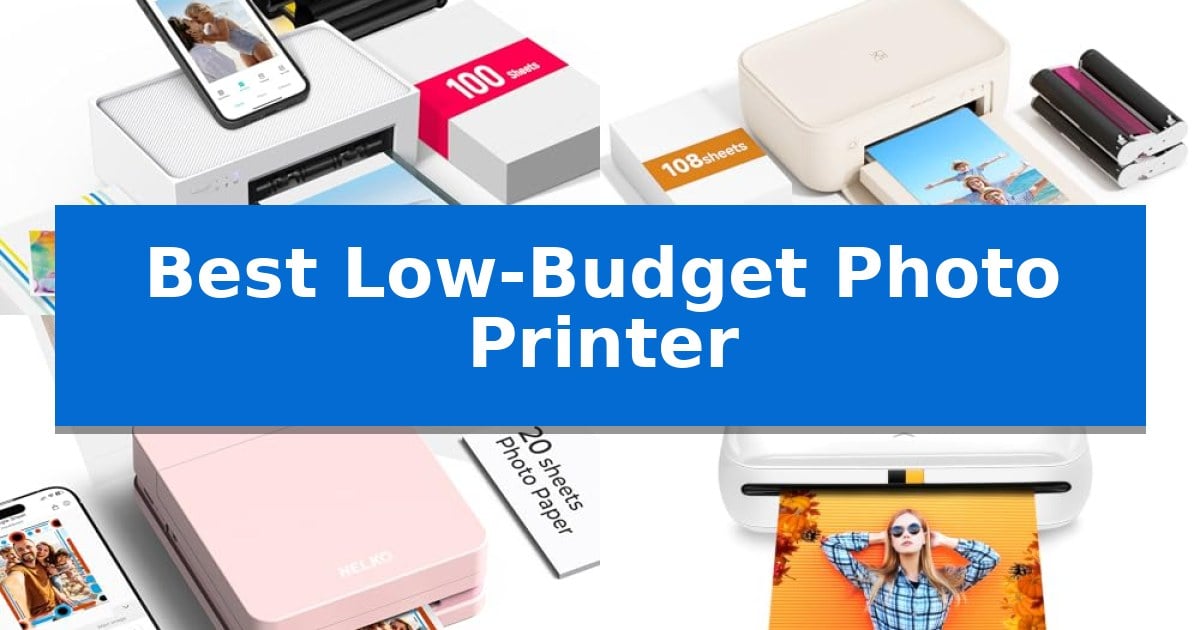
Capturing memories on your smartphone is easy, but holding a physical copy often feels like a lost art. Finding the Best Low-Budget Photo Printer allows you to turn digital files into tangible keepsakes without the high costs associated with professional printing services or bulky desktop machines.
Whether you are looking to create custom stickers for a journal, print photos for a scrapbook, or share snapshots at a party, these compact devices offer a convenient solution. We have analyzed current market options to help you understand which printer fits your specific needs for portability, paper size, and ease of use.
You may also want to compare Best Low-Budget PC Build, Best Low-Budget On-Ear Headphones, and Best Low-Budget Multifunction Printer.
Best Low-Budget Photo Printer
Quick Comparison
| Product | Best For | Key Strength | Score |
|---|---|---|---|
| Liene M100 Photo Printer | Best Overall | Thermal dye sublimation produces water and scratch-resistant laminated photos. | 4.9 |
| HPRT CP4100 Photo Printer | Includes Generous Starter Supplies | Includes 108 sheets and 2 ribbons for immediate, cost-effective printing. | 4.5 |
| Nelko PP01 Photo Printer | Ultra-Portable for Instant Stickers | Ultra-portable design weighing only 308 g. | 4.4 |
| KODAK Step Photo Printer | Zero-Ink Tech for Easy Travel | Zero-Ink technology eliminates the need for expensive or messy ink cartridges. | 4.3 |
| Liene Amber M110 Photo Printer | Versatile Dual-Size Paper Support | Dual-tray design supports both 4×6-inch and 3×3-inch paper sizes. | 4.5 |
How We Chose
- Print Technology: Assessing whether thermal dye sublimation or Zink technology better suits your quality requirements.
- Connectivity: Evaluating how easily each device pairs with smartphones and tablets for quick, on-the-go printing.
- Paper Compatibility: Checking for support of standard 4×6 inch prints versus smaller sticker-backed formats.
- Starter Supplies: Determining the value provided by included paper and ink bundles at the time of purchase.
- Portability: Measuring the physical footprint to ensure the device fits your travel or desk storage needs.
1 Liene M100 Photo Printer — Best Value for High-Volume Printing
Capturing physical memories from a smartphone often feels disconnected from the tactile experience of holding a photograph, but the Liene M100 Photo Printer bridges this gap using thermal dye sublimation technology. By utilizing dyes that deeply penetrate the paper, this printer creates a laminated surface specifically engineered to be resistant to water, scratches, fingerprints, and fading, ensuring long-term durability for your prints.
Designed for convenience, the unit features a built-in Wi-Fi hotspot, allowing users to bypass external networks and connect directly to the printer from their mobile devices. It supports up to 5 simultaneous connections, making it a practical choice for group settings or households with multiple users. The printer ships with a 100-sheet paper capacity and three color cartridges, providing a comprehensive starter set for immediate use.
The Liene M100 Photo Printer maintains a minimalist and magnetic design that facilitates compact storage when not in use. Users can further manage their output through the specialized Liene App, which provides tools for adding square borders, applying filters, and adjusting brightness or contrast. The app also includes specific templates for printing ID and Visa photos, adding a layer of utility beyond standard snapshots.
While the printer excels at high-volume, portable output, users should note that the fully sealed cassette is designed to prevent dust accumulation, which is essential for maintaining print quality. As with many dye-sublimation systems, keeping the print head clean is recommended if smudges appear, ensuring the longevity of the hardware and the clarity of every 4×6 inch print.
Best for: Users seeking a portable, high-volume photo printing solution for smartphones that prioritizes print durability and multi-device connectivity.
Skip if: Users who require professional-grade wide-format printing or those who prefer traditional inkjet technology for non-photo document printing.
PROS
- Thermal dye sublimation produces water and scratch-resistant laminated photos.
- Built-in Wi-Fi hotspot enables stable, cable-free printing without an existing network.
- Multi-device support allows up to 5 simultaneous connections.
- Comprehensive starter kit includes 100 sheets of paper and 3 cartridges.
CONS
- Fixed 4×6 inch print size limits versatility for larger or smaller photo formats.
- Manual maintenance required to clean the print head if smudges occur.
2 HPRT CP4100 Photo Printer — Includes Generous Starter Supplies
Capturing memories at home requires a reliable way to turn digital files into physical keepsakes without the complexity of professional studio equipment. The HPRT CP4100 Photo Printer simplifies this process by utilizing thermal dye sublimation technology, which applies a protective lamination layer to every 4×6" print. This specialized coating ensures that your photos are waterproof, oil-proof, and fingerprint-proof, providing a durable finish that resists fading and aging over time.
Designed for immediate use, the HPRT CP4100 Photo Printer arrives as a complete kit, including 108 sheets of 4×6" photo paper and 2 full-color ribbons. This inclusion allows for high-volume printing right out of the box, making it a practical choice for scrapbooking, event photo booths, or creating personalized holiday gifts without the need for immediate supply refills.
Connectivity is handled through two distinct Wi-Fi modes, offering flexibility for different environments. STA Mode allows the printer to join your existing 2.4GHz home network, enabling wireless printing from multiple devices, while AP Mode creates a direct connection between your smartphone or tablet and the printer. This second option is particularly useful for travel or outdoor events where a local network is unavailable.
Beyond standard photo printing, the HPRT CP4100 Photo Printer integrates with the HeyPhoto app to support 15s AR video printing. By selecting a frame from a video, users can print a still image that, when scanned via the app, plays the associated video clip. The app also provides creative DIY tools for adding filters, frames, and collages, or formatting images for ID and visa requirements.
Best for: Families and hobbyists seeking an all-in-one, portable printing solution that includes a generous supply of paper and ribbons for immediate use.
Skip if: Users who require professional-grade large-format printing or those who need to print on media sizes other than standard 4×6 inches.
PROS
- Includes 108 sheets and 2 ribbons for immediate, cost-effective printing.
- Thermal dye sublimation provides a protective, long-lasting lamination layer.
- Dual Wi-Fi modes (STA and AP) support both home networks and direct mobile connections.
- AR video printing capability adds an interactive element to still photos.
CONS
- Limited to 4×6" print size, which may not suit all creative projects.
- Requires 2.4GHz Wi-Fi for network-based printing, excluding 5GHz-only environments.
3 Nelko PP01 Photo Printer — Ultra-Portable for Instant Stickers
Capturing memories in physical form is simplified with the Nelko PP01 Photo Printer, a compact device designed for instant, on-the-go printing. Weighing only 308 g, this pocket-sized unit utilizes advanced inkjet technology to produce 2×3-inch photos with 600 DPI resolution, ensuring clear and vibrant results for your scrapbooking or journaling projects.
The printer integrates seamlessly with iOS and Android devices via Bluetooth, allowing users to print directly from the Nelko app. This software provides extensive customization options, including filters, text, borders, and AI-powered editing tools. Each ink cartridge is rated to produce up to 80 full-color prints, and the output features a sticky-backed design that is smudge-proof, water-resistant, and tear-resistant.
Designed for versatility, this unit serves as a practical tool for students, crafters, and event photographers who need quick, high-quality giveaways. The setup process is straightforward: simply load the photo paper with the smooth side facing down, connect through the app, and images are ready in under 90 seconds. The package includes a USB charging cable, though users will need to provide their own power adapter.
While the Nelko PP01 Photo Printer offers significant convenience for creative projects, it is important to note that it is strictly a 2×3-inch format printer. It is an ideal choice for those prioritizing portability and adhesive-backed output for DIY projects, though it may not suit those requiring larger print formats or high-volume professional photo production.
Best for: Students, crafters, and social media users who need a highly portable, adhesive-backed photo printer for scrapbooking and instant sharing.
Skip if: Users who require larger print sizes beyond 2×3 inches or those looking for a high-volume desktop photo printer for professional photography.
PROS
- Ultra-portable design weighing only 308 g.
- Produces smudge-proof and water-resistant sticky-backed photos.
- High-resolution 600 DPI output for clear, vibrant images.
- Comprehensive AI-powered app editing features for customization.
CONS
- Limited to 2×3-inch print size only.
- Power adapter not included in the package.
4 KODAK Step Photo Printer — Zero-Ink Tech for Easy Travel
Capturing memories on the move is simplified with the KODAK Step Photo Printer, a compact device that utilizes Zero-Ink (ZINK) technology to produce physical prints without the need for messy cartridges. Weighing less than a pound, this palm-sized printer is designed for portability, allowing users to print 2×3-inch sticky-back photos directly from their smartphone.
The printer connects seamlessly to iOS and Android devices via Bluetooth or NFC, enabling quick transfers of selfies, portraits, and social media content. Once connected, the dedicated KODAK app provides a full editing suite, offering tools to create collages, apply filters, add borders, and insert stickers or text before printing.
Designed for efficiency, the device features a built-in lithium-ion rechargeable battery capable of producing up to 25 photos on a single charge. The included ZINK photo paper contains embedded dye crystals, resulting in prints that are resistant to moisture, rips, tears, and smudges, making them durable for various craft projects.
This printer serves as a practical tool for influencers and crafters who prioritize convenience and mobility. While it excels at on-the-go printing, users should note that the output is limited to the 2×3-inch format, which is ideal for scrapbooking and personal mementos rather than large-scale professional photography.
Best for: Influencers and crafters who need a portable, battery-powered solution for printing small, adhesive-backed photos on the go.
Skip if: Users who require high-resolution, large-format prints or those who prefer traditional ink-based printing methods for professional photography.
PROS
- Zero-Ink technology eliminates the need for expensive or messy ink cartridges.
- Sticky-back paper allows for easy application to journals, scrapbooks, and other surfaces.
- Compact and lightweight design makes it highly portable for travel and events.
- Full editing suite within the app enables creative customization before printing.
CONS
- Limited print size of 2×3 inches may not suit all photography needs.
- Battery capacity is limited to approximately 25 prints per full charge.
5 Liene Amber M110 Photo Printer — Versatile Dual-Size Paper Support
The Liene Amber M110 Photo Printer streamlines the printing process by offering a unique dual-tray design that accommodates both standard 4×6-inch photo paper and 3-inch square sticky-backed paper. This versatile configuration allows users to switch between different project types without needing multiple devices, making it a practical choice for those who value space-saving equipment.
Utilizing thermal-dye sublimation technology, this printer ensures that dyes penetrate the paper surface for vibrant, high-quality results. The output features a laminated surface designed to be resistant to water, scratches, fingerprints, and fading, which helps preserve the longevity of your prints. The device connects via Bluetooth and is capable of pairing in approximately 13 seconds, facilitating a quick workflow for mobile users.
The accompanying Liene App provides a suite of customization tools, including the ability to add Polaroid-style borders, apply filters, and adjust brightness or contrast. Beyond standard photos, the app supports the creation of ID and Visa photos, adding utility for home-based administrative tasks. The system also supports multiple simultaneous connections, allowing different users to print from their respective devices without needing to manage cables.
Measuring roughly 3.18 by 1.37 inches, the compact footprint of the Liene Amber M110 Photo Printer makes it suitable for small workspaces or travel. It comes bundled with 80 sheets of paper—60 in the 4×6 format and 20 in the 3-inch square format—along with two cartridges, providing a ready-to-use kit for immediate printing needs.
Best for: Users who need a compact, versatile printer capable of handling both standard 4×6 photos and 3-inch square stickers for scrapbooking or home projects.
Skip if: Users who require high-volume professional printing or those who prefer a wired connection to a desktop computer rather than mobile app-based printing.
PROS
- Dual-tray design supports both 4×6-inch and 3×3-inch paper sizes.
- Thermal-dye sublimation produces water and scratch-resistant prints.
- Fast Bluetooth connectivity allows for quick pairing and wireless printing.
- Comprehensive mobile app includes editing tools and ID photo templates.
CONS
- Mobile-dependent operation requires the Liene app for most customization and printing tasks.
Best Low-Budget Photo Printer Buying Guide
Understanding Print Technologies
Most budget-friendly photo printers utilize either thermal dye sublimation or Zink (Zero-Ink) technology. Dye-sublimation printers typically offer higher color depth and a protective lamination layer that resists water and fingerprints, making them ideal for long-lasting photos.
Zink printers, on the other hand, use heat-sensitive paper with embedded dye crystals. These are generally more compact and eliminate the need for ink cartridges entirely, which is a major benefit if you prioritize portability over absolute color accuracy.
Connectivity and App Integration
Modern photo printers rely heavily on dedicated mobile applications for editing and printing. Look for devices that offer stable Wi-Fi or Bluetooth connectivity, as this determines how quickly you can send a photo from your phone to the printer.
Many apps now include features like AR video printing, collage creation, and basic image adjustments. Ensure the app is compatible with your specific smartphone operating system to avoid setup frustrations.
Total Cost of Ownership
The initial price of the hardware is only one part of the budget. Always consider the cost per print, which is dictated by the price of replacement paper and ink cartridges or ribbons.
Some models come with generous starter bundles that include enough paper and ink for over 100 prints. Calculating the long-term cost of these consumables is essential for maintaining a truly low-budget printing experience.
Portability and Design
If you plan to take your printer to events or on vacation, size and weight are critical. A palm-sized printer is easy to slip into a bag, while larger, stationary units might offer more robust paper handling.
Consider the design of the paper tray as well. Some models feature fully sealed cassettes that protect paper from dust, which helps maintain print quality over time.
Print Size and Versatility
Decide whether you need standard 4×6 inch prints for framing or smaller, adhesive-backed photos for scrapbooking. Some versatile printers offer dual-tray support, allowing you to switch between different paper sizes easily.
If you are a crafter, look for models that specifically support sticky-back paper, as this eliminates the need for glue and makes your projects much cleaner and faster to assemble.
Frequently Asked Questions
Do I need a computer to use these photo printers?
Most of these printers are designed to work directly with smartphones or tablets via a dedicated app, meaning a computer is usually not required.
How long do the prints last?
Prints made with dye-sublimation technology often include a protective lamination layer that helps them resist fading, moisture, and fingerprints for years.
Are the ink cartridges and paper sold together?
In many cases, yes. Dye-sublimation printers typically require a ribbon and paper set that are often sold as a single kit to ensure compatibility.
Can I print ID or passport photos at home?
Many of the companion apps for these printers include specific templates for ID and visa photos, allowing you to format and print them at home.
What is the difference between Zink and dye-sublimation?
Zink is a 'zero-ink' method that uses special paper, while dye-sublimation uses heat to transfer ink from a ribbon onto the paper, generally resulting in higher image quality.
Conclusion: Our Top Pick
When selecting the best option for your needs, the Liene M100 Photo Printer stands out for its balance of high-quality dye-sublimation output and a comprehensive starter kit. Its ability to provide a fully sealed cassette helps keep your prints free from dust, while the 100-sheet capacity makes it a reliable choice for those who print frequently.
While other models offer greater portability for travel, the Liene M100 provides the most consistent value for users who prioritize print longevity and a lower cost per photo. It remains a top recommendation for anyone seeking a dependable, high-volume photo printing solution at home.