
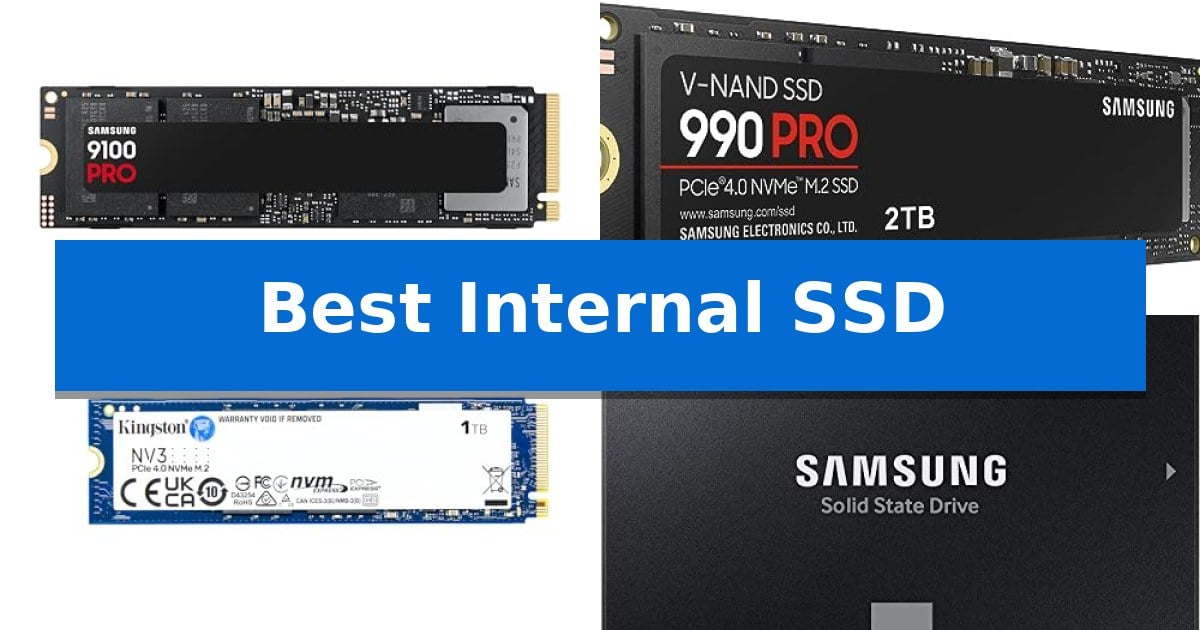
Upgrading your storage is one of the most effective ways to improve system responsiveness, whether you are building a high-end workstation or reviving an older laptop. Finding the Best Internal SSD requires balancing your motherboard's interface capabilities with your specific need for capacity and data throughput.
From the raw power of the latest PCIe 5.0 drives to the reliable longevity of SATA interfaces, the right choice depends on your workload. We have analyzed current market options to help you identify which storage solution aligns with your hardware and performance requirements.
Best Internal SSD in 2026: Maximize Your Storage Speed
Quick Comparison
| Product | Best For | Key Strength | Score |
|---|---|---|---|
| Samsung 9100 PRO SSD | Best Overall | PCIe 5.0 interface delivering industry-leading sequential speeds. | 4.9 |
| Samsung 990 PRO SSD | High-end workstation performance | High-speed PCIe 4.0 performance with up to 7,450 MB/s read speeds. | 4.3 |
| Kingston NV3 SSD | Efficient Gen 4 storage | High-speed PCIe 4.0 Gen 4×4 performance. | 4.5 |
| Samsung 870 EVO SSD | Reliable SATA interface upgrade | Maximizes SATA interface performance with consistent sequential speeds. | 4.9 |
| PNY CS900 SSD | Budget-friendly daily computing | Significant performance boost over traditional mechanical hard drives. | 4.9 |
How We Chose
- Interface Compatibility: Verifying support for PCIe 5.0, PCIe 4.0, or SATA 6GB/s to ensure the drive fits your motherboard.
- Sequential Throughput: Evaluating rated read and write speeds to determine suitability for heavy workloads or gaming.
- Capacity Options: Assessing available storage tiers to accommodate game libraries, creative projects, or OS installations.
- Form Factor: Confirming M.2 2280 or 2.5-inch sizing for physical installation requirements.
- Efficiency and Thermal Management: Considering power consumption and thermal control features for sustained performance.
1 Samsung 9100 PRO SSD — Blazing PCIe 5.0 speed
The Samsung 9100 PRO SSD introduces a significant leap in storage technology by utilizing the PCIe 5.0 interface, which enables sequential read and write speeds of up to 14,700/13,400 MB/s. This drive is engineered to handle intensive data demands, making it a viable candidate for users who require high-speed data access for AI computing, professional-grade gaming, and workstation-level productivity.
Beyond its raw speed, the drive incorporates a 5nm controller designed to improve power efficiency by up to 49% compared to previous generations. This efficiency, paired with advanced thermal management, helps maintain consistent performance during sustained heavy workloads. The drive is available in capacities up to 8TB, providing substantial room for expansive game libraries or large-scale creative projects.
Compatibility is a key design focus, as the Samsung 9100 PRO SSD is built to function across a range of hardware, including desktop PCs, laptops, and the PS5 when paired with a compatible heatsink. Users can manage the drive's health, perform firmware updates, and utilize encryption features through the Magician Software, ensuring the hardware remains optimized over its lifespan.
The internal architecture benefits from Samsung's in-house production of DRAM and NAND components. By controlling the manufacturing of these critical parts, the drive is built for reliability in demanding environments. Whether you are managing complex AI datasets or loading high-fidelity game assets, this drive offers a balance of high-bandwidth performance and modern power management.
Best for: Professional creators, AI developers, and high-end gamers who require maximum bandwidth and large storage capacities for intensive workloads.
Skip if: Users with older systems lacking PCIe 5.0 support or those who do not require the extreme speeds of Gen5 technology will find more cost-effective options in PCIe 4.0 drives.
PROS
- PCIe 5.0 interface delivering industry-leading sequential speeds.
- 5nm controller for enhanced power efficiency and thermal stability.
- High-capacity options up to 8TB for extensive data storage.
- Comprehensive drive management via Magician Software.
CONS
- Requires a PCIe 5.0 compatible motherboard to achieve advertised performance.
- May require a third-party heatsink for optimal operation in certain device configurations.
2 Samsung 990 PRO SSD — High-end workstation performance
High-end computing and heavy-duty workloads demand storage that keeps pace with intensive data demands. The Samsung 990 PRO SSD utilizes the PCIe 4.0 interface to deliver significant bandwidth, offering read and write speeds up to 7,450 MB/s and 6,900 MB/s respectively. This makes it a capable solution for users managing large files, complex data analysis, or demanding gaming environments.
Engineered for efficiency, this drive features an improved performance-per-watt ratio, providing up to 50% better power efficiency compared to the previous 980 PRO model. This design choice helps maintain consistent speeds while managing power consumption during sustained operations. The drive is available in capacities ranging from 1TB to 4TB, allowing for flexible storage scaling based on specific project or library requirements.
The Samsung 990 PRO SSD is built in the standard M.2 2280 form factor, ensuring compatibility with most modern high-end workstations and gaming systems. It is backed by a 5-year manufacturer warranty, reflecting the durability standards of the brand's flash memory technology. Its compact physical footprint of 3.15 x 0.87 x 0.09 inches allows for easy integration into tight builds without compromising on high-performance bandwidth.
For those upgrading from older storage solutions, the drive offers a 55% improvement in random performance over its predecessor. This jump in responsiveness is designed to accelerate loading times and file transfers, providing a noticeable upgrade for professional creators and gamers who require reliable, high-speed internal storage.
Best for: High-end workstations and gaming PCs requiring fast data transfer and high power efficiency.
Skip if: Users with systems limited to PCIe 3.0 or older interfaces, as the drive will not reach its rated maximum speeds.
PROS
- High-speed PCIe 4.0 performance with up to 7,450 MB/s read speeds.
- Improved power efficiency with 50% better performance-per-watt.
- Significant random performance boost of 55% over previous generations.
- Flexible capacity options ranging from 1TB to 4TB.
CONS
- Requires PCIe 4.0 compatibility to achieve advertised performance metrics.
3 Kingston NV3 SSD — Efficient Gen 4 storage
Upgrading your system storage with the Kingston NV3 1TB M.2 2280 NVMe SSD provides a direct boost to data throughput using the PCIe 4.0 Gen 4×4 interface. Designed for users who need a balance of high-speed performance and efficient power consumption, this drive delivers read speeds up to 6,000MB/s and write speeds up to 4,000MB/s.
The drive features a standard M.2 2280 form factor, making it compatible with a wide range of modern laptops and desktop motherboards that support NVMe storage. To assist with system migration, the package includes Acronis cloning software, which simplifies the process of transferring your existing operating system and files to the new drive.
Reliability is supported by a 5-year limited warranty, providing long-term coverage for your storage investment. The Kingston NV3 is engineered to maintain a low power profile, which is particularly beneficial for laptop users looking to manage thermal output and battery efficiency without sacrificing the responsiveness of a Gen 4 drive.
When selecting an internal SSD, consider your motherboard's interface compatibility. While this drive is optimized for Gen 4×4 performance, it is important to ensure your hardware supports the NVMe protocol to achieve the rated speeds. This drive serves as a practical solution for general computing, gaming, and productivity tasks that benefit from faster load times and file transfers.
Best for: Users looking to upgrade their PC or laptop storage with a high-speed, power-efficient PCIe 4.0 NVMe drive.
Skip if: Users requiring specialized high-endurance drives for professional-grade workstation tasks or those with motherboards limited to PCIe 3.0 interfaces.
PROS
- High-speed PCIe 4.0 Gen 4×4 performance.
- Includes Acronis cloning software for easy data migration.
- Backed by a 5-year limited warranty.
- Efficient low power storage design.
CONS
- Requires PCIe 4.0 compatibility to reach maximum rated speeds.
4 Samsung 870 EVO SSD — Reliable SATA interface upgrade
Upgrading a legacy system or expanding storage capacity often requires a reliable foundation, and the Samsung 870 EVO SSD provides a proven path for both everyday users and professionals. By maximizing the SATA interface limit with sequential speeds up to 560/530 MB/s, this drive ensures consistent performance for demanding tasks ranging from general computing to 8K video processing.
Engineered for long-term endurance, the drive features a large variable buffer that helps maintain high write speeds during sustained workloads. With an impressive rating of up to 2,400 TBW, it is built to handle intensive data operations while maintaining system stability. The inclusion of Class 0 (AES 256) encryption and TCG/Opal v2.0 support adds a layer of security for sensitive data storage.
Compatibility is a core strength of this 2.5-inch SATA internal solid state drive, as it has been rigorously tested across various chipsets, motherboards, and NAS devices. Its design is inherently versatile, offering backward compatibility with SATA 3GB/s and 1.5GB/s interfaces, making it a practical choice for breathing new life into older PC or laptop hardware.
The physical design emphasizes durability and ease of integration, featuring a shock-resistant build capable of withstanding 1,500 G of force. Measuring just 0.27 inches in height, it fits seamlessly into standard drive bays, providing a straightforward, high-capacity storage solution that balances performance with broad system support.
Best for: Users seeking a reliable, high-endurance storage upgrade for PCs, laptops, or NAS systems utilizing the SATA interface.
Skip if: Users who require the significantly higher data transfer rates offered by NVMe M.2 drives for specialized high-speed workflows.
PROS
- Maximizes SATA interface performance with consistent sequential speeds.
- High endurance rating of up to 2,400 TBW for intensive tasks.
- Broad compatibility with diverse host systems and legacy SATA interfaces.
- Integrated AES 256-bit encryption for enhanced data security.
CONS
- Limited by the inherent bandwidth ceiling of the SATA 6GB/s interface.
5 PNY CS900 SSD — Budget-friendly daily computing
Upgrading a sluggish computer often begins with the storage drive, and the PNY CS900 500GB 2.5" SATA III Internal SSD is designed to replace traditional mechanical hard drives to improve system responsiveness. By transitioning to this solid-state architecture, users can experience faster operating system boot times and quicker application loading compared to legacy HDD technology.
This drive utilizes the SATA III 6GB/sec interface and maintains backwards compatibility with SATA II 3GB/sec systems, making it a versatile choice for older laptops and desktops. It is engineered to deliver sequential read speeds of up to 550MB/s and sequential write speeds of up to 500MB/s, providing a consistent performance profile for everyday computing tasks, gaming, and content creation.
Beyond speed, the drive focuses on power efficiency, featuring ultra-low power consumption which can be beneficial for laptop battery longevity. Its compact 2.5-inch form factor ensures it fits into standard drive bays, and it comes backed by a 3-year warranty to support long-term use.
Choosing this drive is a straightforward way to extend the life of existing hardware without requiring a full system replacement. It balances essential performance gains with broad compatibility, serving as a practical solution for those looking to modernize their storage setup.
Best for: Everyday users and gamers seeking a cost-effective performance upgrade for laptops or desktops with standard SATA drive bays.
Skip if: Users requiring NVMe M.2 speeds or those with systems that lack a 2.5-inch SATA drive interface.
PROS
- Significant performance boost over traditional mechanical hard drives.
- Backwards compatibility with SATA II interfaces for older hardware.
- Ultra-low power consumption design aids in energy efficiency.
- 3-year warranty included for added peace of mind.
CONS
- SATA III interface limits maximum transfer speeds compared to modern NVMe drives.
Best Internal SSD Buying Guide
Understanding Interface Standards
The interface is the most critical factor when selecting an SSD. PCIe 5.0 represents the current performance ceiling, offering massive bandwidth for professional AI computing and heavy-duty workstations. However, these drives require compatible hardware to reach their full potential.
For most users, PCIe 4.0 remains the sweet spot, providing excellent speeds that are more than sufficient for modern gaming and high-end computing. If you are upgrading an older machine, a SATA III drive is often the only compatible option, offering a significant performance boost over traditional mechanical hard drives.
Capacity and Workload Needs
Your storage capacity should reflect your primary use case. A 500GB or 1TB drive is typically sufficient for an operating system and a few essential applications. For users managing large game libraries or 8K video editing, 2TB to 8TB capacities are increasingly necessary to avoid frequent file management.
Consider the Total Bytes Written (TBW) rating if you frequently move massive files. Drives with higher endurance ratings are better suited for professional creative workflows, while standard drives are perfectly adequate for everyday computing and gaming.
Form Factor and Physical Fit
Most modern internal SSDs use the M.2 2280 form factor, which plugs directly into the motherboard. This compact design is ideal for desktops and laptops, but you must ensure your motherboard has an available M.2 slot and that it supports the specific PCIe generation of your chosen drive.
The 2.5-inch SATA form factor is larger and connects via a cable. While slower than M.2 NVMe drives, these are essential for legacy systems or secondary storage bays in larger PC cases where M.2 slots are already occupied.
Thermal Management
High-performance drives, particularly those utilizing PCIe 5.0 technology, generate significant heat during sustained operations. Advanced thermal control is essential to prevent performance throttling during intensive tasks like rendering or large data transfers.
If your motherboard does not include integrated M.2 heatsinks, you may need to purchase an SSD with a pre-installed heatsink or add an aftermarket cooling solution. Proper airflow within your case is also vital for maintaining optimal drive health.
Software and Maintenance
Reliability is supported by manufacturer-specific software, such as Magician Software, which allows for firmware updates, drive health monitoring, and data encryption. Keeping your firmware current is a simple way to ensure long-term stability and performance.
Cloning software is another valuable inclusion for those upgrading their primary drive. Tools like Acronis cloning software can simplify the migration process, allowing you to transfer your existing OS and files to a new drive without a clean install.
Frequently Asked Questions
Can I use a PCIe 5.0 SSD in a PCIe 4.0 slot?
Yes, most PCIe 5.0 SSDs are backward compatible with PCIe 4.0 slots, but the drive will be limited to the maximum speed of the PCIe 4.0 interface.
Do I need a heatsink for my M.2 SSD?
High-performance Gen 4 and Gen 5 drives benefit significantly from heatsinks to prevent thermal throttling. Standard Gen 3 or SATA drives generally do not require them.
How do I know if my motherboard supports NVMe?
Check your motherboard manual or manufacturer website for M.2 slot specifications. Look for support for 'NVMe' or 'PCIe' protocols.
Is a 2.5-inch SSD faster than an M.2 SSD?
Generally, no. 2.5-inch SSDs are limited by the SATA interface, while M.2 NVMe SSDs utilize the much faster PCIe bus.
What is the difference between sequential and random read/write speeds?
Sequential speeds measure performance for large, continuous files, while random speeds measure performance for smaller, scattered data, which is more representative of OS and application responsiveness.
Conclusion: Our Top Pick
For users seeking the absolute peak of performance for AI, gaming, and professional workstations, the Samsung 9100 PRO SSD is the standout choice. Its PCIe 5.0 architecture provides the necessary bandwidth to future-proof your setup and handle the most demanding data-intensive tasks with ease.
While its performance is unmatched, ensure your motherboard supports PCIe 5.0 to fully utilize its capabilities. For those on older platforms or with more modest needs, other options in our list provide reliable, high-speed alternatives that remain excellent for daily computing.