
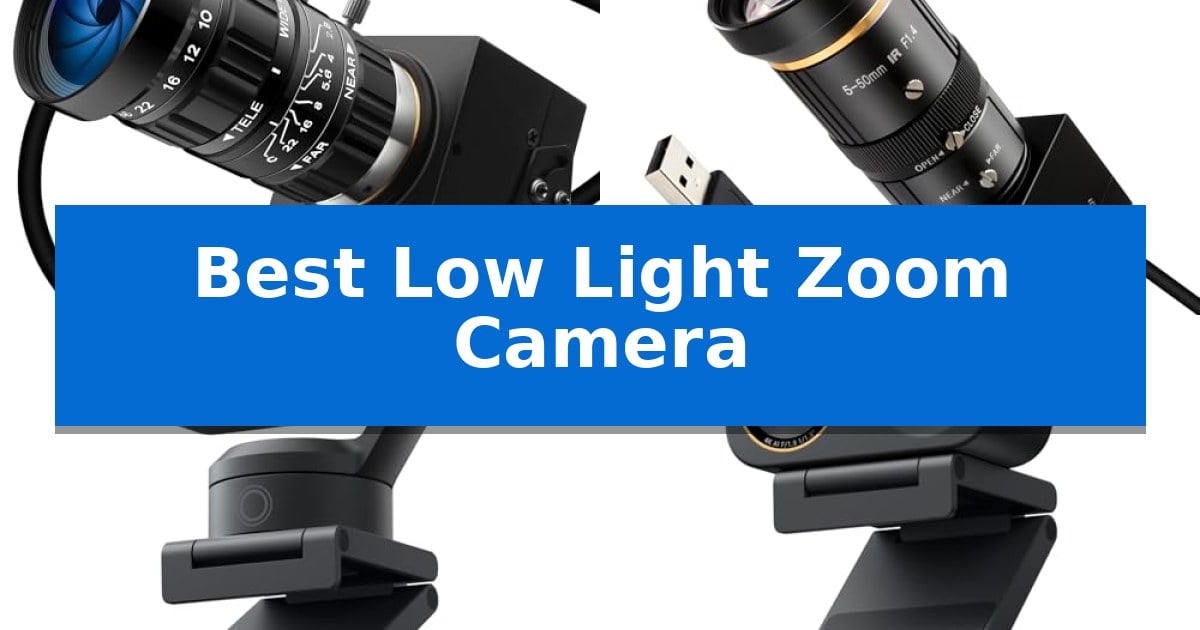
Finding the right equipment for challenging lighting conditions can be difficult, especially when you also require optical magnification. A Best Low Light Zoom Camera must balance sensor sensitivity with lens versatility to ensure your footage remains sharp even when the environment is dim.
Whether you are setting up industrial monitoring or professional streaming, the right hardware makes all the difference. We have analyzed the latest options to help you identify which model offers the best balance of light-gathering capability and zoom range for your specific needs.
You may also want to compare Best Low Light Webcams, Best Low Light Video Mirrorless Camera, and Best Low Light Video Cameras Under $1,000.
Best Low Light Zoom Camera
Quick Comparison
| Product | Best For | Key Strength | Score |
|---|---|---|---|
| IFWATER Starvis USB Camera | Best Overall | 0.0001Lux ultra-low light sensor for full-color night vision. | 4.9 |
| SVPRO Telephoto USB Camera | 10x optical zoom precision | 10x optical zoom with a 5-50mm telephoto lens for detailed close-ups. | 4.6 |
| Insta360 Link 2 Pro Webcam | Large sensor low-light clarity | Large 1/1.3” sensor for superior low-light performance | 4.4 |
| Insta360 Link 2C Pro Webcam | Compact 4K zoom performance | Large 1/1.3” sensor for improved low-light performance. | 4.3 |
How We Chose
- Sensor sensitivity measured in lux ratings for low-light performance.
- Optical zoom range and lens mount flexibility for distance adjustments.
- Hardware encoding capabilities to manage bandwidth and storage efficiency.
- Compatibility with standard operating systems and UVC plug-and-play protocols.
- Physical build quality and footprint for space-constrained installations.
1 IFWATER Starvis USB Camera — Ultra-low light night vision
Capturing clear, full-color imagery in near-total darkness is the primary capability of the IFWATER Starvis USB Camera, which utilizes a high-quality 1/1.8” SmartSens SC2210 sensor. This specialized hardware is engineered to eliminate the blurry, monochromatic results often associated with standard low-light imaging, making it a functional choice for night monitoring and industrial inspection.
The device features a 5-50mm 10X optical zoom lens, allowing users to maintain image quality while magnifying distant subjects. To handle high-contrast environments, it incorporates 100dB HDR technology, which balances light and dark areas to prevent overexposure in bright spots while preserving detail in shadows.
Efficiency is managed through a built-in hardware encoding chip that supports H.264, MJPEG, and YUY2 compression formats. This enables 1080P 30FPS video output while minimizing bandwidth consumption and reducing the processing load on the host system. The camera is designed for straightforward integration, complying with UVC standards for plug-and-play functionality across Windows, Linux, Mac, and Raspberry Pi systems.
Housed in a compact, durable metal body, the unit is suited for space-constrained environments such as embedded projects or small-scale surveillance setups. It also supports USB OTG, providing flexibility for deployment on both desktop and mobile platforms.
Best for: Industrial inspection and night-time surveillance in space-constrained environments where high-contrast lighting and optical zoom are required.
Skip if: Users who require a wide-angle field of view or a lightweight, portable camera for casual video conferencing, as the telephoto lens and metal construction are optimized for fixed, specialized monitoring.
PROS
- 0.0001Lux ultra-low light sensor for full-color night vision.
- 10X manual optical zoom lens maintains clarity at a distance.
- 100dB HDR technology balances high-contrast lighting scenes.
- H.264 hardware encoding reduces host system performance load.
CONS
- Manual zoom lens requires physical adjustment rather than software-based control.
- Metal body construction adds weight compared to plastic consumer webcams.
2 SVPRO Telephoto USB Camera — 10x optical zoom precision
Precision imaging in challenging environments often requires specialized optics, and the SVPRO 5MP 30FPS USB Camera with 5-50mm Telephoto Lens is engineered specifically for these demanding scenarios. By utilizing a 1/2.8” IMX335 CMOS sensor, this camera provides enhanced sensitivity and low-noise performance, making it a capable choice for users needing a Best Low Light Zoom Camera for detailed inspection or long-distance monitoring.
The core of this device is its professional 4K 5-50mm telephoto lens, which offers 10x optical zoom capabilities. This allows for clear, sharp captures of distant subjects or extreme close-ups, with a minimum focusing distance at the millimeter level. The manual focus design ensures that users can achieve precise clarity for macro photography or industrial quality inspection tasks.
Designed for versatility, the camera features a solid aluminum body equipped with a 1/4 inch screw thread, making it compatible with standard tripods or camera poles. It operates as a UVC plug-and-play device, requiring no additional drivers for Windows, macOS, Linux, or Android systems, which simplifies integration into existing computer vision or studio recording setups.
While the manual zoom and focus controls offer significant creative and technical control, they require a hands-on approach that may not suit fast-paced, automated environments. The SVPRO Telephoto USB Camera remains a specialized tool for those who prioritize optical flexibility and low-light sensitivity over automated autofocus convenience.
Best for: Professional users and hobbyists requiring high-precision manual zoom and macro capabilities in low-light conditions for inspection or recording.
Skip if: Users who require fast, automated autofocus or a compact, lightweight webcam for casual video conferencing will find this manual-focus industrial unit cumbersome.
PROS
- 10x optical zoom with a 5-50mm telephoto lens for detailed close-ups.
- IMX335 CMOS sensor optimized for low-light sensitivity and low noise.
- Solid aluminum construction with standard tripod mounting support.
- UVC plug-and-play compatibility across major operating systems.
CONS
- Manual focus and zoom require physical adjustment, limiting use in dynamic scenarios.
- Industrial-style design is less portable than standard consumer webcams.
3 Insta360 Link 2 Pro Webcam — Large sensor low-light clarity
Achieving professional-grade video clarity in dim environments requires hardware designed to maximize light intake. The Insta360 Link 2 Pro – 4K PTZ Webcam distinguishes itself with a large 1/1.3” sensor, which is engineered to deliver cleaner, more detailed footage when natural or artificial lighting is limited.
Beyond its sensor capabilities, this 4K PTZ webcam offers advanced AI Tracking that physically pans and tilts to keep subjects centered. For creators and professionals, the inclusion of directional noise-canceling microphones helps isolate voices from ambient background noise, ensuring audio quality matches the high-resolution visual output.
The device integrates seamlessly into complex workflows through Elgato Stream Deck integration, allowing for rapid mode switching and preset triggers. Users can also leverage smart gesture controls to initiate tracking, zoom, or activate specialized modes like DeskView and Whiteboard Mode without needing to touch a keyboard or mouse.
While the Insta360 Link 2 Pro provides a sophisticated feature set, it is important to note that it is currently not compatible with ARM-based Windows systems or Windows Hello Face Recognition. Users should ensure their primary workstation meets the necessary OS requirements for Windows, macOS, Chrome OS, or Linux to utilize the dedicated Link Controller software.
Best for: Content creators and professionals requiring high-fidelity video and automated tracking in challenging low-light office or studio environments.
Skip if: Users operating on ARM-based Windows systems or those who specifically require Windows Hello Face Recognition for biometric login.
PROS
- Large 1/1.3” sensor for superior low-light performance
- AI-powered physical PTZ tracking for dynamic framing
- Directional noise-canceling microphones for clear audio isolation
- Elgato Stream Deck integration for efficient workflow management
CONS
- Incompatibility with ARM-based Windows systems
- Lack of support for Windows Hello Face Recognition
4 Insta360 Link 2C Pro Webcam — Compact 4K zoom performance
Achieving clear video in dim environments requires a sensor capable of handling limited light, and the Insta360 Link 2C Pro Webcam addresses this with a large 1/1.3” sensor. This hardware choice is engineered to deliver cleaner, more detailed 4K footage, making it a viable tool for streamers and professionals who frequently operate in suboptimal lighting conditions.
Beyond its sensor, the Insta360 Link 2C Pro Webcam integrates a dual-mic system with beamforming directional pickup. This design prioritizes voice isolation by actively reducing background noise, which helps maintain audio clarity in busy office or home environments. For creators, the device supports Elgato Stream Deck integration, allowing for efficient control over camera presets and mode switching without interrupting the workflow.
Usability is enhanced through multiple control methods, including smart hand gestures and remote smartphone control. Users can trigger AI tracking, zoom, or activate specialized modes like DeskView and Whiteboard Mode without needing to touch the camera. The software suite also enables a natural bokeh effect, providing a depth-of-field look that mimics a DSLR-style aesthetic.
While highly versatile, the Insta360 Link 2C Pro Webcam does have specific hardware limitations. It is currently not compatible with ARM-based Windows systems or Windows Hello Face Recognition. Users should ensure their existing setup meets these requirements to take full advantage of the dedicated Link Controller software for fine-tuning image settings.
Best for: Streamers and professionals needing high-quality 4K video and advanced AI-driven framing in low-light environments.
Skip if: Users operating on ARM-based Windows systems or those who require Windows Hello Face Recognition integration.
PROS
- Large 1/1.3” sensor for improved low-light performance.
- Directional noise-canceling microphones for clearer voice isolation.
- Smart gesture and smartphone control for hands-free adjustments.
- Elgato Stream Deck integration for streamlined creator workflows.
CONS
- Incompatible with ARM-based Windows systems.
- Lacks support for Windows Hello Face Recognition.
Best Low Light Zoom Camera Buying Guide
Understanding Sensor Sensitivity
The core of any low-light camera is its sensor. Look for models with larger sensors or specialized technology like Starvis, which are designed to capture more light in near-total darkness. A lower lux rating indicates that the camera can produce a usable image with less ambient light.
When evaluating these cameras, consider the environment where you will use them. If you are monitoring a dark warehouse or a dimly lit studio, prioritizing a camera with high sensitivity will prevent the grainy, black-and-white footage common in standard webcams.
The Role of Optical Zoom
Optical zoom is fundamentally different from digital zoom. While digital zoom simply crops and enlarges an image—often resulting in pixelation—optical zoom uses physical lens movement to maintain resolution. For tasks requiring detail at a distance, such as industrial inspection, an optical lens is non-negotiable.
Check the focal length range provided for each lens. A 5-50mm lens offers a significant zoom range, allowing you to switch between wide-angle views and tight close-ups without sacrificing image clarity or requiring you to move the camera physically.
Connectivity and Compatibility
Most modern USB cameras follow UVC (USB Video Class) standards, which ensure they work immediately upon plugging into a computer. This is vital for quick deployment in both professional and hobbyist setups. Check if your chosen camera supports your specific operating system, such as Windows, Linux, or macOS.
For advanced users, consider whether the camera supports USB OTG for mobile devices or if it requires specific software for advanced control. Plug-and-play functionality is generally preferred for reliability, but specialized software can sometimes unlock additional features like AI tracking or white balance adjustments.
Build and Mounting Options
The physical construction of the camera determines where it can be placed. Industrial-grade cameras often feature metal bodies that are more durable and dissipate heat better than plastic alternatives. Look for standard mounting threads, such as 1/4-inch, which allow you to attach the camera to tripods or specialized mounts.
If you are working in a tight space, the overall dimensions of the camera housing matter. A compact design allows for more flexible installation, ensuring you can position the lens exactly where it needs to be without obstructing your workspace or equipment.
Managing Video Quality and Bandwidth
High-resolution video, such as 1080P or 4K, can consume significant bandwidth and storage space. Cameras with built-in hardware encoding, such as H.264, are highly efficient because they compress the video stream on the device itself before sending it to your computer.
This hardware-level compression reduces the load on your host computer's processor, ensuring smoother performance during live streaming or continuous recording. If you plan to run multiple cameras or record for long periods, prioritize models that offer efficient compression formats.
Frequently Asked Questions
What does a 0.0001Lux rating mean?
A 0.0001Lux rating indicates that the camera sensor is extremely sensitive and can capture color images in near-total darkness, far exceeding the capabilities of standard webcams.
Is optical zoom better than digital zoom?
Yes, optical zoom uses physical lens elements to magnify the image, preserving full resolution and detail, whereas digital zoom crops the image, which reduces quality.
Do these cameras require special drivers?
Most of these cameras are UVC-compliant, meaning they are plug-and-play and do not require additional driver installations on modern operating systems.
Can I use these cameras for streaming?
Yes, many of these cameras are compatible with popular streaming software and conferencing platforms, though you should check specific model features like AI tracking or noise-canceling microphones.
What is the benefit of a CS-mount lens?
A CS-mount allows you to swap or upgrade your lens to suit different focal lengths or aperture requirements, providing greater flexibility for professional or industrial applications.
Conclusion: Our Top Pick
When choosing the right equipment, the IFWATER Starvis USB Camera stands out as the most capable option for those prioritizing extreme low-light performance. Its specialized sensor and manual zoom lens provide the clarity needed for demanding environments where standard cameras fail.
While other models offer advanced features like AI tracking or 4K resolution, the IFWATER unit remains the top pick for its specific ability to maintain full-color imaging in near-total darkness. Ensure your mounting setup and lighting conditions align with your project goals to get the most out of your investment.