
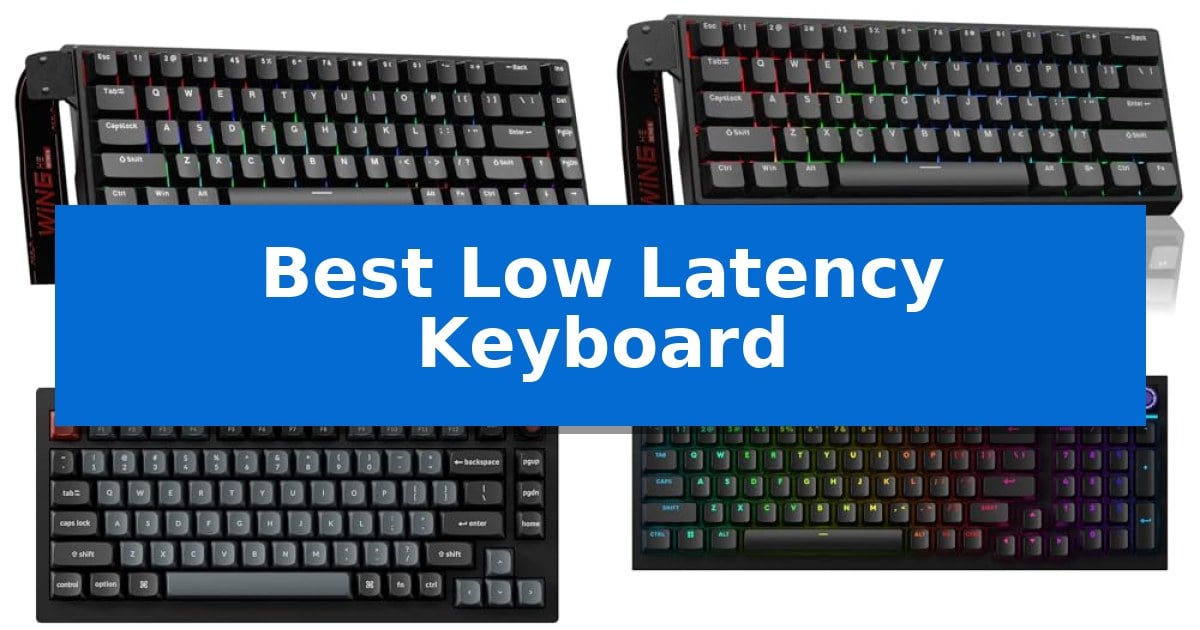
In competitive gaming, the difference between a successful play and a missed opportunity often comes down to milliseconds. When every input counts, a Best Low Latency Keyboard becomes an essential tool for ensuring your commands register the moment you press a key. By utilizing high polling rates and advanced switch technology, these keyboards minimize the delay between your physical action and the on-screen result.
Selecting the right hardware requires understanding how switch actuation and connection protocols impact your gameplay. Whether you are a professional esports athlete or a dedicated enthusiast, finding a device that balances responsiveness with your specific typing preferences is key to improving your performance and overall experience.
You may also want to compare Best Low Latency Gaming Mouse, Best Low Latency DDR5 RAM, and Best Low Input Lag 4K Gaming TV.
Best Low Latency Keyboard
Quick Comparison
| Product | Best For | Key Strength | Score |
|---|---|---|---|
| AULA WIN68 HE Mechanical Gaming Keyboard | Best Overall | 8,000Hz polling rate for rapid input response. | 4.9 |
| AULA WIN60 HE Mechanical Gaming Keyboard | Rapid Trigger for Competitive FPS | Rapid Trigger technology with 0.02mm sensitivity for instant key response. | 4.8 |
| Keychron V1 8K Mechanical Keyboard | Ultra-Responsive 8000Hz Wired Performance | 8000Hz polling rate for near-zero input latency | 4.6 |
| Logitech G316 X 98 Mechanical Keyboard | Elite Speed with 8kHz Reporting | 8 kHz report rate for elite signal transmission speed | 4.9 |
| AULA F75 Pro Wireless Mechanical Keyboard | Versatile Tri-Mode Low Latency Connection | Tri-mode connectivity supports up to five simultaneous device pairings. | 4.4 |
How We Chose
- Polling Rate: We prioritized models offering 8000Hz reporting to ensure near-instantaneous signal transmission.
- Switch Technology: We assessed the implementation of Hall Effect magnetic switches for precise, adjustable actuation.
- Connectivity: We analyzed wired and wireless options to determine which configurations provide the most stable, low-latency performance.
- Customization: We reviewed the software and hardware features that allow for personalized actuation points and macro mapping.
- Build and Layout: We considered the physical footprint and structural design to ensure the keyboard fits various desk setups.
1 AULA WIN68 HE Mechanical Gaming Keyboard — Magnetic Switches with 8000Hz Polling
The AULA WIN68 HE Mechanical Gaming Keyboard differentiates itself through an 8,000Hz polling rate and ultra-low latency of 0.3ms, designed to provide immediate command registration for competitive environments. This 60% compact wired keyboard prioritizes speed and precision, utilizing magnetic switches to cater to users who require rapid, consistent input response.
Equipped with Hall Effect magnetic switches, this keyboard allows for adjustable actuation points ranging from 0.02mm to 3.44mm. Each key can be customized in 0.1mm increments, enabling users to fine-tune press and reset sensitivity to suit specific gaming or typing preferences. The integration of a professional web driver facilitates macro editing, key mapping, and management of RT, SOCD, DKS, MT, and TGL functions on Windows systems.
The design features a 60% compact layout that saves desk space while retaining essential arrow and function keys. It includes 16.8 million color RGB backlighting with south-facing LEDs and 14 preset effects, which can be adjusted via the driver or onboard FN combinations. The unit connects via a detachable USB cable, ensuring a stable wired connection suitable for both desktop setups and travel.
While the AULA WIN68 HE Mechanical Gaming Keyboard offers extensive customization, it is important to note that the web driver is exclusively compatible with Windows systems and does not support macOS. The keyboard's 68-key configuration relies on FN combinations for full command access, which may require an adjustment period for users accustomed to full-sized layouts.
Best for: Competitive gamers and coders who require ultra-low latency and highly granular actuation adjustments in a compact form factor.
Skip if: Users who rely on macOS or require a full-sized keyboard layout with dedicated number pads and media keys.
PROS
- 8,000Hz polling rate for rapid input response.
- Adjustable actuation points from 0.02mm to 3.44mm.
- Compact 60% design saves significant desk space.
- Customizable web driver for advanced function mapping.
CONS
- Windows-only driver support limits functionality for Mac users.
- 60% layout requires reliance on FN combinations for full key access.
2 AULA WIN60 HE Mechanical Gaming Keyboard — Rapid Trigger for Competitive FPS
Competitive gaming requires hardware that minimizes input delay, and the AULA WIN60 HE Mechanical Gaming Keyboard addresses this through its advanced Hall Effect magnetic switches. By utilizing magnetic technology to register keystrokes without physical contact, this keyboard provides consistent actuation while eliminating the mechanical wear common in traditional switches.
The standout feature for high-stakes play is the Rapid Trigger functionality, which allows for an ultra-low 0.02mm RT step distance. This enables near-instantaneous key resets, facilitating faster peeking and quick-stop maneuvers in FPS titles like Valorant or CS2. Complementing this responsiveness is an 8000Hz polling rate, which ensures that inputs are processed with minimal latency for a competitive edge.
Designed with a compact 60% layout, the keyboard maximizes desk space for mouse movement without sacrificing essential functionality. The build includes PBT keycaps with a lower light position to enhance the 16.8 million color RGB lighting, creating a clear and customizable aesthetic for any gaming setup.
Customization is handled through a web-based driver that operates directly in your browser. This approach allows users to remap keys, configure macros, and adjust lighting profiles without installing memory-intensive software. The interface is designed for convenience, ensuring that settings can be managed from any device with internet access.
Best for: Competitive FPS gamers who require ultra-fast actuation and rapid key reset capabilities in a space-saving 60% form factor.
Skip if: Users who require a full-sized keyboard layout with a dedicated number pad or those who prefer the tactile feedback of traditional mechanical switches over magnetic Hall Effect sensors.
PROS
- Rapid Trigger technology with 0.02mm sensitivity for instant key response.
- 8000Hz polling rate for high-speed input processing.
- Web-based driver eliminates the need for bulky, system-heavy software.
- Hot-swappable magnetic switches ensure long-term durability and customization.
CONS
- 60% compact layout lacks dedicated arrow keys and a number pad, which may hinder non-gaming productivity tasks.
3 Keychron V1 8K Mechanical Keyboard — Ultra-Responsive 8000Hz Wired Performance
Achieving near-zero input delay is a priority for competitive play, and the Keychron V1 8K Mechanical Keyboard addresses this with an 8000Hz polling rate. This high-frequency data transmission ensures that every keystroke is registered with minimal latency, providing a distinct advantage in fast-paced FPS and MOBA titles where reaction time is critical.
Beyond its speed, the keyboard features a sophisticated gasket-mounted design integrated with sound-absorbing foam. This construction creates a flexible typing experience that effectively eliminates the plastic hollowness often found in standard boards, resulting in a clean, consistent 'thocky' sound profile. The inclusion of factory-lubricated Keychron Super switches further enhances this feel, offering a smooth press with minimal wobble right out of the box.
Customization is central to the user experience, supported by the Keychron Launcher web app. This tool allows for effortless key remapping and macro programming without the need for additional software. The hot-swappable PCB is compatible with both 3-pin and 5-pin MX switches, allowing users to tailor the tactile feel of their board to personal preference at any time.
The compact 75% layout is designed to maximize desk space while retaining essential function and arrow keys, making it a practical choice for minimalist setups. Durability is reinforced by double-shot PBT keycaps that resist oil buildup, while the south-facing RGB LEDs provide improved visibility for enthusiast-grade custom keycap sets. The board also includes a system toggle for seamless switching between macOS and Windows environments.
Best for: Competitive gamers and power users who require ultra-low latency and a compact, customizable mechanical keyboard.
Skip if: Users who require a full-sized layout with a dedicated number pad or those who prefer wireless connectivity.
PROS
- 8000Hz polling rate for near-zero input latency
- Gasket-mounted design for a premium, cushioned typing feel
- Hot-swappable PCB for easy switch customization
- QMK support and web-based key remapping
CONS
- Wired-only connection limits desk placement flexibility
- 75% layout lacks a dedicated number pad
4 Logitech G316 X 98 Mechanical Keyboard — Elite Speed with 8kHz Reporting
Precision gaming relies on minimizing the delay between a physical input and its digital execution. The Logitech G316 X 98 Mechanical Gaming Keyboard addresses this by utilizing an 8 kHz report rate, enabling near-instantaneous signal transmission for competitive environments.
Beyond its speed, the keyboard features a gasket-mounted structure integrated with sound-dampening silicone and foam layers. This design choice aims to provide a refined, quiet typing experience while maintaining the tactile feedback expected from mechanical switches. The 98% layout balances full-size functionality, including a dedicated numpad, with a compact footprint that preserves desk space for mouse movement.
Customization is a central component of the hardware. The device includes hot-swappable switches and double-shot PBT keycaps, which are designed for durability and shine resistance. Users can manage settings such as report rate, volume, and lighting through an interactive LED dot-matrix display and dial, reducing the need to exit active applications to adjust system parameters.
Integration with G HUB software allows for deep personalization, including the configuration of LIGHTSYNC RGB lighting across 30 distinct zones. The build quality incorporates translucent accents and a durable frame, ensuring the unit remains stable during intense use. This combination of high-frequency reporting and physical customization makes it a versatile tool for both productivity and gaming.
Best for: Competitive gamers and power users who require high-frequency 8 kHz reporting and a compact 98% layout with full numpad functionality.
Skip if: Users who prefer a traditional full-size 100% layout or those who do not require ultra-high polling rates for their specific gaming or work applications.
PROS
- 8 kHz report rate for elite signal transmission speed
- Gasket-mounted structure for improved sound and feel
- Hot-swappable switches for easy customization
- 98% layout provides full-size utility in a compact form factor
CONS
- Requires G HUB software to enable full 8 kHz functionality and advanced macro customization
5 AULA F75 Pro Wireless Mechanical Keyboard — Versatile Tri-Mode Low Latency Connection
The AULA F75 Pro Wireless Mechanical Keyboard is engineered with a focus on tactile responsiveness and acoustic quality, utilizing pre-lubricated LEOBOG reaper switches and a specialized internal structure to minimize cavity noise. This 75% layout device integrates a multi-function knob that allows users to toggle between gaming and office modes, providing granular control over media playback and RGB lighting effects.
Connectivity is a primary strength of this model, offering tri-mode support via Bluetooth 5.0, 2.4GHz wireless, and USB-C wired connections. It is capable of pairing with up to five devices simultaneously, making it a versatile choice for users who switch between PCs, tablets, and consoles. The inclusion of a 4000mAh battery provides the necessary power for extended wireless sessions.
Durability and aesthetics are addressed through side-printed PBT keycaps, which are manufactured using double injection molding and heat sublimation. These keycaps are designed to be sweat-proof and resistant to fading, while the side-engraved legends allow for consistent light transmission from the 16.8 million color RGB backlight system.
The keyboard features a hot-swappable base compatible with both 3-pin and 5-pin switches, allowing for customization without the need for soldering. Internally, the board uses a five-layer silencer system and PCB single key slotting to optimize resilience and provide a softer, more elastic typing feel compared to standard mechanical boards.
Best for: Users who prioritize a compact 75% layout with versatile tri-mode connectivity and hot-swappable switch customization.
Skip if: Users who require a full-sized keyboard with a dedicated number pad for data entry tasks.
PROS
- Tri-mode connectivity supports up to five simultaneous device pairings.
- Hot-swappable PCB allows for easy switch replacement without soldering.
- Advanced sound dampening with five layers of filling silencer reduces cavity noise.
- Multi-function knob provides quick adjustments for volume and lighting.
CONS
- 75% compact layout lacks a dedicated number pad.
- 6-month warranty period is relatively short compared to some industry standards.
Best Low Latency Keyboard Buying Guide
Understanding Polling Rates
The polling rate of a keyboard determines how often it reports its status to your computer. While standard keyboards typically operate at 1000Hz, a Best Low Latency Keyboard often features an 8000Hz polling rate. This higher frequency significantly reduces the interval between reports, allowing the system to detect keystrokes much faster.
For most users, the benefits of 8000Hz are most noticeable in high-stakes FPS or MOBA titles where every millisecond of reaction time matters. It is important to ensure your system can handle the increased CPU load associated with such high reporting frequencies to maintain a smooth experience.
Magnetic Switches vs. Traditional Mechanical
Hall Effect magnetic switches represent a major shift in keyboard technology. Unlike traditional mechanical switches that rely on physical contact, these use magnets to detect key movement. This allows for adjustable actuation points, meaning you can decide exactly how deep a key needs to be pressed to trigger an input.
This technology also enables Rapid Trigger functionality, which resets the key instantly upon release. This feature is particularly beneficial for gamers who need to perform rapid-fire inputs or quick-stop movements without waiting for the switch to fully return to its original position.
Layout and Form Factor
The physical size of your keyboard impacts your desk ergonomics and mouse movement space. A 60% compact layout is a popular choice for gamers because it removes the number pad and navigation cluster, allowing you to bring your mouse closer to the center of your body.
If you require full-size functionality for productivity tasks, a 98% layout or a 75% layout provides a middle ground. These designs retain essential keys like the arrow cluster or function row while still maintaining a smaller footprint than a standard 104-key keyboard.
Connectivity Considerations
While wired USB-C connections remain the gold standard for the lowest possible latency, modern wireless technology has made significant strides. Many keyboards now offer tri-mode connectivity, allowing you to switch between 2.4GHz wireless, Bluetooth, and wired modes.
For competitive gaming, the 2.4GHz wireless connection is generally preferred over Bluetooth due to its higher stability and faster data transmission. However, for the absolute lowest latency, a direct wired connection is always the most reliable choice.
Customization and Software
The ability to remap keys, create macros, and adjust lighting is essential for a tailored experience. Many modern keyboards now utilize web-based drivers, which allow you to modify settings without installing heavy software on your PC.
Look for keyboards that support on-board memory or cloud-based profiles. This ensures that your custom actuation settings and key mappings remain consistent even if you move your keyboard between different computers.
Frequently Asked Questions
Is 8000Hz polling really necessary for gaming?
While 8000Hz provides the lowest possible input latency, the difference is most noticeable in high-refresh-rate competitive environments. It is a tool for those seeking every possible millisecond advantage.
Can I use a magnetic switch keyboard for typing?
Yes, magnetic switches are excellent for typing. The ability to adjust the actuation point means you can set a deeper trigger point to prevent accidental keystrokes if you have a heavy typing style.
What is the benefit of a 60% layout?
A 60% layout saves significant desk space, which provides more room for wide mouse swipes, a common requirement for low-sensitivity FPS gamers.
Do I need special software for these keyboards?
Many of these keyboards use web-based drivers, which allow for customization without the need to install permanent software on your system.
Are these keyboards compatible with Mac?
Compatibility varies by model. Some keyboards are specifically optimized for Windows due to their driver requirements, so always check the manufacturer's specifications for macOS support.
Conclusion: Our Top Pick
When evaluating the options for a high-performance input device, the AULA WIN68 HE Mechanical Gaming Keyboard stands out as a top contender. Its combination of an 8000Hz polling rate and advanced Hall Effect magnetic switches provides the precision and speed required for competitive gaming environments.
By offering adjustable actuation and a compact 60% design, this keyboard balances technical performance with practical desk space management. It is an ideal choice for gamers looking to minimize input latency while maintaining a highly customizable and responsive typing experience.