
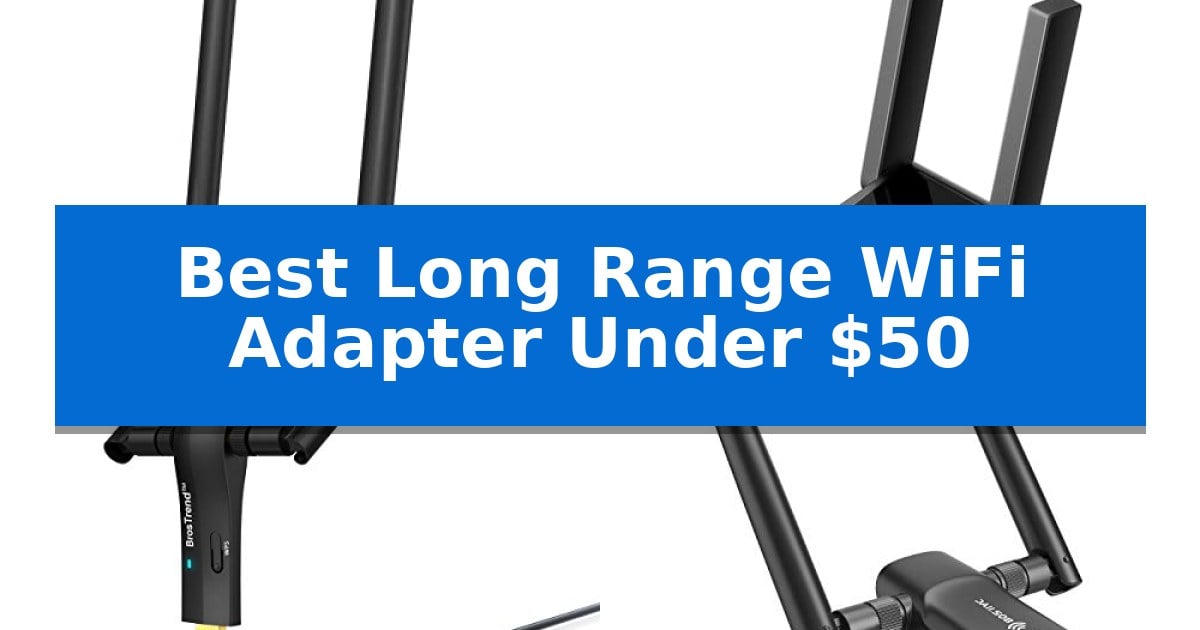
Dealing with a weak or inconsistent internet connection on your desktop or laptop can be incredibly frustrating, especially when you are in the middle of a video call or an online game. A high-quality wireless adapter can bridge the gap between a distant router and your workstation, ensuring you stay connected without constant dropouts.
Finding the Best Long Range WiFi Adapter Under $50 requires balancing signal strength, antenna design, and interface compatibility. We have analyzed several popular models to help you identify which device best suits your specific home or office layout, focusing on those that provide reliable, high-speed connectivity within a budget-friendly price point.
You may also want to compare Best Long Range WiFi Adapter, Best Long Range Solar Security Camera, and Best Long Range Security Camera.
Best Long Range WiFi Adapter Under $50
Quick Comparison
| Product | Best For | Key Strength | Score |
|---|---|---|---|
| BrosTrend AX1800 WiFi 6 USB Adapter | Best Overall | High-gain 5dBi antennas for improved signal penetration. | 4.9 |
| TP-Link Archer TX30U Plus WiFi 6 Adapter | Reliable Signal Through Walls | High-gain antennas provide superior signal penetration through walls. | 4.7 |
| BrosTrend AC1200 USB WiFi Adapter | Flexible Placement with Cradle | Flexible placement via a 5-foot USB 3.0 extension cradle. | 4.4 |
| Nineplus AC1300 Wireless USB Adapter | Budget-Friendly Range Extender | Dual 5dBi high-gain antennas for enhanced signal penetration. | 4.6 |
| TP-Link Archer T4U Plus WiFi Adapter | Adjustable Dual Antenna Design | Dual high-gain antennas for improved signal range and quality. | 4.6 |
How We Chose
- Signal Reception: We prioritized models featuring high-gain antennas and beamforming technology to ensure consistent coverage through physical obstacles.
- Data Transfer Standards: We assessed support for modern protocols like WiFi 6 and dual-band capabilities to ensure compatibility with current high-speed internet plans.
- Interface and Connectivity: We examined the use of USB 3.0 interfaces to prevent data bottlenecks and ensure fast, reliable communication between the adapter and your PC.
- Physical Design: We looked for flexible mounting options, such as extension cradles, which allow users to position the hardware for optimal signal reception.
- System Compatibility: We verified the operating system support to ensure seamless installation on standard Windows-based desktop and laptop environments.
1 BrosTrend AX1800 WiFi 6 USB Adapter — Best for High-Speed Gaming
Maintaining a stable connection across multiple rooms requires hardware designed for signal penetration and efficiency. The BrosTrend AX1800 WiFi 6 USB Adapter utilizes two 5dBi high-gain antennas to improve signal reception, making it a practical choice for desktop or laptop users struggling with distance from their router.
This adapter leverages WiFi 6 technology to deliver combined speeds of up to 1800Mbps, split between 1201Mbps on the 5GHz band and 574Mbps on the 2.4GHz band. By incorporating OFDMA and MU-MIMO technologies, the device is engineered to manage multiple data streams simultaneously, which helps maintain consistent performance during bandwidth-heavy tasks like 4K streaming or online gaming.
Designed for flexibility, the unit includes a 3.3-foot USB 3.0 extension cable. This allows users to position the adapter away from the back of a PC tower, where signal interference from metal components is common. The desktop-style cradle ensures the antennas remain in an optimal location for signal capture.
Installation is simplified through a pre-loaded driver system, eliminating the need for optical drives or external downloads. The device is compatible with Windows 10 and 11, though users should note that Linux systems are not supported. It also features WPA3 security to provide updated encryption standards for wireless networks.
Best for: Desktop and laptop users who need to improve wireless signal strength and stability through walls or floors.
Skip if: Users running Linux operating systems or those requiring a compact, low-profile dongle that does not require an external cable.
PROS
- High-gain 5dBi antennas for improved signal penetration.
- WiFi 6 support with MU-MIMO and OFDMA for efficient data handling.
- Includes a 3.3-foot USB 3.0 extension cable for flexible placement.
- Pre-loaded driver for simplified setup on Windows 10/11.
CONS
- Linux is not supported, limiting compatibility for some users.
- Desktop-focused design requires more physical space than a standard USB dongle.
2 TP-Link Archer TX30U Plus WiFi 6 Adapter — Reliable Signal Through Walls
The TP-Link Archer TX30U Plus WiFi 6 Adapter is engineered to revitalize desktop connectivity, utilizing 2× high-gain dual-band antennas and beamforming technology to maintain a consistent signal through walls and across rooms. This adapter is a practical solution for users dealing with outdated or malfunctioning internal Wi-Fi cards, offering a straightforward path to modern wireless standards.
Performance is driven by Wi-Fi 6 capabilities, providing dual-band speeds of up to 1201 Mbps on the 5 GHz band and 574 Mbps on the 2.4 GHz band. The inclusion of MU-MIMO and OFDMA technologies allows for more efficient data streams and reduced network congestion, which is beneficial for multi-device environments and demanding tasks like video conferencing or streaming.
Designed for ease of use, the adapter features a preloaded internal driver for quick installation and utilizes a USB 3.0 connection, which supports significantly faster data transfer compared to older USB 2.0 interfaces. The physical design is equally functional, with adjustable antennas that can be folded for compact storage when not in use.
Security and compatibility are core components of this device. It supports WPA3 encryption to defend against brute-force attacks and is built in alignment with the CISA Secure-by-Design pledge. Note that this adapter is exclusively compatible with Windows 11 and Windows 10 operating systems.
Best for: Desktop users running Windows 10 or 11 who need to improve signal reception and range through physical obstacles like walls.
Skip if: Users running older operating systems like Windows 7 or 8, or those requiring a low-profile dongle without external antennas.
PROS
- High-gain antennas provide superior signal penetration through walls.
- Wi-Fi 6 support with MU-MIMO and OFDMA for reduced latency.
- USB 3.0 interface ensures faster data transfer speeds.
- WPA3 encryption offers enhanced network security.
CONS
- Limited OS compatibility restricted to Windows 11 and 10 only.
- Physical footprint is larger due to the external antenna design.
3 BrosTrend AC1200 USB WiFi Adapter — Flexible Placement with Cradle
The BrosTrend AC1200 USB WiFi Adapter addresses signal reception challenges by utilizing a 5-foot USB 3.0 cradle, which allows you to position the adapter in a location with optimal signal strength rather than being confined to the back of a desktop tower. This flexible deployment is paired with two 5dBi high-gain detachable antennas, designed to extend range and improve connection stability for both laptops and desktop PCs.
This adapter operates on dual-band frequencies, providing up to 867Mbps on the 5GHz band and 300Mbps on the 2.4GHz band. The integration of a gold-plated USB 3.0 port supports data transfer speeds significantly faster than older USB 2.0 standards, ensuring the hardware does not become a bottleneck for your wireless connection. It is also fully backward compatible with USB 2.0 ports.
Security and compatibility are central to its design, as the device supports modern encryption standards including WPA3-SAE, WPA2, and WPA. It is compatible with Windows 11, 10, 8.1, 8, and 7. To ensure peak performance, the manufacturer requires users to download the latest drivers from the official BrosTrend website during setup.
The physical design measures 3.7 x 3.9 x 7.0 inches, making it a compact addition to any workstation. While it offers versatile placement options, users should note that the device does not provide support for Linux operating systems, which is a key consideration for those running alternative environments.
Best for: Desktop and laptop users who need to improve wireless signal reception through flexible antenna placement and high-gain hardware.
Skip if: Users running Linux operating systems or those who require a plug-and-play solution without the need to manually download and install drivers.
PROS
- Flexible placement via a 5-foot USB 3.0 extension cradle.
- High-gain 5dBi detachable antennas for improved range.
- Dual-band support with speeds up to 867Mbps on 5GHz.
- Advanced WPA3 security compatibility.
CONS
- No Linux support available.
- Manual driver installation required for optimal performance.
4 Nineplus AC1300 Wireless USB Adapter — Budget-Friendly Range Extender
Overcoming poor signal reception in distant rooms often requires a dedicated hardware upgrade, and the Nineplus AC1300 Wireless USB Adapter addresses this by utilizing two 5dBi high-gain antennas. This design choice is intended to improve both the reception and transmission of WiFi signals, providing a more stable connection for desktop or laptop users struggling with connectivity in areas far from their router.
This adapter operates on dual-band 5.8GHz and 2.4GHz frequencies, offering speeds up to 867Mbps and 400Mbps respectively. By leveraging Super Speed USB 3.0 connectivity, the device supports faster data transfer rates compared to older USB 2.0 standards, which is essential for maintaining the high-speed demands of modern wireless networking.
Installation is designed for simplicity, featuring plug-and-play compatibility for most Windows 10 and 11 systems. For users on Windows 7 or those who require additional assistance, the manufacturer provides online setup support and technical guidance to ensure the device is correctly configured for their specific system.
While this adapter offers a robust solution for extending WiFi range, it is important to note that it is strictly limited to Windows-based environments. It does not provide support for Mac OS, Chromebook, or Linux operating systems, making it a specialized tool for Windows PC users seeking a budget-friendly way to improve their network performance.
Best for: Windows PC users who need to improve WiFi signal strength and range in distant rooms on a budget.
Skip if: Users who rely on Mac OS, Chromebook, or Linux operating systems, as this adapter is not compatible with those platforms.
PROS
- Dual 5dBi high-gain antennas for enhanced signal penetration.
- Super Speed USB 3.0 interface for faster data transfer.
- Dual-band performance supporting up to 1300Mbps combined speeds.
- Plug-and-play setup for Windows 10 and 11.
CONS
- No support for Mac OS, Linux, or Chromebook systems.
- Manual driver installation may be required for older Windows versions.
5 TP-Link Archer T4U Plus WiFi Adapter — Adjustable Dual Antenna Design
The TP-Link Archer T4U Plus WiFi Adapter features a flexible, multi-directional antenna design that allows for precise positioning to optimize signal reception in desktop environments. This dual-band adapter is engineered to improve range and signal quality, making it a practical solution for users looking to stabilize their connection without complex hardware installations.
Equipped with AC1300 wireless speeds, the device supports both 2.4GHz and 5GHz bands, providing up to 400Mbps and 867Mbps respectively. This dual-band capability allows for flexible traffic management, whether you are streaming high-definition content or handling standard web tasks. The integration of a Super Speed USB 3.0 port ensures data transfer rates up to 10 times faster than the older USB 2.0 standard, reducing potential bottlenecks at the connection point.
Designed specifically for desktop PCs, the unit utilizes dual high-gain antennas to extend reach and maintain a consistent link. The hardware is compatible with Windows 11/10 and macOS X 10.9 through 10.14, offering broad support for various desktop setups. Its compact dimensions of 3.3 by 6.2 by 0.76 inches allow it to sit unobtrusively on a workspace while providing the necessary leverage for improved wireless performance.
The TP-Link Archer T4U Plus WiFi Adapter is backed by a 2-year manufacturer's warranty, providing long-term support for your network hardware. By combining adjustable physical antennas with high-speed USB 3.0 connectivity, it balances ease of use with the technical requirements needed for reliable desktop networking.
Best for: Desktop PC users requiring improved signal range and dual-band connectivity via a USB 3.0 interface.
Skip if: Users with laptops or devices lacking an available USB 3.0 port, or those requiring compatibility with macOS versions newer than 10.14.
PROS
- Dual high-gain antennas for improved signal range and quality.
- USB 3.0 connectivity for faster data transfer speeds.
- Adjustable, multi-directional design for flexible placement.
- Dual-band support (2.4GHz/5GHz) for versatile network traffic handling.
CONS
- Limited macOS compatibility (only up to version 10.14).
- Physical footprint may be larger than standard compact USB dongles.
Best Long Range WiFi Adapter Under $50 Buying Guide
Understanding WiFi Standards
The wireless standard of your adapter determines the maximum potential speed and efficiency of your connection. Modern adapters often support WiFi 6 (802.11ax), which is designed to handle multiple devices and high-bandwidth tasks more effectively than older standards like WiFi 5.
When choosing an adapter, ensure your router also supports the same standard to take full advantage of the improved throughput. Even if your router is older, a newer adapter can often provide a more stable connection, though it will be limited by the router's maximum output.
The Importance of High-Gain Antennas
Physical antennas play a critical role in signal penetration. Models equipped with high-gain antennas are significantly better at picking up weak signals from routers located behind walls or on different floors.
Look for adapters that offer adjustable or detachable antennas. This flexibility allows you to orient the hardware to capture the strongest signal path, which is essential for maintaining a consistent connection in larger homes.
USB 3.0 vs. USB 2.0
The interface used to connect the adapter to your computer is a common bottleneck. USB 3.0 offers significantly higher data transfer rates compared to the older USB 2.0 standard, ensuring that the adapter's wireless speed is not throttled by the connection to your motherboard.
Always plug your high-performance WiFi adapter into a blue-colored USB 3.0 port on your PC to ensure you are getting the full speed and power efficiency the device is capable of delivering.
Placement and Signal Optimization
The location of your adapter is just as important as its specifications. If your desktop tower is tucked under a desk or against a wall, the signal may be blocked by the computer's own metal chassis.
Using an adapter with an extension cable or cradle allows you to move the device away from the PC's body. This simple adjustment can often lead to a much stronger and more reliable connection by providing a clear line of sight to your router.
Operating System Compatibility
Before purchasing, verify that the adapter supports your specific operating system. Most modern adapters are optimized for Windows 11 and 10, with many offering plug-and-play functionality that simplifies the setup process.
Some adapters may require specific driver downloads from the manufacturer's website to function at peak performance. Checking for driver availability before installation can save you time and prevent connectivity issues.
Frequently Asked Questions
Do I need to install drivers for these adapters?
Many modern USB WiFi adapters are designed for plug-and-play, but some may require you to download the latest drivers from the manufacturer's website to ensure full compatibility and performance on your specific version of Windows.
Can these adapters work through multiple walls?
Yes, models featuring high-gain antennas and beamforming technology are specifically engineered to improve signal penetration through obstacles like walls and floors, though actual performance will depend on the thickness and material of those barriers.
Is WiFi 6 worth it for a USB adapter?
If you have a WiFi 6 router and a high-speed internet plan, a WiFi 6 adapter is definitely worth it. It provides better efficiency, lower latency, and higher throughput, which are beneficial for gaming and 4K streaming.
Why does my adapter come with an extension cable?
The extension cable allows you to place the adapter in a location with better signal reception, away from the interference and physical blockage caused by your computer's metal case.
Are these adapters compatible with Mac or Linux?
Compatibility varies by model. Most of the adapters listed are primarily designed for Windows 11 and 10. Always check the manufacturer's specifications if you intend to use the device with macOS or Linux, as driver support for these systems is often limited or unavailable.
Conclusion: Our Top Pick
After reviewing the options, the BrosTrend AX1800 WiFi 6 USB Adapter stands out as the most capable choice for users needing a balance of speed and range. Its support for WiFi 6, combined with dual high-gain antennas, provides a robust solution for demanding tasks like 4K streaming and online gaming.
While other models offer excellent value and flexible placement, this adapter's combination of modern wireless standards and signal-boosting hardware makes it the most reliable investment for improving your desktop's connectivity. Ensure your PC has an available USB 3.0 port to maximize its performance.