
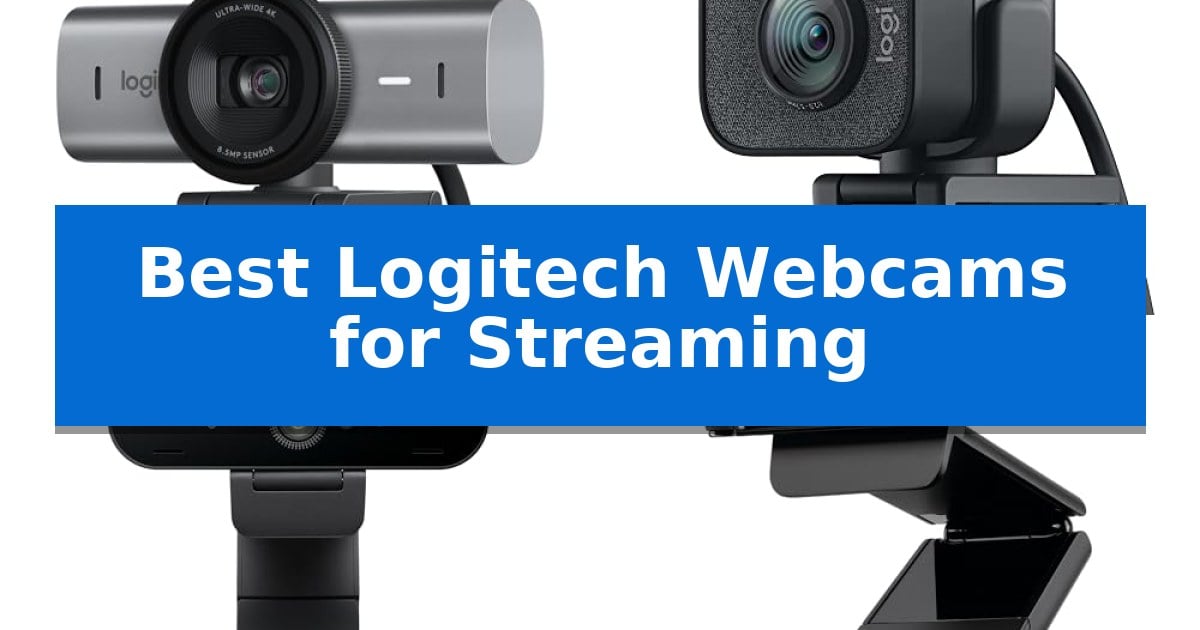
Finding the right camera for your online presence can be a challenge, especially when balancing resolution, frame rates, and lighting conditions. Whether you are a professional content creator or just starting your journey, selecting the Best Logitech Webcams for Streaming requires understanding how specific sensor capabilities and software features align with your unique production environment.
This guide examines the current lineup of Logitech cameras to help you identify which model offers the necessary clarity and connectivity for your specific workflow. By focusing on technical specifications like resolution, frame rate, and mounting versatility, we aim to simplify your decision-making process.
You may also want to compare Best Logitech Webcams for Skype, Best Logitech Webcams for PC, and Best Logitech Webcams for Microsoft Teams.
Best Logitech Webcams for Streaming
Quick Comparison
| Product | Best For | Key Strength | Score |
|---|---|---|---|
| Logitech MX Brio Webcam | Best Overall | Ultra HD 4K resolution with larger pixels for enhanced image sharpness. | 4.9 |
| Logitech StreamCam | Smooth 60 FPS Streaming | Full HD 1080p at 60 fps for smooth, natural video. | 4.8 |
| Logitech Brio 4K Webcam | Versatile Field of View | Supports 4K Ultra HD resolution for high-detail streaming. | 4.7 |
| Logitech C922x Pro Webcam | Optimized for Live Broadcasts | High-frame-rate 720p/60fps support for fluid motion. | 4.6 |
| Logitech C920x Pro Webcam | Reliable Full HD Performance | Full HD 1080p resolution for sharp video output. | 4.3 |
How We Chose
- Resolution and Frame Rate capabilities for smooth motion.
- Sensor technology and low-light correction performance.
- Software compatibility with OBS, Streamlabs, and major meeting platforms.
- Mounting flexibility and physical form factor for varied setups.
- Integrated microphone quality and noise-reduction features.
1 Logitech MX Brio Webcam — Advanced 4K Sensor for Detail
Achieving professional-grade clarity for live broadcasts requires hardware that adapts to challenging lighting conditions. The Logitech MX Brio Webcam addresses this by utilizing a sensor with 70% larger pixels compared to previous models, ensuring sharper image quality whether you are streaming in Ultra HD 4K at 30fps or 1080p at 60fps.
Beyond raw resolution, this device integrates AI-enhanced image quality to improve face visibility and detail in difficult lighting. Users can rely on auto-exposure, auto white balance, and noise reduction to maintain a consistent look, or take manual control over ISO, Shutter Speed, Tint, and Vibrance to curate their specific aesthetic.
Practicality for creators is bolstered by the unique Show Mode, which allows you to tilt the camera downward to share sketches or notes on your desk during a call. This physical flexibility is complemented by dual beamforming noise-reducing microphones that leverage AI to isolate your voice from background interference, ensuring clear communication.
Compatibility is a primary focus, as the Logitech MX Brio Webcam is fully certified for major platforms including Zoom, Microsoft Teams, Google Meet, Streamlabs, and OBS. Its robust design and versatile software controls make it a reliable centerpiece for high-fidelity streaming and professional collaboration setups.
Best for: Content creators and professionals who require 4K resolution and manual image adjustments for high-quality streaming or video conferencing.
Skip if: Users who only need a basic plug-and-play webcam for casual calls and do not require advanced lighting controls or 4K resolution.
PROS
- Ultra HD 4K resolution with larger pixels for enhanced image sharpness.
- Show Mode feature for easy screen-sharing of physical documents.
- Fine-tuned manual controls for ISO, shutter speed, and white balance.
- AI-enhanced audio via dual beamforming microphones.
CONS
- Higher hardware requirements to fully utilize 4K streaming capabilities.
- Manual adjustments may require a learning curve for non-technical users.
2 Logitech StreamCam — Smooth 60 FPS Streaming
The Logitech StreamCam is built for high-fidelity content creation, offering the ability to stream and record in Full HD 1080p at 60 fps. This high frame rate capability ensures smooth motion for professional-quality live streams, making it a distinct choice for creators who prioritize visual fluidity in their broadcasts.
Beyond its resolution, the camera features a premium glass lens paired with a smart autofocus system to maintain image clarity. It includes advanced software-driven features such as auto-framing, which keeps the subject centered during movement, and intelligent exposure to adjust for varying lighting conditions, ensuring consistent video quality.
Versatility is a core design element, as the Logitech StreamCam supports both landscape and portrait modes. It includes flexible mounting options for monitors, laptops, or standard tripods. Connectivity is handled via a fast USB-C connection, which provides the necessary bandwidth for reliable high-definition video transmission.
To further refine the output, the device integrates with Logitech Capture software. This tool allows users to automate focus and exposure settings, streamlining the production process. The camera is also optimized for popular streaming platforms like Twitch, YouTube, and OBS, and notably supports the Nintendo Switch 2’s GameChat mode.
Best for: Content creators and streamers who require smooth 60 fps video and flexible mounting options for professional-looking broadcasts.
Skip if: Users who do not have a USB-C port available on their computer or those who prefer a plug-and-play device without the need for additional software configuration.
PROS
- Full HD 1080p at 60 fps for smooth, natural video.
- Versatile mounting options including portrait and landscape modes.
- Smart autofocus and intelligent exposure for consistent image quality.
- USB-C connectivity for reliable high-bandwidth data transfer.
CONS
- Requires USB-C port for optimal performance.
- Software-dependent features require Logitech Capture for full functionality.
3 Logitech Brio 4K Webcam — Versatile Field of View
Achieving professional-grade video clarity for your audience requires hardware that adapts to your environment, and the Logitech Brio 4K Webcam provides this through its high-resolution sensor and versatile framing options. This device supports 4K Ultra HD at 30fps, ensuring sharp detail for high-end production, while offering 1080p at 60fps for smoother motion during fast-paced streaming sessions.
The camera integrates RightLight 3 technology, which automatically manages exposure and contrast to maintain image quality even when dealing with challenging backlighting or glare. To ensure your framing is always precise, the webcam includes three adjustable field of view presets—65°, 78°, and 90°—allowing you to switch between a tight head-and-shoulders shot and a wider view that captures more of your studio space.
Audio clarity is handled by dual omnidirectional microphones equipped with built-in noise-canceling technology. These microphones are designed to capture clear sound from up to 1.2 meters away, helping to minimize background distractions without requiring an external microphone setup. For further customization, the Logi Options+ app provides granular control over zoom, color presets, and manual focus settings.
With its compact design measuring just over four inches in width, this webcam fits easily onto most monitor setups. It offers a flexible solution for creators who need to balance high-resolution output with the convenience of an all-in-one device, though users requiring extreme low-light performance or specialized studio lighting may still prefer dedicated external lighting rigs.
Best for: Streamers and professionals who need high-resolution 4K video and flexible framing options in a single, compact device.
Skip if: Users who require professional-grade external audio interfaces or those who prefer a dedicated DSLR camera setup for advanced depth-of-field control.
PROS
- Supports 4K Ultra HD resolution for high-detail streaming.
- Adjustable field of view presets allow for flexible framing.
- RightLight 3 automatically compensates for difficult lighting conditions.
- Includes dual noise-canceling microphones for clear audio capture.
CONS
- Fixed-lens design lacks the optical zoom capabilities of professional cameras.
- Limited to 30fps when recording at maximum 4K resolution.
4 Logitech C922x Pro Webcam — Optimized for Live Broadcasts
The Logitech C922x Pro Webcam distinguishes itself with native compatibility for the Nintendo Switch 2’s GameChat mode, providing a specialized connectivity option for modern console users. This device is engineered to handle high-definition requirements, offering Full HD 1080p video at 30 fps or 720p at 60 fps for smoother motion capture during live broadcasts.
Designed for versatility, the camera features HD lighting adjustment and autofocus, which automatically fine-tunes image quality to maintain clarity in low-light environments. The inclusion of dual microphones provides stereo audio capture, ensuring that voice input remains clear for streaming or video conferencing applications like Zoom and Microsoft Teams.
The unit supports creative production through its advanced capture software and a bundled 3-month XSplit VCam license. This software integration allows users to remove, replace, or blur backgrounds without the need for a physical green screen, streamlining the setup process for desktop or monitor-mounted configurations.
While it offers robust performance for streaming, users should note the absence of a physical privacy shutter, which may require manual disconnection or alternative privacy solutions. Its compact dimensions of 3.74 by 2.8 inches make it a practical choice for those who prioritize desk space without sacrificing video resolution.
Best for: Streamers and console gamers who require high-frame-rate 720p capture and integrated background-removal software.
Skip if: Users who prioritize a physical privacy shutter for security or those who do not require specialized console-specific chat modes.
PROS
- High-frame-rate 720p/60fps support for fluid motion.
- Automatic low-light correction and autofocus for consistent image quality.
- Includes 3-month XSplit VCam license for advanced background manipulation.
- Dual stereo microphones for improved audio capture.
CONS
- No physical privacy shutter included.
- Relies on software for background removal rather than hardware-based features.
5 Logitech C920x Pro Webcam — Reliable Full HD Performance
Achieving consistent video quality for your broadcasts requires a reliable foundation, and the Logitech C920x Pro Webcam provides a straightforward solution for creators and professionals alike. This device captures Full HD 1080p video at 30 fps, ensuring that your streams or video calls maintain a sharp, clear, and vibrantly colored appearance.
Beyond its primary resolution, the camera integrates HD lighting adjustment and autofocus technology. This feature automatically fine-tunes the image for improved clarity even in challenging low-light environments. For those managing remote meetings or streaming setups, the inclusion of stereo audio with dual microphones helps capture natural sound without requiring an external audio interface.
The Logitech C920x Pro Webcam is designed for broad compatibility, functioning seamlessly with Windows 11, macOS, and popular platforms like Zoom, Microsoft Teams, and OBS. It also includes a 3-month XSplit VCam license, which allows users to remove, replace, or blur backgrounds directly through software, providing a professional aesthetic without the need for a physical green screen.
While this model is a versatile tool for desktop or monitor-mounted use, it is important to note that it does not feature a built-in privacy shutter. Its compact design and USB connectivity make it a reliable choice for users seeking a plug-and-play experience for streaming, conferencing, or general computer use.
Best for: Streamers and professionals who need a reliable, plug-and-play 1080p camera with integrated background-replacement software.
Skip if: Users who require a physical privacy shutter or advanced high-frame-rate recording beyond 30 fps.
PROS
- Full HD 1080p resolution for sharp video output.
- Automatic lighting correction for consistent image quality in low light.
- Dual-microphone stereo audio for clear voice capture.
- Includes a 3-month XSplit VCam license for background customization.
CONS
- No physical privacy shutter included.
- Limited to 30 fps recording.
Best Logitech Webcams for Streaming Buying Guide
Resolution and Frame Rate
The choice between 4K Ultra HD and 1080p Full HD depends on your target audience and platform requirements. While 4K offers superior detail for recorded content, many streaming platforms still optimize for 1080p at 60 fps to ensure smooth, natural motion without excessive bandwidth consumption.
If your primary goal is high-motion gaming or fast-paced commentary, prioritizing a 60 fps frame rate is often more impactful than raw resolution. This ensures that your movements remain fluid and professional-looking to your viewers.
Lighting and Image Processing
Advanced sensors and RightLight technology are essential for maintaining a clear image in varying environments. Features like auto-exposure and auto white balance help compensate for backlighting or dim room conditions, preventing your video from looking washed out or grainy.
Look for models that offer manual control over settings like ISO, Shutter Speed, and Tint. These fine-tuning capabilities allow you to curate your image precisely, ensuring consistency across different streaming sessions.
Field of View and Framing
The diagonal field of view (dFOV) determines how much of your room is captured. A narrower field of view, such as 65°, is ideal for a focused head-and-shoulders shot, while a wider 90° view is better if you want to include more of your background or multiple people in the frame.
Some models include auto-framing or digital zoom features, which can keep you centered even if you move slightly during your broadcast. This adds a layer of production value without requiring a dedicated camera operator.
Connectivity and Mounting
Modern streaming cameras utilize USB-C connections to provide the high bandwidth necessary for uncompressed video and stable data transfer. Ensure your computer has a compatible port to take full advantage of these high-performance devices.
Consider the mounting options available. Whether you need to attach the camera to a standard tripod, a laptop lid, or a desktop monitor, the physical design and included mounting hardware should align with your existing desk configuration.
Software Integration
The Best Logitech Webcams for Streaming are designed to work seamlessly with industry-standard software like OBS, Streamlabs, and XSplit. Compatibility with these tools is critical for managing overlays, scene transitions, and advanced audio-video synchronization.
Additionally, proprietary software such as Logi Options+ can simplify device control, allowing you to save color presets and manage firmware updates easily. This software layer acts as a bridge between your hardware and your creative output.
Frequently Asked Questions
Do I need a 4K webcam for streaming?
While 4K provides high detail, most streaming platforms currently limit output to 1080p. A 4K camera is beneficial if you also record content for high-resolution editing or if you want the flexibility to crop into your video without losing quality.
What is the benefit of 60 fps over 30 fps?
A 60 fps frame rate provides smoother motion, which is particularly noticeable in gaming or high-action streams. It creates a more natural, lifelike appearance compared to the standard 30 fps.
Can I use these webcams with a Nintendo Switch?
Select models are compatible with the Nintendo Switch 2’s GameChat mode, allowing for direct integration in specific gaming environments.
Do I need an external microphone?
While many Logitech webcams include dual beamforming microphones with noise reduction, professional streamers often prefer a dedicated external microphone for superior audio fidelity and control.
How do I ensure my lighting is correct?
Most Logitech webcams feature automatic light correction, but for the best results, consider using a dedicated key light or softbox to ensure consistent illumination on your face.
Conclusion: Our Top Pick
Choosing the right equipment is a foundational step in building a professional streaming setup. After reviewing the available options, the Logitech MX Brio Webcam stands out as the top choice due to its advanced 4K sensor, versatile Show Mode for collaborative work, and robust AI-enhanced image processing that performs well in challenging lighting.
While other models like the StreamCam or C922x offer excellent value for specific 1080p workflows, the MX Brio provides the most comprehensive feature set for creators who require high-fidelity imagery and granular control over their broadcast quality.