
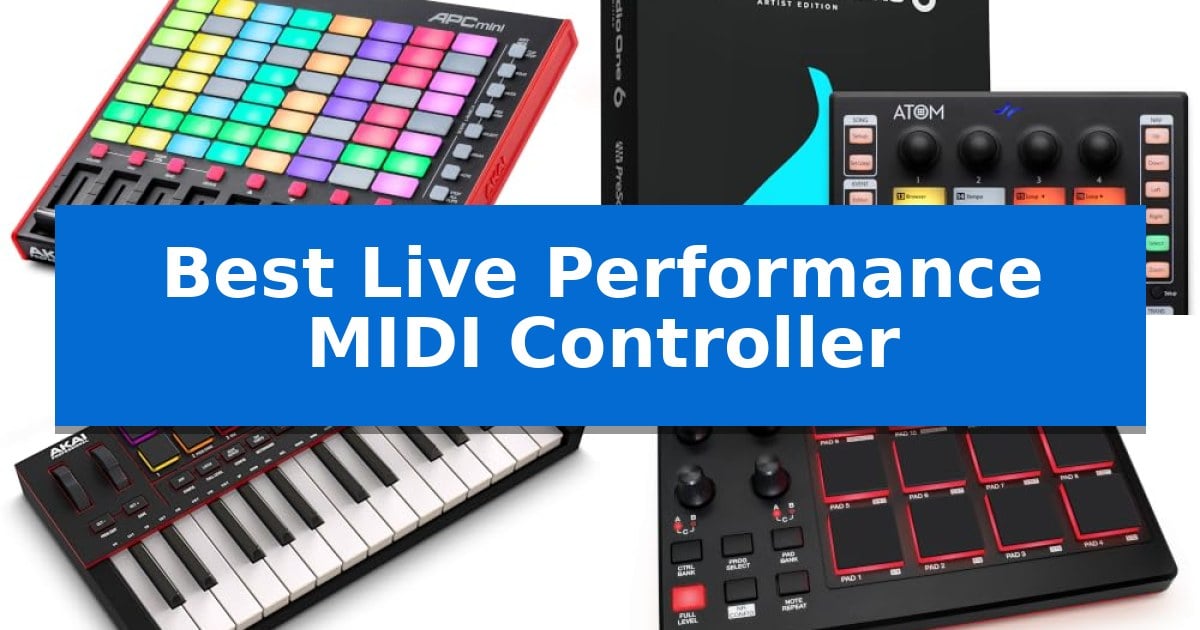
Navigating the stage requires gear that is both reliable and intuitive. Finding the Best Live Performance MIDI Controller means identifying hardware that bridges the gap between complex digital software and the immediate, tactile demands of a live environment.
Whether you need deep integration for clip launching or a standalone brain for your entire rig, the right controller transforms your performance. We have analyzed five distinct units to help you determine which interface best aligns with your specific workflow and stage requirements.
You may also want to compare Best Live Performance Microphones for Singing, Best Live Performance Microphones, and Best Live Performance Microphone for Spoken Word.
Best Live Performance MIDI Controller
Quick Comparison
| Product | Best For | Key Strength | Score |
|---|---|---|---|
| Akai Professional APC Mini MK2 | Best Overall | 1-to-1 mapping for immediate Ableton Live integration | 4.9 |
| PreSonus ATOM | Expressive Pad-Based Performance | 16 velocity- and pressure-sensitive RGB pads for expressive performance. | 4.6 |
| Akai Professional MPK Mini IV | Compact Keys for Mobile Jamming | Pre-mapped DAW integration for fast setup with major software. | 4.8 |
| Akai Professional MPD218 | Responsive Finger Drumming Control | 16 velocity-sensitive MPC pads provide responsive tactile feedback for finger drumming. | 4.5 |
| Akai Professional MPC Live III | Standalone Power for Stage Rigs | Fully standalone operation with an 8-core processor and 8GB RAM. | 4.3 |
How We Chose
- Tactile Feedback: Assessing the responsiveness and quality of pads, faders, and knobs for real-time performance.
- DAW Integration: Evaluating how seamlessly the hardware maps to industry-standard software like Ableton Live.
- Portability and Power: Considering the physical footprint and the necessity of external power versus USB-bus operation.
- Standalone Capability: Determining if the unit can function independently of a computer for streamlined stage setups.
- Control Versatility: Analyzing the availability of specialized modes like Note, Drum, and Scale for expressive playing.
1 Akai Professional APC Mini MK2 — Seamless Ableton Live Clip Launching
The Akai Professional APC Mini MK2 provides immediate, hands-on control for Ableton Live through its 64 RGB pad matrix, which offers visual feedback for launching clips, loops, and samples. Designed for both studio production and live performance, this compact controller eliminates the need for external power by utilizing plug-and-play USB connectivity.
The hardware features 9 assignable faders that allow for real-time mixing of volume, pan, or device macros within Ableton Live. Users can switch between Drum mode for seamless integration with Ableton Drum Rack and Note mode, which utilizes Smart Scale View to assist in melodic composition and performance.
Integration is streamlined by the included Ableton Live Lite software, with the hardware pre-mapped for 1-to-1 control on Ableton 11.2.7 and later versions. The package also includes a suite of virtual instruments, such as the Hybrid 3 polyphonic analog synth, Mini Grand acoustic piano, and Velvet vintage electric piano.
Measuring approximately 9.48 inches in width and 1.2 inches in height, the unit is built for portability without sacrificing essential mixing capabilities. It functions as a comprehensive interface for managing studio equipment and live sets without requiring additional power adapters or batteries.
Best for: Musicians and producers requiring a compact, portable controller for hands-on clip launching and mixer control within Ableton Live.
Skip if: Users who require full-sized keys for piano-style playing or those who need extensive physical knobs and encoders for deep synthesis control.
PROS
- 1-to-1 mapping for immediate Ableton Live integration
- 64 RGB pads provide clear visual feedback for clip management
- USB-powered for convenient, portable setup
- 9 assignable faders for tactile mixer control
CONS
- Lacks traditional keys for melodic input
- Limited physical controls compared to larger, non-mini controllers
2 PreSonus ATOM — Expressive Pad-Based Performance
The PreSonus ATOM is a compact, pad-based controller designed to shift the focus of live performance from the computer screen to tactile hardware. By providing 16 full-size, velocity- and pressure-sensitive RGB LED pads, it allows performers to trigger samples, loops, and virtual instruments with direct physical feedback, fostering a more expressive and immediate stage presence.
Engineered for deep integration, the unit offers dedicated support for Studio One Artist and Ableton Live 10 Lite. Beyond simple triggering, the hardware features 20 assignable buttons and 4 endless rotary encoders, enabling users to manage session navigation, set loop points, and perform timeline edits without reaching for a mouse. This workflow is further supported by specialized modes, including Note Repeat, Full Velocity, and a dedicated MIDI keyboard mode, which adapt the controller to diverse musical requirements.
Flexibility is a core component of the hardware design, with selectable velocity curves and pressure thresholds that allow users to customize the pad response to their specific playing style. Its compact footprint and USB connectivity ensure it integrates easily into portable setups, while the included Studio Magic Plug-In Suite and custom-curated MVP Loops content provide a comprehensive toolkit for immediate production and performance application.
Best for: Producers and performers who require a tactile, pad-based interface for triggering loops and virtual instruments within Studio One or Ableton Live environments.
Skip if: Users who primarily require a traditional piano-style keybed or those who do not use MIDI-compatible production software will find a standard MIDI keyboard more suitable.
PROS
- 16 velocity- and pressure-sensitive RGB pads for expressive performance.
- Deep integration with Studio One and Ableton Live for hands-on session control.
- Customizable response via selectable velocity curves and pressure thresholds.
- Includes a comprehensive software and content bundle including the Studio Magic Plug-In Suite.
CONS
- Lacks traditional piano-style keys, which may limit performance options for some keyboard-centric players.
- Requires a computer connection via USB for operation and software integration.
3 Akai Professional MPK Mini IV — Compact Keys for Mobile Jamming
The Akai Professional MPK Mini IV is built to bridge the gap between studio production and live performance, offering a compact interface that prioritizes hands-on control. By integrating a vibrant full-color screen and a push/turn encoder, this controller allows you to navigate DAW functions, presets, and parameters directly from the hardware, reducing the need to toggle between your instrument and computer screen during a set.
Designed for portability without sacrificing functionality, the unit features 25 velocity-sensitive mini keys and 8 pressure-sensitive MPC pads with dynamic RGB feedback. These pads provide the tactile response required for finger-drumming, while the integrated arpeggiator—featuring Pattern, Freeze, and Mutate functions—alongside dedicated Chord and Scale modes, enables rapid experimentation and live jamming capabilities.
Connectivity is streamlined through a USB-C port that supports plug-and-play operation across Mac, PC, and mobile setups. For those integrating hardware synthesizers or drum machines into their live rig, the inclusion of a full-size MIDI Out port ensures reliable communication with external gear. The chassis is engineered to be both lightweight and durable, making it a practical choice for producers who frequently travel.
To ensure a fast setup, the controller includes pre-mapped DAW integration for major software like Ableton Live, Logic Pro, and FL Studio. Furthermore, Native Kontrol Standard (NKS) integration allows the hardware to map seamlessly to compatible virtual instruments, while the included software suite provides over 1000 pro-grade sounds from AIR, Akai Pro, and Moog to get you started immediately.
Best for: Beat makers and mobile producers requiring a compact, all-in-one controller with deep DAW integration and built-in performance tools.
Skip if: Users who require full-sized, weighted piano keys for traditional keyboard performance will find the 25-key mini layout insufficient.
PROS
- Pre-mapped DAW integration for fast setup with major software.
- Integrated full-color screen for hands-on navigation and parameter control.
- Iconic MPC pads with pressure sensitivity and dynamic RGB feedback.
- Versatile connectivity including USB-C and full-size MIDI Out.
CONS
- Mini-keybed may feel restrictive for complex two-handed piano arrangements.
4 Akai Professional MPD218 — Responsive Finger Drumming Control
The Akai Professional MPD218 centers its design around 16 thick, velocity-sensitive MPC pads, providing a tactile interface for triggering drums, melodic samples, and effects during live sets. This controller is built for portability, featuring a compact 10-inch by 8-inch footprint that allows for integration into mobile production rigs.
Beyond the pads, the unit includes 18 fully assignable 360-degree potentiometers spread across three banks, offering granular control over DAW parameters, virtual instruments, and effects. The inclusion of dedicated Note Repeat and Full Level controls enables expressive, rhythmic performances, while the three pad banks expand the total trigger capacity to 48 assignable pads.
Connectivity is handled via USB, and the device supports iOS integration when paired with a Camera Connection Kit. The package includes a comprehensive software suite, featuring Ableton Live Lite, Drum Synth 500 by AIR Music Tech, and the MPC Beats software, which provides access to production tools derived from the Akai Professional MPC series.
With a weight of two pounds, the Akai Professional MPD218 serves as a lightweight solution for performers who prioritize pad-based input. While it lacks built-in sound generation or standalone sequencing, its reliance on external software and USB power makes it a focused tool for those already utilizing a laptop or iOS-based production environment.
Best for: Beat makers and live performers who require a portable, pad-focused MIDI controller for triggering samples and controlling DAW parameters.
Skip if: Users who require a standalone hardware sequencer or integrated keyboard keys for melodic composition will find this pad-only controller insufficient for their workflow.
PROS
- 16 velocity-sensitive MPC pads provide responsive tactile feedback for finger drumming.
- 18 assignable 360-degree potentiometers allow for deep control over virtual instruments and effects.
- Ultra-portable design with a small footprint makes it suitable for mobile setups.
- Expandable bank system offers up to 48 total assignable pads for complex sets.
CONS
- Requires external software and a host device for sound generation and sequencing.
- iOS connectivity necessitates an additional purchase of a Camera Connection Kit.
5 Akai Professional MPC Live III — Standalone Power for Stage Rigs
The Akai Professional MPC Live III serves as a comprehensive standalone production environment, featuring an 8-core processor and 8GB of RAM that allow for complex music creation without the need for an external computer. Its design centers on the MPC3 OS, providing a workflow capable of managing up to 32 plugin instances and 16 tracks simultaneously.
For live performance, the unit offers significant tactile control through its 16 expressive MPCe pads, which support velocity, pressure, and X/Y control for dynamic sample manipulation. Performers can utilize the performance touch-strip for real-time adjustments and the next-gen clip launch matrix to manage song arrangements on the fly during a set.
The hardware is built for portability and studio integration, housing a rechargeable battery and stereo monitors for immediate playback. Connectivity options are extensive, including MIDI I/O, CV/Gate outputs, and USB-C, allowing it to act as the central hub for external synthesizers and audio interfaces.
With 128GB of internal storage and expansion via SD or SSD, users have ample space for the included library of over 1,000 drum kits and instruments. The 7-inch multi-touch display ensures that navigation remains intuitive, while the AIR pro plugins provide advanced sound design tools like Reverb Pro and Visual EQ4 to refine performances.
Best for: Musicians and producers requiring a fully standalone, portable hardware hub for live sequencing, sampling, and multi-instrument control.
Skip if: Users who prefer a software-centric workflow tied to a DAW or those who do not require integrated audio interface and sequencing capabilities.
PROS
- Fully standalone operation with an 8-core processor and 8GB RAM.
- Expressive 3D-sensing pads for velocity and pressure-sensitive performance.
- Comprehensive I/O including MIDI, CV/Gate, and audio interface functionality.
- Portable design with built-in battery and stereo monitors.
CONS
- Significant physical footprint compared to dedicated MIDI-only controllers.
- Learning curve associated with the specialized MPC3 OS workflow.
Best Live Performance MIDI Controller Buying Guide
Connectivity and Compatibility
The foundation of any live setup is how your controller talks to your computer. Most modern units utilize USB-bus power, which simplifies your cable management by eliminating the need for bulky power adapters. Ensure your chosen device supports the specific DAW integration required for your software, as pre-mapped 1:1 control significantly reduces setup time during soundchecks.
For those using hardware synthesizers or external modules, look for devices that offer MIDI Out ports. This allows you to route signals directly to other gear without needing a computer interface, providing a more robust and less failure-prone signal chain for professional stage environments.
Interface and Tactile Control
Live performance demands high-quality physical controls that can withstand repeated use. Velocity-sensitive pads are essential for dynamic expression, allowing you to control the volume and timbre of samples based on how hard you strike them. Look for RGB feedback on pads, which provides essential visual cues in dark venues, helping you stay oriented during complex sets.
Faders and knobs offer the hands-on mixing capability required to adjust levels, pans, or device macros on the fly. Having dedicated controls for these parameters means you spend less time navigating menus on a screen and more time focusing on your musical performance.
Portability Versus Power
Your choice of controller often hinges on your travel constraints. Compact, lightweight designs are ideal for touring musicians who need to fit their gear into a backpack. These units often prioritize essential controls like pads and basic transport buttons to keep the size manageable without sacrificing core functionality.
Conversely, if your setup is stationary or you require a comprehensive production center, you might opt for a larger unit with a built-in screen and advanced sequencing capabilities. These larger controllers often provide deeper editing features, allowing you to perform complex arrangements without ever looking at a laptop.
Specialized Performance Modes
Modern MIDI controllers often include software-assisted modes that make playing melodies and rhythms more accessible. Scale and Chord modes allow you to play in key effortlessly, which is a major benefit for performers who may not be trained keyboardists. These features can be toggled on the fly, enabling you to switch musical textures mid-set.
Note Repeat is another critical feature for beat makers, allowing for consistent, rhythmic triggering of drum samples. When combined with full-level velocity settings, these tools ensure that your percussive elements remain tight and punchy throughout your performance, regardless of your physical playing style.
FAQ
Q: Do I need a computer for these controllers? A: Most controllers require a computer to run software, but some advanced units like the MPC Live III offer standalone operation.
Q: Are these controllers compatible with all DAWs? A: While many are pre-mapped for Ableton Live, most can be manually mapped to other DAWs like Logic Pro or FL Studio.
Q: What is the benefit of RGB pads? A: RGB pads provide visual feedback, allowing you to color-code clips or samples for easier navigation during a live set.
Q: Can I use these for studio production? A: Yes, all these controllers are designed for both studio production and live performance, often including software suites to get you started.
Q: Do I need to buy extra software? A: Most of these controllers come bundled with entry-level versions of DAWs and virtual instrument plugins to provide an out-of-the-box experience.
Frequently Asked Questions
Do I need a computer for these controllers?
Most controllers require a computer to run software, but some advanced units like the MPC Live III offer standalone operation.
Are these controllers compatible with all DAWs?
While many are pre-mapped for Ableton Live, most can be manually mapped to other DAWs like Logic Pro or FL Studio.
What is the benefit of RGB pads?
RGB pads provide visual feedback, allowing you to color-code clips or samples for easier navigation during a live set.
Can I use these for studio production?
Yes, all these controllers are designed for both studio production and live performance, often including software suites to get you started.
Do I need to buy extra software?
Most of these controllers come bundled with entry-level versions of DAWs and virtual instrument plugins to provide an out-of-the-box experience.
Conclusion: Our Top Pick
For most performers, the Akai Professional APC Mini MK2 is the most effective choice due to its dedicated 1:1 mapping for Ableton Live and its compact, bus-powered design. It offers the essential clip-launching matrix and mixer faders in a footprint that fits easily into any stage rig.
While other options provide more specialized features like full-size keys or standalone processing, the APC Mini MK2 strikes the best balance of portability and immediate control. It is an ideal solution for those who prioritize a streamlined, reliable workflow for launching clips and mixing on the fly.