
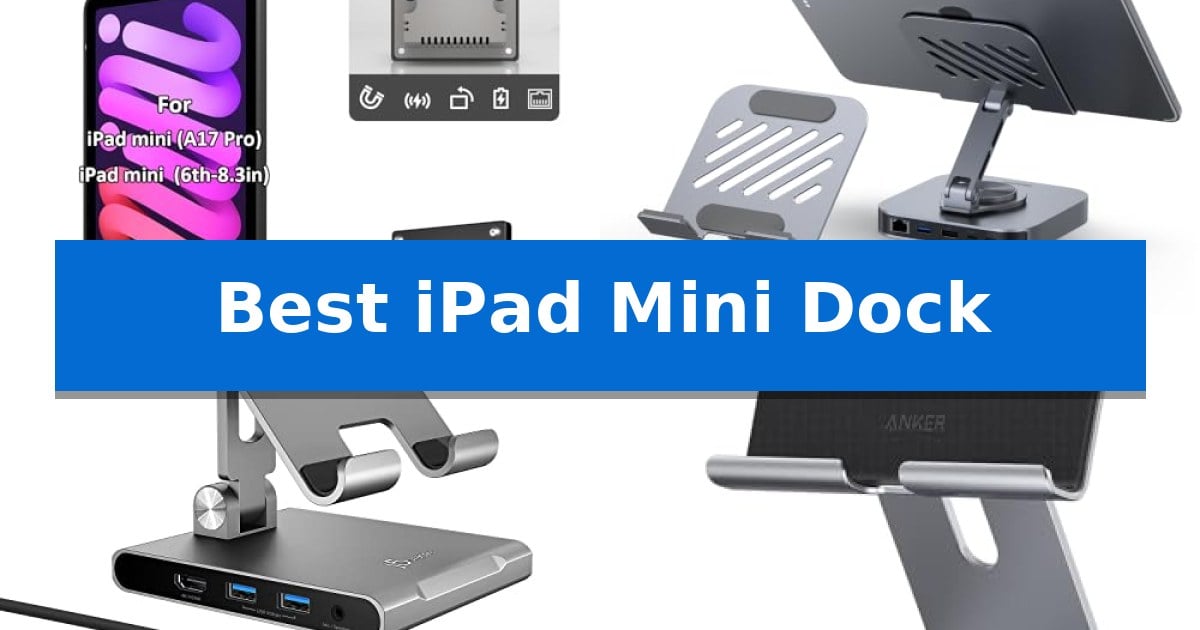
Finding the right accessory for your compact tablet can transform how you interact with your device daily. Whether you need a permanent wall display for smart home controls or a versatile hub for desktop productivity, selecting the Best iPad Mini Dock depends entirely on your specific workflow requirements.
Our guide examines five distinct docking solutions, ranging from flush-mount PoE systems to multi-port USB-C stands. By focusing on connection standards, mounting flexibility, and power delivery, we help you identify which hardware best integrates with your existing tablet configuration.
Best iPad Mini Dock in 2026: Streamlined Charging and Connectivity
Quick Comparison
| Product | Best For | Key Strength | Score |
|---|---|---|---|
| Zilvex Magnetic PoE Wall Mount Dock | Best Overall | Power over Ethernet (PoE) integration for clean, wire-free wall installations. | 4.9 |
| BENFEI USB C Hub Tablet Stand | Premium 9-in-1 Connectivity Hub | 360° adjustable stand that folds flat for portability. | 4.3 |
| j5create Adjustable Tablet Docking Station | Streamlined Workspace Productivity | Integrated 8-in-1 hub reduces desk clutter by combining stand and connectivity functions. | 4.3 |
| Anker 551 USB-C Hub Stand | Reliable Multi-Port Expansion | 8-in-1 connectivity including HDMI, USB-A, and SD card slots. | 4.4 |
| Lamicall Adjustable Tablet Stand | Simple Sturdy Desktop Support | Durable construction using spaceflight Al-Ti alloy and strengthened alloy steel. | 4.9 |
How We Chose
- Compatibility with iPad mini 6th and 7th generation hardware.
- Power delivery efficiency, including PoE standards and USB-C PD pass-through.
- Physical design, such as flush-mount capabilities or adjustable stand ergonomics.
- Connectivity options like HDMI, Ethernet, and data ports.
- Build quality and stability for 24/7 or stationary use.
1 Zilvex Magnetic PoE Wall Mount Dock — Best for Permanent Wall Displays
The Zilvex Magnetic PoE Wall Mount Charging Dock provides a streamlined, professional approach to integrating an iPad mini 6 or 7 into a smart home environment. By utilizing Power over Ethernet (PoE), this dock eliminates the need for bulky power bricks or hidden wall outlets, delivering consistent 5V/3A power through a single Ethernet cable that can run up to 300 feet.
Designed for a clean, integrated aesthetic, the unit features a minimalist in-wall flush mount that fits standard 86-type electrical boxes. This allows the tablet to sit flush against the wall, creating a low-profile interface for dashboards or security camera feeds. The construction uses flame-retardant PC and durable TPU, ensuring the device remains safe for 24/7 operation without the battery swelling or overheating risks often associated with standard charging methods.
Flexibility is central to the design, as the magnetic docking system enables users to snap the tablet into either portrait or landscape orientation with precise 90-degree alignment. This makes it simple to transition between different dashboard layouts or control interfaces as needed. Because the system relies on a wired connection, it provides a stable, permanent power source that is ideal for dedicated smart home control stations.
Installation is simplified by the inclusion of a PoE splitter, which handles the power conversion requirements. This dock is strictly a PoE-powered solution and does not support traditional DC jack power, making it a specialized choice for users who have or plan to install a PoE switch or injector within their network infrastructure.
Best for: Users seeking a permanent, professional-grade wall-mounted dashboard for an iPad mini 6 or 7 using a wired PoE network infrastructure.
Skip if: Users who do not have an existing PoE switch or injector, or those who prefer a non-permanent, surface-mounted stand that does not require in-wall installation.
PROS
- Power over Ethernet (PoE) integration for clean, wire-free wall installations.
- Magnetic docking allows for effortless switching between portrait and landscape modes.
- Flush-mount design fits standard 86-type electrical boxes for a professional look.
- Stable power delivery supports 24/7 operation without battery overheating risks.
CONS
- Requires PoE infrastructure such as a switch or injector to function.
- No support for standard DC jack power, limiting compatibility to PoE setups only.
2 BENFEI USB C Hub Tablet Stand — Premium 9-in-1 Connectivity Hub
Transforming a tablet into a versatile workstation requires more than just a stand; it demands a hub that bridges the gap between mobile portability and desktop utility. The BENFEI USB C Hub Tablet Stand addresses this by integrating a 9-in-1 docking station directly into a 360° adjustable aluminum frame, providing a stable foundation for iPad Pro, Air, and Mini models while managing complex peripheral connections.
The core of this device is its extensive connectivity suite, which includes 4K@60Hz HDMI output for external displays, 1000Mbps Ethernet for reliable wired networking, and a collection of USB 3.0 ports for accessories. With 100W Power Delivery support, it ensures your tablet remains charged while driving high-bandwidth tasks, effectively turning a compact tablet into a hub for creative or office workflows.
Design considerations prioritize both ergonomics and thermal management. The all-aluminum construction features an open-back design that keeps the tablet's cooling vents exposed, preventing thermal throttling during intensive tasks like video editing or gaming. Silicone-grip pads are integrated throughout to ensure the device remains secure and scratch-free during use.
For those who travel, the stand is designed to fold flat, making it easy to pack alongside a tablet. Because it is a plug-and-play device, it requires no drivers or complex setup, allowing for an immediate transition between mobile use and a fully docked, multi-monitor workstation environment.
Best for: Users who need to combine a stable, adjustable viewing stand with a comprehensive port expansion for their USB-C tablets.
Skip if: Users who only require a simple, lightweight stand without the need for external display, Ethernet, or peripheral connectivity.
PROS
- 360° adjustable stand that folds flat for portability.
- Integrated 9-in-1 hub including 4K HDMI, Ethernet, and SD/TF card readers.
- 100W Power Delivery pass-through charging.
- Open-back design to facilitate effective cooling.
CONS
- Added weight compared to non-docking tablet stands due to the integrated hub components.
3 j5create Adjustable Tablet Docking Station — Streamlined Workspace Productivity
The j5create Adjustable Tablet Docking Station transforms a standard tablet into a versatile workstation by combining an ergonomic stand with an integrated 8-in-1 USB-C hub. This dual-purpose design allows users to elevate their device for video calls or tutorials while simultaneously managing peripheral connections through a single cable.
Equipped with a comprehensive array of ports, this device features an HDMI 2.0 port capable of 4K60 output, two USB Type-A 5Gbps ports, and dedicated SD/microSD 3.0 card readers. It also includes a 3.5mm audio/mic combo jack and supports 100W PD pass-through charging, ensuring that connected tablets remain powered during intensive tasks without requiring additional drivers.
Designed for portability and workspace efficiency, the stand is both foldable and rotatable, allowing for precise angle adjustments to suit different viewing needs. Its compact footprint helps minimize cable clutter, and it includes a protective drawstring bag for transport. The base is finished with protective padding to prevent scratches on the tablet surface during use.
Compatibility is centered on devices featuring a full-featured USB-C port. While the stand offers significant flexibility, users should ensure the device is positioned at an optimal angle to maintain stability when supporting heavier tablets. This unit serves as a practical solution for users looking to consolidate their connectivity and display needs into one streamlined, portable accessory.
Best for: Users seeking to combine an ergonomic tablet stand with expanded port connectivity for a more efficient, cable-managed workspace.
Skip if: Users who do not have a tablet or device with a full-featured USB-C port, or those requiring a fixed-position mount for heavy-duty professional drafting.
PROS
- Integrated 8-in-1 hub reduces desk clutter by combining stand and connectivity functions.
- Supports 100W PD pass-through charging to keep devices powered during use.
- Foldable and rotatable design provides flexible viewing angles and portability.
- Includes SD/microSD 3.0 card readers for easy file management.
CONS
- Requires careful angle adjustment to ensure stability with heavier tablet models.
- Compatibility limited to host devices equipped with a full-featured USB-C port.
4 Anker 551 USB-C Hub Stand — Reliable Multi-Port Expansion
The Anker 551 USB-C Hub Stand integrates a foldable tablet stand with an 8-in-1 docking station, allowing users to adjust their iPad's height and orientation while maintaining a stable workspace. This dual-purpose design is engineered to transform a standard tablet into a more versatile productivity tool by providing the necessary physical support and port expansion in a single, compact unit.
Connectivity is managed through a comprehensive array of ports, including a 4K HDMI output for external displays, two USB-A data ports for peripherals, and dedicated microSD and SD card slots. The hub also features a 3.5 mm AUX port for audio, ensuring that essential connections are accessible without needing additional adapters.
For power management, the device supports high-speed pass-through charging. By connecting a 45W–100W USB-C charger to the hub's power delivery input port, users can keep their iPad or tablet charged during extended work sessions. The hub includes a 1.47 ft USB-C to USB-C cable to facilitate this connection.
The physical build measures approximately 5.6 x 5.5 x 1.1 inches, providing a balanced footprint for desktop use. Its foldable nature allows for easier storage when not in use, while the integrated stand offers adjustable angles to suit different tasks, whether for typing, viewing media, or external monitor setups.
Best for: Users who need to combine a stable, adjustable tablet stand with essential port expansion for productivity tasks.
Skip if: Users who require a portable, pocket-sized hub without a stand or those who do not need external display and peripheral connectivity.
PROS
- 8-in-1 connectivity including HDMI, USB-A, and SD card slots.
- Adjustable stand design for improved ergonomics and viewing angles.
- Supports high-speed pass-through charging up to 100W.
- Foldable design for convenient storage.
CONS
- Charger not included in the package.
- Larger footprint compared to standard, non-stand USB-C hubs.
5 Lamicall Adjustable Tablet Stand — Simple Sturdy Desktop Support
The Lamicall Adjustable Tablet Stand provides a versatile, hands-free solution for managing your workspace by supporting devices ranging from 4 to 13 inches. Constructed from spaceflight Al-Ti alloy and strengthened alloy steel, this dock offers a lightweight yet rigid structure designed to hold your device securely during tasks like video calls, reading, or media consumption.
Designed for flexibility, the stand features a multi-angle adjustment mechanism that accommodates both vertical and horizontal viewing orientations. The base includes rubber pads and feet to prevent sliding on desk surfaces and protect your device from scratches. With a hook width of 18mm, it is compatible with most tablets and phones, provided the total thickness—including any protective case—does not exceed 0.71 inches.
For users with larger tablets, such as 12-inch models or above, the design allows for horizontal placement to maximize stability. This stand serves as a functional office desk accessory, keeping your device elevated and accessible without requiring complex installation or permanent mounting.
This dock focuses on a balance of material strength and practical utility, making it a reliable choice for those who need a stable, adjustable platform for their mobile devices. By utilizing high-strength alloys, it maintains a low profile while ensuring your tablet remains in the desired position throughout your workday.
Best for: Users seeking a stable, multi-angle desktop stand for tablets and phones ranging from 4 to 13 inches.
Skip if: Users requiring an integrated charging port or active cable management features, as this is a passive mechanical stand.
PROS
- Durable construction using spaceflight Al-Ti alloy and strengthened alloy steel.
- Versatile multi-angle adjustment for both portrait and landscape viewing.
- Protective rubber pads to prevent device scratches and desk slippage.
- Wide compatibility for devices between 4 and 13 inches.
CONS
- 18mm thickness limit may restrict use with very bulky protective cases.
- Passive design lacks integrated charging or data connectivity ports.
Best iPad Mini Dock Buying Guide
Understanding Docking Types
The market for tablet docks is split primarily between stationary wall mounts and portable desktop hubs. Wall mounts, such as those utilizing Power over Ethernet (PoE), are designed for permanent installations where the tablet acts as a dedicated controller. These require careful consideration of your wall structure and existing network infrastructure.
Conversely, USB-C docking stations prioritize flexibility. These devices often feature foldable stands and integrated ports like HDMI or SD card readers, making them ideal for users who frequently switch between handheld use and desk-based productivity. Choosing between these depends on whether your priority is a clean, integrated look or multi-device utility.
Power Delivery and Charging
Reliable power is essential for any docking solution. For wall-mounted setups, PoE (Power over Ethernet) is a superior choice because it delivers both data and power through a single cable, often allowing for long-distance runs up to 300 feet. This eliminates the need for bulky power bricks behind your walls.
For desktop docks, look for USB-C Power Delivery (PD) support. A dock with high-wattage pass-through charging ensures your tablet remains fully charged even when you are transferring large files or mirroring your display to an external monitor. Always verify the wattage output to ensure it meets your tablet's charging requirements.
Connectivity and Expansion
If you use your tablet for creative work or media consumption, the number and type of ports are critical. A 9-in-1 hub can significantly expand your capabilities by adding 4K HDMI for external displays, Ethernet for stable wired internet, and USB 3.0 ports for peripherals.
Consider the data transfer speeds offered by the hub. Features like SD/TF card readers are particularly useful for photographers or videographers who need to move files quickly. Ensure the hub supports the resolution and refresh rate you require, such as 4K@60Hz, to avoid performance bottlenecks.
Ergonomics and Orientation
The physical design of your dock affects your viewing comfort and workflow efficiency. Adjustable stands that offer 360-degree rotation allow you to switch easily between portrait and landscape modes, which is vital for tasks ranging from video conferencing to digital art.
Look for docks with sturdy aluminum construction and silicone-grip pads. These features not only protect your device from scratches but also ensure the stand remains stable during typing or touch interactions. A foldable design is also a major plus if you plan to travel with your gear.
Installation and Compatibility
Before purchasing, verify that the dock is specifically engineered for your iPad mini model. Precision-engineered cases or mounts ensure a secure fit, preventing the tablet from slipping or falling. For wall mounts, check if the base fits standard electrical boxes, such as 86-type boxes, to simplify your installation process.
Always check the thickness compatibility of the dock's hook or mount. If you use a protective case on your tablet, ensure the dock can accommodate the added bulk. Using a dock that is not designed for your specific tablet dimensions can lead to instability or blocked ports.
Frequently Asked Questions
Can I use a PoE dock with a standard wall outlet?
No. A PoE dock requires a PoE switch or injector to function, as it is designed to receive power through an Ethernet cable rather than a traditional DC power jack.
Do I need to install drivers for these USB-C hubs?
Most modern USB-C hubs for tablets are plug-and-play, meaning they do not require any additional driver installation to function with your iPad.
Will these docks work with a protective case on my iPad?
It depends on the dock's design. Some stands have adjustable hooks, while others are precision-engineered for a naked tablet. Always check the maximum thickness capacity before buying.
Can I charge my iPad while using the HDMI port on a hub?
Yes, provided the hub supports USB-C Power Delivery (PD) and you have a compatible power adapter connected to the hub's PD input port.
Are these docks compatible with all iPad mini models?
Compatibility varies by model. Most newer docks are designed for the iPad mini 6 and 7. Always verify your specific model generation against the manufacturer's compatibility list.
Conclusion: Our Top Pick
For those seeking a permanent, professional-grade solution, the Zilvex Magnetic PoE Wall Mount Dock stands out as the most reliable choice. Its integration of PoE technology and flush-mount design makes it perfect for smart home dashboards where a clean, wire-free appearance is essential.
While it is a specialized tool for permanent installations, its ability to provide stable, long-distance power delivery ensures your device remains charged and secure 24/7. If you require a flexible desktop solution instead, consider the other multi-port hubs in this guide to better suit your mobile productivity needs.