
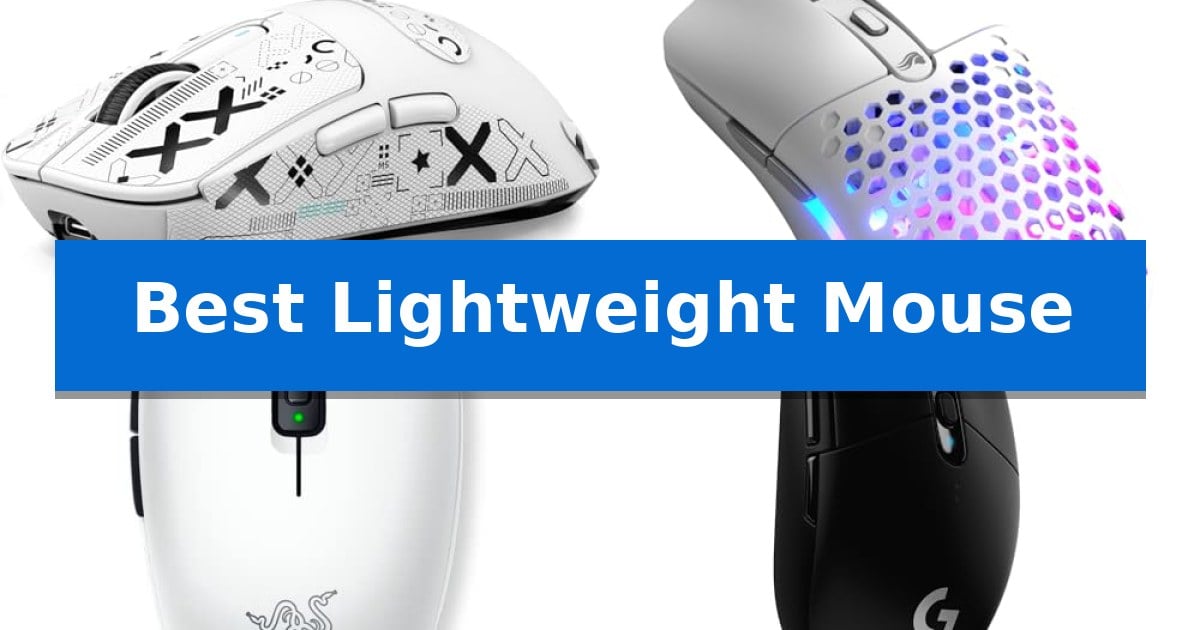
Finding the Best Lightweight Mouse is essential for users who prioritize speed and reduced wrist fatigue during long sessions. Whether you are navigating complex spreadsheets or competing in fast-paced esports, the weight of your peripheral directly impacts your control and comfort.
We have analyzed current market offerings to identify models that provide the most effective balance of sensor precision, build quality, and connectivity. This guide highlights the top options to help you choose the right tool for your specific desk setup.
You may also want to compare Best Lightweight Mobile Printer, Best Lightweight Mobile Phone Charger, and Best Lightweight MMO Mice.
Best Lightweight Mouse
Quick Comparison
| Product | Best For | Key Strength | Score |
|---|---|---|---|
| Attack Shark X3 Wireless Gaming Mouse | Best Overall | Ultra-lightweight 49g chassis significantly reduces physical strain. | 4.9 |
| Glorious Model O Eternal Gaming Mouse | Signature honeycomb shell efficiency | 55g ultralight weight for reduced fatigue | 4.4 |
| Razer Orochi V2 Wireless Gaming Mouse | Compact shape for travel gaming | Ultra-lightweight design under 60g for improved maneuverability. | 4.8 |
| Logitech G305 Lightspeed Gaming Mouse | Long-lasting wireless battery life | HERO sensor provides high power efficiency and 12,000 DPI sensitivity. | 4.4 |
| Razer Viper V3 Hyperspeed Gaming Mouse | Mass-centralized balance for precision | Mass-centralized design for consistent, balanced swipes. | 4.3 |
How We Chose
- Weight and ergonomics for long-term comfort
- Sensor precision and DPI adjustability
- Connectivity options including wired and wireless modes
- Battery efficiency and longevity for wireless models
- Customization software and programmable button utility
1 Attack Shark X3 Wireless Gaming Mouse — Ultra-lightweight 49g competitive frame
Minimizing physical strain during long gaming sessions or extended periods of productivity often starts with the weight of your peripherals. The Attack Shark X3 Wireless Gaming Mouse addresses this by utilizing a 49g ultra-lightweight chassis, which is designed to reduce wrist and arm fatigue. This featherlight build does not sacrifice internal capability, as it houses a high-performance PixArt PAW3395 optical sensor.
Precision is managed through the PAW3395 sensor, which supports up to 26,000 DPI and a 650 IPS tracking speed. This sensor is paired with a 1,000Hz polling rate to ensure responsive input. For durability and tactile feedback, the device incorporates Kailh GM 8.0 switches, rated for 80 million cycles, and a TTC scroll wheel encoder for consistent, precise stepping during navigation or gameplay.
Connectivity is highly versatile, offering Bluetooth 5.2, 2.4GHz wireless, and a wired mode to accommodate different workspace requirements. Users can manage these settings, including button remapping, DPI adjustments, and macro configurations, through dedicated software. The mouse is also equipped with 100% pure PTFE feet, which are wider and rounder than standard options to improve glide stability and surface contact.
Designed for long-term reliability, the mouse features a 200-hour maximum battery life, which minimizes the need for frequent charging. Its symmetrical, anti-sweat exterior is intended to provide a secure, comfortable grip for various hand sizes. This combination of high-end sensor technology and a lightweight, ergonomic frame makes it a practical tool for competitive gaming and intensive daily computing tasks.
Best for: Competitive gamers and productivity users who require an ultra-lightweight, multi-device wireless mouse with high-precision tracking.
Skip if: Users who prefer a specialized ergonomic shape for palm-only grips or those who favor a heavier mouse for increased physical resistance.
PROS
- Ultra-lightweight 49g chassis significantly reduces physical strain.
- Flagship PAW3395 sensor provides high-precision tracking and 26,000 DPI.
- Versatile connectivity options include Bluetooth 5.2, 2.4GHz wireless, and wired modes.
- Long-lasting 200-hour battery life minimizes charging frequency.
CONS
- Symmetrical shape may not accommodate users seeking specialized ergonomic contours for specific grip styles.
2 Glorious Model O Eternal Gaming Mouse — Signature honeycomb shell efficiency
Achieving rapid, fluid cursor movement often comes down to reducing physical resistance, and the GLORIOUS Model O Eternal Gaming Mouse addresses this with a 55g ultralight weight. By utilizing a signature honeycomb shell, this design achieves a significant reduction in mass compared to standard peripherals, allowing for faster, more precise swipes during intensive tasks.
Beyond its lightweight frame, the mouse features a symmetrical design intended to accommodate various grip styles, ensuring the device remains comfortable during extended sessions. The inclusion of 80-million-rated mechanical switches provides consistent, crisp feedback, which is engineered to maintain reliability over time without the common issue of double-clicking.
Customization is handled through the Glorious CORE software, which allows users to remap the 6 programmable buttons to suit specific workflows or in-game requirements. This software also controls the dual-zone RGB lighting, which illuminates the flared side panels with customizable color profiles, moving beyond simple logo lighting to provide a more integrated aesthetic.
The 12K DPI optical sensor serves as the core tracking component, offering high-resolution precision for users who require accuracy in their input. While the honeycomb structure is central to its lightweight profile, it remains durable enough for daily use, balancing the trade-off between material reduction and structural integrity.
Best for: Users who prioritize a lightweight, symmetrical design for fast-paced gaming and customizable button mapping.
Skip if: Users who prefer a solid, non-perforated shell or require a wireless connection for their desktop setup.
PROS
- 55g ultralight weight for reduced fatigue
- 80-million-rated mechanical switches for durability
- 6 remappable buttons via software
- Dual-zone RGB lighting for aesthetic customization
CONS
- Wired-only connectivity limits desk cable management
- Honeycomb shell design may not suit all aesthetic preferences
3 Razer Orochi V2 Wireless Gaming Mouse — Compact shape for travel gaming
The Razer Orochi V2 Wireless Gaming Mouse is engineered for portability, weighing under 60g without a battery to facilitate rapid, fatigue-free movement. This compact device is designed to serve both home gaming setups and mobile workstations, offering a versatile solution for users who prioritize weight reduction and travel-friendly dimensions.
Equipped with dual wireless connectivity, the mouse provides Razer HyperSpeed Wireless for low-latency performance during competitive play and Bluetooth for efficient, everyday productivity. Its Razer 5G Advanced 18K DPI Optical Sensor ensures precise tracking, while the 2nd Gen Razer Mechanical Mouse Switches are rated for up to 60 million clicks, providing long-term durability for frequent use.
The mouse features a hybrid battery slot that accommodates either a single AA or AAA battery, allowing users to balance total weight and battery endurance based on their specific needs. With up to 950 hours of battery life on Bluetooth and 425 hours on HyperSpeed Wireless, it is built to minimize charging interruptions during extended sessions.
Measuring 4.26 inches in length and 2.47 inches in height, the Razer Orochi V2 Wireless Gaming Mouse maintains a small footprint. This design choice makes it an effective tool for users seeking a lightweight peripheral that does not sacrifice essential gaming-grade specifications or multi-mode wireless flexibility.
Best for: Travelers and gamers who require a lightweight, dual-mode wireless mouse that balances long battery life with high-precision sensor performance.
Skip if: Users who prefer a larger, ergonomic shape or those who require a wired-only connection for their specific setup.
PROS
- Ultra-lightweight design under 60g for improved maneuverability.
- Dual wireless modes including low-latency HyperSpeed and Bluetooth.
- Extended battery life reaching up to 950 hours.
- Hybrid battery slot allows for AA or AAA power source flexibility.
CONS
- Compact dimensions may not suit users who prefer larger, full-sized mouse shapes.
4 Logitech G305 Lightspeed Gaming Mouse — Long-lasting wireless battery life
The Logitech G305 Lightspeed Gaming Mouse is built for users who prioritize agility and long-term power efficiency without the constraints of a wired connection. Weighing only 3.4 oz, this device utilizes an efficient mechanical design to maintain high maneuverability, making it a suitable choice for both desktop gaming and portable laptop use.
At the core of its performance is the HERO sensor, which provides up to 12,000 DPI sensitivity and 400 IPS precision. This sensor is engineered for power efficiency, allowing the mouse to achieve up to 250 hours of continuous gameplay on a single AA battery. Users can further extend this duration to up to 9 months by switching to Endurance mode via the Logitech G HUB software.
Connectivity is handled by LIGHTSPEED wireless technology, which is designed to provide a 1 ms report rate for a responsive experience. The mouse features 6 programmable buttons and includes on-board memory, allowing for customized configurations that travel with the device. For added convenience, the compact chassis includes built-in storage for the nano receiver.
This mouse balances performance with a practical, travel-friendly form factor. While it relies on a standard AA battery rather than an integrated rechargeable cell, this design choice contributes to its lightweight profile and eliminates the need for charging cables during extended use.
Best for: Gamers and professionals who need a lightweight, portable wireless mouse with long battery life and high-precision tracking.
Skip if: Users who prefer a rechargeable internal battery or those who require a larger, more ergonomic shape for specific palm-grip styles.
PROS
- HERO sensor provides high power efficiency and 12,000 DPI sensitivity.
- LIGHTSPEED wireless technology ensures a 1 ms report rate for responsiveness.
- Long battery life offers up to 250 hours of continuous play on one AA battery.
- Compact, lightweight design includes built-in storage for the nano receiver.
CONS
- AA battery requirement may be less convenient than integrated rechargeable options.
- Compact size may not suit users who prefer larger, full-palm ergonomic mice.
5 Razer Viper V3 Hyperspeed Gaming Mouse — Mass-centralized balance for precision
The Razer Viper V3 HyperSpeed Wireless PC Gaming Mouse prioritizes consistent, fluid movement through its 82g mass-centralized design. By balancing the weight distribution, this mouse facilitates seamless swipes, ensuring that the inclusion of a battery does not compromise the stability required for competitive play.
Equipped with the Focus Pro 30K Optical Sensor, the device maintains tracking accuracy across diverse surfaces, including glass. The sensor's forward placement is engineered to provide a finer degree of precision, while the HyperSpeed wireless technology maintains a stable, low-latency connection even in environments with significant wireless interference.
Durability and longevity are central to its construction, featuring Mechanical Mouse Switches Gen-2 rated for a 60-million click lifespan. These switches utilize gold-plated contact points to resist wear, ensuring consistent performance over time. Power management is equally robust, offering up to 280 hours of high-performance gaming on a single AA battery.
For customization, the mouse includes six programmable buttons and an on-mouse DPI control button, allowing users to toggle between five stages without software intervention. Users can further refine their experience by utilizing the Razer Synapse App to map essential commands and optimize tracking settings.
Best for: Competitive gamers who prioritize a balanced, lightweight wireless design and long battery life for extended tournament play.
Skip if: Users who prefer an ultra-lightweight mouse under 60g or those who require a rechargeable internal battery rather than a replaceable AA battery.
PROS
- Mass-centralized design for consistent, balanced swipes.
- Up to 280 hours of battery life on a single AA battery.
- Focus Pro 30K Optical Sensor for high-accuracy tracking on multiple surfaces.
- Mechanical Mouse Switches Gen-2 with a 60-million click lifespan.
CONS
- AA battery requirement adds weight compared to internal rechargeable options.
- No wired connectivity mode for users who prefer a direct USB connection.
Best Lightweight Mouse Buying Guide
Understanding Mouse Weight and Ergonomics
The weight of a mouse is a critical factor for users who perform frequent, rapid movements. A lighter frame, often achieved through honeycomb shells or optimized internal structures, allows for faster swipes and less physical resistance, which can help minimize wrist strain over time.
Ergonomics go beyond just weight. The symmetrical design or specific palm-grip shapes ensure that the mouse fits naturally in your hand. When selecting a model, consider how the physical dimensions align with your hand size and preferred grip style to ensure consistent control.
Sensor Performance and DPI
The optical sensor is the engine of your mouse, responsible for tracking your movements with accuracy. High-end sensors, such as those capable of 26,000 DPI, provide immense sensitivity, though most users find their ideal performance at much lower settings.
Look for sensors that offer flawless tracking across various surfaces, including mousepads and desk materials. Features like adjustable lift-off distance and high polling rates ensure that your cursor movements remain smooth and responsive, even during intense activity.
Connectivity: Wired vs. Wireless
Modern wireless technology has largely eliminated the latency issues of the past. Options featuring 2.4GHz wireless or Bluetooth 5.2 provide reliable, low-latency connections that rival traditional wired setups, offering the freedom of movement without the restriction of a cable.
For those who prefer a permanent connection, wired modes remain a reliable choice, ensuring you never have to worry about battery life. Many modern mice offer hybrid functionality, allowing you to switch between wireless convenience and wired reliability as needed.
Battery Life and Power Management
For wireless users, battery longevity is a primary concern. High-efficiency sensors and power-saving modes can extend usage to hundreds of hours, meaning you spend less time tethered to a charging cable.
Consider whether a mouse uses a rechargeable internal battery or replaceable AA/AAA batteries. Replaceable batteries can offer instant power restoration, while internal batteries often contribute to a lighter overall weight and reduced long-term maintenance.
Customization and Programmability
The ability to remap buttons and adjust settings via software is vital for tailoring a mouse to your specific workflow or gaming needs. Programmable buttons allow you to assign complex macros or shortcuts, streamlining repetitive tasks.
Software suites often provide granular control over DPI stages, polling rates, and even RGB lighting effects. Ensure the software is compatible with your operating system to take full advantage of these customization features.
Frequently Asked Questions
Does a lighter mouse always mean better performance?
Not necessarily. While a lighter mouse can reduce fatigue and improve speed, performance also depends on the quality of the sensor, the consistency of the switches, and how well the shape fits your hand.
Are honeycomb shells difficult to clean?
Honeycomb shells can accumulate dust more easily than solid shells. Regular maintenance with compressed air or a soft brush is recommended to keep the internal components clean.
Can I use a wireless gaming mouse for office work?
Yes. Many gaming mice are excellent for productivity due to their high-precision sensors and customizable buttons, which can be mapped to common office software shortcuts.
What is the benefit of a high DPI sensor?
A high DPI sensor allows for faster cursor movement with smaller physical hand movements. It is useful for high-resolution displays or multi-monitor setups where you need to traverse the screen quickly.
How do I know if a mouse is compatible with my PC?
Most modern mice use standard USB connections or Bluetooth, making them compatible with almost all Windows and macOS computers. Check the manufacturer's specifications for specific software compatibility.
Conclusion: Our Top Pick
Selecting the right peripheral depends on your specific balance of weight, connectivity, and sensor requirements. For most users seeking a high-performance, versatile option, the Attack Shark X3 Wireless Gaming Mouse stands out for its ultra-lightweight 49g frame and flagship sensor performance.
This model offers a robust combination of multi-device connectivity and long battery life, making it a reliable choice for both competitive play and daily tasks. While other options in this list provide unique benefits like specific ergonomic shapes or extended battery endurance, the X3 delivers a well-rounded experience that justifies its place as our top recommendation.