
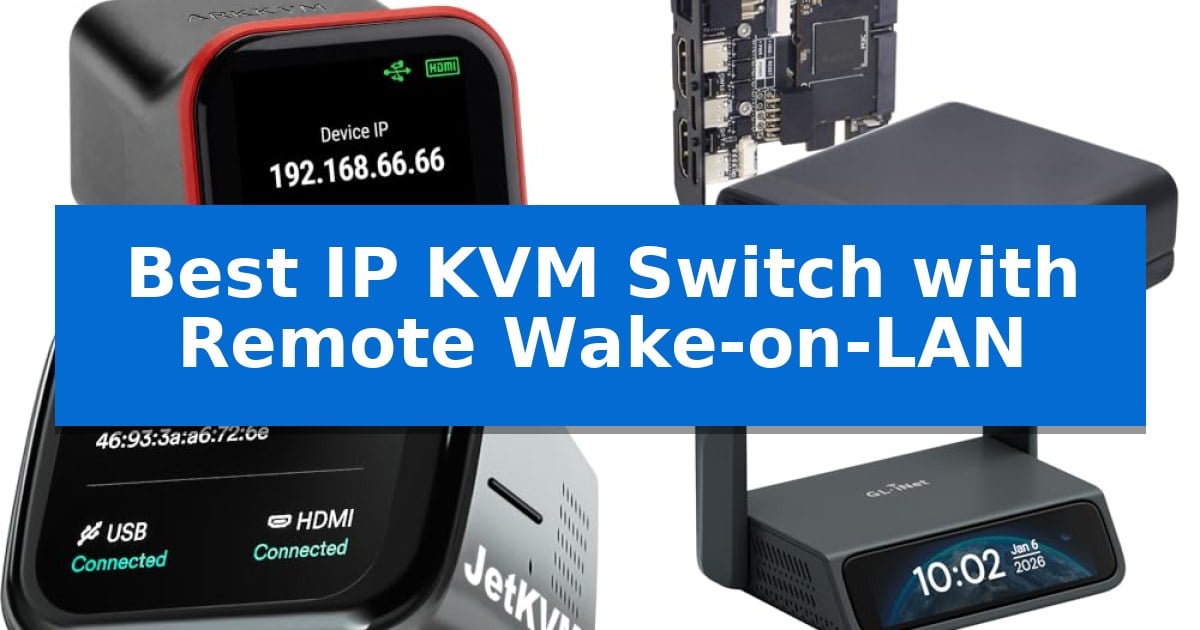
Managing headless servers, homelabs, or remote workstations often requires more than just software-based solutions, especially when the operating system becomes unresponsive or the machine is powered off. Finding the Best IP KVM Switch with Remote Wake-on-LAN is essential for administrators who need reliable, hardware-level access to BIOS/UEFI settings and power control from anywhere in the world.
A high-quality IP KVM switch bridges the gap between physical presence and remote management, providing a secure, out-of-band pathway to your hardware. Whether you are troubleshooting a crashed Proxmox host or deploying a new OS, these devices ensure you maintain control without needing a dedicated monitor or keyboard at the server site.
Best IP KVM Switch with Remote Wake-on-LAN in 2026
Quick Comparison
| Product | Best For | Key Strength | Score |
|---|---|---|---|
| ArkKVM Open-Source IP KVM | Best Overall | Remote BIOS/UEFI access for full control of crashed or powered-off machines. | 4.9 |
| Sipeed NanoKVM Pro | Advanced Enterprise-Grade Management | Native 4K@60Hz HDMI input and loop-out passthrough for professional-grade visual monitoring. | 4.9 |
| JetKVM Remote IP KVM | Ultra-Low Latency Performance | BIOS-level remote access for full hardware control. | 4.5 |
| GL.iNet Comet 5G Remote KVM | Reliable 5G Failover Connectivity | Multi-WAN failover including 5G RedCap, Wi-Fi 6, and Gigabit Ethernet. | 4.7 |
| MT-VIKI 8 Port IP KVM | Centralized Rackmount Server Control | Centralized management for up to 8 servers in a 1U form factor. | 4.9 |
How We Chose
- Hardware-level BIOS/UEFI access for troubleshooting unresponsive systems.
- Reliability of Wake-on-LAN and remote power cycling capabilities.
- Security architecture, including open-source firmware and VPN integration.
- Connectivity standards such as PoE, HDMI, and network failover options.
- Latency performance during remote video streaming and input control.
1 ArkKVM Open-Source IP KVM — Best for Open-Source Security
Managing headless servers or homelab environments often requires physical presence to resolve boot issues or OS crashes. The ArkKVM Open-Source IP KVM provides a solution by offering remote BIOS/UEFI access through a standard web browser, enabling full control even when the host machine is unresponsive or powered off.
Designed for versatility, this device features PoE (Power over Ethernet), allowing it to draw both power and network connectivity from a single cable. It supports full 1080p @ 60Hz HDMI capture with under 100ms latency, ensuring that remote management feels responsive. The inclusion of 32GB eMMC storage and ISO/virtual-media mounting capabilities allows for remote OS installation and troubleshooting without needing physical media on-site.
Security and transparency are central to its design, utilizing fully open-source Rust firmware that users can audit directly on GitHub. Because it operates as a standalone web console, it requires no software agents on the managed host and functions without a subscription. It is compatible with various operating systems, including Windows, Linux, macOS, and Raspberry Pi, and integrates with Tailscale for secure remote access.
The hardware is built for rack environments, featuring a compact form factor and full-size HDMI ports to eliminate the need for fragile adapters. While it offers robust remote power control options via an optional ATX expansion board, its core functionality provides a reliable alternative to enterprise-grade IPMI/BMC systems for hardware that lacks native out-of-band management.
Best for: Homelab enthusiasts and system administrators requiring secure, open-source, out-of-band management for headless servers.
Skip if: Users who require a multi-port KVM switch to control multiple physical computers from a single local workstation.
PROS
- Remote BIOS/UEFI access for full control of crashed or powered-off machines.
- Open-source Rust firmware allows for independent security auditing.
- PoE support simplifies cable management by combining power and network.
- No subscription fees or mandatory cloud accounts required for operation.
CONS
- Requires an optional expansion board for full remote power control capabilities.
- Single-port design limits its use to one host machine per device.
2 Sipeed NanoKVM Pro — Advanced Enterprise-Grade Management
Maintaining professional server infrastructure from a distance requires reliable, low-latency access, and the Sipeed NanoKVM Pro addresses this with native 4K@60Hz HDMI input and loop-out capabilities. This device functions as a comprehensive remote management solution, allowing administrators to monitor and control server hardware as if they were physically present at the rack.
At its core, the Sipeed NanoKVM Pro utilizes a dual-core ARM A53 processor paired with 1GB of LPDDR4X RAM and 32GB of eMMC storage. This hardware configuration supports virtual media mounting for ISO booting, emulated USB keyboard and mouse inputs, and ATX power control, providing full out-of-band management. The inclusion of three serial terminal channels further expands its utility for network device administration.
Security and connectivity are prioritized through integrated Tailscale VPN support, which facilitates secure access without the need for public IP addresses or complex router configurations. The unit features built-in Gigabit Ethernet, with optional Wi-Fi 6 and PoE modules available to suit various deployment environments, from data centers to remote locations where power access may be limited.
The Sipeed NanoKVM Pro is a specialized tool designed for those who require high-fidelity remote visual monitoring and granular power control over their server hardware. By combining H.265 encoding for efficient remote streaming with robust hardware-level management features, it provides a versatile interface for professional IT maintenance.
Best for: Professional system administrators and data center technicians requiring high-fidelity 4K remote server management and out-of-band power control.
Skip if: Users who do not require advanced features like ATX power control, virtual media, or 4K video passthrough may find a simpler, software-based remote desktop solution more cost-effective.
PROS
- Native 4K@60Hz HDMI input and loop-out passthrough for professional-grade visual monitoring.
- Integrated Tailscale VPN support for secure, simplified remote access.
- Comprehensive remote management including virtual media, ATX power control, and serial terminal access.
- Flexible connectivity options with Gigabit Ethernet, optional Wi-Fi 6, and PoE support.
CONS
- Requires add-on board for specific ATX power control functionality.
- Advanced feature set may be overkill for basic remote desktop needs.
3 JetKVM Remote IP KVM — Ultra-Low Latency Performance
Managing remote hardware requires reliable, low-latency access that functions independently of the target machine's operating system. The JetKVM Remote IP KVM provides this by offering BIOS-level remote access via HDMI and USB-C, allowing administrators to configure settings, deploy operating systems, and manage headless servers even before the host OS initializes.
This device is designed for seamless integration, featuring a plug-and-play architecture that requires no software, drivers, or subscriptions. Users can access the interface directly through any web browser, such as Chrome or Firefox. The unit includes a built-in LCD touchscreen that displays the local IP address, simplifying the initial network configuration process.
Built on a Linux and Golang architecture, the system emphasizes transparency and security. It supports three distinct remote access modes: direct local network access, a WebRTC cloud dashboard with NAT traversal for global connectivity, and Wake-on-LAN functionality. This allows users to send magic packets to remotely power on compatible hardware from anywhere.
The JetKVM Remote IP KVM is highly versatile, supporting Windows, Mac, Linux, and Raspberry Pi environments. While the base unit handles core KVM functions, it also supports optional expansion accessories, including ATX Power Control for standard PC management and DC Power Control for 12-20V hardware like NAS units or mini PCs.
Best for: IT administrators and home lab enthusiasts who require secure, OS-independent BIOS-level remote access to headless servers and workstations.
Skip if: Users who do not require hardware-level control or remote power management may find a standard software-based remote desktop solution more cost-effective.
PROS
- BIOS-level remote access for full hardware control.
- Ultra-low latency streaming at 1080P@60fps.
- Zero software or subscription requirements.
- Wake-on-LAN support for remote power management.
CONS
- Expansion accessories for power control are sold separately.
4 GL.iNet Comet 5G Remote KVM — Reliable 5G Failover Connectivity
Maintaining constant uptime for critical infrastructure requires hardware that can bypass local network failures. The GL.iNet Comet 5G Remote KVM addresses this by integrating 5G RedCap technology, which enables automatic failover between Gigabit Ethernet, Wi-Fi 6, and cellular connections. This ensures that administrators retain access to servers, edge PCs, or branch devices even when primary local networks are misconfigured or unavailable.
For on-site maintenance, the device features a 3.69-inch touchscreen that allows technicians to monitor status and toggle settings directly without needing additional peripherals. The unit also includes a built-in Wi-Fi hotspot for near-field control, facilitating BIOS-level operations or system maintenance without relying on an external network infrastructure.
Remote management is streamlined through H.264 hardware encoding, which provides low-latency 4K access, typically ranging between 30 and 60 ms. Users can access the console via any modern browser without the need for proprietary client software. For secure remote connectivity, the device supports Tailscale and ZeroTier, offering encrypted private access options suitable for MSPs and IT teams.
Disaster recovery and deployment are supported by 64GB of eMMC storage, which acts as an image repository for ISOs, firmware, and recovery tools. When paired with USB accessories, this storage enables full remote power cycling and system reinstallation, providing a comprehensive solution for managing hardware remotely during software-level failures.
Best for: IT professionals and MSPs requiring reliable, out-of-band server management with multi-WAN failover capabilities.
Skip if: Users who do not require cellular failover or remote BIOS-level management may find a standard software-based remote desktop solution more cost-effective.
PROS
- Multi-WAN failover including 5G RedCap, Wi-Fi 6, and Gigabit Ethernet.
- Low-latency 4K management via H.264 hardware encoding.
- Integrated 64GB eMMC storage for local ISO and firmware deployment.
- Browser-based access with support for Tailscale and ZeroTier.
CONS
- Requires physical installation at the server site for full KVM functionality.
- Complexity of setup may be higher than simple software-only remote access tools.
5 MT-VIKI 8 Port IP KVM — Centralized Rackmount Server Control
Managing complex server environments requires reliable hardware that bridges the gap between local physical access and remote oversight. The MT-VIKI 8 Port IP KVM Switch provides a centralized solution by integrating a 17-inch LCD monitor, keyboard, and touchpad into a compact 1U rackmount chassis, allowing administrators to control up to 8 servers or network devices directly from the rack.
Designed for versatility, this unit supports both local and remote management, enabling IT teams to troubleshoot and configure systems from either the server room or a remote location. The system utilizes standard CAT5e/CAT6 cabling to extend keyboard, video, and mouse signals up to 230ft (70m), which helps reduce cable clutter and provides flexibility when deploying hardware across different areas of a data center or telecom room.
For remote operations, the switch supports secure IP-based access, facilitating maintenance tasks such as software deployment and system recovery. The manufacturer recommends using the MT-VIKI Client Software to ensure a stable, compatible connection during remote sessions. The unit is compatible with a wide range of operating systems, including Windows, Linux, and Unix, and supports VGA or HDMI systems when paired with the appropriate KVM dongles.
The MT-VIKI 8 Port IP KVM Switch features a durable steel construction and a sliding rail structure, making it suitable for standard 19-inch server racks. By folding the LCD console away when not in use, administrators can maximize rack efficiency while maintaining quick access for diagnostics and routine maintenance.
Best for: IT administrators and data center managers who need to consolidate control of up to 8 servers into a single, space-saving 1U rackmount interface with remote IP access capabilities.
Skip if: Users who require native HDMI or VGA connectivity without purchasing additional KVM dongles or those who do not have a standard 19-inch rack environment.
PROS
- Centralized management for up to 8 servers in a 1U form factor.
- Remote IP access for off-site maintenance and system recovery.
- Long-distance signal extension up to 230ft (70m) via CAT5e/CAT6 cabling.
- Integrated 17-inch LCD console saves valuable rack space.
CONS
- Requires separate KVM dongles for VGA or HDMI system compatibility.
- Remote access stability is optimized specifically for the proprietary MT-VIKI Client Software.
Best IP KVM Switch with Remote Wake-on-LAN Buying Guide
Understanding Out-of-Band Management
Out-of-band management refers to the ability to access and control a computer system independently of its primary operating system or network connection. An IP KVM switch acts as a physical intermediary, capturing video output and emulating keyboard and mouse inputs, allowing you to interact with the machine as if you were sitting directly in front of it.
This level of access is critical for tasks like changing BIOS settings, performing low-level firmware updates, or recovering a system that has suffered a kernel panic. By bypassing the OS, you ensure that you can resolve issues even when the primary software environment is completely inaccessible.
The Importance of Wake-on-LAN
Wake-on-LAN (WoL) is a networking standard that allows a computer to be turned on or awakened by a network message. When integrated into an IP KVM, this feature enables you to power up a machine that has been shut down or entered a deep sleep state, providing true remote control over the entire power cycle.
For administrators managing hardware in remote locations, the ability to send a 'magic packet' to wake a device is a vital fail-safe. It eliminates the need for physical intervention, saving significant time and travel costs during routine maintenance or emergency recovery scenarios.
Security and Network Considerations
Because IP KVM switches provide direct access to your hardware, security is paramount. Look for devices that offer encrypted connections, such as those supporting Tailscale or ZeroTier, which allow for secure remote access without exposing your hardware directly to the public internet.
Open-source firmware is another significant advantage, as it allows for community auditing and transparency. By avoiding 'black box' proprietary software, you can verify that your management device is not introducing vulnerabilities into your network infrastructure.
Connectivity and Power Options
Power over Ethernet (PoE) is a highly desirable feature for IP KVM switches, as it simplifies deployment by delivering both power and network connectivity through a single cable. This reduces clutter in server racks and eliminates the need for additional power adapters near the target machine.
Additionally, consider the video interface requirements of your servers. While many modern switches support HDMI, some legacy systems may require specific adapters. Always ensure the KVM switch supports the resolution and refresh rate of your target hardware to maintain a clear, usable remote display.
Scalability and Deployment
For larger environments, the ability to manage multiple servers from a single interface is crucial. Rackmount KVM consoles with integrated screens and touchpads are ideal for data centers, while compact, single-port devices are better suited for individual homelab servers or edge computing nodes.
Evaluate whether your setup requires a centralized management platform or if individual device access is sufficient. Some advanced units offer batch management features, which can significantly streamline the administration of multiple devices across different physical locations.
Frequently Asked Questions
Can I use an IP KVM switch with a headless server?
Yes, IP KVM switches are specifically designed for headless servers. They emulate a monitor and keyboard, allowing you to manage the server remotely without needing any physical peripherals attached to the machine.
Does an IP KVM switch require a subscription?
Many modern open-source IP KVM switches do not require subscriptions. They operate directly on your network or through secure, self-hosted VPN tunnels, ensuring you retain full control without recurring fees.
How does Wake-on-LAN work with these devices?
The KVM switch sends a 'magic packet' over the network to the target machine's network interface card. If the machine's BIOS and OS are configured to support Wake-on-LAN, it will power on upon receiving this signal.
Are these devices secure?
Security depends on the implementation. Devices that support encrypted VPNs like Tailscale or offer open-source firmware for auditing are generally considered more secure than those relying on proprietary, closed-source cloud services.
What is the benefit of PoE in a KVM switch?
Power over Ethernet (PoE) allows the KVM switch to receive power directly from the network switch, eliminating the need for a separate power supply and reducing cable clutter in your server rack.
Conclusion: Our Top Pick
Selecting the right hardware for remote server management depends on your specific infrastructure needs, from the number of ports required to the necessity of advanced features like 5G failover or rackmount integration. For most users seeking a balance of security, ease of use, and deep-level hardware control, the ArkKVM Open-Source IP KVM stands out as the most versatile option.
The ArkKVM Open-Source IP KVM provides comprehensive BIOS-level access and reliable PoE support without the burden of subscription fees. Its open-source firmware ensures transparency, making it an excellent choice for homelab enthusiasts and professionals who prioritize security and auditable hardware in their remote management workflows.