
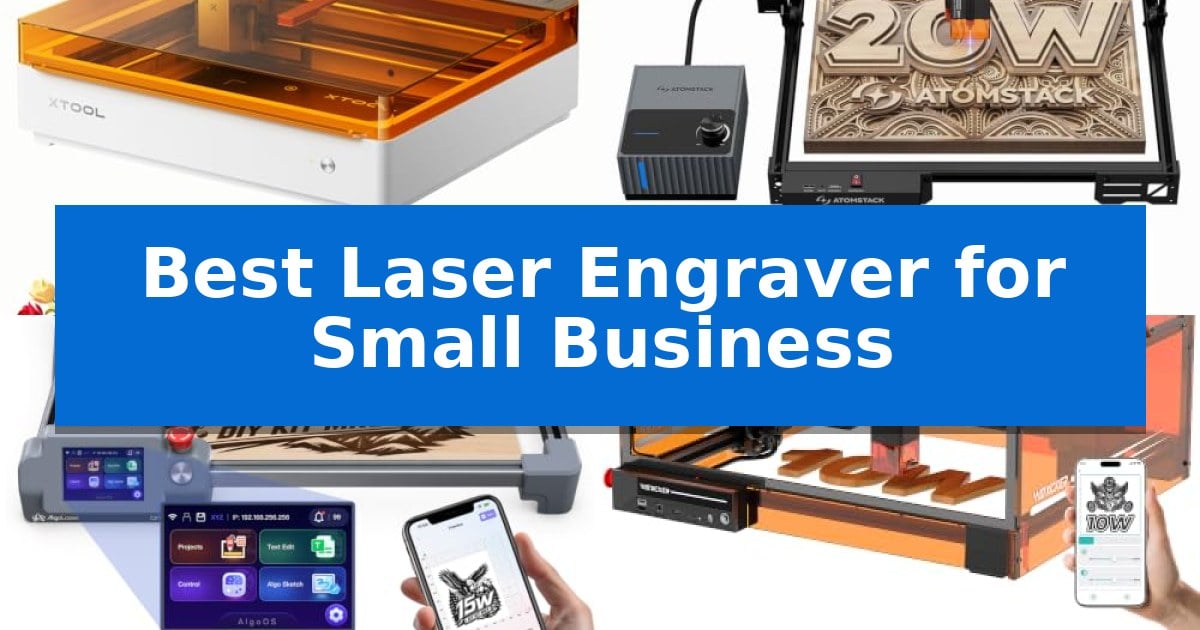
Starting a custom goods business requires equipment that balances precision with reliable output. Finding the Best Laser Engraver for Small Business involves identifying a machine that can handle repetitive tasks without sacrificing the quality of your designs or the safety of your workspace.
Whether you are personalizing leather goods, cutting wood for signage, or marking metal components, the right tool streamlines your workflow. We have analyzed five laser engravers to help you determine which model aligns with your production volume, material requirements, and available workshop space.
Best Laser Engraver for Small Business in 2026
Quick Comparison
| Product | Best For | Key Strength | Score |
|---|---|---|---|
| xTool M2 Laser Engraver | Best Overall | Class 1 safety-rated enclosure for secure operation. | 4.9 |
| ATOMSTACK A20 Pro V2 Laser Engraver | High-Speed Batch Production | High-speed processing up to 400mm/s reduces batch production time. | 4.4 |
| AlgoLaser MK3 Laser Engraver | Offline Design Capability | Offline operation via built-in touchscreen and OS. | 4.5 |
| Woxcker L2 MAX Laser Engraver | Fast Batch Processing | Fast batch engraving with speeds up to 20,000mm/min. | 4.9 |
| Carverall K15 Pro Laser Engraver | Beginner-Friendly Setup | 4K precision with 0.01mm accuracy for detailed work. | 4.6 |
How We Chose
- Production Speed and Efficiency: Assessing how quickly each unit processes batches to reduce turnaround times.
- Material Versatility: Evaluating the range of substrates each laser can engrave or cut, including wood, acrylic, leather, and metal.
- Safety and Enclosure: Prioritizing models with integrated safety features, such as Class 1 enclosures and automatic sensors, essential for shared or home-based workspaces.
- Software Accessibility: Reviewing the ease of design-to-production workflows, including template availability and offline operation capabilities.
- Ease of Setup: Considering the assembly requirements and initial calibration needed to get the machine operational.
1 xTool M2 Laser Engraver — Safe Enclosed Workspace
The xTool M2 Laser Engraver distinguishes itself through a fully enclosed, Class 1 safety-rated design that allows for secure operation in home or small office environments. By integrating dual cameras directly into the workspace, this machine enables a "Place & Go" workflow, where users can preview their materials in real-time to ensure precise alignment before engraving or cutting begins.
This 10W diode laser system is engineered for versatility, supporting a wide range of materials including wood, leather, felt, fabric, and paper. The machine features an innovative modular architecture, allowing users to expand capabilities by adding an optional CMYK Inkjet module for full-color printing or a 3W IR laser for specialized work on metal and plastic surfaces.
Usability is a core focus, supported by the xTool Studio software. This platform provides access to hundreds of ready-to-use templates and an integrated AI image generator, which helps streamline the design process for personalized gifts and small-batch production. The system is designed to minimize the learning curve, allowing creators to move from initial concept to finished product with minimal manual setup.
Designed for those starting a side hustle or managing home-based crafting, the xTool M2 Laser Engraver balances professional-grade features with a user-friendly interface. While the base unit provides a robust foundation for cutting and engraving, the ability to integrate additional modules ensures the machine can adapt as business needs evolve.
Best for: Home-based crafters and small business owners who require a safe, enclosed, and versatile machine for precision cutting and engraving.
Skip if: Users who require high-power industrial laser cutting for thick metals or those who do not need the integrated camera and modular expansion features.
PROS
- Class 1 safety-rated enclosure for secure operation.
- Dual-camera system for real-time workspace preview and alignment.
- Modular design supports optional inkjet and IR laser upgrades.
- Beginner-friendly software with AI image generation and templates.
CONS
- CMYK Inkjet and IR laser modules must be purchased separately.
- 10W diode laser is optimized for specific craft materials rather than heavy industrial metal cutting.
2 ATOMSTACK A20 Pro V2 Laser Engraver — High-Speed Batch Production
Maximizing throughput for custom fabrication requires a system that balances speed with precision. The ATOMSTACK A20 Pro V2 Laser Engraver addresses this demand by utilizing an advanced independent motherboard and a high-velocity 60L/min airflow pump to maintain clean, high-contrast marks on wood, metal, and acrylic without the common issue of surface discoloration.
Engineered for efficiency, the machine features a linear guide motion system that supports engraving speeds up to 400mm/s. This capability allows small businesses to reduce processing times by 50% compared to standard models, while the 0.08×0.1mm laser spot ensures 0.01mm accuracy for detailed, professional-grade results.
Safety and usability are integrated into the hardware design. The unit includes a tilt-angle sensor that triggers an alert if the machine is moved beyond 15 degrees, alongside built-in limit switches and a removable magnetic eye shield. These features, combined with professional safety glasses, provide a controlled environment for high-intensity Class 4 laser operations.
Compatibility is a primary focus for workflow integration. The engraver supports Type-C and USB connections, allowing users to operate it via proprietary software or industry-standard tools like Lightburn and LaserGRBL. This flexibility ensures the device fits into existing design and production setups with minimal configuration.
Best for: Small businesses requiring high-speed batch production and precision engraving on diverse materials like metal, wood, and acrylic.
Skip if: Users who require a fully enclosed, plug-and-play cabinet system for fume extraction and total light containment may find the open-frame design less suitable.
PROS
- High-speed processing up to 400mm/s reduces batch production time.
- Integrated 60L/min air assist prevents charring and ensures clean edges.
- Industrial-level stability provided by the linear guide motion system.
- Broad software compatibility including Lightburn and LaserGRBL.
CONS
- Open-frame design requires careful attention to safety protocols and ventilation.
- Class 4 laser necessitates strict adherence to provided safety measures.
3 AlgoLaser MK3 Laser Engraver — Offline Design Capability
For makers transitioning from hobbyist projects to small-scale production, the AlgoLaser MK3 15W Laser Engraver and Cutter Machine offers a streamlined approach to manufacturing custom goods. Its standout feature is the integrated 3.5-inch touchscreen and AlgoOS, which allows users to execute designs, access over 400 projects, and manage parameters directly on the machine without needing a dedicated PC connection.
The AlgoLaser MK3 is designed for efficiency in a business environment, arriving 95% pre-assembled to minimize setup time. It features a 400 x 400 mm work area, providing ample space to arrange multiple items for batch production, such as signs, ornaments, or personalized gifts. The inclusion of a manual focus stick attached to the laser module ensures consistent, accurate setup for various materials including wood, leather, acrylic, and metal.
While the machine functions as a standalone unit for quick tasks, it also supports professional workflows by connecting to LightBurn or LaserGRBL software. This dual-mode capability allows small business owners to switch between simple, on-the-fly engraving using the built-in AlgoType and AlgoSketch tools and more complex, computer-aided designs for intricate custom orders.
The 15W diode laser provides a balance of power for both engraving fine details and cutting through materials, making it a versatile tool for creating layered craft projects. With its compact footprint and focus on simplifying equipment preparation, this engraver is a practical addition for those looking to expand their product offerings at craft markets or through online shops.
Best for: Small business owners and makers who need a versatile, semi-autonomous laser engraver for batch production and personalized goods.
Skip if: Users who require high-speed industrial production or heavy-duty cutting capabilities beyond the scope of a 15W diode laser.
PROS
- Offline operation via built-in touchscreen and OS.
- 95% pre-assembled for quick deployment.
- Spacious 400 x 400 mm work area for batch processing.
- Versatile 15W diode laser for both engraving and cutting.
CONS
- Limited to 15W power, which may not suit heavy-duty industrial cutting requirements.
4 Woxcker L2 MAX Laser Engraver — Fast Batch Processing
Scaling a custom gift business requires equipment that balances precision with throughput. The Woxcker L2 MAX Laser Engraver addresses this by integrating a high-speed 10W laser capable of reaching 20,000mm/min, allowing for faster batch processing of personalized items like wallets, signs, and wood crafts.
Designed for workshop efficiency, the unit features a 300×300mm work area that accommodates larger projects or multiple smaller pieces simultaneously. Its advanced point-compression technology produces a 0.01mm square focus, ensuring the sharp lines and crisp details necessary for professional-grade logos and intricate patterns on wood, coated metal, leather, and glass.
Usability is a core focus, highlighted by a five-part modular assembly that reduces initial setup time by approximately 30–40 minutes compared to traditional belt-driven machines. The Woxcker L2 MAX Laser Engraver also prioritizes safety and environmental control with a 360° fully enclosed design that contains fumes, dust, and operating noise, making it suitable for home-based or small-scale commercial environments.
Operational flexibility is supported through multiple connectivity options, including Wi-Fi, USB, APP, and TF-card offline control. The system is compatible with industry-standard software like LightBurn and LaserGRBL, while integrated safety features—such as lid-open auto-stop, flame detection, and 15° tilt-stop protection—provide essential safeguards during extended engraving sessions.
Best for: Small business owners and makers who need a fast, enclosed, and easy-to-assemble laser engraver for batch-producing personalized gifts and crafts.
Skip if: Users who require a larger work area than 300x300mm or those who need a higher-wattage laser for deep cutting through thick materials.
PROS
- Fast batch engraving with speeds up to 20,000mm/min.
- 360° fully enclosed design for improved safety and noise reduction.
- Simplified modular assembly that saves significant setup time.
- High-precision 0.01mm focus for detailed patterns and text.
CONS
- Fixed 300x300mm work area may limit the size of larger commercial projects.
- 10W laser power is optimized for engraving rather than heavy-duty cutting.
5 Carverall K15 Pro Laser Engraver — Beginner-Friendly Setup
Achieving professional-grade precision in a compact footprint is the primary challenge for any growing venture, and the Carverall K15 Pro Laser Engraver addresses this by offering 4K clarity at 0.01mm precision. Designed for versatility, this machine allows creators to transition between wood, acrylic, and leather projects with ease, while the optional IR head enables marking on bare metals without requiring a secondary device.
Usability is a core focus of the Carverall K15 Pro Laser Engraver, which simplifies the transition from design to production. The machine utilizes the free CutLabX software, which supports AI-generated designs, and features a one-touch focus pin to eliminate manual calibration. For those operating away from a computer, the system supports offline jobs via TF card, ensuring a streamlined workflow for batch production.
Safety and maintenance are built into the hardware, featuring tilt protection that automatically shuts down the laser if the unit is disturbed. The module is engineered for longevity, with a cooling fan that extends the lifespan to over 15,000 hours. Assembly is straightforward, requiring only six screws and no complex wiring, making it accessible for those new to laser technology.
While the machine is highly capable for small-scale production, it is a desktop-class device. Users looking to process large-format industrial materials or high-volume commercial signage may find the A4 working area restrictive, necessitating a move toward larger, industrial-grade systems.
Best for: Small business owners and creators who need a compact, versatile, and beginner-friendly laser for engraving and cutting a wide variety of materials.
Skip if: You require a large-format industrial laser for high-volume commercial production or oversized material processing.
PROS
- 4K precision with 0.01mm accuracy for detailed work.
- Versatile 2-in-1 capability with optional IR head for metal marking.
- Simplified setup with a 5-minute assembly process.
- Offline operation via TF card for PC-free production.
CONS
- A4 working area may be limiting for large-scale projects.
- Requires optional add-ons like air pumps or honeycomb plates for advanced cutting tasks.
Best Laser Engraver for Small Business Buying Guide
Understanding Laser Power and Material Compatibility
The laser power, typically measured in watts, dictates what materials your machine can cut versus what it can only mark. A 10W diode laser is generally sufficient for detailed engraving on wood, leather, and coated metals, while higher power outputs may be required for thicker materials or faster cutting speeds.
Always verify the compatibility of your chosen engraver with the specific materials you intend to sell. Some machines require additional modules, such as infrared lasers, to effectively mark bare metals or specific plastics, which can be a significant factor in your long-term equipment investment.
The Importance of Safety Enclosures
For small businesses operating in residential or shared office spaces, a fully enclosed design is a critical safety feature. Enclosures help contain smoke, fumes, and stray laser light, protecting both the operator and the environment.
Look for machines that include integrated ventilation or air assist systems. These not only improve safety but also contribute to cleaner engraving results by preventing charring and discoloration on the surface of your materials.
Workflow Efficiency and Software
A productive small business relies on a seamless transition from design to finished product. Software that offers ready-to-use templates or AI-driven design tools can significantly reduce the time spent on file preparation.
Consider whether your workflow requires a PC-connected setup or if you would benefit from offline capabilities. Machines that support TF-card loading or have built-in touchscreens allow for repeat batch jobs without the need to keep a computer tethered to the engraver.
Work Area and Scalability
The physical dimensions of the work area determine the maximum size of the products you can create. A larger workspace allows for batch processing of multiple items at once, which is essential for scaling your business.
Think about the future growth of your product line. Some machines offer modularity, allowing you to add rotary rollers for cylindrical items or air purifiers to expand your capabilities without needing to replace the entire unit.
Maintenance and Reliability
Consistent performance is vital for meeting customer deadlines. Look for machines with robust motion systems, such as linear guides, which tend to offer better stability and longevity compared to entry-level belt-driven systems.
Regular maintenance, such as cleaning the lens and checking focus, is necessary for any laser engraver. Choosing a model with accessible components and clear manufacturer support or community resources can minimize downtime when issues arise.
Frequently Asked Questions
Do I need a separate air assist pump for my laser engraver?
Many modern laser engravers include or support air assist, which is highly recommended. It helps clear smoke and debris from the cutting path, resulting in cleaner edges and preventing surface charring.
Can these laser engravers work on bare metal?
Standard diode lasers are primarily designed for wood, acrylic, and leather. To mark bare metal, you typically need an infrared (IR) laser module, which is available as an add-on for several of the models listed.
What is the difference between Class 1 and Class 4 lasers?
Class 1 laser products are designed to be safe under normal use due to their fully enclosed housing. Class 4 lasers are more powerful and require strict safety protocols, including protective eyewear and controlled access, as they can cause eye and skin damage.
Is it difficult to learn the software for these machines?
Most manufacturers provide beginner-friendly software with templates and AI tools. Additionally, many of these machines are compatible with industry-standard software like LightBurn, which has extensive tutorials available online.
How much space do I need for a small business laser engraver?
Space requirements vary by model. While desktop units are compact, you must also account for the footprint of necessary accessories like air pumps, ventilation hoses, and the clearance needed to open the lid safely.
Conclusion: Our Top Pick
Selecting the right laser engraver depends on your specific production volume and the types of materials you intend to offer. For most small business owners, balancing safety, ease of use, and versatility is the key to a successful operation.
We recommend the xTool M2 Laser Engraver as the top choice for its integrated dual-camera system and Class 1 safety enclosure, which provide a reliable and beginner-friendly environment for creating high-quality custom products.