
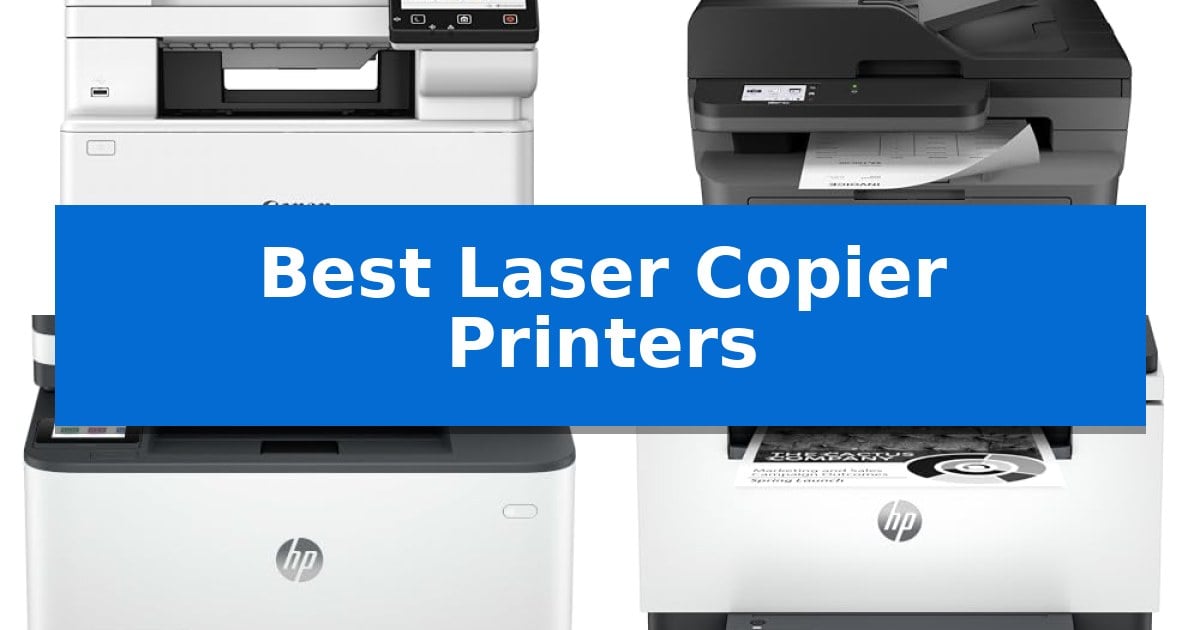
Finding the right office equipment often comes down to balancing speed, print quality, and multi-function versatility. Whether you are managing a small home office or a busy team, the Best Laser Copier Printers provide the reliable performance needed to handle daily document tasks without constant maintenance.
Selecting the right model requires looking beyond basic specs to understand how features like duplex printing, document feeders, and wireless connectivity impact your daily output. This guide breaks down the essential factors to consider when choosing a laser machine that fits your specific workspace and volume requirements.
Best Laser Copier Printers in 2026
Quick Comparison
| Product | Best For | Key Strength | Score |
|---|---|---|---|
| Canon Color imageCLASS MF665Cdw | Best Overall | 4-in-1 functionality including duplex printing, scanning, copying, and faxing. | 4.9 |
| Brother MFC-L2820DW | Efficient Small Office Workhorse | Compact footprint ideal for small office environments. | 4.6 |
| HP LaserJet Pro 3101sdw | High-Volume Monochrome Productivity | Fast print speeds up to 35 ppm for efficient document production. | 4.9 |
| HP LaserJet MFP M235sdw | Fastest Two-Sided Printing | Fastest two-sided printing in its class for monochrome documents. | 4.3 |
| HP LaserJet MFP M140w | Ultra-Compact Desktop Design | Ultra-compact footprint fits easily into small workspaces. | 4.3 |
How We Chose
- Print and Scan Speed: We prioritized models that offer efficient pages-per-minute (ppm) output to minimize downtime during large document runs.
- Multi-Function Versatility: We assessed the integration of printing, scanning, copying, and faxing to ensure a true all-in-one experience.
- Connectivity and Mobile Integration: We looked for robust wireless options, including mobile app support and cloud printing capabilities for flexible office setups.
- Paper Handling Capabilities: We evaluated the inclusion of automatic document feeders (ADF) and duplex printing to streamline multi-page document processing.
- Footprint and Design: We considered the physical dimensions to ensure the devices fit comfortably in various office environments, from compact desks to shared workspaces.
1 Canon Color imageCLASS MF665Cdw — Versatile All-in-One Color Laser
Managing high-volume document workflows requires hardware that balances speed with versatility, and the Canon Color imageCLASS MF665Cdw is engineered to handle these demands in a compact footprint. This 4-in-1 laser printer integrates printing, scanning, copying, and faxing into a single unit, making it a robust solution for offices that need to consolidate their peripheral footprint without sacrificing output quality.
Efficiency is central to this model's design, highlighted by a 5-inch color touchscreen that provides intuitive access to frequently used features via the Application Library. Users can maintain productivity with print speeds of up to 26 ppm in both color and monochrome, supported by a quick first print time of approximately 10.3 seconds. The inclusion of a 50-sheet duplex automatic document feeder allows for one-pass, two-sided scanning and copying, which significantly reduces manual intervention during large batch jobs.
Connectivity and resource management are prioritized through seamless mobile integration, including support for the Canon PRINT app, Apple AirPrint, and Mopria Print Service. To minimize maintenance, the device utilizes Canon Genuine Toner 075 high-capacity cartridges, which are designed to deliver consistent output while extending the interval between replacements. The printer also supports automatic two-sided printing to help reduce paper consumption.
Designed for reliability, the unit comes with a 3-year limited warranty and is both ENERGY STAR certified and EPEAT Silver rated. With a 250-sheet standard cassette and a 1-sheet multipurpose tray, it provides the necessary paper capacity for daily professional tasks while maintaining a manageable physical size for shared workspaces.
Best for: Small to medium-sized offices requiring a reliable, space-saving 4-in-1 laser printer with high-capacity toner support and duplex automation.
Skip if: Users who require ultra-high-volume industrial production speeds or those with extremely limited desk space who do not need integrated scanning and faxing capabilities.
PROS
- 4-in-1 functionality including duplex printing, scanning, copying, and faxing.
- 50-sheet duplex automatic document feeder for efficient one-pass, two-sided processing.
- High-capacity toner support to reduce the frequency of replacements.
- 3-year limited warranty providing long-term peace of mind.
CONS
- Medium-sized footprint may still be too large for very compact home office desks.
- Standard paper capacity is limited to 250 sheets, which may require frequent refilling in high-output environments.
2 Brother MFC-L2820DW — Efficient Small Office Workhorse
Maintaining a high-volume workflow in a restricted workspace requires a device that balances a small footprint with robust output capabilities. The Brother MFC-L2820DW addresses this by integrating print, copy, scan, and fax functions into a single, compact chassis measuring approximately 15.7 by 16.1 inches, making it a practical choice for environments where desk space is at a premium.
Performance is driven by a print engine capable of reaching speeds up to 36 ppm, ensuring that black and white documents are produced with minimal delay. For multi-page tasks, the integrated 50-page auto document feeder automates the processing of copy, scan, and fax jobs, reducing the need for manual intervention during high-volume document handling.
Connectivity is designed for modern office flexibility, featuring dual-band wireless (2.4GHz / 5GHz), Ethernet, and USB interfaces. Users can manage operations directly via the 2.7-inch touchscreen or remotely through the Brother Mobile Connect App, which facilitates mobile printing and scanning while allowing for real-time tracking of toner usage.
To manage ongoing operational costs, the device supports the Refresh EZ Print Subscription Service, which automates toner replenishment. The printer is compatible with Brother Genuine TN830 and TN830XL replacement toners, providing a structured approach to supply management that helps prevent unexpected downtime during critical tasks.
Best for: Small offices requiring a space-saving, multi-function monochrome laser printer with high-speed document handling.
Skip if: Users who require high-resolution color printing or those with very low monthly print volumes who may not benefit from a dedicated laser-based subscription model.
PROS
- Compact footprint ideal for small office environments.
- Fast 36 ppm print speed for efficient document production.
- Versatile multi-functionality including fax, scan, and copy.
- Convenient 50-page auto document feeder for multi-page tasks.
- Flexible dual-band wireless and Ethernet connectivity options.
CONS
- Monochrome-only output limits use to black and white documents.
- Requires specific Brother Genuine toner for optimal performance and subscription service compatibility.
3 HP LaserJet Pro 3101sdw — High-Volume Monochrome Productivity
Maintaining high-volume document workflows requires hardware that balances speed with consistent output. The HP LaserJet Pro 3101sdw is engineered for small teams that prioritize professional-quality black-and-white reports, offering print speeds up to 35 ppm to keep pace with busy office demands. This all-in-one device handles printing, copying, and scanning, streamlining document management in a single footprint. It includes a 250-sheet input tray and a 50-sheet auto document feeder, which, combined with automatic two-sided printing, reduces manual intervention during large document runs.
Connectivity remains a priority for modern workspaces, and this model features dependable Wi-Fi that actively seeks the most stable connection. The unit is designed for reliability, ensuring consistent performance for high-demand business environments. By integrating printing, scanning, and copying into one 12.3-inch tall device, it helps minimize the equipment footprint in smaller office layouts.
Users should note that this printer is intended to work exclusively with cartridges containing HP chips or circuitry. It will block cartridges using non-HP chips, and the system relies on periodic firmware updates to maintain these security and compatibility measures. This design choice ensures that the toner used is specifically calibrated for the device's output quality, though it limits the flexibility of using third-party supplies.
Best for: Small teams requiring a reliable, high-speed monochrome all-in-one printer for professional documents.
Skip if: Users who require color printing capabilities or those who prefer the flexibility of using third-party or non-HP toner cartridges.
PROS
- Fast print speeds up to 35 ppm for efficient document production.
- Automatic two-sided printing and a 50-sheet auto document feeder for increased productivity.
- Dependable wireless connectivity designed to maintain a stable network link.
- All-in-one functionality combining printing, scanning, and copying in one compact device.
CONS
- Restricted cartridge compatibility requiring HP chips or circuitry.
- Monochrome-only output limits the device to black-and-white documents.
4 HP LaserJet MFP M235sdw — Fastest Two-Sided Printing
Efficient document management in a small office requires hardware that balances speed with a compact footprint. The HP LaserJet MFP M235sdw addresses this by offering the fastest two-sided printing in its class, allowing users to process multi-page business documents and presentations with minimal downtime. By automating the duplexing process, this device reduces manual paper handling, which is a significant practical advantage for workgroups of one to five people managing high-frequency document tasks.
Designed as a versatile all-in-one device, this unit integrates printing, copying, and scanning capabilities into a single, space-saving chassis. It features dual-band Wi-Fi with self-reset technology, which proactively monitors and resolves connectivity interruptions to maintain a stable link to your network. This ensures that the printer remains accessible for wireless tasks from PCs, tablets, and mobile devices without requiring frequent manual intervention or network reboots.
Security is integrated directly into the hardware, with built-in security features designed to protect the printer from potential external attacks. For wired office environments, the unit also provides a dedicated Ethernet port, ensuring reliable connectivity options beyond wireless setups. Measuring approximately 16.46 inches in width and 11.59 inches in height, the HP LaserJet MFP M235sdw fits easily into shared workspaces while maintaining compatibility with platforms including AirPrint, Chromebook, and standard Mac or Microsoft systems.
The primary trade-off for this compact, high-speed monochrome device is the absence of color printing, which may limit its utility for those requiring vibrant marketing materials. Furthermore, while the unit is optimized for small workgroups, its capacity is tailored specifically for low-to-medium volume environments rather than high-volume, enterprise-level print loads.
Best for: Small offices of 1-5 people requiring fast, reliable monochrome printing and document scanning in a compact, secure unit.
Skip if: Users who require color printing or those who need to handle high-volume, enterprise-level print loads exceeding the capacity of a small workgroup device.
PROS
- Fastest two-sided printing in its class for monochrome documents.
- Dual-band Wi-Fi with automatic self-reset connectivity.
- Built-in security features to protect against network attacks.
- Versatile all-in-one functionality for printing, scanning, and copying.
CONS
- Monochrome only, limiting use for color-dependent marketing materials.
- Small workgroup capacity may be insufficient for large departments.
5 HP LaserJet MFP M140w — Ultra-Compact Desktop Design
The HP LaserJet MFP M140w distinguishes itself through an ultra-compact design, holding the title of the world's smallest laser printer in its class. Measuring just 7.8 inches in height and 10.4 inches in width, this device is engineered to fit into tight workspaces while providing essential print, scan, and copy functionality for small teams of one to three people.
Performance is centered on efficiency, offering print speeds of up to 21 black-and-white pages per minute. The integration of wireless connectivity with self-reset capabilities ensures a stable connection, while the HP Smart app streamlines workflows by allowing users to scan directly to the cloud and initiate print or copy jobs from mobile devices, tablets, or PCs.
Practical design elements include a specialized feature for copying both sides of ID cards onto a single sheet of paper, simplifying administrative tasks. The printer is built to work exclusively with original HP chips and circuitry, ensuring consistent operation through periodic firmware updates that maintain system compatibility.
This printer is a focused tool for professional-quality black-and-white document production. Its small footprint makes it a viable solution for home offices or compact work environments where desk space is at a premium and high-volume color output is not required.
Best for: Small teams or home offices requiring a space-saving, reliable black-and-white laser printer for basic document tasks.
Skip if: Users who require high-volume color printing, large-format paper handling, or the flexibility to use third-party toner cartridges.
PROS
- Ultra-compact footprint fits easily into small workspaces.
- Fast print speeds of up to 21 pages per minute.
- Mobile-ready via the HP Smart app for cloud scanning and printing.
- Dedicated ID card copy mode for efficient document processing.
CONS
- Proprietary cartridge requirement restricts the use of non-HP chips or circuitry.
- Monochrome only output limits use for color-dependent documents.
Best Laser Copier Printers Buying Guide
Understanding Print Volume and Speed
The primary differentiator for any laser printer is its rated print speed and duty cycle. For high-volume environments, look for devices that offer at least 25-30 pages per minute (ppm). This ensures that large reports or multi-copy jobs do not create a bottleneck in your workflow.
It is also important to consider the first-print-out time. A machine that starts printing quickly from sleep mode is often more beneficial for sporadic, single-page tasks than one that has a high maximum speed but a long warm-up period.
The Importance of Duplexing and ADF
Automatic two-sided printing, or duplexing, is a critical feature for reducing paper consumption and managing document costs. Most modern laser copiers now include this as a standard feature, which is essential for professional-looking reports and internal documentation.
An Automatic Document Feeder (ADF) is equally vital for scanning or copying multi-page documents. Models that offer a duplexing ADF allow you to scan both sides of a document in a single pass, significantly increasing productivity when digitizing physical files.
Connectivity and Mobile Printing
Modern office workflows rarely rely on a single wired connection. Look for printers that support dual-band Wi-Fi, which provides more stable connectivity and reduces interference in busy office environments. Ethernet ports are also recommended for fixed, high-traffic office setups to ensure maximum reliability.
Mobile printing support via platforms like Apple AirPrint, Mopria, or proprietary manufacturer apps allows team members to print directly from tablets and smartphones. This is particularly useful for printing documents on-the-fly without needing to transfer files to a dedicated workstation.
Toner Efficiency and Maintenance
Laser printers rely on toner cartridges, which are generally more cost-effective per page than inkjet alternatives. When evaluating models, check the availability and yield of high-capacity toner cartridges. These options can significantly lower your total cost of ownership over the life of the machine.
Consider the ease of replacing consumables. A well-designed printer will have a front-loading or easily accessible toner bay, allowing for quick replacements that do not require specialized tools or significant downtime.
Space and Ergonomics
Before purchasing, measure your available desk or floor space. While some laser copiers are designed for high-volume, they can have a significant footprint. Compact models are available for smaller offices, but they may sacrifice some paper capacity or advanced scanning features.
Touchscreen interfaces have become standard on most mid-to-high-end models. An intuitive, customizable display can simplify complex tasks like scanning to specific cloud folders or setting up recurring copy jobs, making the device much more user-friendly for non-technical staff.
Frequently Asked Questions
What is the main advantage of a laser printer over an inkjet?
Laser printers typically offer faster print speeds, sharper text quality for documents, and a lower cost-per-page, making them ideal for high-volume office environments.
Do I need a color or monochrome laser printer?
If your work is primarily text-based documents, reports, and invoices, a monochrome printer is more cost-effective. Choose a color laser printer only if your business requires color charts, brochures, or marketing materials.
What does 'duplex' mean in printer specifications?
Duplexing refers to the printer's ability to automatically print on both sides of a sheet of paper, which saves paper and reduces document bulk.
Can I print from my smartphone?
Most modern wireless laser printers support mobile printing through standard protocols like Apple AirPrint, Mopria, or specific manufacturer apps, allowing you to print directly from your mobile device.
How often should I replace the toner?
Toner replacement frequency depends on your print volume and the yield of the cartridge. High-capacity cartridges are recommended for busy offices to reduce the frequency of replacements.
Conclusion: Our Top Pick
Choosing the right machine depends on your specific balance of volume and space. For those needing a comprehensive, high-quality solution that handles color and monochrome tasks with ease, the Canon Color imageCLASS MF665Cdw stands out for its versatile 4-in-1 functionality and robust 3-year warranty.
While other models like the Brother MFC-L2820DW or HP LaserJet series offer excellent monochrome performance for smaller teams, the Canon model provides the most well-rounded feature set for offices requiring color output and high-speed duplexing. It remains our top pick for its combination of reliability, mobile readiness, and professional-grade document handling.