
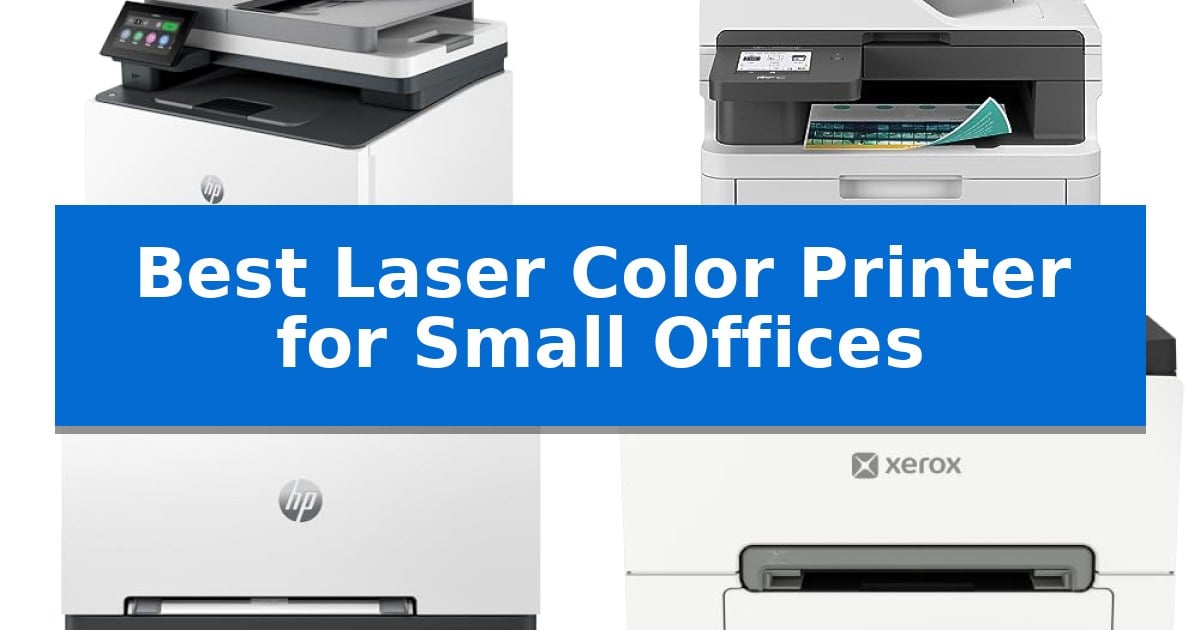
Finding the right equipment for a growing team often starts with document management. The Best Laser Color Printer for Small Offices must balance high-volume output with the space constraints typical of a shared workspace, ensuring that professional reports and marketing materials are produced with consistent quality.
Selecting a printer involves more than just looking at print speeds. You need a machine that integrates seamlessly into your existing network while maintaining low maintenance requirements. This guide evaluates five distinct laser printers to help you identify which model aligns with your specific daily business demands.
Best Laser Color Printer for Small Offices in 2026
Quick Comparison
| Product | Best For | Key Strength | Score |
|---|---|---|---|
| HP Color LaserJet Pro MFP 3301sdw | Best Overall | Fast print speeds of up to 26 ppm for both color and black documents. | 4.9 |
| Brother MFC-L3720CDW Color Laser Printer | Versatile Multi-Function Workflow | Versatile all-in-one functionality including printing, scanning, copying, and faxing. | 4.7 |
| HP Color LaserJet Pro 3201dw | Reliable Professional Color Output | TerraJet toner technology for enhanced color vividness. | 4.7 |
| Xerox C240 Color Laser Printer | Compact Footprint for Hybrid Offices | Compact footprint ideal for small desk spaces. | 4.9 |
| Brother HL-L3220CDW Color Laser Printer | Efficient Daily Business Printing | Automatic duplex printing for efficient paper usage | 4.4 |
How We Chose
- Print speed and document throughput capabilities
- Wireless and mobile connectivity standards
- Paper handling and automatic duplexing features
- Physical dimensions and office space requirements
- Toner efficiency and maintenance accessibility
1 HP Color LaserJet Pro MFP 3301sdw — All-in-One Productivity for Small Teams
Maintaining a high-functioning office requires equipment that balances speed with consistent output. The HP Color LaserJet Pro MFP 3301sdw is designed for small teams that need to handle diverse tasks, including printing, scanning, and copying, without sacrificing professional document quality.
This all-in-one device supports efficient workflows through its auto 2-sided printing and integrated auto document feeder. With print speeds reaching up to 26 ppm for both black and color documents, it keeps pace with the daily demands of a busy workspace. The inclusion of a 250-sheet input tray ensures that teams spend less time reloading paper during high-volume tasks.
Visual impact is addressed through the use of next-generation TerraJet toner, which is engineered to produce more vivid colors for reports and business materials. The printer is compatible with Original HP 218A standard and 218X high yield LaserJet toner cartridges, allowing offices to manage supply costs based on their specific printing volume.
Reliability is central to the design of this unit, which is built to handle the consistent requirements of a small business environment. Users should note that this printer is intended to function exclusively with cartridges containing Original HP chips or circuitry. Periodic firmware updates are utilized to maintain the security and effectiveness of these operational measures.
Best for: Small teams requiring a reliable, all-in-one color laser printer for high-volume document production and scanning.
Skip if: Users who require the flexibility to use third-party or remanufactured toner cartridges, as this model strictly requires Original HP chips.
PROS
- Fast print speeds of up to 26 ppm for both color and black documents.
- Integrated all-in-one functionality including scanning, copying, and automatic duplex printing.
- High-yield toner support with HP 218X cartridges for efficient long-term operation.
- Professional color quality powered by next-generation TerraJet toner technology.
CONS
- Strict cartridge compatibility requires the use of Original HP chips or circuitry.
- Firmware-dependent operation may limit the use of non-HP branded supplies.
2 Brother MFC-L3720CDW Color Laser Printer — Versatile Multi-Function Workflow
Efficiency in a compact office environment often hinges on how well a device manages multiple tasks without monopolizing desk space. The Brother MFC-L3720CDW Color Laser Printer addresses this by integrating printing, scanning, copying, and faxing into a single, streamlined unit that occupies a footprint of 17.5 by 16.1 inches.
This machine is engineered for high-volume needs, featuring a 250-sheet adjustable paper tray and a 50-sheet auto document feeder that facilitates hands-free multi-page scanning and copying. By incorporating automatic duplex printing, the device helps reduce paper consumption while maintaining professional output quality at speeds reaching 19 ppm.
Connectivity is a primary focus, with dual-band wireless networking (2.4GHz/5GHz) and Wi-Fi Direct support allowing users to print from various devices across the office. The 3.5-inch color touchscreen serves as the central interface, providing access to 48 customizable shortcuts and direct integration with cloud services such as Google Drive, Dropbox, and OneNote.
For mobile-heavy workflows, the companion app acts as a Mobile Command Center, enabling remote toner level monitoring and comprehensive printer management from a smartphone. This combination of robust hardware and smart software makes it a versatile tool for small teams requiring consistent, reliable document handling.
Best for: Small office teams that require a versatile, space-saving multi-function device with robust cloud and mobile connectivity.
Skip if: Users who require high-speed production printing or those working in environments where a larger, enterprise-grade floor-standing copier is necessary.
PROS
- Versatile all-in-one functionality including printing, scanning, copying, and faxing.
- Dual-band wireless connectivity for reliable printing from multiple devices.
- Efficient paper handling with a 250-sheet tray and 50-sheet auto document feeder.
- Intuitive 3.5-inch touchscreen with customizable shortcuts for cloud services.
CONS
- Moderate print speed of 19 ppm may be a bottleneck for extremely high-volume daily requirements.
3 HP Color LaserJet Pro 3201dw — Reliable Professional Color Output
Maintaining consistent output for professional color documents requires a device built for the specific demands of a small team. The HP Color LaserJet Pro 3201dw addresses this by integrating TerraJet toner technology, designed to deliver more vivid color reproduction for reports and business materials.
Efficiency in a small office environment often hinges on throughput and connectivity. This printer supports print speeds up to 26 ppm for both black and color documents, ensuring that high-demand tasks are handled without significant delays. To further streamline workflows, it includes auto 2-sided printing and a 250-sheet input tray, reducing the frequency of manual paper handling.
Reliability is supported through a design that prioritizes consistent performance. The unit features dual-band Wi-Fi with self-reset capabilities, which proactively monitors and resolves common connection issues to maintain network availability. This wireless functionality allows for flexible placement within a workspace, ensuring the printer remains accessible to multiple users.
When integrating this device, it is important to note that the system is optimized for original HP chips and circuitry. The printer includes security measures that block cartridges using non-HP components, and it requires periodic firmware updates to maintain these operational standards. This approach ensures the hardware remains compatible with the intended toner chemistry for consistent print quality.
Best for: Small teams that require consistent, professional-quality color document printing and reliable wireless connectivity.
Skip if: Users who rely on third-party or remanufactured toner cartridges will find the proprietary chip requirement a significant limitation.
PROS
- TerraJet toner technology for enhanced color vividness.
- Dual-band Wi-Fi with automatic self-reset connectivity.
- Efficient auto 2-sided printing to reduce paper usage.
- Consistent 26 ppm print speeds for black and color.
CONS
- Proprietary chip requirement restricts the use of non-HP toner cartridges.
4 Xerox C240 Color Laser Printer — Compact Footprint for Hybrid Offices
Maintaining a productive workflow in a compact workspace requires hardware that balances footprint with output. The Xerox C240 Wireless Color Laser Printer addresses this need by combining a small compact footprint with 26 ppm print speeds, ensuring that professional documents are ready without occupying excessive desk space.
Designed for small businesses and hybrid teams, this device handles up to 1,500 pages per month. It supports versatile connectivity, featuring dual-band Wi-Fi, Apple AirPrint, and Mopria compatibility, which allows users to print directly from laptops, smartphones, or tablets. The integration of the Xerox Easy Assist App simplifies the installation process, removing the need for traditional driver management.
The printer is engineered to produce sharp text and brilliant color graphics, making it suitable for presentations and business reports. To manage long-term costs, it offers high-yield toner options alongside standard-yield cartridges, providing flexibility for varying print volumes. Its 16.2-inch width and 9.6-inch height ensure it fits easily into constrained office environments.
While the Xerox C240 Wireless Color Laser Printer excels in speed and connectivity, it is a print-only device. Users requiring integrated scanning, copying, or faxing capabilities will need to consider a multi-function alternative to meet those specific document-handling requirements.
Best for: Small offices and hybrid workers who prioritize a compact footprint, fast color output, and mobile printing convenience.
Skip if: Users who require an all-in-one device for scanning, copying, or faxing documents will find this print-only model insufficient.
PROS
- Compact footprint ideal for small desk spaces.
- Fast 26 ppm color printing performance.
- Easy mobile setup via the Xerox Easy Assist App.
- Flexible toner options to manage total cost of ownership.
CONS
- Print-only functionality lacks built-in scanning or copying.
5 Brother HL-L3220CDW Color Laser Printer — Efficient Daily Business Printing
Maintaining a productive workflow in a compact workspace requires equipment that balances footprint with reliable output. The Brother HL-L3220CDW Color Laser Printer addresses this by integrating automatic duplex printing and a 250-sheet paper tray into a streamlined design, ensuring that professional-quality documents are produced without constant manual intervention.
Designed for efficiency, this printer delivers 19 pages per minute for both color and monochrome documents. The inclusion of wireless connectivity allows for seamless integration with mobile devices and cloud services, providing flexibility for users who need to print directly from smartphones or tablets without being tethered to a desktop computer.
The Brother HL-L3220CDW Color Laser Printer also features a manual feed slot, which provides the versatility needed to handle envelopes or specialty media. This addition ensures that the device can manage diverse office tasks beyond standard document printing, making it a practical choice for small offices that require a range of output formats.
Security remains a priority in professional environments, and this model incorporates built-in security protocols to safeguard sensitive business information during wireless transmission. With its 1-year limited warranty and compact dimensions of 15.7 inches in width and length, it is engineered to fit into professional home offices while maintaining high-volume capabilities.
Best for: Small office environments requiring a compact, wireless color laser printer capable of handling high-volume document tasks and automatic double-sided printing.
Skip if: Users who require high-speed printing beyond 19 pages per minute or those who need integrated scanning and copying capabilities, as this is a single-function printer.
PROS
- Automatic duplex printing for efficient paper usage
- Wireless connectivity for mobile and cloud printing
- 250-sheet paper tray reduces the frequency of refills
- Manual feed slot supports envelopes and specialty media
CONS
- Single-function design lacks scanning and copying features
- 19 PPM output speed may be limiting for extremely high-volume environments
Best Laser Color Printer for Small Offices Buying Guide
Understanding Print Speed and Volume
For small offices, print speed is measured in pages per minute (ppm). A higher ppm is essential if your team frequently prints large reports or multi-page documents simultaneously. However, ensure the printer's recommended monthly duty cycle matches your actual usage to prevent premature wear.
Consider whether your office requires color accuracy for client-facing documents or if speed is the primary driver. Laser printers generally offer sharper text than inkjet alternatives, making them ideal for professional correspondence and high-contrast graphics.
Connectivity and Network Integration
Modern office printers should support dual-band Wi-Fi and mobile printing protocols. These features allow employees to print directly from laptops, tablets, and smartphones without needing a dedicated workstation connection. Look for models that offer Wi-Fi Direct for secure, cable-free printing.
Some printers provide cloud integration, enabling direct access to services like Google Drive or Dropbox. This simplifies the workflow for hybrid teams who need to print documents stored in shared digital folders without transferring files to a local computer first.
Paper Handling and Duplexing
Automatic duplex printing is a critical feature for reducing paper waste and managing costs. By printing on both sides of the sheet automatically, you save resources and create more manageable document stacks. Ensure the printer has a robust auto document feeder (ADF) if your office performs frequent scanning or copying tasks.
Check the input tray capacity to determine how often you will need to refill paper. A 250-sheet tray is standard for small offices, but higher capacities can significantly reduce downtime during busy periods.
Physical Footprint and Design
Small offices often have limited desk or floor space. A compact design is vital to ensure the printer does not obstruct your workspace. Measure your available area before purchasing, keeping in mind that you need clearance for opening trays and accessing the toner cartridges.
Consider the all-in-one functionality versus single-function printers. While an all-in-one device saves space by combining printing, scanning, and copying, a single-function printer may be more reliable if your office already has a dedicated scanner or rarely needs to copy physical documents.
Toner and Maintenance Costs
Laser printers use toner cartridges that are generally more cost-effective over time than ink cartridges. Look for high-yield toner options to lower your total cost of ownership. Some manufacturers restrict the use of third-party cartridges, so verify the brand's policy on toner compatibility.
Regular maintenance, such as cleaning the paper path and updating firmware, is necessary to keep your printer running smoothly. Choose a model with an intuitive interface or a companion app that alerts you to low toner levels or connectivity issues before they impact your productivity.
Frequently Asked Questions
What is the difference between a single-function and an all-in-one printer?
A single-function printer is designed exclusively for printing documents. An all-in-one printer includes additional features like scanning, copying, and sometimes faxing, making it a space-saving solution for offices that require multiple document-handling tasks.
Why is automatic duplexing important for small offices?
Automatic duplexing allows the printer to print on both sides of the paper without manual intervention. This feature helps reduce paper consumption, lowers operating costs, and produces professional-looking double-sided documents.
Can I print from my smartphone to these laser printers?
Yes, most modern laser printers for small offices include wireless connectivity, such as Wi-Fi or mobile printing apps, which allow you to send documents directly from your smartphone or tablet.
How do I know if a printer will fit in my office?
Check the manufacturer's specifications for the printer's height, width, and length. Remember to account for extra space needed for the paper tray to extend and for easy access to the toner and paper paths.
Are laser printers better than inkjet printers for text documents?
Laser printers are generally preferred for text-heavy documents because they produce sharper, more precise text and are less prone to smudging than inkjet printers. They are also typically faster for high-volume printing.
Conclusion: Our Top Pick
For most small offices, the HP Color LaserJet Pro MFP 3301sdw stands out as the most versatile choice. Its combination of fast print speeds, reliable all-in-one functionality, and high-quality color output makes it an excellent asset for teams that need to handle diverse document tasks efficiently.
While other models offer specific advantages like a more compact footprint or lower initial costs, the HP Color LaserJet Pro MFP 3301sdw provides the best balance of performance and features. Its integration of wireless connectivity and duplex printing ensures that it can adapt to the evolving needs of a busy professional environment.