
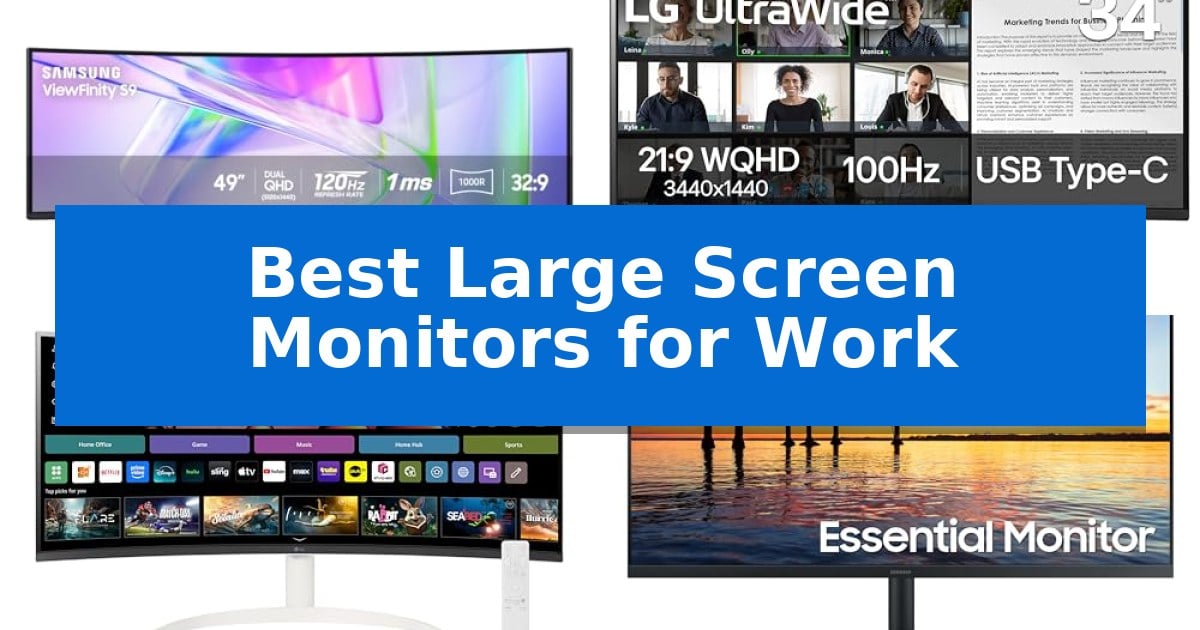
Finding the right display is essential when your daily tasks involve managing multiple windows, complex spreadsheets, or creative design projects. The Best Large Screen Monitors for Work provide the necessary digital real estate to organize your workflow without the clutter of a multi-monitor setup.
Whether you require a panoramic view for data analysis or a color-accurate panel for media production, selecting the right screen size and curvature can significantly impact your daily productivity. We have analyzed the latest options to help you determine which display best fits your specific professional requirements.
Best Large Screen Monitors for Work in 2026
Quick Comparison
| Product | Best For | Key Strength | Score |
|---|---|---|---|
| Samsung 49 Inch Curved Ultrawide Monitor | Best Overall | Massive 49-inch 1000R curved display provides an expansive, immersive workspace. | 4.9 |
| LG 34 Inch UltraWide Curved Monitor | Efficient Multi-Window Multitasking | USB Type-C with 65W power delivery for streamlined cable management. | 4.3 |
| LG 34 Inch Smart Curved Monitor | Standalone Streaming and Productivity | Built-in webOS23 allows for cloud productivity and streaming without a PC. | 4.3 |
| Samsung 32 Inch Flat Monitor | Expansive Borderless Viewing | Three-sided borderless design for seamless multi-monitor configurations | 4.7 |
| LG 34 Inch UltraWide IPS Monitor | Vibrant Color-Accurate Workflow | 21:9 UltraWide aspect ratio provides significant horizontal space for multitasking. | 4.3 |
How We Chose
- Screen real estate and aspect ratio suitability for professional multitasking.
- Connectivity options including USB-C power delivery and port variety.
- Ergonomic adjustments such as height, tilt, and swivel capabilities.
- Display quality features like HDR support, color gamut coverage, and eye-care technologies.
- Integration features like built-in speakers or smart operating systems for streamlined workflows.
1 Samsung 49 Inch Curved Ultrawide Monitor — Maximum Horizontal Workspace
The Samsung 49 Inch Curved Ultrawide Monitor utilizes a massive 49-inch 1000R curved display with a 32:9 aspect ratio to provide a panoramic workspace that mimics the natural field of view. This design choice is intended to minimize the need for multiple monitor setups, allowing users to consolidate their digital environment into one seamless, high-resolution Dual QHD interface.
Functionality extends beyond the display, as the unit doubles as a docking station. It features a comprehensive array of connectivity options, including DisplayPort, two HDMI inputs, and a USB Type-C port capable of 90W charging. This hub-like capability reduces desk clutter by centralizing device connections and power delivery through a single cable.
For visual and auditory performance, the monitor supports VESA DisplayHDR 400, which enhances contrast by delivering a wider range of luminous blacks and whites. The 120Hz refresh rate provides smoother motion for scrolling and navigation, while the integrated speakers eliminate the requirement for external audio peripherals, further optimizing the workspace footprint.
This monitor is engineered for users who require extensive horizontal screen real estate for complex multitasking, video editing, or design workflows. The combination of high-speed connectivity, integrated power delivery, and an immersive curvature makes it a specialized tool for professional environments where screen efficiency and desk organization are priorities.
Best for: Professionals who require extensive horizontal screen real estate for complex multitasking and want to consolidate their desk setup into a single, integrated hub.
Skip if: Users with limited desk space or those whose primary workflows do not benefit from a 32:9 aspect ratio may find the physical footprint of this 49-inch display excessive.
PROS
- Massive 49-inch 1000R curved display provides an expansive, immersive workspace.
- Integrated docking station with 90W USB-C charging reduces cable clutter.
- 120Hz refresh rate ensures smooth scrolling and visual navigation.
- VESA DisplayHDR 400 support improves contrast for detailed design and video work.
CONS
- Large physical footprint requires significant desk space.
- 32:9 aspect ratio may not be optimized for all software applications.
2 LG 34 Inch UltraWide Curved Monitor — Efficient Multi-Window Multitasking
The LG 34 Inch UltraWide Curved Monitor provides a expansive 21:9 aspect ratio that serves as a dedicated workspace for managing multiple windows simultaneously. This 34-inch WQHD display is engineered to maximize screen real estate, allowing for side-by-side document comparison or complex multitasking without the need for a secondary monitor setup.
Equipped with USB Type-C connectivity, this monitor supports up to 65W power delivery, enabling users to charge a laptop while transmitting display signals through a single cable. The integration of Picture-by-Picture (PbP) functionality further enhances productivity by allowing content from two separate input sources to be viewed on the screen at the same time.
Visual clarity is supported by HDR10 and a 99% sRGB color gamut, which contribute to consistent color reproduction for professional tasks. The display is housed in a 3-side virtually borderless design, which helps maintain a clean aesthetic while minimizing visual distractions during extended work sessions.
To support long-term comfort, the monitor includes a Reader Mode that reduces blue light emissions. The integrated ergonomic stand offers adjustable height and tilt settings, ensuring the screen can be positioned to suit individual desk setups and viewing angles.
Best for: Professionals who require a wide, single-screen workspace for multitasking and need integrated laptop charging via USB-C.
Skip if: Users who require a 4K resolution or those who prefer a flat panel display for specific design workflows.
PROS
- USB Type-C with 65W power delivery for streamlined cable management.
- 21:9 UltraWide WQHD resolution provides extensive horizontal workspace.
- Picture-by-Picture (PbP) allows simultaneous multi-source viewing.
- Adjustable ergonomic stand for height and tilt customization.
CONS
- 100Hz refresh rate may exceed the requirements for standard office productivity tasks.
- Curved panel design may not be suitable for users requiring perfectly straight lines for technical drafting.
3 LG 34 Inch Smart Curved Monitor — Standalone Streaming and Productivity
The LG 34 Inch Smart Curved Monitor distinguishes itself by integrating a full smart operating system directly into a 34-inch ultrawide display, allowing users to access streaming services and cloud-based productivity tools without needing a connected PC. Its 1800R curvature and 21:9 aspect ratio provide a panoramic workspace that is significantly wider than standard 16:9 displays, making it a specialized tool for users who prioritize screen real estate for multitasking.
Equipped with webOS23, this monitor offers native access to major streaming platforms and cloud applications like Microsoft 365 and Google apps. The 3440×1440 QHD resolution paired with HDR10 and a 99% sRGB color gamut ensures high visual fidelity for both professional tasks and media consumption. With a 100Hz refresh rate, it provides smoother motion than standard office monitors, bridging the gap between work-focused utility and entertainment.
Connectivity is a core strength of this model, featuring two HDMI ports and three USB ports to accommodate various peripherals. For Apple users, AirPlay 2 and HomeKit compatibility allow for seamless wireless screen mirroring and control. The design is clean and modern, featuring a 3-side virtually frameless aesthetic that maximizes the visible display area.
While it excels as a standalone smart hub, the monitor remains a versatile peripheral for traditional setups. It is compatible with the optional LG Magic Remote, enabling voice command navigation. This combination of smart features and expansive display dimensions makes it a unique solution for those seeking to declutter their desk by consolidating streaming and computing hardware into a single, curved screen.
Best for: Professionals and home users who want a single, ultrawide display that functions as both a high-resolution workspace and a standalone smart streaming hub.
Skip if: Users who require specialized professional color calibration tools or those who prefer a flat display for design work may find the 1800R curve or smart-OS focus unnecessary.
PROS
- Built-in webOS23 allows for cloud productivity and streaming without a PC.
- 34-inch ultrawide QHD display provides 34% more screen space than standard monitors.
- 100Hz refresh rate offers smoother visual performance than standard 60Hz displays.
- Wireless connectivity via AirPlay 2 and HomeKit for easy device integration.
CONS
- Magic Remote sold separately, requiring an additional purchase for full voice control functionality.
- Curved 1800R design may not be preferred by users who require perfectly straight lines for drafting or precision design work.
4 Samsung 32 Inch Flat Monitor — Expansive Borderless Viewing
A clean, modern aesthetic defines the Samsung 32 Inch Flat Monitor, which utilizes a three-sided borderless design to minimize visual distractions. This construction is particularly useful for users managing multi-monitor setups, as it allows displays to align seamlessly for a nearly gapless viewing experience.
Performance is supported by a 75Hz refresh rate, which facilitates fluid motion for daily tasks, video playback, and presentations. To maintain visual integrity during faster on-screen movement, the monitor integrates AMD FreeSync technology, which synchronizes the refresh rate with the graphics card to mitigate image tearing and ghosting.
The display includes specialized Game Mode settings that enhance image contrast and color, allowing for better visibility in darker scenes. For extended work sessions, the monitor prioritizes user comfort through Advanced Eye Care features, including Flicker Free technology to remove screen flicker and an Eye Saver Mode that reduces blue light emissions.
Connectivity options include both HDMI and DisplayPort interfaces, ensuring compatibility with a variety of workstations and hardware configurations. With its 32-inch screen size, this monitor provides an expansive workspace, making it a functional choice for users who require significant screen real estate for productivity.
Best for: Professionals and home office users who require a large, borderless display for multi-tasking and extended work sessions.
Skip if: Users who require higher refresh rates for competitive gaming or those with limited desk space who cannot accommodate a 32-inch footprint.
PROS
- Three-sided borderless design for seamless multi-monitor configurations
- AMD FreeSync support to reduce image tearing
- 75Hz refresh rate for smoother visual transitions
- Advanced Eye Care features including Flicker Free and Eye Saver Mode
CONS
- Large 32-inch size may not fit smaller desk environments
5 LG 34 Inch UltraWide IPS Monitor — Vibrant Color-Accurate Workflow
Maximizing screen real estate is essential for complex workflows, and the LG 34 Inch UltraWide IPS Monitor addresses this by providing a expansive 21:9 aspect ratio. This display allows users to manage multiple windows side-by-side without the visual break of a dual-monitor setup, making it a practical choice for those who need to keep several applications open simultaneously.
The monitor features a 100Hz refresh rate, which ensures smooth motion for everyday tasks, video conferencing, and streaming. Visual clarity is supported by VESA DisplayHDR 400 and 99% sRGB color coverage, providing accurate color reproduction and enhanced contrast. The IPS panel maintains consistent image quality across wide viewing angles, ensuring that the display remains legible even when viewed from the side.
Connectivity is streamlined through a USB Type-C port, which supports both display output and data transfer, enabling a single-cable connection to compatible laptops to reduce cable clutter. For audio needs, the integrated Waves MaxxAudio stereo speakers provide sound output without requiring external hardware. Users can further optimize their workspace using the Switch app, which facilitates screen splitting into up to 6 sections for better window management.
Designed for long-term comfort, the monitor includes a Reader Mode that shifts the display to warmer tones to reduce eye strain during extended work sessions. The physical design features a slim L-shaped stand with a compact footprint, offering height, tilt, and swivel adjustments to help users find an ergonomic viewing position. This combination of display space, connectivity, and physical adjustability makes it a versatile tool for professional environments.
Best for: Professionals and multitaskers who require a wide horizontal workspace to manage multiple applications simultaneously on a single, clutter-free display.
Skip if: Users who require a 4K resolution display or a vertical orientation for specific creative tasks may find the 2560 x 1080 resolution limiting.
PROS
- 21:9 UltraWide aspect ratio provides significant horizontal space for multitasking.
- USB Type-C connectivity enables single-cable display and data transfer.
- 100Hz refresh rate ensures smooth visuals for daily productivity.
- Ergonomic stand allows for height, tilt, and swivel adjustments.
CONS
- WFHD resolution (2560 x 1080) may not provide the pixel density required for high-resolution photo or video editing.
- Large physical footprint requires a wider desk space compared to standard 16:9 monitors.
Best Large Screen Monitors for Work Buying Guide
Understanding Aspect Ratios and Screen Real Estate
The aspect ratio of your monitor dictates how much content you can view simultaneously. A 32:9 ultrawide display offers the equivalent of two standard monitors side-by-side, which is ideal for users who frequently compare documents or manage complex project timelines.
Alternatively, a 21:9 aspect ratio provides a balanced middle ground, offering enough width for side-by-side window snapping without the extreme curvature found in larger models. Consider your desk depth and the number of applications you typically keep open when choosing between these formats.
Connectivity and Desk Organization
Modern monitors often double as docking stations, significantly reducing cable clutter. Look for USB Type-C connectivity that supports power delivery, allowing you to charge your laptop and transmit video signals through a single cable.
Additional ports like DisplayPort and HDMI are essential if you need to connect multiple devices, such as a desktop PC and a work laptop, simultaneously. A monitor that acts as a central hub simplifies your setup and keeps your workspace tidy.
Ergonomics and Eye Comfort
Extended work hours require a display that supports healthy posture. An adjustable stand that offers height, tilt, and swivel options ensures the screen is at eye level, reducing neck and shoulder strain.
Furthermore, look for eye-care technologies such as flicker-free backlighting and blue light reduction modes. These features help minimize visual fatigue during long sessions of reading or detailed editing.
Color Accuracy and Panel Performance
For professionals working in design or video editing, color gamut coverage is a critical specification. Monitors that support a high percentage of the sRGB color space ensure that your work looks consistent across different devices.
HDR (High Dynamic Range) support, such as VESA DisplayHDR 400, enhances contrast by providing deeper blacks and brighter whites. This is particularly beneficial for media-heavy workflows where visual detail is paramount.
Smart Features and Integrated Audio
Some monitors now include built-in operating systems, allowing for standalone streaming or access to cloud-based productivity apps without a connected PC. This can be a useful feature for quick meetings or media consumption during breaks.
Integrated speakers also contribute to a minimalist desk setup by eliminating the need for external audio hardware. While they may not replace dedicated studio monitors, they are sufficient for video calls and general office tasks.
Frequently Asked Questions
Is a curved monitor better for office work?
Curved monitors are designed to match the natural field of view, which can reduce eye strain and distortion at the edges of the screen, especially on wider displays.
Can I use a USB-C monitor to charge my laptop?
Yes, many modern monitors feature USB-C ports with power delivery. Check the specific wattage output to ensure it is sufficient to charge your laptop while in use.
What is the benefit of a 100Hz or 120Hz refresh rate for work?
Higher refresh rates provide smoother motion when scrolling through long documents or web pages, which can make the overall desktop experience feel more responsive.
Do I need a special desk for a 49-inch monitor?
A 49-inch monitor requires a significant amount of desk width and depth. Ensure your desk is sturdy enough to support the weight and deep enough to maintain a comfortable viewing distance.
What is Picture-by-Picture (PbP) mode?
PbP allows you to display content from two different input sources side-by-side on the same screen, effectively turning one monitor into two separate workspaces.
Conclusion: Our Top Pick
Choosing the right display depends on your specific multitasking needs and the space available on your desk. For those seeking the most expansive workspace, the Samsung 49 Inch Curved Ultrawide Monitor stands out as a top-tier choice due to its massive 32:9 aspect ratio and integrated docking capabilities.
This monitor excels at consolidating complex workflows into a single, seamless display, effectively replacing multi-monitor setups. Its combination of high-refresh-rate visuals and robust connectivity makes it a powerful tool for professionals who demand maximum horizontal space and streamlined desk management.