
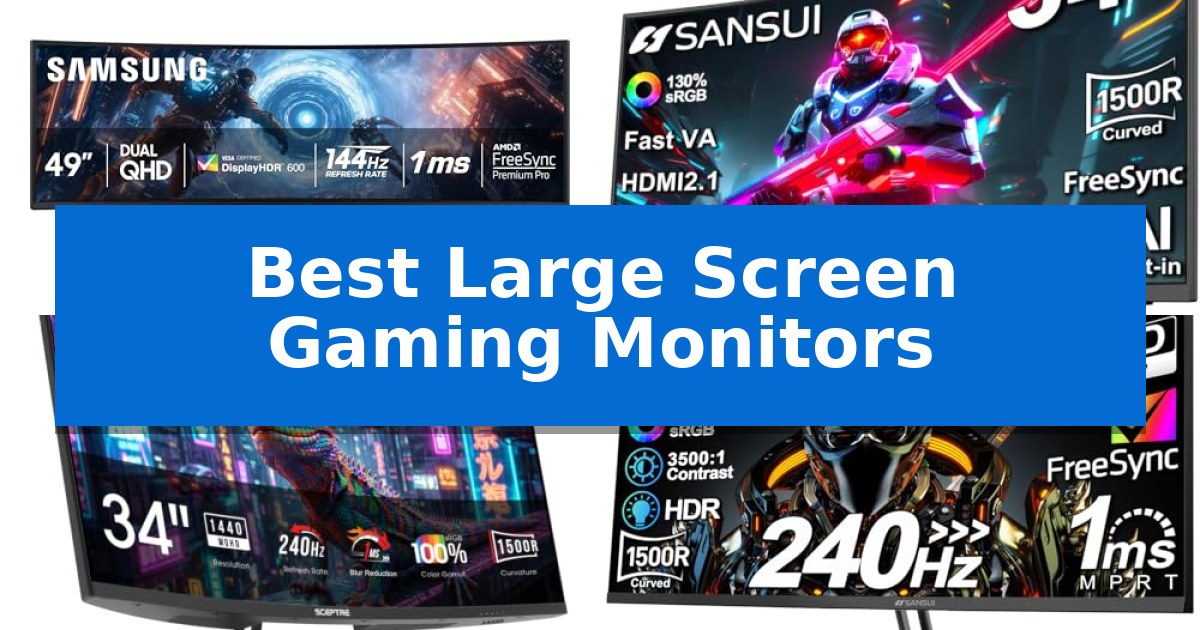
Finding the right display for your desk can transform how you experience digital worlds. Whether you are looking to gain a tactical advantage in competitive titles or want to lose yourself in sprawling open-world environments, the right hardware makes all the difference.
We have evaluated the Best Large Screen Gaming Monitors to help you navigate the current market. From ultra-wide panoramic panels to high-refresh-rate screens, these options cater to different playstyles and desk configurations.
Best Large Screen Gaming Monitors in 2026: Expand Your Field of View
Quick Comparison
| Product | Best For | Key Strength | Score |
|---|---|---|---|
| Samsung Odyssey G9 Gaming Monitor | Best Overall | Panoramic 32:9 aspect ratio provides an expansive, bezel-free viewing area. | 4.9 |
| SANSUI Curved Gaming Monitor | High-Speed Ultrawide Performance | High 200Hz refresh rate for smooth motion. | 4.5 |
| Sceptre Prime Curved Gaming Monitor | Rapid 240Hz Refresh Rate | 240Hz refresh rate for fluid motion in gaming. | 4.7 |
| SANSUI 32 Inch Curved 240Hz Gaming Monitor High Refresh Rate | Smooth 240Hz Curved Visuals | 240Hz refresh rate for smooth motion handling | 4.8 |
| Sceptre Curved Gaming Monitor | Expansive 21:9 Aspect Ratio | 200Hz refresh rate for smooth motion in fast-paced games. | 4.6 |
How We Chose
- Refresh rate and response time capabilities for motion clarity.
- Panel curvature and aspect ratio for immersive viewing.
- Connectivity options including HDMI and DisplayPort standards.
- Ergonomic adjustments such as tilt and VESA mounting support.
- Color accuracy and contrast performance for visual fidelity.
1 Samsung Odyssey G9 Gaming Monitor — Panoramic Ultra-Wide Immersion
The SAMSUNG 49-inch Odyssey G9 (G91F) DQHD utilizes a massive 1000R curved display to create a panoramic field of view that effectively replaces a dual-monitor setup. This ultra-wide 32:9 screen is engineered to provide an expansive perspective, allowing users to track movement across the entire panel without the visual obstruction of a central bezel.
Performance is driven by a 144Hz refresh rate and a 1ms response time, which work in tandem to minimize motion blur and input lag during fast-paced gameplay. To maintain visual fidelity, the monitor incorporates AMD FreeSync™ Premium Pro and variable refresh rate (VRR) technology, which synchronizes the GPU and panel to eliminate screen tearing and choppiness.
Visual depth is supported by DisplayHDR 600, which enhances contrast by producing deeper blacks and brighter whites. This capability ensures that details in shadowed environments remain visible, contributing to a more immersive experience in high-contrast scenes.
For productivity and multitasking, the monitor includes Picture-in-Picture functionality, enabling users to view secondary content like chats or guides alongside their primary game. The Auto Source Switch+ feature streamlines the workflow by automatically detecting and switching to active input signals, removing the need for manual source selection.
The physical design features an ergonomic stand that allows for tilt adjustments, ensuring the display can be positioned for optimal viewing comfort. With dimensions of approximately 45.18 inches in width and 22.38 inches in height, this unit is designed for users who require significant screen real estate for both gaming and professional tasks.
Best for: Gamers and professionals who require a massive, immersive ultra-wide workspace to replace dual-monitor setups.
Skip if: Users with limited desk space or those who prefer a flat display panel for color-critical professional design work.
PROS
- Panoramic 32:9 aspect ratio provides an expansive, bezel-free viewing area.
- 144Hz refresh rate and 1ms response time support smooth motion in fast-paced games.
- AMD FreeSync™ Premium Pro reduces screen tearing and stuttering.
- Picture-in-Picture allows for efficient multitasking on a single panel.
CONS
- Large 45.18-inch width requires significant desk space for proper placement.
- 1000R curvature may not be preferred by users who prioritize flat screens for specific non-gaming tasks.
2 SANSUI Curved Gaming Monitor — High-Speed Ultrawide Performance
The SANSUI Curved Gaming Monitor delivers an immersive 1500R curvature on a 34-inch UWQHD (3440 x 1440) display, providing an expansive field of view for high-fidelity gaming. This ultrawide panel is engineered for speed, supporting a 200Hz refresh rate and an OD 1ms response time to minimize motion blur during fast-paced sequences.
Equipped with FastVA technology, the monitor balances deep contrast with the responsiveness required for competitive play. It features a wide color gamut, covering 130% sRGB and 97% DCI-P3, which enhances visual depth in HDR-supported content. Integrated tools like AI Crosshair and AI PQ assist in gameplay precision, while AdaptiveSync and VRR support via HDMI 2.1 help maintain visual consistency.
The design prioritizes versatility with a 21:9 aspect ratio and PBP (Picture-by-Picture) functionality, allowing users to manage multiple inputs simultaneously. Connectivity is handled through two HDMI 2.1 ports and a DP 1.4 port, all capable of supporting the monitor's maximum refresh rate. The stand offers a -5°~15° tilt adjustment, and the chassis includes VESA 100 x 100mm compatibility for custom mounting solutions.
While the monitor offers high-speed performance, it lacks built-in speakers, requiring external audio solutions for a complete setup. The 1500R curve is specifically designed to reduce eye strain over long sessions, complemented by AI Blue light reduction technology. This unit is a practical choice for users seeking a balance between ultrawide screen real estate and high-refresh-rate gaming capabilities.
Best for: Gamers seeking an immersive, high-refresh-rate ultrawide experience for both competitive play and multi-tasking productivity.
Skip if: Users who require built-in speakers or a flat display panel for professional color-critical design work.
PROS
- High 200Hz refresh rate for smooth motion.
- Ultrawide 3440 x 1440 resolution for immersive gaming.
- Versatile PBP functionality for multi-device workflows.
- Broad color coverage with 97% DCI-P3.
CONS
- No built-in speakers included.
- Limited stand ergonomics with tilt-only adjustment.
3 Sceptre Prime Curved Gaming Monitor — Rapid 240Hz Refresh Rate
The Sceptre Prime Curved Gaming Monitor centers its design around a 34-inch curved display that utilizes a 1500R curvature to provide an immersive field of view. This monitor is engineered for high-speed responsiveness, featuring a 240Hz refresh rate and a 1ms response time that minimizes blur during fast-paced movement.
Visual fidelity is supported by a 100% sRGB color gamut, which ensures accurate color reproduction for both creative projects and multimedia consumption. The 3440 x 1440 resolution provides a wide workspace, while the integrated Blue-Light Shift technology is included to reduce eye strain during extended sessions by limiting harmful blue light emissions.
Connectivity is handled through a versatile array of inputs, including two HDMI ports and two DisplayPort connections. This setup allows for multiple device links, such as connecting a gaming PC and a console simultaneously, while the built-in speakers and dedicated audio out jack offer flexible sound options without requiring extra desk peripherals.
This monitor balances its high-performance specifications with practical design choices like integrated audio and eye-care features. It is a suitable choice for users who prioritize a high refresh rate and wide-screen real estate for a streamlined gaming and productivity environment.
Best for: Gamers and professionals who require a high-refresh-rate, wide-screen display for immersive gaming and multitasking.
Skip if: Users with limited desk space who cannot accommodate a 34-inch ultrawide form factor or those who require specialized professional-grade color calibration beyond sRGB.
PROS
- 240Hz refresh rate for fluid motion in gaming.
- 1ms response time with blur reduction technology.
- 100% sRGB color gamut for accurate visual output.
- Versatile connectivity with dual HDMI and dual DisplayPort inputs.
CONS
- Large 34-inch footprint may be restrictive for smaller desk setups.
4 SANSUI 32 Inch Curved 240Hz Gaming Monitor High Refresh Rate — Smooth 240Hz Curved Visuals
The SANSUI 32 Inch Curved 240Hz Gaming Monitor prioritizes fluid motion for competitive play through its high 240Hz refresh rate and 1ms MPRT response time. Designed with a 1500R curvature, this display aims to provide a more immersive field of view, particularly when positioned at the recommended distance of approximately 1.2 meters.
Visual performance is supported by a 3500:1 contrast ratio and a 125% sRGB color gamut, which help distinguish details in dark and light scenes. The inclusion of FreeSync technology assists in managing screen tearing, while the HDR capability adds depth to supported content. With a peak brightness of 300 Nits, it offers sufficient illumination for most indoor gaming environments.
Connectivity options include HDMI and DP 1.4 ports, both capable of supporting the full 240Hz refresh rate. The monitor features an ergonomic tilt adjustment of -5°~15° and is VESA compatible (100 x 100mm), allowing for flexible mounting configurations. Note that this model does not include built-in speakers, necessitating an external audio solution via the integrated earphone jack.
The package includes a DisplayPort cable, streamlining the setup process for high-refresh-rate gaming. While the 178° wide viewing angle maintains color consistency across the curved panel, the monitor is strictly a gaming-focused tool, lacking integrated audio hardware to keep the focus on display performance.
Best for: Competitive gamers seeking a high-refresh-rate, curved display for immersive, fast-paced titles.
Skip if: Users who require built-in speakers or a flat panel display for professional color-critical creative work.
PROS
- 240Hz refresh rate for smooth motion handling
- 1500R curvature enhances visual immersion
- 1ms MPRT response time reduces motion blur
- 125% sRGB color gamut provides vibrant color reproduction
CONS
- No built-in speakers require external audio hardware
- 1080P resolution on a 32-inch screen results in lower pixel density
5 Sceptre Curved Gaming Monitor — Expansive 21:9 Aspect Ratio
The Sceptre 30-inch Curved Gaming Monitor prioritizes fluid motion for fast-paced titles by offering a 200Hz refresh rate via DisplayPort, which significantly exceeds standard monitor speeds to minimize motion blur. Its 21:9 ultra-wide aspect ratio provides an expansive field of view, while the 1500R curvature is designed to draw the user into the center of the action.
Engineered for competitive play, this monitor integrates AMD FreeSync technology to synchronize the display's refresh rate with the graphics card, effectively reducing screen tearing and stuttering. The inclusion of custom FPS and RTS display settings allows users to quickly toggle between visual profiles optimized for specific game genres, ensuring clarity during intense sequences.
Beyond raw performance, the display features a thin bezel design that maximizes screen real estate and supports a VESA wall mount pattern for flexible desk configurations. To support extended sessions, the monitor incorporates Blue Light Shift technology to reduce eye strain and an anti-flicker backlight system to maintain a consistent, comfortable viewing experience.
While the monitor includes built-in speakers for basic audio needs, its primary utility remains its gaming-focused visual suite. The combination of a 170-degree viewing angle and a 5ms GTG response time provides a balanced foundation for users seeking an immersive, wide-format display for both gaming and general productivity tasks.
Best for: Gamers seeking an immersive ultra-wide field of view and high refresh rates for fast-paced competitive titles.
Skip if: Users requiring professional-grade color accuracy for creative work or those with limited desk space for a 30-inch wide display.
PROS
- 200Hz refresh rate for smooth motion in fast-paced games.
- 21:9 ultra-wide aspect ratio provides an expansive gaming view.
- AMD FreeSync support to prevent screen tearing.
- Custom FPS and RTS display modes for genre-specific optimization.
CONS
- 5ms GTG response time is slower than some dedicated competitive panels.
- 250 nits typical brightness may appear dim in brightly lit rooms.
Best Large Screen Gaming Monitors Buying Guide
Understanding Aspect Ratios
The aspect ratio determines the shape of your screen and how much horizontal space you have. A 32:9 ultra-wide display acts like two traditional monitors side-by-side, providing an expansive field of view that is ideal for simulation games and multitasking.
Alternatively, a 21:9 ratio offers a wider perspective than standard 16:9 monitors without the extreme width of 32:9 models. This middle ground is often easier to fit on standard desks while still providing significant immersion.
Refresh Rates and Motion
A high refresh rate, measured in Hertz (Hz), dictates how many frames the monitor can display per second. For fast-paced competitive gaming, a higher refresh rate like 240Hz ensures smoother motion and reduced input lag.
Pairing your monitor with a compatible graphics card is essential. Features like AMD FreeSync help synchronize the display's refresh rate with your GPU, effectively eliminating screen tearing and stuttering during intense action.
Curvature and Viewing Comfort
Curved screens, often denoted by an 'R' rating like 1500R or 1000R, are designed to match the natural curvature of the human eye. This helps maintain a consistent focal distance across the entire width of the panel, which can reduce eye strain during long sessions.
The lower the 'R' number, the more aggressive the curve. A 1000R curve is quite pronounced and is specifically engineered for large, wide displays to ensure the edges remain within your peripheral vision.
Connectivity and Inputs
Before purchasing, verify that your monitor has the correct ports for your hardware. DisplayPort 1.4 is often required to achieve the maximum refresh rate and resolution simultaneously on high-end monitors.
Modern monitors also include multiple HDMI 2.1 ports, which are essential if you plan to connect consoles or multiple devices. Always check the specifications to ensure your chosen monitor supports the bandwidth needed for your specific setup.
Ergonomics and Mounting
Large monitors occupy significant desk space, so consider the footprint of the included stand. Many models offer tilt adjustments to help you find the perfect viewing angle, but check if the stand allows for height or swivel adjustments if those are important to you.
If you prefer a cleaner desk, look for VESA compatibility. This standard allows you to mount the monitor on an aftermarket arm, freeing up your desk surface and providing more flexibility in positioning the screen.
Frequently Asked Questions
What is the benefit of a 32:9 aspect ratio?
A 32:9 aspect ratio provides an ultra-wide field of view that mimics a dual-monitor setup without the center bezel, offering superior immersion for racing and flight simulators.
Do I need a high refresh rate for all games?
High refresh rates are most beneficial for fast-paced competitive games like shooters. For slower, narrative-driven titles, a standard 60Hz or 144Hz display may be perfectly sufficient.
What does the 'R' in monitor curvature mean?
The 'R' stands for radius in millimeters. A 1500R monitor has a curve that would form a circle with a 1500mm radius. A lower number indicates a tighter, more pronounced curve.
Can I use a large gaming monitor for productivity?
Yes, large screens are excellent for productivity. Features like Picture-in-Picture (PBP) allow you to view multiple sources simultaneously, making it easy to manage chats, videos, and work tasks on one display.
Is VESA mounting necessary for large monitors?
It is not strictly necessary, but it is highly recommended if you want to save desk space or need more ergonomic positioning than the included stand provides.
Conclusion: Our Top Pick
When selecting from the Best Large Screen Gaming Monitors, the Samsung Odyssey G9 Gaming Monitor stands out for its massive 32:9 panoramic display and 1000R curvature, which together provide an unmatched level of immersion for enthusiasts.
Its combination of a 144Hz refresh rate, 1ms response time, and HDR 600 support ensures that it handles fast-paced action with clarity, while features like Auto Source Switch+ and split-screen multitasking make it a versatile centerpiece for any high-end gaming or workstation setup.