
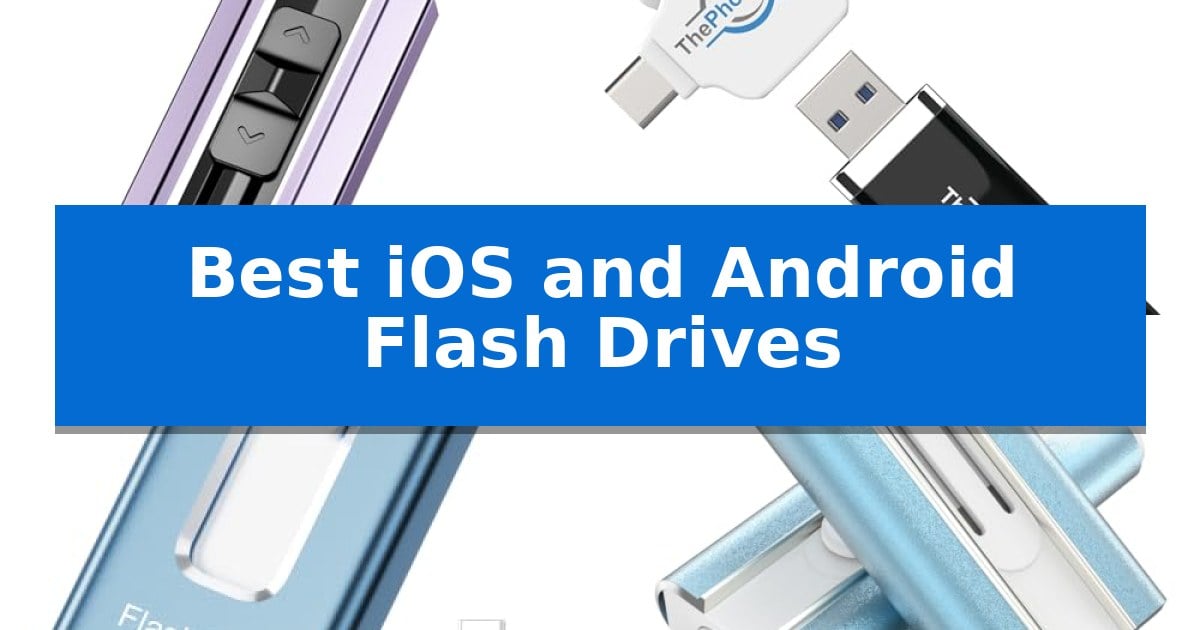
Managing digital files across different mobile ecosystems often feels like a chore, especially when you are juggling high-resolution photos and large video projects. The Best iOS and Android Flash Drives bridge this gap by providing a physical, portable storage solution that bypasses the need for cloud subscriptions or complex data cables.
Whether you are looking to offload storage from your smartphone or need a reliable way to move documents between a tablet and a PC, these drives offer a straightforward, plug-and-play experience. By selecting a drive with the right interface and capacity, you can ensure your most important files remain accessible regardless of your device's operating system.
Best iOS and Android Flash Drives in 2026
Quick Comparison
| Product | Best For | Key Strength | Score |
|---|---|---|---|
| EATOP Flash Drive | Best Overall | No app required for operation on iOS devices. | 4.9 |
| ThePhotoStick Omni Flash Drive | Automated Backup for All Devices | Multi-device compatibility with integrated USBA, USBC, microUSB, and Lightning ports. | 4.8 |
| SUDEHO MFi Certified Flash Drive | Verified Reliable iOS Performance | MFi certified for guaranteed compatibility with iOS devices. | 4.9 |
| Puhea MFi Certified Flash Drive | High Capacity for Large Libraries | Multi-interface design supporting Lightning, Type-C, and USB-A. | 4.4 |
| Techkey MFi Certified Flash Drive | Secure Encryption for Mobile Files | 3-in-1 interface supports Lightning, USB, and Type-C connections. | 4.5 |
How We Chose
- Interface versatility, ensuring support for Lightning, USB-C, and USB-A connections.
- Compatibility with standard mobile file management systems and OTG protocols.
- Ease of use, specifically focusing on whether the device requires proprietary software or operates via native file managers.
- Physical durability and portability for on-the-go data management.
- Storage capacity options relative to the needs of high-resolution media users.
1 EATOP Flash Drive — No App Required for iPhone
Managing storage on mobile devices often becomes a bottleneck when capturing high-resolution media, but the EATOP 256GB Flash Drive simplifies this by offering a direct, plug-and-play solution for offloading 4K videos and photos without requiring internet access or cloud subscriptions.
Designed for versatility, this drive features dual interfaces including USB-L, Micro USB, and USB-C ports, ensuring compatibility across iPhone, iPad, Android devices, and PCs. By utilizing the native "Files" app on iOS or the "File Manager" on Android, users can transfer files directly, bypassing the need for third-party software or complex setup processes.
The drive is built for efficiency, supporting read speeds of up to 30 MB/s and write speeds of up to 15 MB/s. This performance level allows for quick backups of contacts, documents, and media projects, making it a practical tool for content creators or travelers who need to free up device memory on the move.
While the device is compact and highly portable, users should be aware that thick phone cases may interfere with the physical connection to the port. Removing the case ensures a secure fit, allowing the drive to be recognized immediately by the host device.
Best for: Users needing a simple, app-free way to back up photos and videos from mobile devices to external storage.
Skip if: Users who require high-speed data transfer for massive professional video files or those who prefer wireless cloud-based synchronization.
PROS
- No app required for operation on iOS devices.
- Universal compatibility with USB, USB-L, Micro USB, and USB-C ports.
- Direct file management via native system apps.
- 256GB capacity for extensive photo and video storage.
CONS
- Physical connection may be blocked by bulky phone cases.
- Transfer speeds are limited to 30 MB/s read and 15 MB/s write.
2 ThePhotoStick Omni Flash Drive — Automated Backup for All Devices
Managing digital clutter across multiple platforms is a common challenge, and the ThePhotoStick Omni Flash Drive provides a centralized solution by automatically locating and backing up photos, videos, and other files. This versatile storage device is designed to simplify data management by working seamlessly with iPhone, iPad, Android devices, macOS, and Windows computers.
With a 128GB capacity, this flash drive is capable of holding over 51,000 images and videos, making it a practical tool for archiving large media collections. The device utilizes a dedicated app to guide users through the backup process, ensuring that files are saved securely without requiring complex manual file transfers.
The hardware is engineered for broad compatibility, featuring integrated USBA, USBC, microUSB, and Lightning connections. This multi-port design allows the drive to connect directly to a wide range of smartphones, tablets, and computers, effectively serving as a bridge between different operating systems and hardware standards.
Supporting a variety of common media formats including JPEG, PNG, HEIC, GIF, MOV, and MPEG4, the drive ensures that most standard personal media files are captured during the backup process. It is a straightforward, hardware-based approach to data organization for those who prefer a physical backup method over cloud-only storage solutions.
Best for: Users who need a simple, physical backup solution for photos and videos across both mobile devices and desktop computers.
Skip if: Users who require high-speed data transfer for large professional video files or those who prefer automated cloud-based synchronization services.
PROS
- Multi-device compatibility with integrated USBA, USBC, microUSB, and Lightning ports.
- Automatic backup functionality via a dedicated app for simplified file management.
- Large 128GB capacity capable of storing over 51,000 images and videos.
- Broad file format support covering common photo and video types like HEIC and MOV.
CONS
- Requires specific app installation and usage to perform the automated backup process.
- Physical connection requirement means it does not offer the convenience of background cloud synchronization.
3 SUDEHO MFi Certified Flash Drive — Verified Reliable iOS Performance
Managing digital storage across multiple platforms often requires a versatile hardware solution that bridges the gap between different connection standards. The SUDEHO MFi Certified Flash Drive simplifies this by offering a multi-port design that includes Lightning, USB, Micro USB, and Type-C connectors, ensuring compatibility with iOS devices, Android smartphones, and personal computers.
This drive is officially MFi certified, providing a reliable connection for iOS devices running version 12.1 or higher. To maintain data privacy, the device features a built-in encryption option that allows users to set a password via the required application, securing sensitive photos and documents stored on the drive.
Efficiency is a key focus, with the drive supporting read speeds up to 40MB/s and write speeds up to 25MB/s. This performance level assists in moving large media files quickly, which is particularly useful for offloading high-resolution photos and videos to free up internal phone memory.
Designed for portability, the drive is compact and available in several colors. While the Type-C adapter is included for modern Android and PC compatibility, the plug-and-play nature of the device ensures that users can manage their files with minimal setup, provided the necessary app is installed for iOS or the OTG function is enabled on Android.
Best for: Users who need a single, portable storage device to transfer files between iOS, Android, and PC platforms.
Skip if: Users who require high-speed data transfer for professional video editing or large-scale data backups, as the 40MB/s read speed may be a bottleneck.
PROS
- MFi certified for guaranteed compatibility with iOS devices.
- Four-in-one connectivity including Lightning, USB, Micro USB, and Type-C.
- Integrated encryption for password-protected file security.
- Compact and portable design suitable for daily travel.
CONS
- Requires app installation for iOS functionality.
- Variable transfer speeds depending on the host device's processor performance.
4 Puhea MFi Certified Flash Drive — High Capacity for Large Libraries
Managing digital files across diverse mobile and desktop platforms often requires a reliable bridge for data transfer. The Puhea MFi Certified Flash Drive offers a versatile solution by integrating Lightning, Type-C, and USB-A connectivity into a single, compact device, allowing users to move photos, videos, and documents between iPhones, iPads, Android devices, and computers without needing multiple cables.
Designed with an officially licensed MFi chip, this flash drive ensures stable and secure storage for Apple users. It simplifies the backup process through a dedicated app for iOS devices, enabling one-click transfers that help users bypass the storage constraints of iCloud. For Android users with OTG support and computer users, the drive functions as a standard plug-and-play storage medium, requiring no additional software installation.
The hardware features a robust metal casing that provides durability against daily wear, while the integrated keychain design enhances portability for travel or business use. With a labeled capacity of 512GB—providing approximately 484GB of usable space after system formatting—it is well-suited for users who need to carry large libraries of media files on the go.
Efficiency is a core focus, as the drive supports high-speed data transfer to minimize wait times when backing up phone data or sharing work documents. By consolidating three interface types into one unit, it effectively addresses the common friction points of cross-platform file management in both professional and personal environments.
Best for: Users who need to frequently transfer large media files between iOS, Android, and computer ecosystems using a single, portable device.
Skip if: Users who do not require cross-platform compatibility or those who prefer cloud-based storage solutions exclusively.
PROS
- Multi-interface design supporting Lightning, Type-C, and USB-A.
- MFi certified for reliable and secure performance on Apple devices.
- One-click backup functionality for simplified iOS file management.
- Durable metal construction with a compact, travel-friendly keychain design.
CONS
- App installation required for use on iPhone and iPad devices.
- Usable capacity is lower than the labeled 512GB due to system formatting and binary calculation differences.
5 Techkey MFi Certified Flash Drive — Secure Encryption for Mobile Files
Managing digital storage across diverse mobile ecosystems often requires a versatile hardware solution. The Techkey MFi Certified Flash Drive simplifies this by integrating three distinct interfaces—USB, Lightning, and Type-C—into a single, compact metal chassis. This 256GB storage device is designed to bridge the gap between iOS devices, OTG-enabled Android phones, and standard PC or Mac hardware without relying on cloud-based subscriptions or data cables.
Beyond its physical connectivity, the drive features MFi certification, ensuring compatibility with iOS devices running version 12.1 or later. The hardware utilizes advanced chip technology to provide dustproof, drop-proof, and anti-magnetic performance, protecting stored data during travel. For users concerned about privacy, the drive supports Touch ID and Passcode encryption, allowing for either full-drive or individual file protection.
Workflow integration is handled through the "U-Disk" app for iOS, which enables one-click backups of photos, videos, and contact lists. The app also includes an in-app camera that automatically saves captured media directly to the flash drive, bypassing the host device's internal storage. Android and PC users benefit from plug-and-play functionality, as these platforms do not require additional software to access the drive's contents.
The inclusion of a keychain attachment enhances portability, making it a practical tool for business trips or vacations where local storage may be limited. By allowing direct playback of music and movies stored on the drive, it serves as a portable media library. This 3-in-1 design effectively consolidates data management tasks, providing a secure, physical backup method for mobile users.
Best for: Users who frequently transfer files between iOS, Android, and desktop devices and require a secure, physical backup solution without cloud dependency.
Skip if: Users who require extreme high-speed data transfer for massive 4K video editing or those who prefer wireless cloud-syncing services over physical hardware.
PROS
- 3-in-1 interface supports Lightning, USB, and Type-C connections.
- MFi certification ensures reliable performance with Apple devices.
- Integrated encryption options including Touch ID and Passcode support.
- Durable metal construction with dustproof and drop-proof design.
CONS
- App dependency required for full functionality on iOS devices.
- Software-based encryption may not be compatible with all non-iOS platforms.
Best iOS and Android Flash Drives Buying Guide
Understanding Interface Compatibility
The most critical factor when selecting a flash drive for mobile use is the physical connection. Modern drives often feature a multi-port design, incorporating Lightning, USB-C, and USB-A connectors in a single unit. This versatility is essential for users who switch between older iPhones, newer USB-C equipped iPads, and various Android smartphones.
Always verify that your specific Android device supports OTG (On-The-Go) functionality. Without this, the phone will not recognize the external storage, regardless of the physical connection. For iOS users, ensure the drive is compatible with your specific iOS version to allow for seamless integration with the native Files app.
App Requirements vs. Native Integration
Some flash drives require the installation of a proprietary app to manage file transfers, while others are designed to function directly through your device's built-in file manager. Drives that operate without an app often provide a more streamlined experience, as they avoid the need for additional software permissions.
If you prefer a hands-off approach, look for models that emphasize plug-and-play functionality. However, if you require advanced features like built-in file encryption or automatic photo organization, an app-based drive may offer more robust tools for managing your digital library.
Data Transfer Speeds and Performance
Transfer speeds are determined by the internal chip technology and the interface standard. While manufacturers often list maximum read and write speeds, these are typically based on internal testing under ideal conditions. Real-world performance can vary significantly depending on the host device's processor and the file size being moved.
For users frequently transferring large 4K video files or extensive photo collections, prioritizing a drive with higher rated write speeds will save significant time. Keep in mind that the bottleneck is often the mobile device itself, so manage your expectations for transfer times when working with older hardware.
Storage Capacity and Usable Space
It is important to understand that the advertised capacity of a flash drive is not always the exact amount of space available for your files. A portion of the storage is reserved for formatting, file system overhead, and internal management functions.
When choosing a capacity, consider your typical usage patterns. If you are backing up high-resolution media, a 256GB or 512GB drive is often necessary. Always check the manufacturer's notes regarding decimal versus binary calculation methods to avoid surprises regarding the actual usable space on your device.
Physical Design and Durability
Since these drives are intended for mobile use, their physical construction matters. Look for designs that are compact enough to fit in a pocket or attach to a keychain. Metal casings often provide better heat dissipation and durability compared to plastic alternatives, which is beneficial during long transfer sessions.
Consider how the design interacts with your phone case. Some bulky cases may prevent the drive from seating fully into the port, leading to connection issues. A drive with a slightly extended connector or a slim profile can often mitigate these common physical compatibility problems.
Frequently Asked Questions
Do I need an app to use these flash drives with my iPhone?
It depends on the specific model. Some drives are designed to work directly with the iOS 'Files' app, while others require a dedicated app provided by the manufacturer to manage data transfers.
Will these drives work with any Android phone?
Most modern Android phones support these drives, provided the device has an enabled OTG (On-The-Go) function. You should check your phone's settings or manual to confirm OTG support.
Why is the available storage less than the advertised capacity?
A small portion of the storage is used for formatting, file system structures, and system functions, which is standard for all flash media devices.
Can I use these drives to back up my contacts?
Many of the drives that utilize a companion app offer one-click backup features that include contacts, photos, and videos, making them excellent for comprehensive device backups.
What should I do if my phone doesn't recognize the drive?
First, ensure your phone case is not preventing a secure connection; removing the case is a common fix. Also, verify that your device meets the minimum OS requirements listed by the manufacturer.
Conclusion: Our Top Pick
Selecting the right storage solution depends on your specific device ecosystem and how you prefer to manage your files. For those seeking a balance of high capacity, broad compatibility, and a straightforward, app-free experience on iOS, the EATOP Flash Drive stands out as a versatile choice for both mobile and desktop users.
While other options offer specialized features like automated backup apps or hardware-level encryption, the ease of use provided by the EATOP model makes it a reliable daily companion. Always remember to check your device's specific port requirements and ensure your phone case allows for a secure connection to get the most out of your new flash drive.