
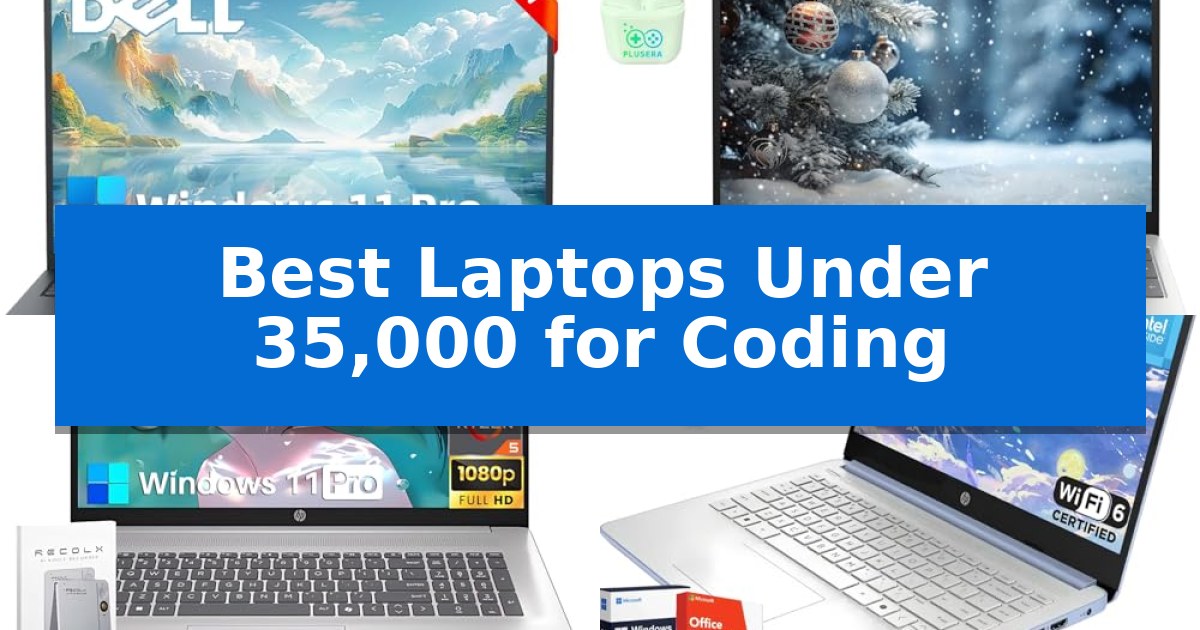
Finding the right hardware for software development often feels like a balancing act between performance requirements and budget constraints. When you are searching for the Best Laptops Under 35,000 for Coding, the goal is to prioritize components that handle compilation tasks, multitasking, and IDE responsiveness without unnecessary bloat.
Our selection focuses on machines that offer sufficient memory and reliable processing power to keep your development environment stable. Whether you are working on local web projects, scripting, or managing virtual machines, these laptops provide the essential foundation for your daily coding workflow.

Best Laptops Under 35,000 for Coding in 2026
Quick Comparison
| Product | Best For | Key Strength | Score |
|---|---|---|---|
| Dell Inspiron 15 3535 Laptop | Best Overall | High-capacity 20GB RAM for heavy multitasking and virtual machines. | 4.9 |
| HP 15 Laptop | High Memory for Compiling Code | 32GB RAM provides ample headroom for heavy multitasking and large project compilation. | 4.4 |
| HP 17 Laptop | Expansive Screen for Multi-Window Coding | Expansive 17.3-inch FHD anti-glare display for multi-window workflows. | 4.9 |
| HP 14 Laptop | Portable Choice for Lightweight Projects | 16GB DDR4 RAM for efficient multitasking. | 4.9 |
| HP N-Series Laptop | Budget-Friendly for Basic Scripting | Lifetime Microsoft Office license included, removing subscription overhead. | 4.4 |
How We Chose
- Memory capacity to support multiple IDE instances and browser tabs.
- Processor efficiency for compiling code and running local servers.
- Display quality for clear text rendering and reduced eye strain.
- Port selection for connecting external monitors and peripherals.
- Storage speed to ensure fast project loading and system responsiveness.
1 Dell Inspiron 15 3535 Laptop — Powerful Multicore for Virtual Machines
For developers and students requiring a machine capable of handling heavy multitasking and virtualized environments, the Dell Inspiron 15 3535 Laptop offers a robust foundation. It features the AMD Ryzen 7 7730U processor, which utilizes 8 cores and 16 threads to manage demanding code compilation and concurrent application workflows with reliable efficiency.
The device is equipped with 20GB of DDR4 RAM, providing sufficient memory overhead for running multiple virtual machines or large integrated development environments simultaneously. Storage needs are addressed by a 1TB PCIe NVMe SSD, which facilitates rapid system boot times and provides ample space for project files, libraries, and local development databases.
Visual clarity is supported by a 15.6-inch Full HD (1920×1080) WVA touchscreen. The display incorporates a slim-bezel, anti-glare design intended to minimize distractions and eye strain during extended coding sessions. The inclusion of a numeric keypad further assists in data-heavy tasks, while the preloaded Windows 11 Pro environment provides a professional-grade workspace.
Integrated AI features through Windows Copilot offer additional assistance for streamlining development tasks and managing digital workflows. The system is designed to balance performance and productivity, making it a functional tool for those building software or managing professional business projects.
Best for: Developers and students who need significant RAM and multicore processing power for running virtual machines and multitasking.
Skip if: Users who require a lightweight, highly portable machine for frequent travel, as the 3.59-pound weight and 15.6-inch form factor prioritize screen real estate over extreme mobility.
PROS
- High-capacity 20GB RAM for heavy multitasking and virtual machines.
- AMD Ryzen 7 7730U 8-core processor for efficient code compilation.
- 1TB PCIe NVMe SSD for fast storage and boot performance.
- Full HD WVA touchscreen with anti-glare coating.
CONS
- 3.59-pound weight may be less ideal for users prioritizing ultra-portability.
- DDR4 RAM is standard but lacks the potential speed benefits of newer DDR5 memory.
2 HP 15 Laptop — High Memory for Compiling Code
Efficient code compilation and multitasking often require significant memory overhead, making the HP 15.6" FHD Business & Student Laptop Computer a practical choice for developers working within a strict budget. This machine provides a robust foundation for software development by offering 32GB of RAM, which allows for running multiple integrated development environments, local servers, and browser tabs simultaneously without performance bottlenecks.
The laptop features a 10-Core Intel Core i5 processor, providing the necessary multi-threaded power to handle compilation tasks and background processes. With a 1TB PCIe Solid State Drive, users benefit from fast read and write speeds, ensuring that large project files and heavy applications load quickly, reducing downtime during the development cycle.
Visual clarity is essential for long coding sessions, and the 15.6-inch FHD IPS display delivers a sharp 1920 x 1080 resolution. The anti-glare coating and 300 nits of brightness help maintain visibility in various lighting environments, while the micro-edge design maximizes the screen-to-body ratio for a more immersive workspace.
Designed for portability and utility, the device maintains a slim profile at 0.78 inches in height and weighs 4.6 pounds. It comes pre-installed with Windows 11, ensuring compatibility with modern development tools and productivity software, and includes a one-year warranty for added peace of mind.
Best for: Developers and students who require high RAM capacity for multitasking and compiling code on a budget.
Skip if: Users who prioritize a lightweight, ultra-portable form factor for frequent travel may find the 4.6-pound weight and 15.6-inch footprint cumbersome.
PROS
- 32GB RAM provides ample headroom for heavy multitasking and large project compilation.
- 1TB PCIe SSD offers fast data access and significant storage space for development environments.
- 10-Core Intel Core i5 processor balances performance and efficiency for coding workflows.
- FHD IPS display with anti-glare coating reduces eye strain during extended use.
CONS
- 4.6-pound weight is on the heavier side for users who commute daily.
- 15.6-inch screen size limits portability compared to smaller 13 or 14-inch alternatives.
3 HP 17 Laptop — Expansive Screen for Multi-Window Coding
The HP 17 Laptop provides a substantial 17.3-inch FHD anti-glare display, offering the expansive screen real estate necessary for managing complex codebases and side-by-side window workflows. This device is engineered to support multitasking through its AMD Ryzen 5 7430U processor and a generous 20GB of DDR4 RAM, ensuring responsiveness when running multiple development environments or local servers.
Designed for productivity, the chassis includes a full-size keyboard with a dedicated numeric keypad, which is beneficial for data entry and repetitive coding tasks. The integration of 512GB of PCIe SSD storage facilitates rapid boot times and quick access to large project files, while the inclusion of Windows 11 Pro provides the advanced security and management features often required in professional or academic development environments.
Connectivity is handled through modern ports, including USB-C and HDMI, allowing for seamless integration with external monitors and peripherals. The inclusion of Wi-Fi 6 ensures stable wireless network performance, and the HP True Vision 720p HD camera supports professional-grade video conferencing for remote collaboration.
While the large form factor provides a comfortable viewing experience, it is optimized for stationary or home-office use rather than frequent travel. The anti-glare coating on the display is a practical choice for long coding sessions, as it helps minimize eye strain in various lighting conditions.
Best for: Developers and students who prioritize screen real estate and multitasking capacity for a home-office coding setup.
Skip if: Users who require a highly portable, lightweight machine for daily commuting or frequent travel will find the 17.3-inch form factor and 4.85-pound weight less convenient.
PROS
- Expansive 17.3-inch FHD anti-glare display for multi-window workflows.
- 20GB of DDR4 RAM provides significant headroom for heavy multitasking.
- Full-size keyboard with a dedicated numeric keypad for efficient input.
- Windows 11 Pro includes professional-grade security and productivity features.
CONS
- Large 17.3-inch form factor reduces overall portability.
- 4.85-pound weight is heavier than standard 13 or 15-inch laptops.
4 HP 14 Laptop — Portable Choice for Lightweight Projects
The HP 14 Laptop provides a specialized, entry-level solution for students and professionals needing a dedicated environment for lightweight coding projects and office productivity. By integrating the Intel Processor N150 with 4 cores and 4 threads, it offers the necessary responsiveness for multitasking across web applications and development environments without the overhead of high-end, power-hungry hardware.
Designed for portability and efficiency, this device features a 14-inch anti-glare HD display with micro-edge bezels, which helps maintain focus during long coding sessions. The inclusion of 16GB DDR4 RAM is a significant benefit for this category, ensuring that multiple IDE tabs or browser windows remain stable during active development workflows.
Connectivity is streamlined through a versatile port selection, including USB Type-C, two USB Type-A ports, and an HDMI output, facilitating easy integration with external monitors for a dual-screen setup. The addition of Wi-Fi 6 ensures reliable network performance, while the pre-installed Windows 11 Pro and Microsoft Copilot provide an AI-assisted workspace right out of the box.
While the storage configuration relies on a combination of 128GB UFS and a 256GB Micro SD card, this hybrid approach keeps the system compact. Users should note that this machine is optimized for lightweight tasks and educational use, making it a practical, budget-conscious choice for those starting their programming journey.
Best for: Students and beginners requiring a portable, budget-friendly device for lightweight coding and daily office tasks.
Skip if: Users who require high-performance hardware for heavy compilation, virtualization, or resource-intensive software development.
PROS
- 16GB DDR4 RAM for efficient multitasking.
- Wi-Fi 6 connectivity for faster, stable networking.
- Windows 11 Pro and lifetime Office Pro included.
- Compact 14-inch form factor with anti-glare display.
CONS
- Hybrid storage (128GB UFS + 256GB Micro SD) is less performant than a dedicated SSD.
- HD resolution (1366 x 768) may limit screen real estate for complex IDE layouts.
5 HP N-Series Laptop — Budget-Friendly for Basic Scripting
The HP N-Series Laptop provides a functional entry point for students and beginners needing a dedicated machine for light coding tasks and academic work. Its inclusion of a Lifetime Microsoft Office license and Windows 11 Pro ensures that essential productivity software is ready for use immediately, eliminating the need for recurring subscription costs.
Equipped with an efficient 4-core Intel Processor N150 capable of reaching a max boost clock of 3.60 GHz, this device is tailored for handling daily scripting, document editing, and web-based development environments. The system balances its processing power with 16GB of RAM, which helps maintain responsiveness when multitasking across several browser tabs or integrated development environments.
Portability and connectivity are central to its design, featuring a 14-inch HD micro-edge WLED display that keeps the overall weight to approximately 3.24 pounds. For peripheral support, the chassis includes USB-C, USB-A, and HDMI ports, allowing for easy connection to external monitors or development hardware. The all-day battery life—rated for up to 12 hours—supports extended study sessions away from a power outlet.
Storage management is handled through a hybrid approach, combining 128GB of UFS storage for fast boot times with a 256GB micro SD expansion slot. This configuration offers a practical balance for users who need to keep their core development tools on the primary drive while offloading larger project files or media to the expandable storage.
Best for: Students and beginners who require a budget-friendly, portable device for light coding, web development, and academic productivity.
Skip if: Users who require high-performance hardware for heavy compilation, machine learning, or intensive graphical rendering will find the processor and storage capacity limiting.
PROS
- Lifetime Microsoft Office license included, removing subscription overhead.
- 16GB RAM provides a solid foundation for multitasking.
- All-day battery life up to 12 hours for mobile productivity.
- Versatile connectivity with USB-C, USB-A, and HDMI ports.
CONS
- Limited internal storage capacity, relying on micro SD expansion for larger files.
- HD display resolution may lack the sharpness of higher-end panels for long-form reading.
Best Laptops Under 35,000 for Coding Buying Guide
Prioritizing RAM for Development
For coding, RAM is arguably the most critical component. Modern IDEs like IntelliJ or VS Code, combined with local databases and browser-based testing, consume significant memory. Aiming for at least 16GB of RAM ensures your system remains responsive even when running multiple resource-heavy applications simultaneously.
When browsing, look for models that offer expandable memory slots or high base configurations. This prevents the system from relying on slower virtual memory, which can significantly degrade performance during intensive compilation tasks.
Processor Performance and Multithreading
The CPU architecture determines how quickly your code compiles and how smoothly your development environment runs. Multi-core processors are essential for modern development, allowing you to run background processes, such as linters or hot-reloading servers, without interrupting your primary workflow.
Focus on processors with at least four physical cores. While higher-end chips offer more power, a balanced mid-range processor often provides the best thermal efficiency, keeping the laptop cooler during long coding sessions.
Storage Speed and Capacity
A Solid State Drive (SSD) is non-negotiable for a modern coding laptop. The speed at which your system boots and your projects load is directly tied to the drive's read and write speeds. PCIe NVMe SSDs are the standard, offering the performance necessary for large repository indexing.
Capacity is equally important. Development tools, SDKs, and project files accumulate quickly. A minimum of 512GB is recommended to avoid constant file management, though 1TB is ideal for developers working with large datasets or multiple virtual environments.
Display Quality and Ergonomics
Since you will spend hours staring at code, the display resolution and panel type are vital for comfort. A Full HD (1920×1080) resolution is the minimum requirement to ensure text is sharp and readable. Anti-glare coatings are highly beneficial for reducing eye strain in various lighting conditions.
Ergonomics extend to the keyboard and trackpad. A keyboard with decent key travel provides better tactile feedback, which is essential for rapid typing. If you frequently work away from a desk, a sturdy hinge and a comfortable chassis weight are also important factors.
Connectivity and Peripheral Support
A developer's workspace often includes external monitors, mechanical keyboards, and debugging hardware. Ensure your laptop has a variety of ports, including HDMI for external displays and multiple USB ports for peripherals.
USB-C connectivity is increasingly important, especially if you use a docking station to connect your entire setup with a single cable. Check for Wi-Fi 6 support to ensure stable, high-speed network connectivity for pushing code and downloading dependencies.
Frequently Asked Questions
Is 8GB of RAM enough for coding?
While 8GB can handle basic scripting and lightweight web development, it is generally insufficient for modern professional workflows. 16GB or more is highly recommended to prevent system slowdowns.
Do I need a dedicated graphics card for programming?
For standard web and software development, integrated graphics are sufficient. Dedicated GPUs are only necessary if your work involves game development, machine learning, or heavy 3D rendering.
Is a touchscreen necessary for a coding laptop?
A touchscreen is not required for coding. While it can be useful for navigation, it often adds to the cost and may introduce glare, which can be distracting during long hours of programming.
Can I upgrade the storage on these laptops later?
Many of these models allow for storage upgrades via M.2 slots, but it depends on the specific chassis design. Always check the manufacturer's documentation for the specific model to confirm upgradeability.
Why is Windows 11 Pro often recommended for developers?
Windows 11 Pro includes features like Hyper-V, which is essential for running virtual machines and Docker containers locally, making it a preferred choice for many software developers.
Conclusion: Our Top Pick
Selecting the right laptop for your coding needs requires balancing raw performance with the specific requirements of your development stack. The Dell Inspiron 15 3535 Laptop stands out as the most balanced choice for those needing reliable multicore performance and generous memory capacity to handle complex tasks like virtual machines or heavy multitasking.
While other models offer specific advantages like portability or larger screens, the Dell Inspiron provides the most consistent foundation for a productive coding environment. Its combination of a high-core-count processor and substantial RAM ensures that you can focus on writing code rather than managing system resources.