
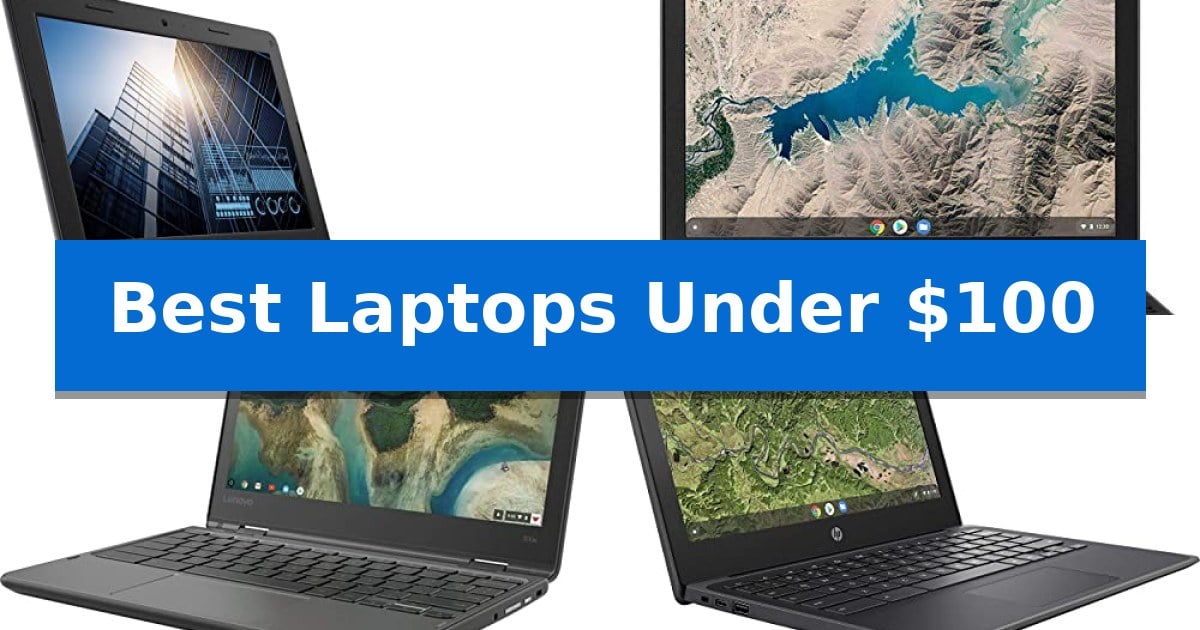
Finding a reliable computer on a strict budget can feel like a daunting task, especially when you need something that can handle daily schoolwork or basic web browsing. Fortunately, the market for refurbished and education-focused devices provides several options that offer essential functionality without the high price tag.
In this guide, we explore the Best Laptops Under $100 by focusing on devices that prioritize durability, portability, and ease of use. Whether you are a student needing a classroom workhorse or simply looking for an affordable secondary machine, these selected models provide a practical path to functional computing.
Best Laptops Under $100 in 2026: Affordable Computing for Students
Quick Comparison
| Product | Best For | Key Strength | Score |
|---|---|---|---|
| Dell Chromebook 11 3100 | Best Overall | Durable build suitable for frequent handling. | 4.9 |
| Lenovo 100e Chromebook 2nd Gen | Reliable Classroom Workhorse | Portable and lightweight design at 2.68 pounds. | 4.8 |
| Lenovo 300e Chromebook | Versatile Touchscreen Flexibility | 2-in-1 convertible design with a responsive 10-point multitouch screen. | 4.8 |
| HP Chromebook 11A G8 | Spill-Resistant Keyboard Design | Spill-resistant keyboard design for enhanced durability. | 4.8 |
| Samsung Chromebook 4 | Fast Booting Portable Computing | Fast boot times enabled by the optimized Chrome OS. | 4.7 |
How We Chose
- Processor efficiency for basic web-based tasks and multitasking.
- Physical build quality, specifically focusing on durability for daily transport.
- Display clarity and usability for reading and document editing.
- Connectivity options including available USB ports and wireless standards.
- Portability and weight for users who need to carry their device between locations.
1 Dell Chromebook 11 3100 — Durable Build for Students
Reliability in a compact, portable package is essential when selecting a device for basic computing tasks. The Dell Chromebook 11 3100 is engineered with a focus on a durable build, making it a practical choice for environments where equipment needs to withstand daily handling.
This device features an 11.6-inch screen, providing a balance between screen real estate and overall portability. It runs on Chrome OS, an operating system designed for streamlined performance and quick access to web-based applications. The internal hardware includes a Celeron N4020 processor paired with 4 GB of RAM, which supports standard multitasking requirements for students or casual users.
Storage is handled by 16 GB of Flash Memory, a configuration that prioritizes fast boot times and system responsiveness over high-capacity local storage. The inclusion of Bluetooth connectivity allows for easy pairing with wireless peripherals, while the English (US) keyboard layout provides a familiar typing experience for most users.
Measuring approximately 11 inches in width and weighing 2.85 pounds, the Dell Chromebook 11 3100 is designed for easy transport. This model comes with a 90-day limited warranty, offering a baseline of support for this renewed unit.
Best for: Students or casual users needing a durable, portable device for web-based tasks and light productivity.
Skip if: Users who require significant local storage capacity or high-performance computing for intensive software applications.
PROS
- Durable build suitable for frequent handling.
- Compact 11.6-inch form factor for high portability.
- Chrome OS provides a streamlined, user-friendly interface.
- Integrated Bluetooth for wireless peripheral connectivity.
CONS
- Limited 16 GB storage capacity.
- Renewed status may not suit users seeking brand-new hardware.
2 Lenovo 100e Chromebook 2nd Gen — Reliable Classroom Workhorse
Finding a reliable computing device on a strict budget requires prioritizing essential functionality over high-end specifications. The Lenovo 100e Chromebook 2nd Gen is built to handle basic productivity tasks with a focus on durability and consistent performance in a compact, portable form factor.
This device features an 11.6-inch HD display with a resolution of 1366 x 768, providing a clear workspace for web-based applications and document editing. Powered by the MediaTek MT8173C processor and supported by 4GB of DDR4 SDRAM, it is optimized for the lightweight Chrome OS environment. The inclusion of a 16GB eMMC TLC SSD provides sufficient space for essential files and system operations.
Designed for portability, the laptop measures 0.8 inches in height and weighs only 2.68 pounds, making it easy to carry for daily use. Its black finish and robust construction are intended to withstand regular handling, ensuring it remains a functional tool for students or light office tasks.
The Lenovo 100e Chromebook 2nd Gen balances core utility with a streamlined operating system, making it a practical choice for those who primarily work within a web browser or cloud-based ecosystem.
Best for: Students or light users who need a portable, budget-friendly device for web-based tasks and document management.
Skip if: Users who require significant local storage capacity or high-performance hardware for intensive software applications.
PROS
- Portable and lightweight design at 2.68 pounds.
- Durable construction suitable for daily use.
- Efficient Chrome OS integration for web-based productivity.
CONS
- Limited 16GB internal storage capacity.
- 90-day limited warranty period.
3 Lenovo 300e Chromebook — Versatile Touchscreen Flexibility
Finding a reliable, portable computer on a strict budget often leads to compromises, but the Lenovo 300e Chromebook offers a practical balance for users who prioritize mobility and web-based workflows. This device features a flexible 2-in-1 design with an 11.6-inch HD 10-point multitouch IPS display, allowing for seamless transitions between laptop and tablet modes. Its compact form factor, measuring just 0.8 inches in height and weighing 3 pounds, makes it a suitable companion for travel or classroom environments where space is at a premium.
Under the hood, the system is powered by a MediaTek 8173C Quad-core processor clocked at 2.1GHz, supported by 4GB of LPDDR3 RAM. This hardware configuration is optimized for the Chrome OS environment, which excels at handling web-based applications and cloud-integrated tasks. While the 32GB of eMMC flash memory provides standard entry-level storage, the operating system is designed to leverage cloud services, mitigating the impact of limited local capacity.
Connectivity is maintained through integrated WiFi 802.11 AC 2×2 and Bluetooth v4.2, ensuring stable wireless integration with peripherals and network resources. The 1366 x 768 resolution screen provides sufficient clarity for daily productivity, and the touch interface enhances navigation across the operating system's native environment, making it a functional tool for students or casual users who need a versatile, budget-friendly device.
Best for: Students or casual users needing a portable, budget-friendly 2-in-1 device for web browsing and light productivity.
Skip if: Users who require significant local storage capacity or high-performance hardware for intensive multitasking and professional creative software.
PROS
- 2-in-1 convertible design with a responsive 10-point multitouch screen.
- Portable dimensions and lightweight build for easy transport.
- Integrated WiFi 802.11 AC for stable wireless connectivity.
CONS
- Limited 32GB storage capacity may require reliance on cloud services.
- Entry-level processor is not intended for heavy multitasking or demanding applications.
4 HP Chromebook 11A G8 — Spill-Resistant Keyboard Design
The HP Chromebook 11A G8 is specifically engineered for durability in high-traffic environments, featuring a pick and spill-resistant keyboard that provides peace of mind for daily use. This compact device is built to handle basic computing tasks with its AMD A4-9120C APU and integrated Radeon R4 Graphics, making it a practical choice for those who need a reliable, portable machine for web-based applications.
Designed with mobility in mind, the 11.6-inch anti-glare display offers a resolution of 1366 x 768, which is suitable for standard productivity work. The inclusion of two USB 3.1 Type-C Gen 1 ports allows for versatile connectivity, supporting both power delivery and external display output, while the 47 Wh Li-ion polymer battery ensures the device remains powered throughout various tasks.
The hardware is rounded out by 4GB of DDR4-1866 SDRAM and 32GB of eMMC storage, providing a baseline for Chrome OS performance. With integrated Qualcomm Wi-Fi 5 and Bluetooth 4.2, the laptop maintains stable wireless connections, while the 720p HD camera and dual speakers facilitate clear communication for video calls and media consumption.
While the storage capacity is limited, the inclusion of a microSD slot offers a straightforward way to expand file space for documents and media. This model balances essential features with a rugged design, making it an effective tool for students or anyone requiring a lightweight, spill-resistant laptop for essential digital workflows.
Best for: Students or mobile users who need a durable, spill-resistant laptop for web-based tasks and light productivity.
Skip if: Users who require significant local storage or high-performance hardware for intensive creative or professional applications.
PROS
- Spill-resistant keyboard design for enhanced durability.
- USB Type-C connectivity supporting power delivery and display output.
- Compact and portable 11.6-inch form factor.
- Integrated microSD slot for flexible storage expansion.
CONS
- Limited 32GB eMMC storage capacity.
- Entry-level processor performance suited only for basic tasks.
5 Samsung Chromebook 4 — Fast Booting Portable Computing
Finding reliable computing hardware on a strict budget often leads to compromises, but the Samsung Chromebook 4 focuses on essential portability and rapid startup times to provide a functional experience for basic tasks. By utilizing Chrome OS, this device is engineered to boot in seconds, allowing for immediate access to web-based applications and the Google Play store without the overhead of traditional operating systems.
The hardware configuration centers on an Intel Celeron 1.10 GHz processor paired with 4GB of RAM and 32GB of eMMC storage. This setup is tailored for light productivity, such as word processing, web browsing, and media consumption via the 11.6-inch HD display. Its compact form factor, weighing approximately 3.7 pounds, makes it a practical choice for users who prioritize mobility for school or travel.
Connectivity is handled through Gigabit Wi-Fi, ensuring stable network performance for streaming or cloud-based work. The inclusion of the Google Play store expands the utility of the device, providing access to a wide library of apps, games, and media. While the storage capacity is modest, the reliance on cloud-based workflows is a core design choice for this platform.
This unit is a renewed product, which includes a 90-day limited warranty. It represents a straightforward approach to mobile computing, stripping away complex hardware requirements in favor of a streamlined interface that fits within a limited budget.
Best for: Students or casual users who need a lightweight, budget-friendly device primarily for web browsing, streaming, and cloud-based productivity.
Skip if: Users who require significant local storage, high-performance processing for video editing, or compatibility with legacy Windows-based software.
PROS
- Fast boot times enabled by the optimized Chrome OS.
- Portable 11.6-inch design suitable for travel and students.
- Access to the Google Play store for a wide range of apps and media.
- Gigabit Wi-Fi for reliable wireless connectivity.
CONS
- Limited 32GB eMMC storage necessitates reliance on cloud storage.
- Entry-level Intel Celeron processor is not intended for intensive multitasking or heavy applications.
Best Laptops Under $100 Buying Guide
Understanding Chrome OS
Most devices in this price range run on Chrome OS, a lightweight operating system designed for speed and security. Because it relies heavily on web-based applications, it is highly efficient for users who primarily use a browser for research, writing, and communication.
When choosing between these models, consider that Chrome OS updates are managed automatically. This reduces the need for manual maintenance, making these laptops a solid choice for students or those who prefer a low-maintenance computing experience.
The Importance of Build Quality
Since many of these laptops are designed for educational environments, they often feature durable chassis and spill-resistant keyboards. These physical protections are vital if you plan to carry your laptop in a backpack or use it in shared spaces.
Look for models that emphasize anti-glare screens and reinforced corners, as these features help protect the device from the wear and tear of daily use. A sturdy build is often more important than raw processing power for long-term reliability in this category.
Storage and Memory Considerations
At this price point, you will typically find 4GB of RAM and 16GB to 32GB of flash memory. While these numbers may seem low compared to high-end PCs, they are sufficient for the lightweight nature of Chrome OS.
Because these devices utilize cloud storage, you should plan to save your important documents to a service like Google Drive. This approach ensures that your data remains accessible even if you switch between different hardware in the future.
Connectivity and Ports
Even budget laptops need to connect to external devices. Check for the number of USB Type-C and USB 2.0 ports available on the model you are considering. USB-C is particularly useful as it often supports both data transfer and power delivery.
Reliable Wi-Fi connectivity is another non-negotiable feature. Ensure the device supports modern wireless standards to maintain a stable connection for streaming or online research, which is essential for any modern student or remote worker.
Evaluating Renewed Status
Most laptops under $100 are sold as 'Renewed' or 'Refurbished'. This means the device has been inspected and cleaned to ensure it meets functional standards. Always check the seller's warranty information to understand the level of support provided after your purchase.
Buying renewed is an excellent way to access hardware that would otherwise be out of budget. By focusing on reputable sellers, you can secure a fully functional machine that performs reliably for your specific daily requirements.
Frequently Asked Questions
Can I install Windows on these Chromebooks?
These devices are specifically optimized for Chrome OS. Installing Windows is generally not recommended or supported, as the hardware is designed for the efficiency of the Chrome operating system.
Are these laptops suitable for gaming?
These laptops are designed for productivity, web browsing, and educational tasks. They lack the dedicated graphics and processing power required for modern gaming.
How long will these laptops receive software updates?
Chrome OS devices have an 'Auto Update Expiration' date. You should check the specific model's support status on the official Google website to see how long it will continue to receive security and feature updates.
What does 'Renewed' mean?
A renewed laptop has been previously owned but has been professionally inspected, tested, and cleaned to function like a new device. It is a common way to purchase high-quality hardware at a lower cost.
Can I expand the storage?
Many of these models include a microSD card slot, which allows you to easily expand your storage capacity for local files, photos, or documents.
Conclusion: Our Top Pick
After reviewing the available options, the Dell Chromebook 11 3100 stands out as the most balanced choice for those seeking a durable and reliable machine. Its design is specifically tailored to handle the rigors of daily use, making it an excellent companion for students or anyone needing a dependable, portable device for basic tasks.
While other models offer specific benefits like touchscreens or spill-resistant keyboards, the overall build and consistent performance of the Dell Chromebook 11 3100 make it the most well-rounded option in this price range. Ensure you verify the specific seller's warranty terms before finalizing your purchase to guarantee the best experience.