
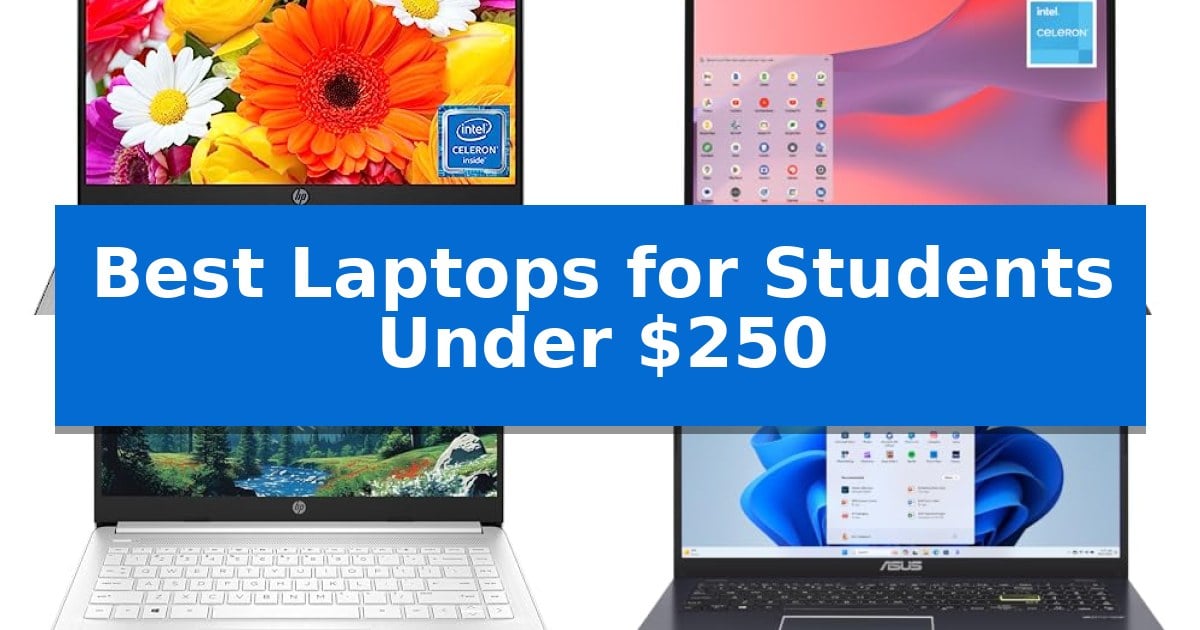
Finding the right technology for school on a tight budget can be challenging, but many capable devices exist for those who prioritize essential features. The Best Laptops for Students Under $250 often leverage streamlined operating systems to provide a responsive experience for web browsing, document creation, and video conferencing.
Whether you are attending online lectures or managing a busy campus schedule, these laptops focus on portability and battery efficiency. By focusing on core requirements like reliable connectivity and comfortable typing, you can secure a dependable machine that supports your academic goals without exceeding your financial constraints.
Best Laptops for Students Under $250 in 2026
Quick Comparison
| Product | Best For | Key Strength | Score |
|---|---|---|---|
| HP 14 Chromebook | Best Overall | Quad-core processor provides efficient multitasking for academic work. | 4.9 |
| Samsung Galaxy Chromebook Go | Durable Design for Campus Life | Military-tough construction designed to withstand daily wear and tear. | 4.9 |
| HP 14 Laptop | Balanced Performance for Daily Tasks | Long battery life rated for up to 12 hours of use. | 4.9 |
| ASUS Vivobook Go Slim | Portable Choice for Commuting Students | Portable and lightweight design ideal for students on the move. | 4.3 |
| HP 14 Ultralight Laptop | Upgraded Memory for Multitasking | 8GB high-bandwidth RAM for effective multitasking. | 4.3 |
How We Chose
- Processor efficiency for handling multitasking and web-based applications.
- Portability and physical dimensions for easy transport between classes.
- Battery longevity to support extended study sessions away from power outlets.
- Connectivity options including USB ports and wireless standards for peripheral compatibility.
- Operating system stability and software support for common educational tools.
1 HP 14 Chromebook — Reliable Daily Student Companion
Equipped with an Intel Celeron N4120 processor featuring four cores and threads, the HP 14" HD Chromebook provides a balanced approach to multitasking for academic tasks. This device is engineered to manage everyday student workloads by dividing processing tasks across its quad-core architecture, aiming for a steady balance between performance and power efficiency.
Designed with a compact footprint measuring 12.85 by 8.94 inches and a slim 0.72-inch profile, this laptop is built for portability. The HP 14" HD Chromebook includes essential connectivity options such as USB-A and USB-C ports alongside an HDMI output, allowing students to connect to external displays or peripherals without needing multiple adapters.
The integration of Chrome OS ensures a streamlined interface focused on web-based applications, which is suitable for students who primarily utilize browser-based tools for research, writing, and video conferencing. With its 14-hour battery life rating, the laptop is intended to support extended periods of use away from a power outlet, making it a practical choice for long study sessions.
While this model offers a reliable foundation for basic computing, it is important to note the 4GB of RAM and 64GB eMMC storage configuration. These specifications are optimized for light productivity and cloud-based workflows, ensuring the system remains responsive for standard student activities like document editing and online learning.
Best for: Students requiring a portable, cloud-focused device for web-based research, writing, and video conferencing.
Skip if: Users who require high-performance local storage, intensive software applications, or advanced multitasking capabilities beyond browser-based tasks.
PROS
- Quad-core processor provides efficient multitasking for academic work.
- 14-hour battery life supports extended use without frequent charging.
- Versatile connectivity including USB-C, USB-A, and HDMI ports.
- Compact and lightweight design for easy transport between classes.
CONS
- Limited 64GB eMMC storage capacity requires reliance on cloud storage.
- 4GB RAM may restrict performance during heavy browser tab usage.
2 Samsung Galaxy Chromebook Go — Durable Design for Campus Life
The Samsung 14" Galaxy Chromebook Go is engineered for the rigors of student life, featuring a military-tough design that provides durability against accidental drops and dings. This laptop offers a balance of portability and utility, weighing just 3.2 pounds with a slim profile that fits easily into a backpack for daily transit between classes.
Powered by the ChromeOS operating system, this device integrates directly with Google services like Docs, Gmail, and Gemini. It is built for efficiency, boasting a 12-hour battery life that supports extended study sessions without requiring constant access to a power outlet. The inclusion of Wi-Fi 6 technology ensures connectivity speeds up to three times faster than previous generations, which is essential for cloud-based research and collaborative projects.
Practicality extends to the user experience through seamless ecosystem integration. Students can manage their mobile devices directly from the laptop, allowing for easy file transfers and phone control. The hardware is complemented by a 3-month trial of Google AI Pro, which provides access to advanced productivity tools and 5 TB of cloud storage, helping students organize their academic materials effectively.
While this laptop is optimized for web-based applications and cloud tasks, its hardware is specifically tuned for the ChromeOS environment. The Intel Celeron N4500 processor and 4GB of RAM are designed to handle standard educational workloads, ensuring a responsive experience for writing, browsing, and streaming educational content.
Best for: Students who prioritize a durable, portable, and cloud-focused device for daily academic tasks and web-based research.
Skip if: Users who require high-performance local processing power for video editing, complex software development, or heavy multitasking.
PROS
- Military-tough construction designed to withstand daily wear and tear.
- Long-lasting 12-hour battery for all-day campus use.
- Fast Wi-Fi 6 connectivity for efficient cloud-based work.
- Slim and lightweight form factor for easy portability.
CONS
- Limited local storage capacity at 64GB, necessitating reliance on cloud services.
- Entry-level processor performance suited primarily for light, web-based tasks.
3 HP 14 Laptop — Balanced Performance for Daily Tasks
The HP 14 Laptop features a compact 14-inch micro-edge display with anti-glare technology, providing a portable solution for students who need to manage daily coursework and remote learning. This device is specifically configured for light workloads, offering a balance of essential productivity tools and connectivity options for a streamlined academic environment.
Equipped with an Intel Celeron N4500 processor and 4GB of DDR4 RAM, this laptop handles everyday tasks such as document editing, web research, and video conferencing. It includes a one-year subscription to Microsoft 365, allowing users to utilize Word, Excel, and PowerPoint immediately. The storage setup consists of 64GB eMMC internal memory supplemented by an additional 64GB SD card, providing space for essential files and media.
Usability is enhanced by a suite of connectivity ports, including USB-C 3.2 Gen 1, two USB-A 3.2 Gen 1 ports, and an HDMI 1.4b output, which supports extending the workspace to two external monitors. For wireless needs, the inclusion of Wi-Fi 6E and Bluetooth 5.4 ensures stable connections during online classes or streaming sessions. The integrated HP True Vision HD camera is positioned to support daily video chats and virtual meetings.
Designed for longevity, the laptop supports up to 12 hours of battery life and features fast-charge capabilities to minimize downtime between study sessions. It arrives running Windows 11 Home in S mode, which prioritizes security and performance, though it can be switched to standard Windows 11 Home if required. The lightweight 3.24-pound chassis makes it a practical choice for students moving between home, library, and classroom settings.
Best for: Students requiring a lightweight, portable device for basic word processing, web research, and attending online classes.
Skip if: Users who require high-performance computing for video editing, complex multitasking, or running resource-intensive software.
PROS
- Long battery life rated for up to 12 hours of use.
- Versatile connectivity including USB-C and support for dual external monitors.
- Includes 1-year Microsoft 365 subscription for immediate productivity.
- Compact and lightweight design at 3.24 pounds for easy transport.
CONS
- Limited 4GB RAM may restrict heavy multitasking.
- Entry-level processor is optimized for light tasks only.
4 ASUS Vivobook Go Slim — Portable Choice for Commuting Students
The ASUS 15.6” Vivobook Go Slim Laptop is designed for students who prioritize mobility, featuring a lightweight 3.46-pound chassis that fits easily into a backpack for daily commuting. This device provides a balance of essential computing tools, including a 15.6-inch Full HD display and a backlit keyboard, making it a practical choice for academic research and writing.
Under the hood, the laptop is powered by an Intel Celeron N4500 processor paired with 4GB of DDR4 memory. This configuration is optimized for entry-level tasks such as web browsing, document creation, and multimedia playback. The 128GB eMMC storage provides sufficient space for core applications and student files, while Windows 11 Home in S Mode offers a streamlined, secure environment for academic work.
Connectivity and usability are addressed through integrated Wi-Fi 5 and Bluetooth 5.1, ensuring reliable wireless access for online lectures and peripheral devices. The inclusion of a 720p HD camera with a physical shutter provides privacy during video calls. Furthermore, the 42Wh battery supports fast-charging technology, capable of reaching 60% capacity in approximately 49 minutes via the USB-C port.
Audio performance is enhanced by SonicMaster technology, utilizing next-gen Super Linear speakers with a Smart Amplifier to deliver clear sound for educational content. The ErgoSense keyboard is specifically designed for comfortable typing during long study sessions, rounding out a package that focuses on the core requirements of student life without unnecessary complexity.
Best for: Students needing a portable and affordable device for basic academic tasks like word processing, research, and video conferencing.
Skip if: Users who require high-performance computing, extensive local storage, or the ability to run demanding professional software and heavy multitasking applications.
PROS
- Portable and lightweight design ideal for students on the move.
- Fast-charging battery reaches 60% in 49 minutes.
- Privacy-focused 720p HD camera with a physical shutter.
- ErgoSense backlit keyboard for comfortable typing.
CONS
- Limited 4GB RAM may restrict performance during heavy multitasking.
- 128GB eMMC storage offers limited space for large media libraries.
5 HP 14 Ultralight Laptop — Upgraded Memory for Multitasking
Finding a reliable machine for academic tasks on a strict budget often leads to compromises, but the HP 14 Ultralight Laptop addresses this by integrating a quad-core Intel Celeron processor capable of handling essential document editing, web research, and video streaming. This device is specifically engineered for students who need a portable, lightweight companion that fits easily into a backpack for library sessions or campus transit.
The laptop features a 14-inch HD display with a micro-edge bezel design, which maximizes the screen area for reviewing course materials or streaming educational content. For multitasking, the system includes 8GB of high-bandwidth DDR4 memory, allowing users to manage multiple browser tabs and applications simultaneously without significant slowdowns.
Connectivity is a priority for modern coursework, and this model provides a versatile array of ports, including a USB 3.1 Type-C port, two USB 3.1 Type-A ports, an HDMI output, and a dedicated microSD slot for expanded file management. The inclusion of a 128GB Ghost Manta SD card alongside the 64GB eMMC storage provides sufficient space for essential documents and school projects.
Designed with mobility in mind, the chassis is thin and lightweight, weighing approximately 3.24 pounds. This build quality ensures that students can transition between classrooms or study spaces with minimal effort, while the Windows 11 S operating system provides a streamlined environment for academic productivity.
Best for: Students requiring a lightweight, budget-friendly device for basic word processing, web research, and online learning.
Skip if: Users who require high-performance hardware for video editing, heavy gaming, or professional-grade software development.
PROS
- 8GB high-bandwidth RAM for effective multitasking.
- Ultra-thin and lightweight design for portability.
- Versatile connectivity including USB-C and HDMI.
- Micro-edge display for an improved viewing experience.
CONS
- Limited internal storage capacity requiring reliance on the included SD card.
- Intel Celeron processor is optimized for basic tasks rather than intensive computing.
Best Laptops for Students Under $250 Buying Guide
Operating System Considerations
Choosing between ChromeOS and Windows 11 in S mode is a primary decision for students. ChromeOS is highly optimized for web-centric tasks, offering fast boot times and integrated security, which is ideal for students who primarily use cloud-based applications like Google Docs or Canvas.
Windows 11 in S mode provides a more traditional desktop environment while restricting software to verified apps from the Microsoft Store. This configuration enhances security and performance, making it a solid choice for students who require specific Windows-based software but want to maintain a streamlined, stable system.
Processor and Performance
In the sub-$250 category, processors like the Intel Celeron series are common. These chips are designed for power efficiency rather than high-intensity computing, making them perfectly adequate for word processing, research, and streaming educational content.
When evaluating performance, look for quad-core configurations where possible, as they handle multiple browser tabs and background processes more effectively than dual-core alternatives. This ensures that your laptop remains responsive during active study sessions.
Portability and Build Quality
A student laptop needs to survive the commute. Look for lightweight chassis designs that won't add unnecessary bulk to your backpack. Many models in this range utilize durable plastics that are surprisingly resilient to the rigors of daily campus life.
Consider the screen size as well; a 14-inch display is often the sweet spot, offering enough screen real estate for split-screen multitasking while remaining compact enough to fit on crowded library desks or small lecture hall tables.
Storage and Memory
Most budget laptops utilize eMMC storage, which is faster than traditional hard drives but typically offers lower capacity. Since many student tasks are cloud-based, 64GB is often sufficient, though models with expandable storage via microSD slots offer a convenient way to keep extra files on hand.
Memory, or RAM, is critical for multitasking. While 4GB is standard for this price point, it is sufficient for running a browser with several tabs and a word processor simultaneously. If your workflow involves more intensive multitasking, look for models that support memory upgrades or come with 8GB.
Connectivity and Peripherals
Ensure your chosen laptop has the necessary ports for your accessories. A mix of USB-A and USB-C ports is ideal for connecting external drives, mice, or charging peripherals. HDMI output is also essential if you plan to connect your laptop to a larger monitor for extended study sessions.
Wireless connectivity is equally important. Look for laptops that support modern Wi-Fi standards to ensure stable connections in busy campus environments where network traffic is high. A decent integrated webcam is also a non-negotiable requirement for modern remote learning.
Frequently Asked Questions
Can these laptops handle video conferencing?
Yes, all models listed are equipped with integrated webcams and microphones suitable for Zoom, Microsoft Teams, and other common educational video platforms.
Is it possible to upgrade the storage on these laptops?
Many of these models feature microSD card slots, which allow you to easily expand your storage capacity for documents and media files.
How long does the battery typically last?
Most of these student-focused laptops are designed to provide between 10 to 14 hours of battery life, which is generally enough to get through a full day of classes.
Can I use Microsoft Office on these devices?
Yes, you can use the web-based versions of Microsoft Office on all these laptops, and many Windows-based models include a subscription to Microsoft 365.
Are these laptops suitable for gaming?
These devices are optimized for academic productivity and web browsing. While they can handle light casual games, they are not designed for high-performance gaming.
Conclusion: Our Top Pick
Selecting the right laptop depends on your specific academic needs, but for most students, the HP 14 Chromebook stands out as the most reliable daily companion. Its quad-core processor and efficient ChromeOS integration provide a smooth, consistent experience for research, writing, and online classes.
While other options offer unique benefits like Windows 11 or expanded memory, the HP 14 Chromebook balances performance, battery life, and value in a way that directly addresses the core requirements of a student. It is a dependable, no-nonsense tool that allows you to focus on your studies without worrying about your hardware.